
In the rapidly evolving landscape of digital finance, tools like Cash App have become indispensable for millions seeking quick, convenient, and secure ways to manage their money. At the heart of Cash App’s utility for everyday transactions lies its associated debit card – the Cash App Card. More than just a piece of plastic, this card is a sophisticated technological interface, seamlessly integrating with the Cash App mobile application to empower users with unprecedented control over their spending and funds. This guide delves into the technical process of acquiring and managing a new Cash App Card, exploring its features from a technology perspective and providing a detailed tutorial for users navigating the digital ordering system.

Understanding the Cash App Card Ecosystem
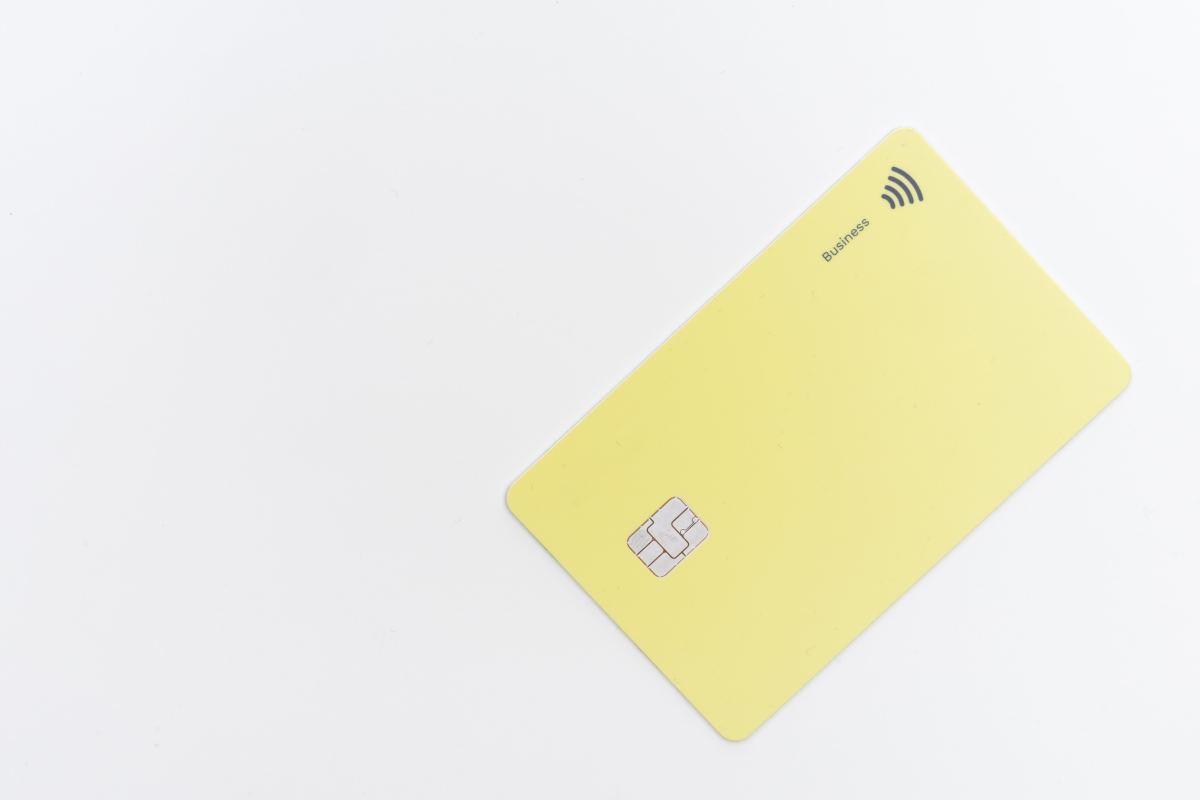
The Cash App Card is a Visa debit card directly linked to your Cash App balance. While it functions like any traditional debit card, its true innovation lies in its deep integration with the Cash App mobile application, transforming it into a powerful digital financial tool rather than just a standalone payment method. From a technological standpoint, it represents a crucial bridge between the digital funds held within your app and the physical world of point-of-sale transactions and ATM withdrawals.
What is the Cash App Card?
Fundamentally, the Cash App Card is a physical manifestation of your digital Cash App balance. It’s a Visa debit card, meaning it’s accepted wherever Visa is, but its backend operations are entirely managed through the Cash App mobile application. Unlike traditional bank cards that rely on complex banking infrastructure for management, the Cash App Card’s features—from ordering and activation to spending limits and security settings—are all controlled via a few taps on your smartphone screen. This app-centric design simplifies user interaction and provides immediate access to financial controls, a hallmark of modern FinTech solutions. Its technology facilitates instant transaction notifications, real-time balance updates, and the ability to freeze or unfreeze your card digitally, offering a level of immediacy and control that traditional banking systems often struggle to match.
Key Features and Technological Benefits
The Cash App Card boasts several technological advantages that enhance its utility and user experience:
- Instant Transaction Notifications: Every transaction made with the card triggers an immediate push notification on your smartphone, providing real-time oversight of your spending. This feature is crucial for monitoring activity and quickly identifying unauthorized use.
- In-App Card Management: The entire lifecycle of the card, from ordering to replacement, is managed within the Cash App. Users can activate, deactivate, report lost/stolen, and even order a new card directly through the app without needing to contact customer service via traditional channels.
- Boosts Program: A unique feature allowing users to instantly apply discounts or “boosts” at selected merchants directly from the app. This dynamic coupon system is digitally integrated, applying savings in real-time at the point of sale.
- Customization Options: Cash App offers personalized card designs, allowing users to draw or sign on their card virtually within the app before it’s printed. This digital customization leverages graphical user interface (GUI) technology to provide a unique personal touch.
- Contactless Payment Capability: Modern Cash App Cards are equipped with NFC (Near Field Communication) technology, enabling tap-to-pay functionality for quick and secure transactions at compatible terminals.
- Digital Wallet Integration: The Cash App Card can be easily added to mobile wallets like Apple Pay and Google Pay, extending its digital reach and allowing for smartphone-based payments without needing the physical card. This leverages tokenization for enhanced security.
These features underscore Cash App’s commitment to leveraging technology to provide a seamless, secure, and user-friendly financial experience, blurring the lines between traditional banking and digital platforms.
Step-by-Step Guide to Ordering Your Cash App Card
Ordering a new Cash App Card is designed to be a straightforward process, entirely managed within the mobile application. This section provides a detailed, tech-centric walkthrough, highlighting the interface interactions and technical considerations.
Prerequisites for Ordering
Before you initiate the card ordering process, ensure you meet a few technical and account-related prerequisites:
- Verified Cash App Account: Your Cash App account must be fully verified. This typically involves providing your full legal name, date of birth, and the last four digits of your Social Security Number (SSN). This is a standard Know Your Customer (KYC) compliance requirement, digitally processed to authenticate user identity.
- Minimum Age Requirement: You must be at least 13 years old to order a Cash App Card. For users under 18, a parent or legal guardian must sponsor their account and approve the card order, with specific digital consent mechanisms in place.
- Updated Cash App Application: Ensure your Cash App is updated to the latest version available on your device’s app store (iOS App Store or Google Play Store). Software updates often include new features, security enhancements, and bug fixes that ensure a smooth ordering process.
- Stable Internet Connection: A reliable internet connection (Wi-Fi or cellular data) is crucial for the app to communicate with Cash App’s servers, process your request, and securely transmit your personal data.
Navigating the Cash App Interface
The Cash App’s user interface is designed for intuitive navigation. Follow these steps to access the card ordering feature:
- Launch the Cash App: Open the Cash App on your smartphone. You’ll typically land on the main balance screen or a transaction history feed.
- Access the Card Tab: Look for the debit card icon at the bottom navigation bar of the app. This icon usually resembles a small credit/debit card. Tapping this icon will take you to the “Cash Card” section.
- Initiate Card Order: If you don’t already have a card or are ordering a replacement, you will see an option to “Get Free Cash Card” or “Order Card.” Tap on this prompt to begin the process.
- Confirm Personal Information: The app will display your name and address on file. Verify that this information is correct, as this is where your physical card will be mailed. If the address needs updating, the app will guide you through the digital change process, which might require re-verification for security purposes.
- Agree to Terms and Conditions: Review the digital terms of service and privacy policy. You’ll need to digitally agree to these before proceeding, signifying your consent to the card’s usage policies.
Customization and Design Options
One of the unique technological offerings of the Cash App Card is its personalization feature:
- Choose Your Design: Cash App often provides various pre-designed card options. Select one that appeals to you.
- Personalize Your Card (Optional): This is where Cash App truly innovates. You might be prompted to “Draw” or “Sign” on your card. Using your finger on the touchscreen, you can virtually create a custom design that will be etched onto your physical card. This utilizes graphic input processing to transfer your digital signature/drawing onto the card design template.
- Confirm Order: After finalizing your design and reviewing all details, confirm your order. The app will then display an estimated delivery date. Your order is digitally transmitted to Cash App’s card issuance partners for printing and shipping.
Activating and Managing Your Digital Card
Once your physical Cash App Card arrives, the activation and subsequent management are entirely app-based, emphasizing convenience and security through digital controls.
Digital Activation Process
Activating your Cash App Card is a simple, secure, and quick process performed within the app:
- Receive Your Card: The physical card typically arrives within 5-10 business days.
- Launch Cash App: Open the Cash App and navigate to the “Cash Card” tab (the card icon).
- Initiate Activation: You should see a prompt to “Activate Cash Card” or a similar option. Tap on it.
- Enter Card Details: The app will ask you to enter the CVV (Card Verification Value) and the expiration date found on the physical card. This digital input verifies that you are in possession of the card.
- Set Your PIN: You will then be prompted to create a four-digit PIN (Personal Identification Number) for your card. This PIN is encrypted and stored securely, used for ATM withdrawals and point-of-sale transactions where a PIN is required.

Some newer cards might support NFC activation, where simply tapping the card to your phone can initiate the activation process, leveraging embedded chip technology for faster setup.
In-App Card Management Features
The true power of the Cash App Card lies in the comprehensive suite of management tools available directly within the application:
- Lock/Unlock Card: With a single tap, you can instantly “lock” your Cash App Card, preventing any further transactions. This is an invaluable security feature, allowing immediate action if your card is misplaced or stolen, without waiting to contact customer support. You can “unlock” it just as easily.
- Change PIN: If you forget your PIN or suspect it has been compromised, you can easily reset it directly through the app, requiring identity verification steps like entering your current PIN or biometric authentication.
- View Transaction History: The app provides a detailed, real-time log of all your card transactions, categorized for easy review. This digital ledger helps with budgeting and expense tracking.
- Report Lost/Stolen: In the unfortunate event that your card is lost or stolen, the app offers a direct option to report it. This instantly deactivates the card and initiates the process for ordering a replacement, streamlining what traditionally can be a cumbersome process.
- Manage Boosts: Access and activate “Boosts” – instant discounts at selected merchants – directly from the app before making a purchase with your card. This dynamic coupon system is a prime example of real-time, location-aware technological utility.
Integrating with Digital Wallets
Extending its technological reach, the Cash App Card can be seamlessly integrated into major digital wallets:
- Add to Apple Pay/Google Pay: From the Cash Card tab in the Cash App, you’ll typically find an option to “Add to Apple Pay” or “Add to Google Pay.” Tapping this will guide you through the native digital wallet’s setup process.
- Tokenization for Security: When added to a digital wallet, your actual card number is replaced with a unique, encrypted “token.” This token is used for transactions, significantly enhancing security as your real card details are never transmitted, protecting them from potential breaches.
- Convenient Contactless Payments: Once added, you can use your smartphone or smartwatch for contactless payments wherever Apple Pay or Google Pay are accepted, leveraging NFC technology for quick and secure transactions without needing the physical card.
Security and Troubleshooting Your Cash App Card
Security is paramount in digital finance. Cash App employs multiple layers of technology to protect your card and funds. Understanding these, along with common troubleshooting steps, is crucial for a smooth user experience.
Robust Security Measures
Cash App integrates sophisticated security protocols to safeguard your account and card:
- Encryption: All communication between your Cash App and its servers, including transaction data and personal information, is encrypted using industry-standard protocols, protecting it from interception.
- Two-Factor Authentication (2FA): You can enable 2FA for your Cash App account, requiring a secondary verification code (usually sent to your phone or email) in addition to your password for logging in or making significant changes. This adds a critical layer of defense against unauthorized access.
- Fraud Detection Systems: Cash App utilizes advanced algorithms and machine learning to monitor transactions for unusual patterns that might indicate fraudulent activity. If suspicious activity is detected, transactions may be declined or flagged for review, and you might receive an in-app notification or an alert.
- Biometric Security: Many users secure their Cash App access with fingerprint or facial recognition (e.g., Touch ID/Face ID), leveraging hardware-based biometric authentication for quick and secure app entry.
- PCI DSS Compliance: As a payment processor, Cash App adheres to Payment Card Industry Data Security Standard (PCI DSS) requirements, which are a set of security standards designed to ensure that all companies that process, store, or transmit credit card information maintain a secure environment.
Common Ordering Issues and Tech Solutions
While designed to be seamless, technical glitches can occasionally occur during the card ordering process:
- “Order Failed” Error: This can sometimes be due to network connectivity issues. Try switching between Wi-Fi and cellular data, or restarting your app. It could also indicate an issue with your account verification status; ensure all KYC requirements are met.
- Address Verification Problems: If your address isn’t recognized, double-check for typos. Sometimes, postal service databases may have slight variations. Ensure your in-app address matches official records precisely. If issues persist, contact Cash App Support through the app, providing screenshots of the error.
- App Freezing/Crashing: Ensure your app is updated to the latest version. Clear the app’s cache and data (via your phone’s app settings) or reinstall the app entirely. This often resolves software conflicts or corrupted temporary files.
- Delayed Delivery: While outside direct app control, if your card significantly exceeds the estimated delivery time, verify your shipping address in the app. If correct, utilize the in-app support feature to inquire about the shipping status, as Cash App can track digitally submitted orders.
Reporting Lost or Stolen Cards
The Cash App provides an immediate and efficient digital mechanism for managing lost or stolen cards, minimizing potential financial exposure:
- Immediate Card Lock: The very first action should be to “Lock Cash Card” within the app’s “Cash Card” tab. This instantly prevents any further transactions, rendering the physical card useless.
- Report Loss/Theft: After locking, select the option to “Report Lost/Stolen Card” in the same section. This initiates the formal process, deactivates the old card permanently, and prompts you to order a new replacement card.
- Order Replacement: The app will guide you through ordering a new card, repeating steps similar to your initial order, including confirming your shipping address and choosing a design. Your old card will be removed from your digital wallet automatically, and you’ll add the new card once it arrives and is activated.
The Future of Digital Payments and the Cash App Card
The Cash App Card is more than just a payment instrument; it’s a gateway to understanding the direction of consumer finance—a future increasingly defined by digital convenience, real-time control, and integrated financial services. As technology continues to evolve, so too will the capabilities of such digital payment solutions.
Seamless Integration with the Digital Economy
The Cash App Card, by bridging the gap between digital currency and real-world transactions, exemplifies the seamless integration required for the modern digital economy. It allows users to manage their funds with the fluidity of an app, while still having the versatility of a physical card for traditional commerce. This dual functionality ensures that users are never restricted, whether they are paying online, tapping at a coffee shop, or withdrawing cash from an ATM. Its technology is designed to make financial interactions as frictionless as possible, which is a core tenet of digital transformation. The card also plays a critical role in expanding financial access, particularly for underserved populations, by providing a digital-first banking alternative that is easy to set up and manage via a smartphone.
Emerging Features and App Updates
The dynamic nature of the Cash App Card ecosystem means continuous evolution. We can anticipate future enhancements driven by technological advancements:
- Advanced AI-driven Security: Expect more sophisticated AI algorithms for real-time fraud detection and prevention, potentially offering predictive security measures based on spending habits and location data.
- Enhanced Customization: Further personalization options could emerge, perhaps including animated card designs through augmented reality (AR) or even dynamically changing card numbers for enhanced security against data breaches.
- Integrated Financial Planning Tools: The app could integrate more robust budgeting, saving, and investment features directly tied to card usage, offering personalized financial insights and recommendations based on spending patterns.
- Biometric Authentication for Transactions: Beyond app login, future iterations might allow for biometric authentication for high-value transactions directly through the card or linked mobile device, adding another layer of physical security.
- Cross-Platform Interoperability: Increased seamlessness with other FinTech platforms and traditional banking services, potentially through open banking APIs, making the Cash App Card even more versatile.
- Virtual Card Enhancements: More robust virtual card features for online shopping, including single-use card numbers or subscriptions management tools, to enhance privacy and control over digital payments.
The Cash App Card, through its technical foundation and continuous innovation, remains a prime example of how mobile applications are reshaping our interaction with money. Ordering and managing it isn’t merely a transactional act; it’s an engagement with a cutting-edge technological platform designed to simplify, secure, and personalize your financial life.
aViewFromTheCave is a participant in the Amazon Services LLC Associates Program, an affiliate advertising program designed to provide a means for sites to earn advertising fees by advertising and linking to Amazon.com. Amazon, the Amazon logo, AmazonSupply, and the AmazonSupply logo are trademarks of Amazon.com, Inc. or its affiliates. As an Amazon Associate we earn affiliate commissions from qualifying purchases.