
A debit card is more than just a piece of plastic; it’s a fundamental tool in modern personal finance, offering immediate access to your funds for purchases, bill payments, and cash withdrawals. For Chase account holders, ensuring you have a functional and secure debit card is paramount to managing your daily finances effectively. Whether your current card is lost, stolen, damaged, expired, or you’re simply opening a new account, understanding the process for obtaining a new one from Chase is a crucial financial skill.
This guide will walk you through the various scenarios that might necessitate a new debit card, provide a detailed, step-by-step approach to ordering one through Chase’s diverse channels, and offer essential advice on what to do once your new card arrives. We’ll also delve into best practices for card security and explore how your debit card fits into your broader financial ecosystem, all within the scope of personal finance and financial tools.
Understanding Why You Might Need a New Debit Card
Life happens, and with it, the necessity for a new debit card can arise from several common situations. Recognizing these scenarios helps you act swiftly and appropriately, minimizing disruption to your financial routine and safeguarding your assets.
Lost or Stolen Cards: Prioritizing Security
Perhaps the most urgent reason to order a new debit card is when your existing one goes missing or is stolen. In such a situation, time is of the essence. Losing your debit card can expose your bank account to potential fraud, making immediate action critical. Chase, like all reputable financial institutions, has robust protocols in place to protect customers in these circumstances. Your first step should always be to report the loss or theft to Chase immediately to have the card deactivated. This prevents unauthorized transactions and limits your liability for fraudulent charges. Once reported, ordering a replacement becomes the priority to restore your access to funds. This proactive security measure is a cornerstone of responsible personal finance management.
Expired or Damaged Cards: Maintaining Seamless Access
Debit cards, while durable, are not immortal. They come with expiration dates, typically valid for several years, printed on the card face. As your card approaches its expiration, Chase usually takes the initiative to send you a new one automatically. However, if you haven’t received a replacement close to the expiration date, or if your card becomes physically damaged—cracked, demagnetized, or simply too worn to function correctly at ATMs or point-of-sale terminals—you will need to proactively request a new one. A damaged card can hinder essential transactions, disrupting your ability to pay for goods and services or withdraw cash, thus emphasizing the importance of a functional card for daily financial operations.
Opening a New Chase Account: Starting Fresh
For new Chase customers, or existing customers opening an additional checking account, a new debit card is an automatic part of the account setup process. This card provides immediate access to your newly established funds, allowing you to begin transacting from day one. While the initial card issuance is typically seamless, understanding that it’s a distinct event from replacement orders helps set expectations regarding delivery times and activation procedures for your very first Chase debit card. It’s the gateway to utilizing Chase’s banking services and integrating your new account into your personal finance strategy.
Upgrading Card Features: Enhanced Banking Experience
Sometimes, the need for a new card isn’t due to an issue with the old one, but rather a desire for an enhanced banking experience. This could involve receiving a card with updated technology, such as improved contactless payment capabilities, or simply a card with a newer design. While functional upgrades are less common for basic debit cards compared to credit cards, staying current with the latest card technology can offer improved convenience and security. For instance, ensuring your card has an EMV chip and is contactless-enabled means you’re equipped for the most modern and secure payment methods available, streamlining your transactions and aligning with contemporary financial practices.
Step-by-Step Guide to Ordering a New Chase Debit Card
Chase provides multiple convenient channels for ordering a new debit card, catering to different preferences and urgency levels. Each method is designed to be straightforward, ensuring minimal hassle in restoring your access to funds.
Online Banking Portal: The Digital Advantage
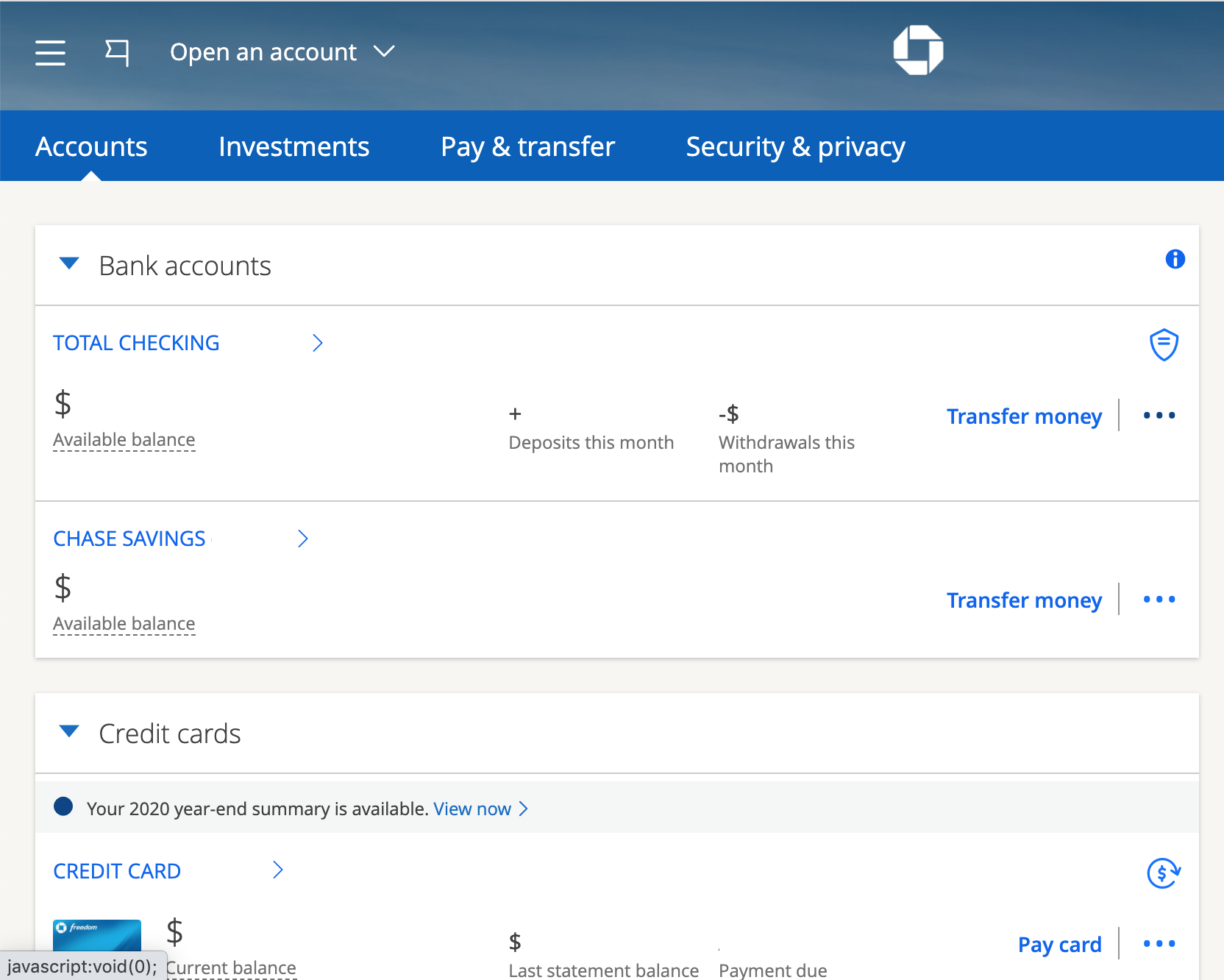
The Chase online banking portal is often the quickest and most efficient way to order a replacement debit card. This method offers the convenience of managing your request from anywhere, at any time, with a secure internet connection.
-
Log In Securely: Visit Chase.com and log into your personal banking account using your username and password. Ensure you are on the official Chase website to protect your credentials.
-
Navigate to Account Services: Once logged in, look for a section related to “Customer Service,” “Account Services,” “Manage Accounts,” or “Card Services.” The exact wording might vary slightly, but it’s generally within your account summary or a dedicated service menu.
-
Select “Replace Debit Card”: Within the card services section, you should find an option to “Replace a Debit Card,” “Order a New Card,” or “Report Lost/Stolen Card.” Selecting the appropriate option will initiate the process.
-
Confirm Details and Reason: The system will prompt you to confirm the account associated with the card and select the reason for the replacement (e.g., lost, stolen, damaged, expired). If you’re reporting a lost or stolen card, confirm that you wish to deactivate the old card immediately.
-
Verify Shipping Address: Crucially, verify your current mailing address. This ensures your new card is delivered to the correct and secure location. If your address has changed, update it before proceeding or contact customer service to ensure the card is sent to the right place.
-
Submit Request: Review all the information, then confirm and submit your request. You should receive a confirmation message or email, often including an estimated delivery date.
Chase Mobile App: Banking On-the-Go
For those who prefer managing their finances via smartphone, the Chase Mobile App offers a similarly streamlined process. The steps closely mirror the online banking portal, providing consistent user experience.
-
Open and Log In: Launch the Chase Mobile App on your smartphone or tablet and log in using your credentials. You might use Face ID, Touch ID, or a PIN for quick access.
-
Access Account Management: Navigate to your relevant checking account. Look for options like “Manage Account,” “Card Services,” or a specific debit card section within your account details.
-
Choose Replacement Option: Locate the option to “Replace Debit Card” or “Report Lost/Stolen Card.”
-
Follow On-Screen Prompts: Similar to the online portal, you will be guided to select the reason for the replacement, confirm your mailing address, and review the details before finalizing the order.
-
Confirm Submission: After submitting, you will receive an in-app confirmation and potentially an email confirmation.
Phone Support: Direct Assistance
If you prefer speaking to a representative or encounter issues with the online or mobile app methods, calling Chase’s customer service is an excellent option.
-
Locate the Correct Number: Find the customer service number on the back of your existing card (if available), on the Chase website (Chase.com/contact-us), or within your online banking portal. For lost/stolen cards, there’s usually a dedicated 24/7 hotline.
-
Prepare Your Information: Have your account number, Social Security number, and potentially other identifying information ready for verification purposes.
-
Explain Your Need: Clearly state that you need to order a new debit card and the reason why.
-
Follow Agent’s Instructions: The representative will guide you through the process, confirm your details, and place the order for you. They can also answer any specific questions you may have about delivery or activation.
In-Branch Visit: Personalized Service
While less common for simple card replacements, visiting a Chase branch can be beneficial for those who prefer face-to-face interaction or have complex issues.
-
Locate a Branch: Use the Chase branch locator on their website or app to find the nearest branch.
-
Bring Identification: Take a valid government-issued photo ID (e.g., driver’s license, passport) and your Chase account number or existing debit card.
-
Speak with a Representative: Inform the branch staff that you need to order a new debit card. They can assist you directly, verify your identity, and often expedite the process or offer temporary solutions if immediate access to funds is critical (e.g., temporary debit card issuance at some branches, though not always for full debit card replacements).
What to Expect After Ordering Your Card
Once you’ve placed your order for a new Chase debit card, it’s important to know what happens next and what steps you need to take upon its arrival. This ensures a smooth transition and rapid restoration of your financial access.
Delivery Timeline and Tracking
Typically, a new Chase debit card will arrive via standard mail within 5-7 business days. This timeframe can vary based on your location and postal service efficiency. While Chase usually does not provide real-time tracking for standard debit card shipments, you can often find an estimated delivery window in your online banking portal or app after placing the order. If your card doesn’t arrive within the expected timeframe, contact Chase customer service to inquire about its status and potentially reorder if it’s confirmed lost in transit. It’s crucial to report non-receipt promptly to avoid security risks associated with a missing card.

Card Activation: Securing Your Funds
Upon receiving your new debit card, the most critical step is to activate it. Until activated, the card is inactive and cannot be used for transactions, serving as a vital security measure. Chase offers several convenient activation methods:
-
Online Activation: Log into your Chase online banking account or mobile app. Look for a prompt or a “Activate Card” option within your card services section. You will typically need to enter the 16-digit card number and potentially other verification details.
-
Phone Activation: Call the activation number provided on the sticker affixed to your new card or found on the Chase website. You’ll likely use an automated system, requiring your card number and other personal identifiers for verification.
-
ATM Activation: Insert your new card into any Chase ATM, enter your PIN (if you already have one and are just replacing an expired card), and perform a simple transaction like a balance inquiry. This often serves as an activation step.
-
In-Branch Activation: A Chase representative can help you activate your card during a branch visit.
Setting Up a New PIN: Personalizing Security
If you’re replacing a lost/stolen card or are a new account holder, you will likely need to set up a new Personal Identification Number (PIN). For replacement cards due to damage or expiration, your old PIN usually remains active, but you may still choose to change it. A strong, memorable PIN is essential for security. Avoid easily guessable numbers like birthdays, consecutive numbers, or repeated digits.
-
Online/App: Some banks allow PIN changes via their online portal or app after activation.
-
Phone: Call the number on the back of your card to use an automated system to set or change your PIN.
-
ATM: After activating your card, you can often change your PIN at any Chase ATM by selecting the “Change PIN” option.
Updating Recurring Payments: Avoiding Interruptions
This is a critical, yet often overlooked, step. Many people have recurring payments linked to their debit card number for subscriptions, utilities, online services, and more. When you receive a new debit card (especially if the card number or expiration date changes), you must proactively update your card details with all merchants who have your old card on file. Failure to do so can lead to missed payments, service interruptions, late fees, and potential damage to your credit score if related to loan or credit card payments. Make a list of all your recurring charges and systematically update each one to ensure financial continuity.
Maximizing Your Debit Card’s Potential and Security
A debit card is a powerful financial tool, but its utility and safety depend on how well you understand and manage it. Maximizing its potential involves leveraging its features while diligently practicing security measures.
Understanding Debit Card Features and Benefits
Beyond simply withdrawing cash and making purchases, modern debit cards come with several integrated features designed to enhance convenience and security:
-
EMV Chip Technology: The embedded microchip provides enhanced security for in-person transactions by encrypting data, making it much harder for fraudsters to counterfeit your card.
-
Contactless Payment: Look for the contactless symbol (four curved lines). This allows you to tap your card at compatible terminals for quick and secure payments without swiping or inserting.
-
Fraud Protection: Chase offers robust fraud monitoring systems that detect suspicious activity. In the event of unauthorized transactions, Chase’s zero-liability policy typically protects you from losses if you report fraud promptly.
-
Daily Transaction Limits: For your protection, debit cards often have daily limits for purchases and ATM withdrawals. Understanding these limits can help you plan larger transactions.
-
Worldwide ATM Access: Your Chase debit card provides access to your funds at millions of ATMs globally, though network fees may apply outside of Chase’s network.
Best Practices for Debit Card Security
Vigilance is key to protecting your debit card and the funds in your account.
-
Monitor Your Statements Regularly: Review your bank statements and online transaction history frequently to spot any unauthorized or suspicious activity immediately.
-
Secure Online Shopping: Only use your debit card on secure websites (look for “https://” in the URL and a padlock symbol). Be cautious of saving card details on unfamiliar sites.
-
Protect Your PIN: Never write down your PIN, share it with anyone, or use an easily guessable combination. Always cover the keypad when entering your PIN at ATMs or point-of-sale terminals.
-
Report Suspicious Activity: If you receive texts, emails, or calls asking for your card details or PIN, assume it’s a phishing attempt and report it to Chase. Chase will never ask for your PIN.
-
Use Alerts: Set up transaction alerts with Chase to be notified via text or email for purchases above a certain amount, international transactions, or ATM withdrawals. This provides real-time fraud detection.
Integrating with Digital Wallets
For an added layer of convenience and security, consider adding your Chase debit card to digital wallets like Apple Pay, Google Pay, or Samsung Pay.
-
Enhanced Security: When you use a digital wallet, your actual card number is not transmitted to the merchant. Instead, a unique, encrypted device account number is used (tokenization), making it much harder for fraudsters to intercept your card information.
-
Convenience: Pay with a tap of your phone or smartwatch at compatible terminals, often without needing to take your physical card out of your wallet.
-
Peace of Mind: If your phone is lost or stolen, you can remotely wipe your digital wallet, providing greater control over your financial security than losing a physical card.
When to Consider Other Financial Tools
While a debit card is essential for everyday banking, understanding its role relative to other financial instruments is crucial for holistic personal finance management.
Debit vs. Credit Cards: Understanding the Differences
It’s important to distinguish between debit and credit cards, as they serve different purposes and carry different risks and benefits:
-
Fraud Liability: While debit cards offer fraud protection, credit cards generally provide stronger liability protection and chargeback rights, especially under federal regulations.
-
Building Credit: Debit card usage does not help build a credit history, as you are spending your own money. Credit cards, when used responsibly, are instrumental in establishing and improving your credit score.
-
Interest and Rewards: Debit cards do not accrue interest or typically offer rewards programs. Credit cards can incur interest if balances are carried over and often come with valuable rewards (cash back, points, miles) that can be strategically leveraged.
-
Emergency Fund Access: While a debit card provides immediate access to your savings, a credit card can offer a line of credit for emergencies without depleting your cash reserves, though it’s crucial to pay off such debts quickly to avoid high interest.
For robust financial health, a combination of a reliable debit card for daily expenses and a well-managed credit card for building credit and larger purchases is often recommended.
Prepaid Cards and Alternative Payment Methods
For specific budgeting needs, travel, or enhanced online security, alternative payment methods like prepaid cards can complement your debit card.
-
Prepaid Cards: These are loaded with a specific amount of money and can only be used up to that amount. They can be useful for strict budgeting, as a safe alternative for online shopping, or for giving allowances without granting full bank account access.
-
Bank Transfers and Digital Payment Apps: Services like Zelle (integrated with Chase), PayPal, Venmo, or direct bank transfers can be efficient for person-to-person payments or larger transactions where a debit card might not be suitable or convenient.
Understanding these alternatives allows you to choose the most appropriate tool for each financial task, enhancing both convenience and security in your overall financial strategy.

Conclusion
A functional and secure debit card from Chase is an indispensable asset for managing your personal finances in today’s digital world. Whether you’re replacing a lost card, activating a new one, or simply ensuring your existing card remains secure, the ability to effectively manage this tool is a cornerstone of financial independence. By understanding the reasons for needing a new card, navigating Chase’s ordering channels, and adhering to best practices for security and activation, you empower yourself to maintain seamless access to your funds and protect your financial well-being. Proactive card management, coupled with a keen awareness of other financial tools, ensures that your debit card serves as a reliable and secure gateway to your money, enabling you to conduct your financial life with confidence and peace of mind.
aViewFromTheCave is a participant in the Amazon Services LLC Associates Program, an affiliate advertising program designed to provide a means for sites to earn advertising fees by advertising and linking to Amazon.com. Amazon, the Amazon logo, AmazonSupply, and the AmazonSupply logo are trademarks of Amazon.com, Inc. or its affiliates. As an Amazon Associate we earn affiliate commissions from qualifying purchases.