
In an increasingly digital world, managing personal finances, facilitating online transactions, and even running a business often hinges on access to efficient and secure financial tools. Among these, PayPal stands out as a global leader, simplifying everything from sending money to friends to receiving payments from international clients. For many, a PayPal account is not just a convenience; it’s a necessity for navigating the modern financial landscape. This comprehensive guide will walk you through the process of opening your own PayPal account, detailing the financial implications, benefits, and best practices to ensure a smooth and secure experience.
The Indispensable Role of PayPal in Modern Finance
PayPal’s journey from a startup to a financial behemoth reflects the profound shift in how we interact with money. It has redefined convenience, security, and accessibility in the realm of digital payments, making it a cornerstone for individuals and businesses alike who engage with online financial transactions.
Evolution of Digital Payments
Before PayPal, online transactions were often cumbersome, requiring direct bank transfers or complex credit card processes that often lacked robust buyer protection. PayPal emerged at the turn of the millennium, offering a revolutionary solution: an intermediary that allowed users to send and receive money with just an email address. This innovation democratized online payments, opening doors for e-commerce, freelance work, and global financial interactions. It effectively bridged the gap between traditional banking and the burgeoning digital economy, laying the groundwork for many of the financial technologies we use today. Its early success with platforms like eBay solidified its position, demonstrating the immense value of a streamlined, secure digital payment system. Today, PayPal’s influence extends far beyond its initial scope, encompassing a vast network of online merchants, service providers, and individual users worldwide.
PayPal as a Financial Ecosystem
More than just a payment processor, PayPal has evolved into a comprehensive financial ecosystem. For personal users, it simplifies online shopping, allowing quick and secure payments without constantly re-entering sensitive financial details. It facilitates peer-to-peer transfers, making it easy to split bills or send money to family and friends. For individuals engaged in online income generation or side hustles, PayPal serves as a vital conduit for receiving payments from clients across the globe, often integrating seamlessly with freelancing platforms and e-commerce sites.
For businesses, especially small to medium-sized enterprises (SMEs) and online ventures, PayPal offers robust solutions for invoicing, managing subscriptions, and processing sales. Its merchant services provide tools for accepting payments on websites, in apps, and even in physical stores. Furthermore, PayPal’s capabilities extend to international transfers, offering competitive rates and simplifying cross-border financial transactions, which is crucial for a globalized economy. This broad functionality cements PayPal’s status as an essential financial tool, integrating various aspects of personal and business finance into a single, accessible platform.
Preparing for Your PayPal Account Journey
Before you embark on opening your PayPal account, a bit of preparation can streamline the process. Knowing what information you’ll need and understanding the different account types will ensure you choose the option best suited for your financial activities.
Essential Information You’ll Need
To ensure the security and integrity of your financial account, PayPal requires specific personal and financial information. Having these details ready will make the registration process quick and efficient. You will typically need:
- A valid email address: This will be your primary identifier and the address where PayPal sends all communications.
- A secure password: Choose a strong, unique password to protect your financial data.
- Your full legal name and address: For identity verification and regulatory compliance.
- Your phone number: For security purposes, including two-factor authentication.
- Date of birth: To confirm you meet the age requirements (typically 18 years or older).
- Bank account details or credit/debit card information: To link a funding source to your PayPal account, allowing you to add funds, make payments, and withdraw money. PayPal will typically perform small verification transactions to confirm ownership of these financial instruments, which will later be reimbursed.
Providing accurate information is crucial for compliance with financial regulations (like Know Your Customer – KYC) and to prevent potential issues with account verification or future transactions.
Choosing the Right Account Type
PayPal offers two primary account types, each tailored to different financial needs: Personal and Business. Selecting the correct one from the outset can save you complications down the line.
-
Personal Account: This account is ideal for individuals who primarily use PayPal for personal transactions. This includes online shopping, sending and receiving money from friends and family, and making donations. It’s perfect for casual users and those who only occasionally receive payments for goods or services as a hobby or side activity, provided it doesn’t constitute a regular business. Personal accounts typically have fewer reporting requirements and simpler setup procedures.
-
Business Account: If you plan to use PayPal for commercial activities, such as selling goods or services regularly, running an e-commerce store, or receiving payments for professional freelancing, a Business account is essential. Business accounts offer features like accepting payments on your website, sending professional invoices, managing multiple users, and accessing detailed sales reports. They also provide clearer separation between personal and business finances, which is vital for tax purposes and financial planning. While setting up a Business account may require additional information, such as your business name, type, and possibly Employer Identification Number (EIN) if you have one, these features are invaluable for legitimate commercial operations. It’s generally recommended to choose a Business account if you anticipate any regular financial activity related to a business endeavor, no matter how small it starts.
A Step-by-Step Guide to Opening Your PayPal Account
Once you’ve gathered your necessary information and decided on the account type, the process of opening your PayPal account is straightforward. Following these steps carefully will ensure your account is set up securely and ready for all your financial needs.
Initial Registration Process
- Visit the PayPal Website: Navigate to the official PayPal website (paypal.com) and click on the “Sign Up” button, usually located in the top right corner.
- Select Account Type: Choose either “Personal Account” or “Business Account” based on your needs, then click “Next” or “Continue.”
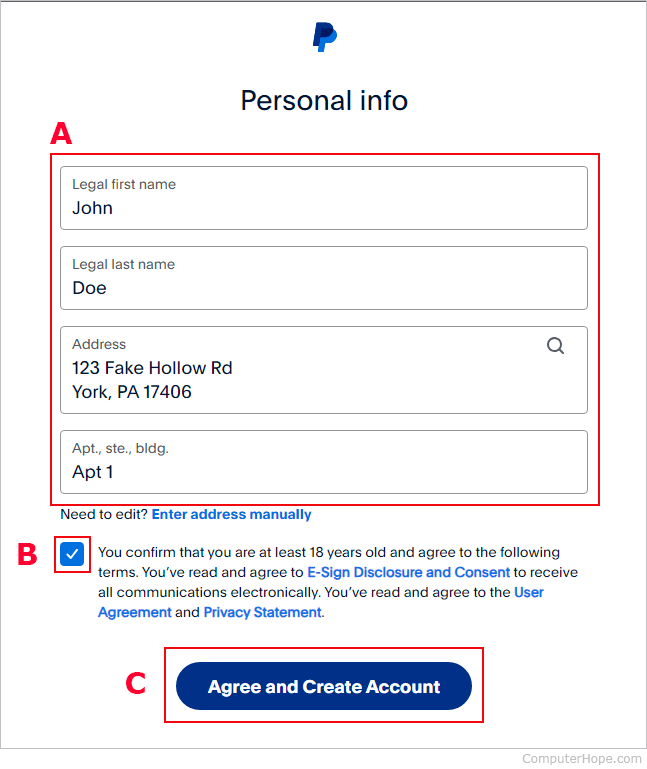
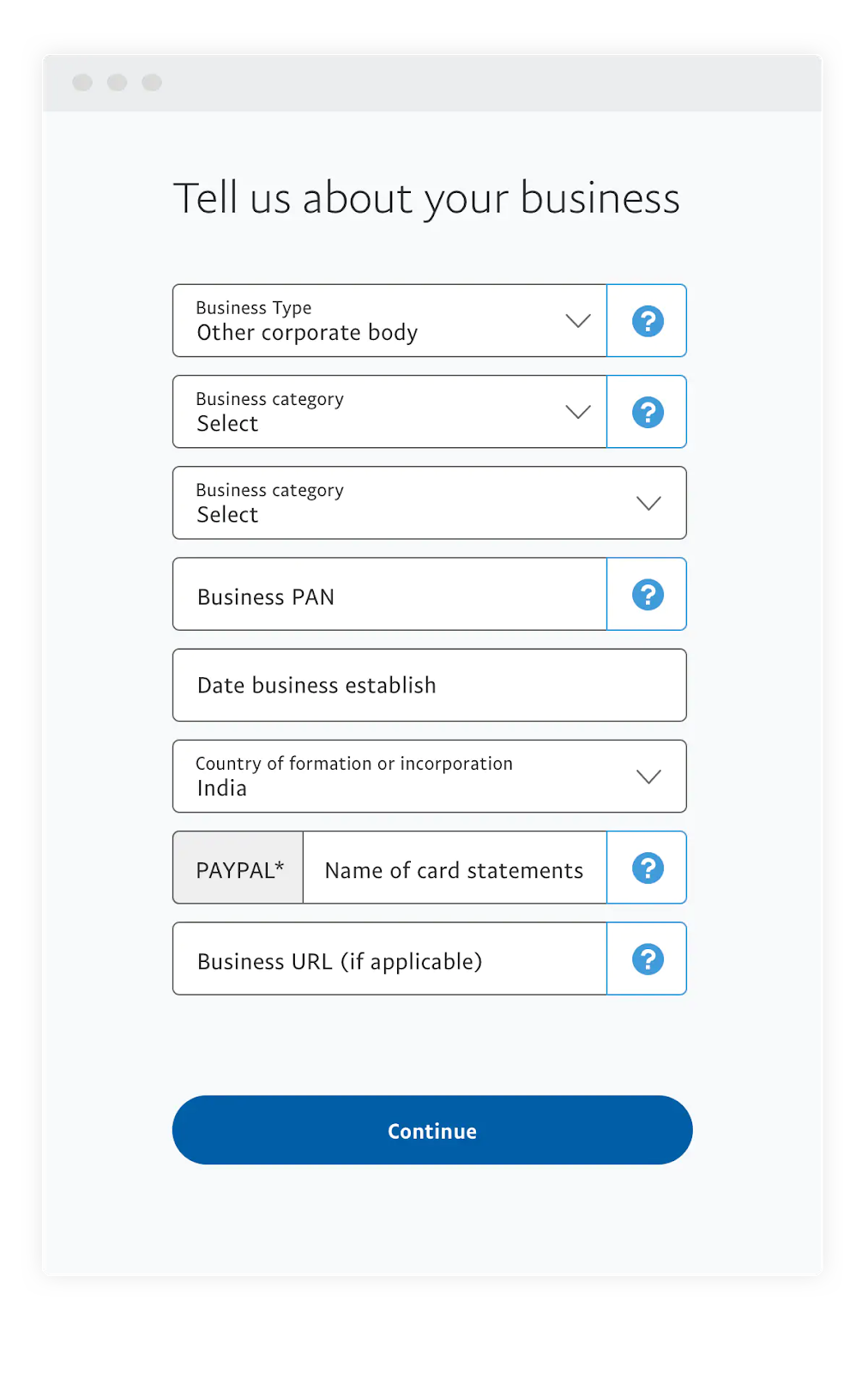
- Enter Your Details: You will be prompted to enter your email address and create a secure password. For personal accounts, you’ll also provide your name, address, and phone number. For business accounts, you’ll enter your business information, including your business type and category.
- Agree to Terms: Read and accept PayPal’s User Agreement and Privacy Policy. It’s crucial to understand these financial terms, as they govern your rights and responsibilities when using PayPal’s services.
- Submit Registration: After reviewing all your entered information for accuracy, click “Agree and Create Account” or a similar button to finalize the initial registration.
Verifying Your Identity and Email
Immediately after initial registration, PayPal will send a verification email to the address you provided.
- Check Your Inbox: Open the email from PayPal and click on the verification link. This step is critical as it confirms that the email address belongs to you and is secure for future communications and password resets.
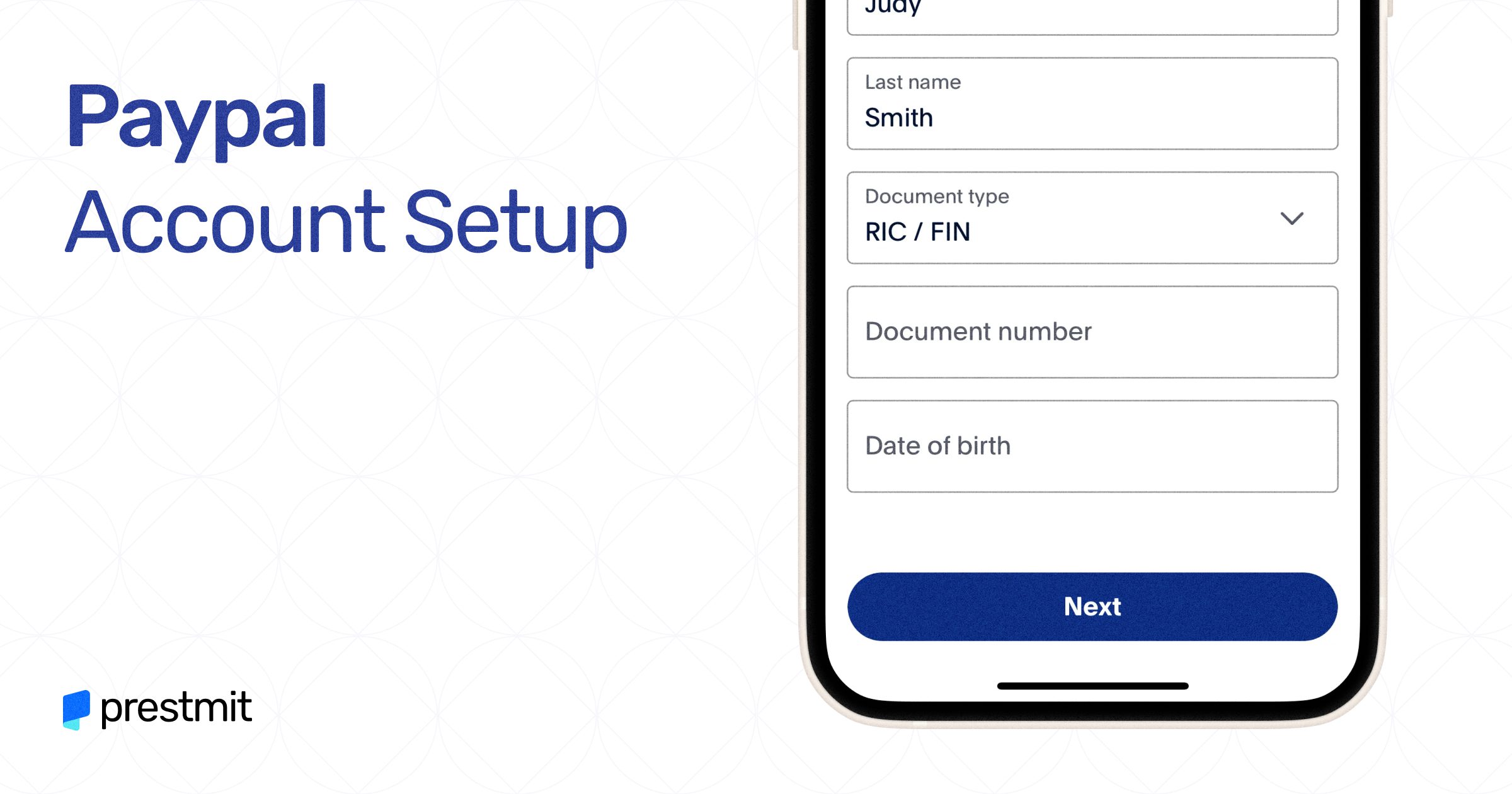
- Provide Additional Information (if required): Depending on your location and the type of account, PayPal might require further identity verification to comply with financial regulations. This could involve providing a photo ID, proof of address, or other documents. This is a standard security measure to protect your financial transactions and prevent fraud. Completing this promptly is essential for full account functionality.
Linking Your Financial Instruments
To fully utilize your PayPal account for sending money, making purchases, or receiving funds, you’ll need to link a funding source.
- Add a Bank Account: On your PayPal dashboard, look for the option to “Link a bank account.” You’ll typically need to provide your bank’s name, routing number, and account number. PayPal will usually make two small deposits (e.g., $0.01 and $0.05) into your bank account, which you’ll need to verify on your PayPal account to confirm ownership. This process can take a few business days.
- Add a Credit or Debit Card: Alternatively, or additionally, you can link a credit or debit card. You’ll enter the card number, expiration date, and security code. PayPal will make a temporary small charge (which will be refunded) to verify the card, often asking you to confirm the charge amount from your card statement. Linking both a bank account and a card provides flexibility and a backup funding source for your financial activities.
Setting Up Security Measures
Protecting your financial account is paramount. PayPal offers several robust security features.
- Enable Two-Factor Authentication (2FA): This adds an extra layer of security by requiring a code from your mobile device in addition to your password when logging in. Navigate to your account settings or security section to enable 2FA (sometimes called Two-Step Verification).
- Create Strong, Unique Passwords: Always use a complex password that combines letters, numbers, and symbols, and avoid reusing passwords from other online accounts.
- Regularly Review Account Activity: Make it a habit to check your PayPal transaction history for any unauthorized activity. Promptly report any suspicious financial movements.
Maximizing Your PayPal Account for Financial Advantage
With your PayPal account successfully set up, it’s time to explore how this versatile financial tool can enhance your personal finance management and open doors to new opportunities, particularly in the realm of online income.
Streamlining Personal Payments and Online Shopping
PayPal excels at making everyday financial interactions smooth and secure. For online shopping, you can make purchases from millions of merchants worldwide without repeatedly entering your credit card details, significantly enhancing convenience and security. PayPal’s buyer protection policies also offer a layer of financial reassurance, providing recourse if an item doesn’t arrive or isn’t as described. For personal payments, sending money to friends and family is often free within the same country when funded by a linked bank account or PayPal balance, making it an economical choice for splitting bills or sending gifts.
Leveraging PayPal for Online Income and Side Hustles
For freelancers, small business owners, and those with side hustles, PayPal is an indispensable tool for receiving payments.
- Receiving Payments: Many online platforms and marketplaces integrate directly with PayPal, allowing you to receive payments from clients or customers efficiently, often in various currencies.
- Invoicing: PayPal provides professional invoicing tools, enabling you to create and send customized invoices directly to clients, track payment statuses, and manage outstanding balances. This feature is invaluable for maintaining organized financial records for your income streams.
- Subscription Services: For businesses offering subscription-based products or services, PayPal’s recurring payment options simplify billing and revenue collection.
Understanding how to efficiently receive and manage these funds is critical for accurately tracking your online income and ensuring compliance with financial regulations.
Understanding Fees and Transaction Limits
While many PayPal services are free, particularly for personal transactions funded by a bank account, it’s crucial to understand when fees apply.
- Transaction Fees: Fees are typically charged for commercial transactions (e.g., receiving payment for goods or services), international transfers, and certain currency conversions. These fees can vary based on the transaction amount, currency, and recipient’s location.
- Withdrawal Fees: While withdrawing funds to a linked U.S. bank account is generally free, instant transfers to bank accounts or debit cards may incur a small fee.
- Transaction Limits: New accounts or unverified accounts may have sending or withdrawal limits. Verifying your identity and linking a bank account usually increases these limits, providing more financial flexibility. Regularly reviewing PayPal’s fee structure and understanding your account’s limits will help you manage your finances effectively and avoid unexpected costs.
International Transfers and Currency Conversion
PayPal offers robust capabilities for international money transfers, a significant advantage for those dealing with global clients or family abroad.
- Sending and Receiving Across Borders: You can send and receive payments in various currencies, and PayPal automatically handles currency conversion at competitive rates. However, it’s important to be aware of the exchange rate applied and any associated conversion fees.
- Managing Multiple Currencies: Your PayPal account can hold balances in multiple currencies, which can be beneficial for international businesses or frequent travelers. Understanding how to manage these balances and convert funds efficiently is key to optimizing your global financial transactions.
Common Pitfalls and Best Practices for PayPal Users
Navigating the digital financial landscape requires vigilance. While PayPal offers robust security, users must also adopt best practices to protect their funds and ensure a smooth experience.
Safeguarding Your Financial Information
The primary threat to any online financial account is unauthorized access.
- Beware of Phishing Scams: Scammers often send fake emails or messages impersonating PayPal, attempting to trick users into revealing login credentials or personal financial information. Always check the sender’s email address, look for grammatical errors, and never click on suspicious links. If in doubt, directly log into your PayPal account through the official website.
- Use Strong, Unique Passwords: As reiterated, never reuse passwords. Consider using a password manager to securely store complex passwords for all your online accounts, especially financial ones.
- Keep Your Software Updated: Ensure your operating system, web browser, and antivirus software are always up-to-date. These updates often include critical security patches that protect against vulnerabilities.
Managing Disputes and Resolutions
Despite best efforts, issues can arise with transactions. PayPal offers a robust dispute resolution process to protect both buyers and sellers.
- Buyer Protection: If an item you purchased online doesn’t arrive or is significantly not as described, PayPal’s Buyer Protection program can help you get a refund. It’s crucial to open a dispute within the specified timeframe and provide all necessary documentation.
- Seller Protection: For sellers, PayPal offers Seller Protection against unauthorized transactions and buyer claims of non-receipt, provided certain conditions are met (e.g., proof of shipment).
- Communicating Effectively: Before escalating to a formal dispute, try to resolve issues directly with the other party. If that fails, utilize PayPal’s Resolution Center to file a dispute, providing clear, concise information about the financial transaction and the issue. Understanding these protections is a critical aspect of managing your financial risk when using PayPal.
Keeping Your Account Active and Compliant
To ensure uninterrupted service and avoid potential account limitations, it’s important to keep your PayPal account in good standing.
- Regularly Log In: Periodically logging into your account, even if you don’t have active transactions, helps keep it active.
- Respond to PayPal Communications: If PayPal requests additional information for verification or compliance (e.g., updated KYC documents), respond promptly. Failure to do so can lead to account limitations or suspension, impacting your ability to conduct financial transactions.
- Adhere to User Agreement: Familiarize yourself with and abide by PayPal’s User Agreement and Acceptable Use Policy. Violations can lead to account restrictions or permanent closure. Maintaining compliance ensures your financial tool remains fully functional and reliable.
Conclusion
Opening a PayPal account is a fundamental step toward embracing the efficiencies of modern digital finance. From streamlining personal payments and online shopping to facilitating global income streams for businesses and freelancers, PayPal serves as a critical financial tool. By understanding the registration process, linking your financial instruments securely, and adopting best practices for account management and security, you can harness the full power of PayPal. It’s more than just a payment processor; it’s a gateway to managing your money more effectively, participating in the global economy, and securing your financial transactions in an interconnected world. Embrace this powerful financial solution to unlock new possibilities for your personal and professional financial endeavors.
aViewFromTheCave is a participant in the Amazon Services LLC Associates Program, an affiliate advertising program designed to provide a means for sites to earn advertising fees by advertising and linking to Amazon.com. Amazon, the Amazon logo, AmazonSupply, and the AmazonSupply logo are trademarks of Amazon.com, Inc. or its affiliates. As an Amazon Associate we earn affiliate commissions from qualifying purchases.