
In an increasingly digital world, person-to-person (P2P) payment applications have revolutionized how we manage and transfer money. Among these, Venmo stands out as a popular, user-friendly platform, transforming casual financial exchanges into a social and streamlined experience. More than just a simple money transfer service, Venmo embodies a crucial piece of modern financial technology, enabling users to split bills, pay friends, and even make purchases with unprecedented ease. Understanding how to set up and effectively utilize a Venmo account is not just about convenience; it’s about integrating into a prevalent digital ecosystem that simplifies everyday financial interactions. This guide will walk you through the technical intricacies of creating your Venmo account, exploring its core functionalities, and ensuring a secure and efficient user experience within the ever-evolving landscape of digital payments.
Understanding Venmo’s Place in the Digital Payments Landscape
Before diving into the mechanics of account creation, it’s essential to grasp what Venmo is, why it has gained such widespread adoption, and the foundational technological requirements for its use. Venmo isn’t just an app; it’s a social payment platform built on robust technology designed for speed, accessibility, and user engagement.
What is Venmo? A Primer on P2P Technology
At its core, Venmo is a mobile payment service owned by PayPal. It facilitates instant digital transfers of money between individuals using a mobile app, available on both iOS and Android platforms. Unlike traditional bank transfers that can take days, Venmo transactions between users are typically processed within minutes, making it ideal for immediate financial needs. Its design prioritifies a seamless user experience, abstracting away much of the underlying complexity of financial transactions into a simple, intuitive interface. Beyond simple transfers, Venmo integrates a social feed, allowing users to share (or privatize) their transactions with friends, adding a unique communal layer to financial interactions. This blend of functionality and social networking positions Venmo as a distinct player in the FinTech space, moving beyond mere utility to offer an engaging user experience.
Why Venmo? Convenience, Connectivity, and Core App Features
The widespread appeal of Venmo stems from its unparalleled convenience and the unique set of features it offers. For users, it simplifies common scenarios like splitting restaurant bills, contributing to group gifts, or reimbursing friends for shared expenses. The app’s strength lies in its ability to connect directly to users’ bank accounts, debit cards, or credit cards, acting as an intermediary for swift fund transfers. Key features include:
-
Instant Transfers: Funds move quickly between Venmo accounts.
-
Social Feed: A customizable feed displaying transactions (with privacy options).
-
Balance Management: Users can hold a balance within the app or transfer funds to their linked bank account.
-
Venmo Debit/Credit Card: Options for direct spending from Venmo balance or as a credit facility.
-
Business Profiles: Capabilities for small businesses to accept payments.
From a technological standpoint, Venmo’s architecture is designed for high availability and low latency, ensuring that transactions are processed efficiently even during peak usage. Its API integrations with various financial institutions are a testament to its technical sophistication, allowing for the secure flow of data and funds.
Compatibility and Fundamental Requirements
To use Venmo, there are a few essential technical and practical prerequisites.
-
Device Compatibility: The app is exclusively available on smartphones and tablets running modern versions of iOS or Android. A stable internet connection (Wi-Fi or cellular data) is mandatory for all operations.
-
Age and Residency: Users must be at least 18 years old and reside in the United States. This geo-restriction is due to regulatory compliance and financial licensing.
-
Valid Phone Number and Email: A U.S.-based mobile phone number for verification and a valid email address are crucial for account setup and security.
-
Funding Source: A U.S.-issued bank account, debit card, or credit card is required to send money and receive funds outside of the Venmo balance. This linking process relies on secure encryption protocols to protect sensitive financial information. Understanding these foundational elements ensures you’re ready to embark on the account creation journey.
Step-by-Step Guide to Creating Your Venmo Account
The process of setting up a Venmo account is designed to be straightforward, yet it involves several critical steps to ensure secure identity verification and seamless integration with your financial institutions. Following these instructions meticulously will set you up for success.
Downloading and Installing the Venmo Application
The first technical step is acquiring the Venmo application itself.
-
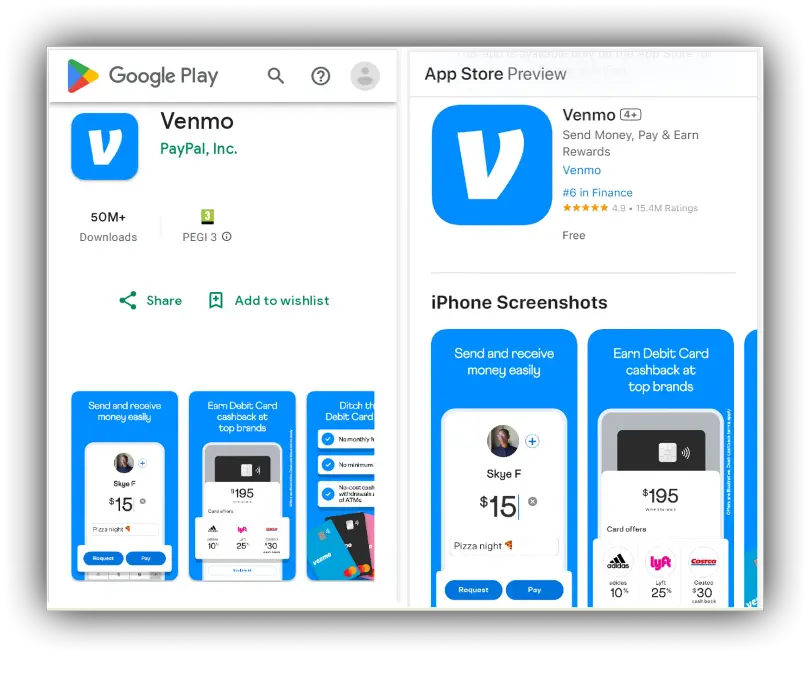
Locate the App Store: For iOS devices, open the Apple App Store. For Android devices, open the Google Play Store.
-
Search for Venmo: Use the search bar to type “Venmo.”
-
Install the App: Tap the “Get” or “Install” button. You may need to authenticate this download using your device’s biometric security (fingerprint, facial recognition) or password.
-
Grant Permissions: Once installed, the app may request certain permissions (e.g., access to contacts for finding friends, notifications for transaction alerts). While some permissions are optional, enabling notifications is highly recommended for security and awareness of account activity. Ensure your operating system is up to date for optimal app performance and security.
Initial Signup Process: Crafting Your Digital Identity
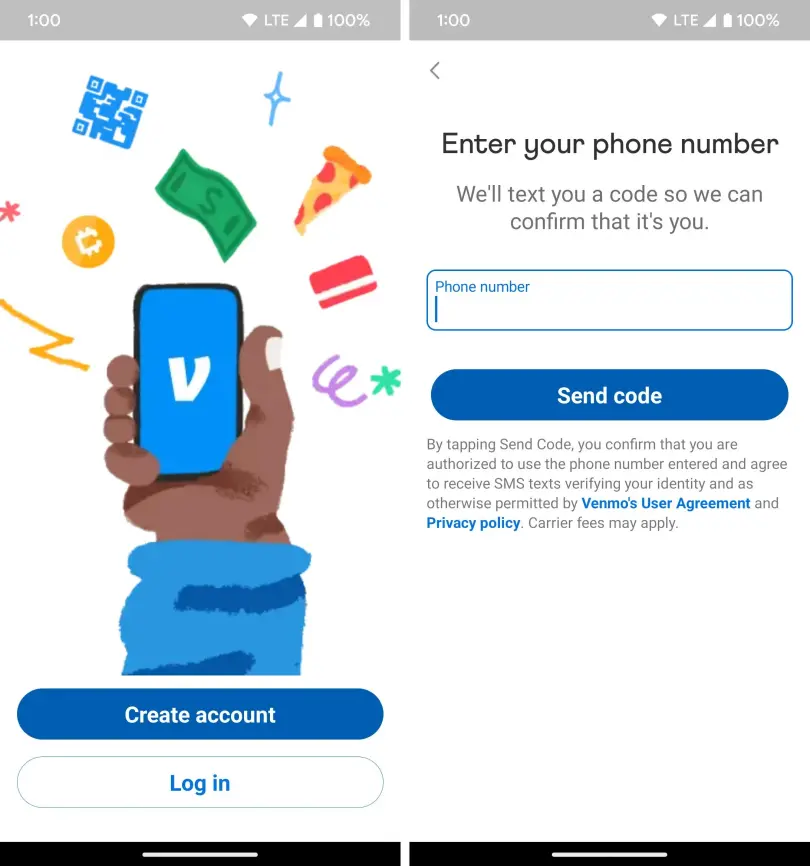
Once the app is installed, open it to begin the signup process.
-
Choose Signup Method: Venmo typically offers options to sign up using your phone number or email address. Choosing your phone number is often recommended as it’s frequently used for identity verification.
-
Enter Personal Information: You’ll be prompted to enter your legal first name, last name, and create a secure password. Remember to choose a strong, unique password that combines letters, numbers, and symbols to protect your account.
-
Create a Username: Your Venmo username (often preceded by ‘@’) is how others will find and pay you. It must be unique. Choose something recognizable and professional if you plan to use Venmo for broader networking.
-
Agree to Terms of Service: Read and accept Venmo’s User Agreement and Privacy Policy. This is a crucial step from a digital literacy standpoint, as it outlines your rights and responsibilities.
Verifying Your Identity for Enhanced Security and Functionality
Identity verification is a cornerstone of digital financial services, ensuring compliance and preventing fraud.
-
Phone/Email Verification: Venmo will send a verification code to the phone number or email address you provided. Enter this code into the app to confirm ownership.
-
Further Identity Verification (Optional, but often required for higher limits): To unlock higher transaction limits and enable certain features, Venmo may require additional personal information, including:
-
Date of Birth: To confirm you meet the age requirement.
-
Last 4 Digits of Social Security Number (SSN): This is for identity verification purposes, not a full credit check. Venmo uses this to comply with federal regulations like the Patriot Act. This data is handled with stringent encryption and security protocols.
-
Street Address: To confirm your U.S. residency.
-
Providing this information securely enables Venmo’s backend systems to cross-reference your identity against official databases, enhancing the security of the entire platform and protecting all users.
Linking Your Bank Account or Debit Card: The Financial Bridge
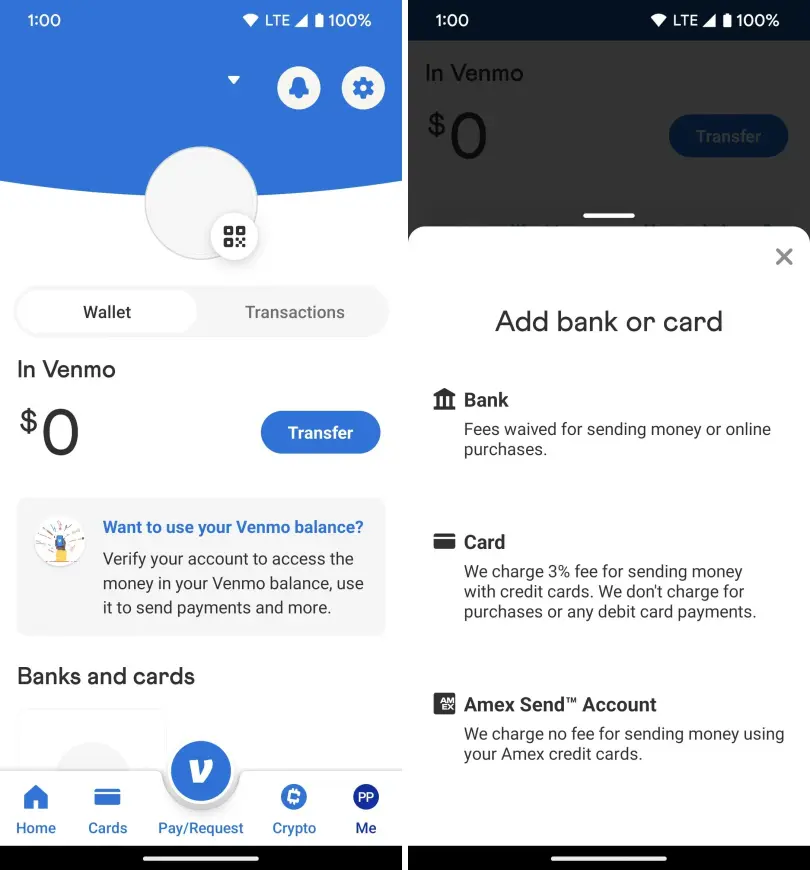
To send money and cash out your Venmo balance, you must link a funding source. This is where the app connects to the broader financial infrastructure.
-
Select Funding Source: Go to the “Settings” menu (usually represented by a gear icon) and navigate to “Payment Methods.” Here, you’ll have options to link a bank account or a debit/credit card.
-
Linking a Bank Account:
-
Instant Verification (Recommended): Many banks support instant verification through a third-party service like Plaid. You’ll log in to your bank’s online portal directly through Venmo’s secure interface. This method is fast and often requires no micro-deposits.
-
Manual Verification: If instant verification isn’t available, you’ll need to manually enter your bank’s routing number and account number. Venmo will then send two small “micro-deposits” (usually a few cents) to your bank account, which you’ll need to verify within the app after 1-3 business days. This confirms you own the account.
-
-
Linking a Debit/Credit Card:
- Enter your card number, expiration date, and CVV code. Debit cards are generally preferred for sending money as they often incur no fees, while credit card payments typically come with a 3% fee.
This linking process is secured with industry-standard encryption, protecting your financial details from unauthorized access. Once a funding source is linked, you’re ready to start transacting.
Navigating Venmo’s Core Features and Settings
With your account established, understanding how to utilize Venmo’s primary functions and customize its settings is crucial for a complete and secure experience. This involves more than just sending money; it’s about managing your digital interactions within the app.
Sending and Requesting Money: The Heart of the Application
The ability to send and request money quickly is Venmo’s core offering.
-
Sending Money: Tap the “Pay & Request” button (usually a pencil and paper icon). Enter the recipient’s username, phone number, or email. Input the amount, add a descriptive note (which can include emojis), and select your desired privacy setting (Public, Friends, or Private). Finally, tap “Pay.” The transaction is typically instant.
-
Requesting Money: The process is similar. Tap “Pay & Request,” enter the sender’s details, input the amount, add a note, and tap “Request.” The other party will receive a notification to pay you.
Technologically, these transactions rely on Venmo’s backend systems to quickly debit one user’s chosen funding source or Venmo balance and credit another’s, all while updating account ledgers in real-time.
Understanding and Managing the Venmo Feed: Privacy is Paramount
The social feed is a distinguishing feature of Venmo, displaying a stream of public transactions.
-
The Public Feed: By default, many transactions appear on a public feed for your friends to see (if you opt for “Friends” privacy) or even for anyone on Venmo to see (if you opt for “Public”). While many find this engaging, it raises significant privacy considerations.
-
Controlling Your Privacy: Venmo offers robust privacy settings. For each transaction, you can select:
-
Public: Anyone on Venmo can see the transaction.
-
Friends: Only your Venmo friends can see the transaction.
-
Private: Only you and the recipient can see the transaction.
-
It is highly recommended to set your default privacy to “Private” for all future transactions in your settings to avoid unintended public disclosure of your financial activities. Access this via “Settings” > “Privacy” > “Default Privacy.” This control over data visibility is a critical aspect of managing your digital footprint within a payment application.
Managing Your Venmo Balance and Cash-Out Options
Your Venmo balance is where funds you receive are held.
-
Receiving Funds: When someone pays you, the money usually appears in your Venmo balance instantly.
-
Spending from Balance: You can use your Venmo balance to pay other users or make purchases with merchants that accept Venmo.
-
Cashing Out: To move funds from your Venmo balance to your linked bank account:
-
Standard Transfer: Typically free, but takes 1-3 business days to process.
-
Instant Transfer: Usually incurs a small fee (e.g., 1.75%, with a minimum fee), but the funds arrive in your bank account within minutes.
-
These options provide flexibility in managing your digital funds, leveraging different technical pathways (ACH network for standard, faster payment networks for instant) depending on your urgency and willingness to pay a fee.
Enhancing Your Venmo Experience: Security and Customization
Utilizing Venmo effectively extends beyond basic transactions; it involves mastering its security features and customizing the app to fit your needs. In the digital realm, protecting your financial data is as important as the transactions themselves.
Prioritizing Digital Security: Safeguarding Your Account
Digital security is paramount for any financial application. Venmo provides several tools to help secure your account:
-
Strong Passwords: As mentioned, always use a complex, unique password. Consider a password manager for secure storage.
-
PIN/Biometric Authentication: Enable a PIN, fingerprint, or facial recognition login for the app. This adds an immediate layer of security if your phone falls into the wrong hands.
-
Multi-Factor Authentication (MFA): This is perhaps the most critical security feature. Enable MFA (also known as two-factor authentication or 2FA) through your settings. This requires a second form of verification (e.g., a code sent to your phone) in addition to your password when logging in from a new device. This significantly reduces the risk of unauthorized access.
-
Transaction Notifications: Ensure notifications are enabled so you are instantly aware of all activity on your account. Review transactions regularly.
-
Phishing Awareness: Be vigilant against phishing attempts. Venmo will never ask for your password or sensitive information via email or text message. Always verify the sender of any suspicious communication. These technical safeguards, when properly implemented, create a robust defense against cyber threats.
Managing Privacy Settings: Tailoring Your Digital Footprint
Beyond the default privacy setting for transactions, Venmo offers other privacy controls:
-
Friend Requests: Control who can send you friend requests.
-
Searchability: Determine if your profile appears in Venmo searches.
-
Contact Syncing: Decide whether Venmo can access your phone’s contacts to suggest friends.
Regularly review these settings in the “Privacy” section of the app to ensure your digital footprint aligns with your comfort level. Understanding how your data is shared, even within a seemingly innocuous social payment app, is a key aspect of digital literacy.
Troubleshooting Common Account Issues
Even with the most robust systems, technical issues can arise. Knowing how to approach them is part of a fluent tech experience:
-
Password Reset: If you forget your password, use the “Forgot Password” link on the login screen. You’ll typically verify your identity via email or phone.
-
Linking Bank Account Problems: Ensure you’ve entered the correct routing and account numbers. If using instant verification, ensure your online banking credentials are correct. For manual verification, double-check that you’ve entered the micro-deposit amounts accurately. Contact Venmo support if issues persist.
-
Transaction Disputes: If an unauthorized transaction occurs, immediately report it to Venmo support through the app or their website. They have dedicated teams and protocols to investigate and resolve such issues.
Venmo’s support system is integrated into the app, allowing users to report issues directly, demonstrating a commitment to user support from a technical standpoint.
The Evolution of P2P Payments and Venmo’s Future
Venmo, like all prominent technology platforms, is constantly evolving. Understanding its current expanded capabilities and potential future directions provides insight into the broader trends in digital finance and app development.
Beyond Basic Transactions: Expanding Functionality
Venmo has grown significantly beyond simple P2P transfers:
-
Venmo QR Codes: The integration of QR codes allows for contactless payments in person, simplifying transactions at small businesses or between individuals.
-
Business Profiles and Payments: Small businesses can create profiles to accept payments from customers directly through Venmo, blurring the lines between personal and commercial transactions on the platform. This demonstrates Venmo’s adaptability as a payments infrastructure.
-
In-App Purchases: Some online retailers and services now accept Venmo as a payment option, leveraging its user base for broader e-commerce integration.
-
Crypto on Venmo: In a significant technological expansion, Venmo now allows users to buy, hold, and sell cryptocurrency directly within the app, integrating a nascent financial technology into its established platform. This showcases Venmo’s ambition to remain at the forefront of digital financial innovation.
What’s Next for Venmo? Anticipating Future Developments
The trajectory of Venmo and similar P2P apps points towards even deeper integration into our daily lives. We can anticipate:
-
Enhanced AI-driven Security: Further leveraging artificial intelligence and machine learning to detect and prevent fraudulent activities in real-time.
-
Greater Merchant Integration: Expect Venmo to become an even more ubiquitous payment option across online and brick-and-mortar stores.
-
International Expansion: While currently U.S.-only, the global nature of PayPal suggests potential future international expansion for Venmo, requiring complex regulatory and technological adaptations.
-
Advanced Personal Finance Tools: Integration with budgeting features, more robust spending analytics, or even micro-investing opportunities could further solidify its role as a comprehensive financial hub.
As a piece of sophisticated software, Venmo’s continuous development reflects the dynamic nature of financial technology, consistently pushing the boundaries of what a mobile payment app can offer. Mastering your Venmo account today is not just about current convenience; it’s about being prepared for the next wave of digital financial innovation.
Creating a Venmo account is a straightforward process, but fully harnessing its capabilities and ensuring your digital security requires a deeper understanding of its technological underpinnings and features. By following this comprehensive guide, you can confidently navigate the world of Venmo, making it a powerful and secure tool in your personal financial technology arsenal. Embrace the convenience, but always prioritize the insights into its operation and the protective measures available to you.
aViewFromTheCave is a participant in the Amazon Services LLC Associates Program, an affiliate advertising program designed to provide a means for sites to earn advertising fees by advertising and linking to Amazon.com. Amazon, the Amazon logo, AmazonSupply, and the AmazonSupply logo are trademarks of Amazon.com, Inc. or its affiliates. As an Amazon Associate we earn affiliate commissions from qualifying purchases.