
In an increasingly digital financial landscape, tools that bridge traditional banking with modern convenience are invaluable. The Venmo card stands out as a prime example, offering users a seamless way to spend the funds in their Venmo balance wherever Mastercard debit cards are accepted. Far more than just a payment method, understanding how to effectively “load” — or more accurately, fund — your Venmo balance is crucial for optimizing your personal finance, budgeting, and everyday spending. This guide delves into the various mechanisms for getting money onto your Venmo balance, ensuring your Venmo card is always ready for your next transaction, making it a powerful tool in your financial arsenal.

Understanding the Venmo Card Ecosystem
Before diving into the mechanics of funding, it’s essential to grasp what the Venmo card is and how it integrates into your financial life. This foundational understanding will highlight why managing your Venmo balance efficiently is a key aspect of modern personal finance.
What is the Venmo Debit Card?
The Venmo Debit Card is a physical and virtual Mastercard debit card directly linked to your Venmo balance. Unlike a traditional credit card, it doesn’t extend a line of credit; it spends the money you already have in your Venmo account. This makes it an excellent tool for those who prefer to spend within their means, offering the convenience of card payments without the risk of debt. It functions just like any other debit card, allowing you to make purchases online, in stores, and withdraw cash from ATMs (with associated fees), all drawing from the same pool of funds you hold in your Venmo account.
The Benefits of Using a Venmo Card for Financial Management
For the financially savvy, the Venmo card offers several distinct advantages. Primarily, it simplifies spending by consolidating your peer-to-peer (P2P) payments and everyday transactions into one digital hub. This means you can easily spend money received from friends, family, or clients directly, without needing to transfer it to a traditional bank account first.
Furthermore, it can act as a powerful budgeting tool. By deliberately “loading” specific amounts onto your Venmo balance, you can create a dedicated spending fund for certain categories or periods, helping you stick to a budget. It also comes with the potential for cashback rewards on eligible purchases, adding an extra layer of financial benefit. For freelancers or those engaged in the gig economy, it offers a quick and accessible way to manage incoming payments and spend earnings.
Who Should Consider a Venmo Card for Their Finances?
The Venmo card is particularly well-suited for individuals who:
-
Frequently use Venmo for P2P transactions: It streamlines the process of spending money received through the app.
-
Are looking for simple budgeting tools: Its direct link to a single balance encourages spending within limits.
-
Seek an alternative or supplementary spending card: For those who want to separate their spending from their primary bank accounts.
-
Engage in online income or side hustles: It provides a convenient way to access and spend earnings.
-
Prioritize digital convenience: Managing funds and transactions directly from an app aligns with a digital-first lifestyle.
Primary Methods for Funding Your Venmo Balance
When we talk about “loading” your Venmo card, we are fundamentally discussing how to get money into your Venmo balance, as the card simply provides access to these funds. There are several direct and reliable methods to ensure your Venmo balance is always topped up.
Transferring from Your Venmo Balance (Accessing Existing Funds)
This is the most straightforward scenario and often misunderstood as “loading.” If you already have money in your Venmo balance—perhaps from receiving payments from friends or selling items—your Venmo card automatically has access to these funds. There’s no additional step required to “load” the card in this instance; the card simply acts as a conduit to your existing Venmo balance. This highlights a key financial advantage: immediate access to funds received without an extra transfer step.
Linking and Transferring from an External Bank Account
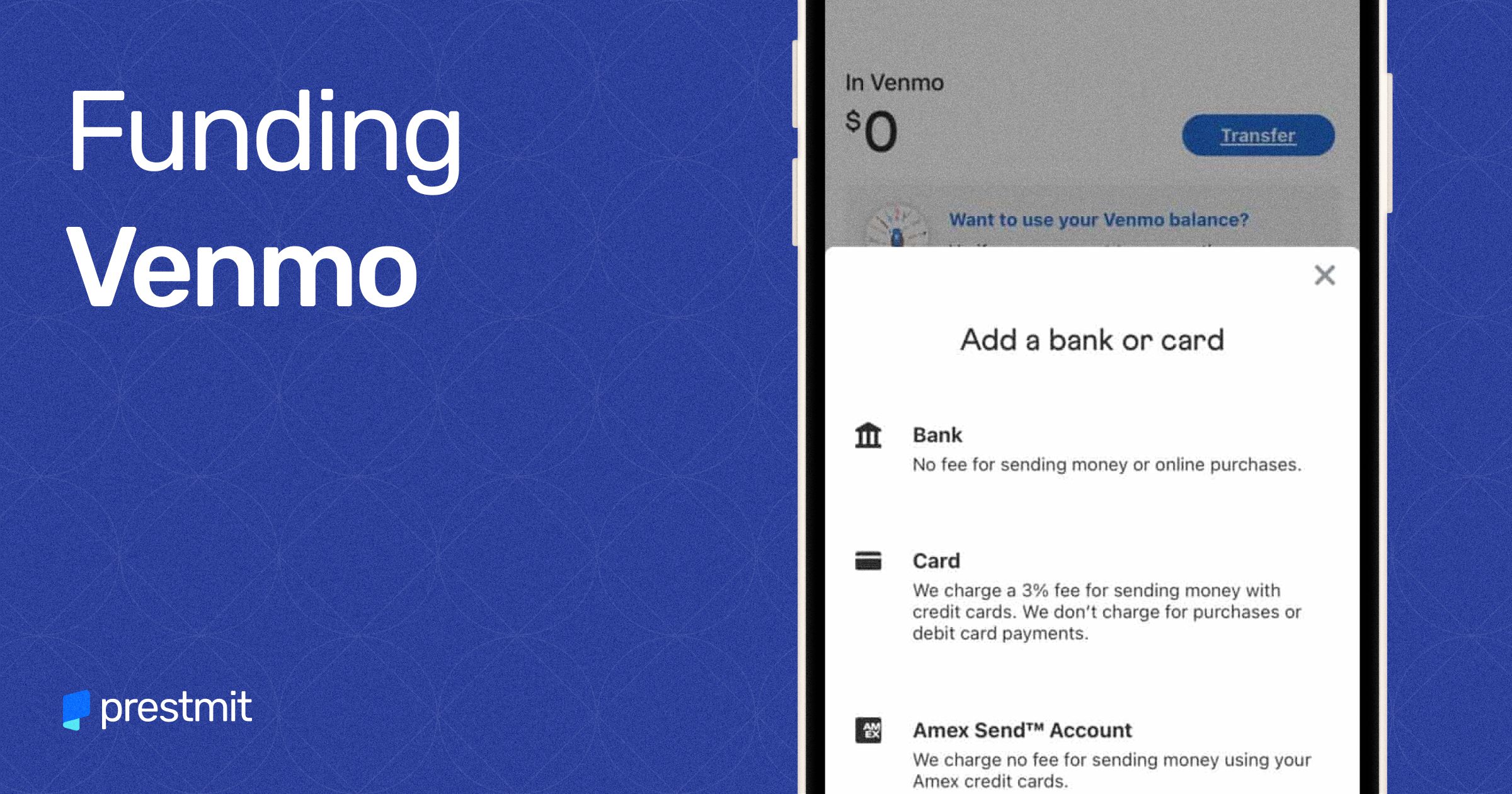
One of the most common methods to add money to your Venmo balance is by linking an external checking or savings account. This allows you to initiate transfers directly from your bank to Venmo, essentially funding your Venmo wallet.
-
Process: Within the Venmo app, navigate to your settings, select “Funding Methods,” and add your bank account. You’ll typically verify ownership through micro-deposits or instant bank login. Once linked, you can initiate a transfer from your bank.
-
Standard vs. Instant Transfers: Venmo offers both standard and instant transfers from your bank. Standard transfers are free but can take 1-3 business days. Instant transfers, as the name suggests, are quicker (usually within minutes) but come with a small fee, typically 1.75% of the amount (minimum $0.25, maximum $25). From a financial planning perspective, standard transfers are ideal for proactive funding, while instant transfers are for urgent needs.
-
Financial Insight: This method provides excellent control over how much money you allocate to your Venmo balance, making it perfect for setting a weekly or monthly budget for discretionary spending.
Setting Up Direct Deposit to Your Venmo Account
For a more automated and regular funding solution, Venmo allows you to set up direct deposit. This means your paycheck, government benefits, or other recurring payments can be sent directly to your Venmo account, much like a traditional bank account.
-
How it Works: Venmo provides you with unique routing and account numbers, similar to a bank. You can find these details within the app under the “Direct Deposit” section. You then provide these details to your employer or benefits provider.
-
Benefits: Direct deposit into Venmo offers several financial advantages:
-
Faster Access to Funds: Often, funds from direct deposit are available up to two days earlier than traditional banks.
-
Convenience: Automates the funding process, reducing manual transfers.
-
Potential to Avoid Bank Fees: For those who prefer to manage their finances entirely through Venmo, it can minimize reliance on traditional banks that might charge maintenance fees.
-
-
Financial Planning: This method is ideal for those who primarily manage their daily spending through Venmo and want to consolidate their income streams into one accessible platform.
Alternative and Less Common Funding Strategies
Beyond the primary methods, there are other situations and services that allow you to add money to your Venmo balance, expanding your options for keeping your card funded.
Receiving Payments from Other Venmo Users
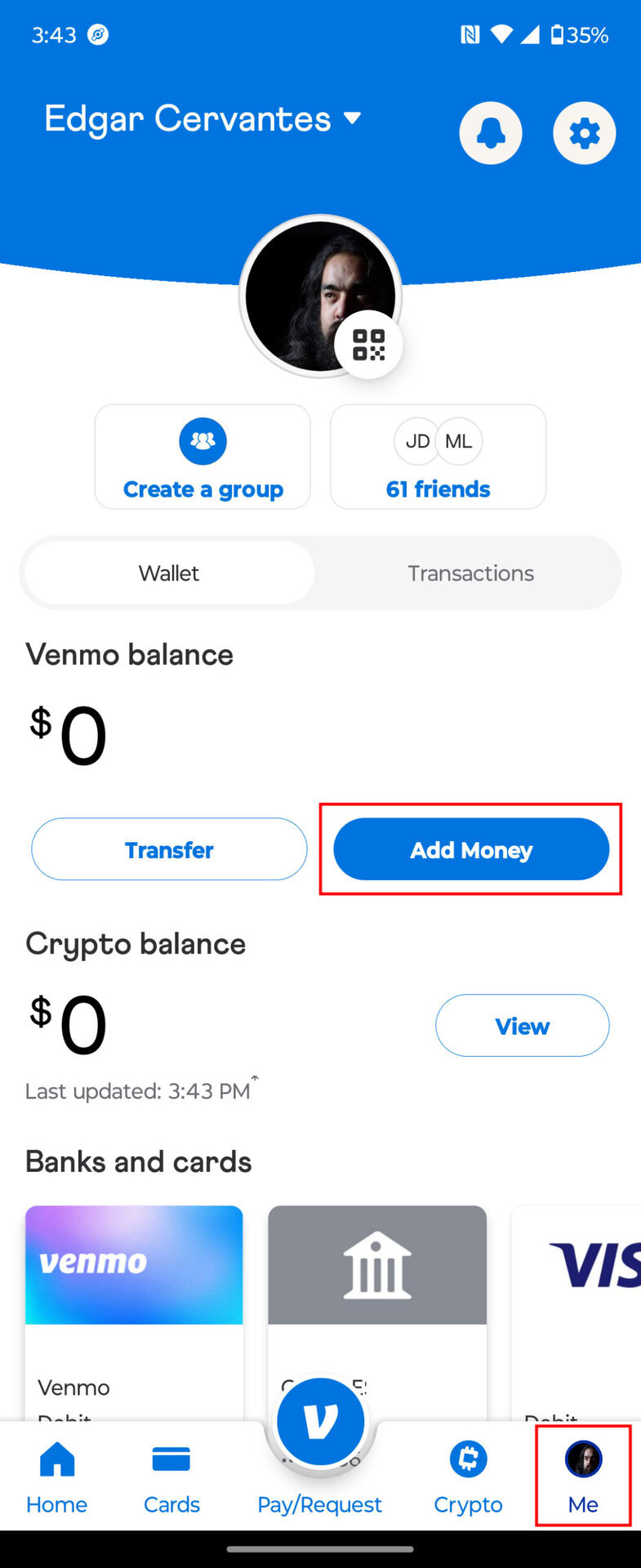
The core function of Venmo is peer-to-peer payments. When someone sends you money through the app, those funds immediately become part of your Venmo balance. This is arguably the most organic way to “load” your balance and keep your card ready for use. Whether it’s splitting a dinner bill, receiving repayment for a loan, or getting paid for a small freelance gig, these incoming payments directly contribute to your available spending power on the Venmo card.
Cashing a Check via the Venmo App
For those who still receive physical checks, Venmo offers a mobile check cashing feature powered by Ingo Money. This allows you to deposit checks directly into your Venmo balance using your smartphone’s camera.
-
Process: Take photos of your endorsed check within the Venmo app.
-
Fees and Timing: Options typically include getting your money in minutes for a fee (usually a percentage of the check amount) or in 10 business days for free. The fee for instant access is usually 1% for payroll and government checks with a pre-printed signature, and 5% for all other checks, with a minimum fee of $5.
-
Financial Note: While convenient, be mindful of the fees associated with instant check cashing, especially for larger amounts, as they can quickly erode a portion of your funds. It’s a trade-off between speed and cost.
Using Cash to Reload Your Venmo Balance at Retailers
Venmo partners with services like Green Dot MoneyPak and VanillaDirect Load to allow users to add cash to their Venmo balance at participating retail locations (e.g., CVS, Walmart, Walgreens).
-
Process: You generate a barcode in the Venmo app and present it to the cashier along with your cash. The cashier scans the barcode and accepts your cash, which is then added to your Venmo balance.
-
Fees and Limits: There’s usually a small fee for this service (e.g., $3.95 per transaction), and daily or monthly limits apply.
-
Financial Use Case: This method is particularly useful for those who deal primarily in cash and want to integrate it into their digital spending, providing a bridge between physical currency and the digital Venmo ecosystem.
Optimizing Your Venmo Card for Financial Management
Having a fully loaded Venmo card is just the beginning. To truly leverage it as a financial tool, you need to understand how to manage it responsibly.
Budgeting and Tracking with Your Venmo Balance
The Venmo app provides a detailed transaction history, making it relatively easy to track your spending.
-
Categorization: While Venmo doesn’t offer sophisticated budgeting categories like some dedicated finance apps, its clear feed allows for quick review of where your money is going.
-
Setting Limits: By consciously limiting the amount you transfer to your Venmo balance, you can create a self-imposed spending limit for certain expenses, reinforcing good budgeting habits.
-
Notifications: Enable spending notifications to stay aware of every transaction, helping you monitor your budget in real-time.
Understanding Limits and Fees
Every financial tool comes with its own set of rules, and the Venmo card is no exception.
-
Spending Limits: There are daily and weekly spending limits for purchases made with your Venmo card.
-
ATM Withdrawal Limits: If you use your card at an ATM, there will be daily withdrawal limits and, potentially, fees charged by Venmo (e.g., $2.50 for domestic withdrawals) and the ATM operator.
-
Transfer Fees: Be mindful of fees for instant bank transfers and instant check cashing, as these can accumulate if used frequently.
-
Cash Reload Fees: As noted, cash reloads at retailers typically incur a fee.
Understanding these figures is critical for avoiding unexpected charges and ensuring smooth financial operations.
Security Best Practices
Protecting your Venmo balance is paramount.
-
Strong PIN: Choose a unique and strong PIN for your card.
-
Two-Factor Authentication: Always enable two-factor authentication (2FA) on your Venmo account for an added layer of security.
-
Monitor Transactions: Regularly review your transaction history for any unauthorized activity.
-
Report Lost/Stolen Cards Immediately: If your card is lost or stolen, report it to Venmo immediately through the app to prevent unauthorized use.
-
Beware of Scams: Be cautious of suspicious payment requests or offers that seem too good to be true, as financial scams can target digital payment platforms.
Troubleshooting Common Funding Issues
Despite Venmo’s convenience, users may occasionally encounter issues when trying to fund their balance or use their card. Knowing how to address these can save time and prevent financial frustration.
Failed Bank Transfers
-
Incorrect Information: Double-check that your linked bank account details (account and routing numbers) are accurate.
-
Insufficient Funds: Ensure there are enough funds in your linked bank account to cover the transfer amount.
-
Bank Limits: Your external bank may have daily transfer limits. Contact your bank if you suspect this is the case.
-
Linked Account Issues: Sometimes, a linked bank account might become unverified or experience temporary connectivity issues. Re-verify the account or try linking it again.
Delays in Funds Availability
-
Standard Transfers: Remember that standard bank transfers take 1-3 business days. If you initiated a standard transfer, patience is key. Weekends and holidays can extend this timeframe.
-
Instant Transfer Review: While instant transfers are usually fast, they can occasionally be delayed for security reviews, especially for large amounts.
-
Check Cashing Hold: For free check cashing, funds can be held for up to 10 business days.
What to Do if Your Card is Declined
-
Insufficient Venmo Balance: This is the most common reason. Your card will only draw from your available Venmo balance.
-
Spending Limits Exceeded: You might have hit your daily or weekly spending limits.
-
Card Not Activated: Ensure your physical card has been activated in the Venmo app.
-
Security Hold: For your protection, Venmo might temporarily freeze transactions if they detect suspicious activity. Contact Venmo support.
-
PIN Issues: If making a PIN-based transaction, ensure you’re entering the correct PIN.
Conclusion
The Venmo card is a versatile financial tool, perfectly suited for the demands of digital-first spending and personal money management. By understanding the various ways to fund your Venmo balance—from direct bank transfers and direct deposit to receiving P2P payments and even converting cash—you empower yourself with flexible access to your money. Integrating the Venmo card into your financial routine, coupled with smart budgeting, diligent tracking, and adherence to security best practices, transforms it from a mere payment method into a strategic asset for optimizing your digital finances. Mastering the art of “loading” your Venmo card means ensuring your spending power is always at your fingertips, making everyday transactions smoother and your financial management more intuitive.
aViewFromTheCave is a participant in the Amazon Services LLC Associates Program, an affiliate advertising program designed to provide a means for sites to earn advertising fees by advertising and linking to Amazon.com. Amazon, the Amazon logo, AmazonSupply, and the AmazonSupply logo are trademarks of Amazon.com, Inc. or its affiliates. As an Amazon Associate we earn affiliate commissions from qualifying purchases.