
In the rapidly evolving landscape of digital finance, the ability to seamlessly move money between various platforms is a common user expectation. Venmo and PayPal, both giants in the peer-to-peer payment and online transaction space, frequently come up in discussions about interoperability. Users often seek a direct method to “link” these two platforms, driven by convenience and the desire for unified financial management. However, understanding the technical realities of their relationship, particularly in light of PayPal’s ownership of Venmo, is crucial for navigating fund transfers effectively. This article will demystify the process, clarify misconceptions, and provide a comprehensive guide on how to facilitate the movement of funds between your Venmo and PayPal accounts, focusing strictly on the technological mechanics and user experience.

Understanding the Interplay Between Venmo and PayPal
At first glance, the desire to link Venmo and PayPal seems intuitive. Both platforms facilitate digital payments, store financial information, and are widely used for various transactions. Yet, their architectures and operational philosophies, despite sharing a parent company, dictate how they interact—or don’t interact—on a technical level.
The Ecosystem of Digital Payments
The digital payment ecosystem is a complex network of banks, payment processors, digital wallets, and financial technology (fintech) applications. Venmo and PayPal each carve out distinct niches within this ecosystem, albeit with some overlap. PayPal, established much earlier, operates as a global payment processing behemoth, supporting online shopping, business transactions, and international transfers. Venmo, launched later and acquired by PayPal in 2012, primarily gained traction as a social payment app, simplifying peer-to-peer transfers with a strong emphasis on social feeds and quick, informal transactions.
From a technical standpoint, each platform functions as a semi-closed system for holding and transferring funds. While they both connect to external financial institutions (banks, credit/debit card networks), their internal ledger systems are largely separate. This architectural distinction is a primary reason why a direct “link” or seamless transfer button between your Venmo balance and PayPal balance doesn’t readily exist within the apps themselves. They are designed to operate as independent wallets, albeit under the same corporate umbrella.
The Operational Benefits of Interoperability
Despite the lack of direct integration, understanding how to move funds between Venmo and PayPal through indirect means offers significant operational benefits. For users, it means greater flexibility and control over their digital funds. For instance, if you receive a payment on Venmo for a service but need to use those funds to pay for an item online via PayPal, knowing the transfer pathway becomes essential.
This interoperability, even if indirect, enhances the utility of both platforms. It allows users to consolidate funds from various sources into one preferred platform for spending, or conversely, to distribute funds from a primary source to another for specific uses (e.g., using Venmo for casual splits with friends and PayPal for more formal online purchases or business transactions). The key is to leverage the common external denominator: your linked bank account or debit card. This method provides the technological bridge necessary for funds to flow between these otherwise separate digital wallets.
The Myth and Reality of Direct Linking
A common misconception among users is that because PayPal owns Venmo, there must be a straightforward, integrated button or setting to directly connect the two accounts. The reality, however, is more nuanced.
Decoding Direct Integration Capabilities
As of current platform designs, there is no native, one-click feature within either the Venmo or PayPal applications that allows you to directly “link” your Venmo balance to your PayPal balance or vice versa. This means you cannot simply transfer money from your Venmo balance directly into your PayPal wallet as if they were sub-accounts within a single financial dashboard. This architectural decision, while potentially frustrating for some users, is likely rooted in several factors, including regulatory compliance, distinct brand identities, and the independent development pathways each platform has pursued despite their shared ownership.
While PayPal and Venmo share back-end infrastructure in some areas due to their relationship, the user-facing applications and internal fund-holding mechanisms remain largely distinct. This separation is strategic, allowing each brand to cater to its specific user base and use cases without necessarily merging their functionalities at the account level.
The Indirect Path: Leveraging Bank Accounts and Debit Cards
The practical solution to “linking” Venmo and PayPal lies in utilizing a common intermediary: your linked bank account or a debit card. Both Venmo and PayPal are designed to connect securely with external financial institutions. This capability forms the technological backbone for indirect transfers.
Essentially, the process involves two distinct steps:
-
Withdrawing funds from one platform to your bank account.
-
Adding funds from that same bank account to the other platform.
This method, while requiring an extra step compared to a direct transfer, is a fully supported and secure way to move your money between the two services. It leverages existing, robust financial infrastructure and security protocols established by banks and payment networks. The speed of these transfers can vary, with instant transfer options often available for a small fee, or standard transfers taking 1-3 business days.
PayPal’s Acquisition of Venmo: A Contextual Look
Understanding the history of PayPal’s acquisition of Venmo provides additional context. PayPal, a subsidiary of eBay at the time, acquired Braintree in 2013, which included Venmo. This acquisition was primarily strategic, aimed at expanding PayPal’s reach into the growing mobile and social payment sector. While it brought Venmo under the PayPal corporate umbrella, it did not necessitate a full technological merger of user accounts or balances.
Instead, PayPal has largely allowed Venmo to operate as a distinct entity, preserving its unique brand identity and social features that resonated with a younger demographic. This independent operation extends to their core account structures and fund transfer mechanisms. While there may be behind-the-scenes data sharing or aggregated financial reporting for the parent company, these internal operational efficiencies do not translate into direct user-facing fund transfers between individual Venmo and PayPal wallets. This distinct operational model underpins the necessity of using an indirect transfer method.
Step-by-Step Guide to Indirectly “Linking” Venmo and PayPal
Since direct linking isn’t an option, the most reliable and secure method to transfer funds between Venmo and PayPal involves using your bank account as an intermediary. This process is straightforward and leverages standard financial transfer protocols.
Connecting Your Bank Account to Both Platforms
Before initiating any transfers, ensure that the same bank account is securely linked to both your Venmo and PayPal accounts. This is the foundational step that enables the indirect “link.”
For Venmo:
-
Open the Venmo app and navigate to the “Me” tab.
-
Tap the “Settings” icon (usually a gear or cogwheel).
-
Select “Payment Methods.”
-
Choose “Add a bank or card” and then “Bank.”
-
You can typically link your bank instantly by logging into your online banking portal through Venmo’s secure interface (powered by services like Plaid), or manually by entering your bank’s routing and account numbers. If you choose the manual method, Venmo will send small verification deposits to your account, which you’ll need to confirm in the app.
-
Ensure the bank account is successfully verified and set as a preferred method if desired.

For PayPal:
-
Log in to your PayPal account on the website or through the app.
-
Go to “Wallet” or “Money” (the exact name may vary slightly by region/version).
-
Click “Link a bank” or “Link a new bank.”
-
Similar to Venmo, you’ll often have the option to link instantly by logging into your bank or manually by providing your routing and account numbers. PayPal will also use small deposits for manual verification, requiring you to confirm the amounts.
-
Verify that your bank account is successfully linked and confirmed.
Using the same bank account for both platforms simplifies the process and ensures a consistent flow for your funds.
Transferring Funds from Venmo to Your Bank
Once your bank account is securely linked to Venmo, you can initiate a transfer of your Venmo balance to your bank.
-
Open the Venmo app.
-
Tap the “Me” tab.
-
Tap the “Transfer Balance” button (or “Manage Balance” and then “Transfer”).
-
Enter the amount you wish to transfer.
-
Select your linked bank account as the destination.
-
Choose your transfer speed:
-
Instant Transfer: Funds arrive in minutes (often for a small fee, typically 1.75% of the amount, with a minimum fee of $0.25 and a maximum fee of $25).
-
Standard Transfer: Funds typically arrive within 1-3 business days and are free.
-
-
Confirm the transfer. You will receive a notification once the transfer is complete.
It is advisable to wait until the funds have fully settled in your bank account before attempting to transfer them to PayPal, especially for standard transfers, to avoid any potential issues with insufficient funds or pending transactions.
Funding PayPal from Your Bank Account
With the funds now residing in your bank account, the final step is to transfer them from your bank into your PayPal balance.
-
Log in to your PayPal account (via app or website).
-
Go to “Wallet” or “Money.”
-
Click “Transfer Money” or “Add Money to your balance” (the exact wording may vary).
-
Select “Add money from your bank.”
-
Choose your linked bank account from the list.
-
Enter the amount you wish to add to your PayPal balance.
-
Confirm the transfer.
Funds added from your bank account to PayPal typically take 3-5 business days to clear and appear in your PayPal balance. Unlike Venmo, PayPal usually does not offer an instant transfer option for adding money from a bank account to your PayPal balance. However, you can often use your linked bank account directly for payments via PayPal without needing to pre-fund your PayPal balance, drawing funds as needed.
Maximizing Utility: Navigating Funds Between Platforms
While the indirect transfer method via a bank account is the primary way to move funds between Venmo and PayPal, understanding nuances like transaction limits, fees, and security practices can significantly enhance your experience and financial fluidity.
Strategic Fund Management Through Your Bank
The bank account acts as your central hub, providing a secure and regulated conduit for all your digital transactions. By strategically using your bank, you gain ultimate control over your funds, allowing you to:
-
Consolidate funds: Gather money from various sources (e.g., Venmo, freelance payments, other digital wallets) into one central bank account.
-
Distribute funds: Allocate money from your bank account to specific digital wallets (like PayPal for online purchases or investing platforms) as needed.
-
Track spending: Use your bank statements to monitor all inbound and outbound transfers, providing a comprehensive overview of your digital finance activities.
This approach emphasizes your bank as the anchor of your digital financial ecosystem, ensuring that even disparate platforms can share liquidity.
Understanding Transaction Limits and Fees
Both Venmo and PayPal impose daily, weekly, or monthly transaction limits on transfers, withdrawals, and payments. These limits can vary based on your account verification status, transaction history, and country of residence.
-
Venmo: Typically has higher limits for verified accounts (e.g., linked bank account, SSN verification). Instant transfers usually incur a fee, while standard transfers to your bank are free.
-
PayPal: Also has limits that increase with verification. Adding money from a bank to your PayPal balance is usually free, but withdrawing from PayPal to your bank can sometimes have instant transfer options with associated fees, similar to Venmo.
Always review the specific limits and fees within each app’s settings or FAQ section before initiating large transfers to avoid unexpected delays or costs. Planning your transfers around these limits can prevent hitches in your financial operations.
Security Best Practices for Digital Transactions
Security is paramount when dealing with financial transactions across multiple digital platforms. Adhering to best practices protects your funds and personal information:
-
Enable Two-Factor Authentication (2FA): Activate 2FA on both Venmo and PayPal accounts for an extra layer of security. This usually involves a code sent to your phone or generated by an authenticator app.
-
Use Strong, Unique Passwords: Create complex, unique passwords for each account and consider using a password manager.
-
Be Wary of Phishing Attempts: Never click on suspicious links or provide account details in response to unsolicited emails or messages claiming to be from Venmo or PayPal. Always verify the sender and URL.
-
Monitor Account Activity: Regularly check your transaction history on both platforms and your bank statements for any unauthorized activity. Report discrepancies immediately.
-
Secure Your Devices: Ensure your smartphone, tablet, and computer are protected with strong passwords, up-to-date operating systems, and reliable antivirus software.
By maintaining rigorous security practices, you can confidently navigate the transfer of funds between your digital wallets and your bank.
Future Outlook and Platform Evolution
The digital payments space is dynamic, with innovations constantly shaping how users interact with their money. While direct linking between Venmo and PayPal remains elusive for now, future developments could alter this landscape.
Potential for Direct Integration
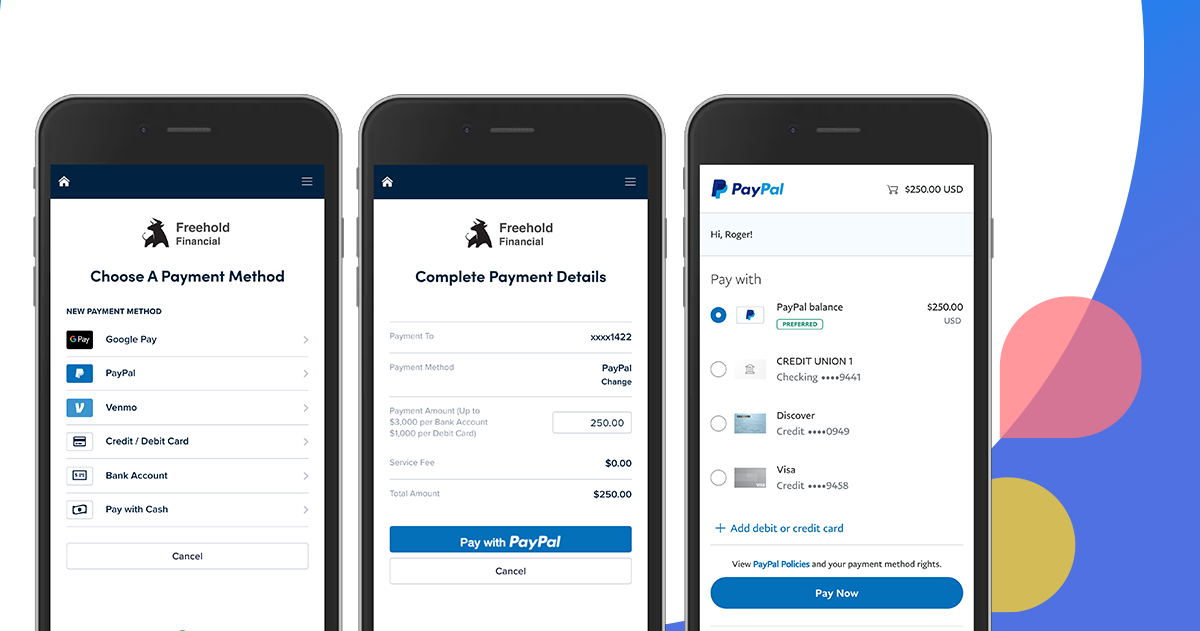
Given that PayPal owns Venmo, the technical capability for direct integration arguably exists. Whether such a feature is implemented depends on strategic business decisions, market demand, and regulatory considerations. If user demand for seamless transfers between the two platforms grows significantly, or if PayPal sees a strategic advantage in consolidating user experiences, a direct linking feature could eventually emerge. This might take the form of a “Send to PayPal” option within Venmo or a “Fund from Venmo” option within PayPal, possibly leveraging internal APIs that bypass the traditional bank intermediary. However, until such a feature is officially announced and rolled out, the current indirect method remains the standard.
Emerging Trends in Digital Wallets
The broader trend in digital wallets is towards greater interoperability and embedded finance. Many fintech companies are working to create more unified financial experiences, where users can manage various assets (crypto, fiat, loyalty points) and transfer them across different services with ease. The rise of open banking initiatives and APIs could also pave the way for more seamless connections between disparate financial applications. As technology advances and regulatory frameworks adapt, the current limitations might evolve, offering users more direct and efficient ways to manage their money across their chosen platforms.
In conclusion, while “linking Venmo with PayPal” isn’t a direct technical integration in the traditional sense, understanding the indirect method via your bank account provides a robust and secure solution. By following the outlined steps and adhering to best practices, users can effectively manage and move their funds between these two essential digital payment platforms, maximizing their utility within the tech-driven financial ecosystem.
aViewFromTheCave is a participant in the Amazon Services LLC Associates Program, an affiliate advertising program designed to provide a means for sites to earn advertising fees by advertising and linking to Amazon.com. Amazon, the Amazon logo, AmazonSupply, and the AmazonSupply logo are trademarks of Amazon.com, Inc. or its affiliates. As an Amazon Associate we earn affiliate commissions from qualifying purchases.