
In the modern financial landscape, the ability to move capital seamlessly between platforms is no longer a luxury—it is a necessity for effective personal finance management. PayPal and Venmo represent two of the most dominant forces in the digital wallet sector. While both are owned by PayPal Holdings, Inc., they serve distinct purposes. PayPal remains the global standard for e-commerce, international transfers, and professional freelancing, while Venmo has carved out a massive niche as the go-to platform for social peer-to-peer (P2P) payments and casual domestic transactions.

Despite their shared corporate parentage, a “magic button” that instantly syncs the two balances does not yet exist. However, for users looking to optimize their liquidity and bridge the gap between their professional earnings and social spending, there are sophisticated ways to link these ecosystems. Understanding how to navigate this bridge is essential for anyone looking to master their digital financial tools.
The Strategic Architecture of Digital Wallets
To understand how to link PayPal and Venmo, one must first understand the structural silos these apps inhabit. PayPal was built on a foundation of security and global reach, designed to replace the traditional credit card experience for online shopping. Venmo, by contrast, was built on a social layer, designed to make “splitting the bill” an effortless and public-facing activity.
Because they operate on different ledger systems, the process of “linking” them is actually a process of creating a common financial pipeline. For the savvy money manager, this pipeline is usually a high-yield savings account or a traditional checking account that acts as a clearinghouse. By positioning a central bank account as the hub, your PayPal and Venmo accounts become spokes, allowing capital to flow from a freelance payment received on PayPal into a shared dinner expense on Venmo within a matter of hours or days.
Why Liquidity Bridging Matters
For many independent contractors and small business owners, income often arrives via PayPal. Conversely, their daily expenses—ranging from rent to splitting groceries—often occur on Venmo. Without a clear path to link these platforms, money can become “trapped” in one ecosystem, forcing the user to rely on credit cards or other less optimal forms of payment. Efficiently linking these accounts ensures that your capital is always where you need it most, minimizing the “float” time where your money is sitting idle and inaccessible.
The Intermediary Strategy: Linking via a Shared Bank Account
The most reliable and cost-effective way to link PayPal and Venmo is through a shared intermediary bank account. This method ensures that you can move large sums of money with minimal friction and maximum security.
Step 1: Selecting the Right Hub
The first step is ensuring that both PayPal and Venmo are connected to the same external bank account. For those prioritizing financial growth, linking both to a high-yield savings account is often the best move, as it allows your “in-transit” funds to earn interest. However, for speed, a traditional checking account with a major national bank often provides the fastest clearing times.
Step 2: Adding the Account to PayPal
-
Log in to your PayPal account via the web or mobile app.
-
Navigate to the “Wallet” section.
-
Select “Link a bank account.”
-
Use the secure login portal (often powered by Plaid) to connect your bank instantly, or enter your routing and account numbers manually.
-
If using the manual method, PayPal will send two small “micro-deposits” to your account. You must return to the app 24-48 hours later to verify these amounts to finalize the link.
Step 3: Adding the Account to Venmo
-
Open the Venmo app and navigate to the “Me” tab (your profile).
-
Tap the Settings gear icon and select “Payment Methods.”
-
Choose “Add a bank or card” and then select “Bank.”
-
Choose your verification method. Like PayPal, Venmo offers instant verification through major banking portals or manual verification via micro-deposits.
Step 4: Executing the Transfer
Once both platforms are linked to the same bank, moving money involves a two-stage process. First, you “Transfer to Bank” from your PayPal balance. Once the funds land in your bank account (which can take 1-3 business days for standard transfers or minutes for an Instant Transfer fee), you can then use those funds as a source for your Venmo payments. Because Venmo can pull directly from a linked bank account during a transaction, you don’t necessarily need to “upload” the money to your Venmo balance; you can simply pay through Venmo using the shared bank account as the funding source.
Leveraging the PayPal Debit Card as a Bridge
For those who require a more direct connection without waiting for standard bank processing times, the PayPal Business or Personal Debit Mastercard offers a clever workaround. This strategy treats the PayPal balance as a physical asset that Venmo can “read.”
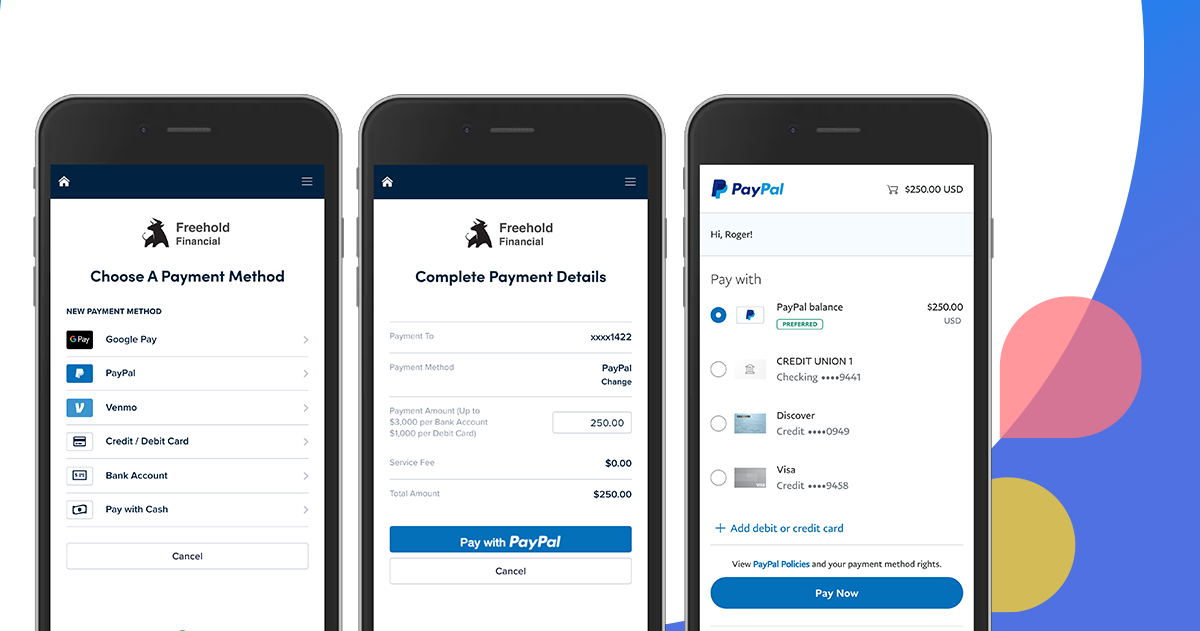
Integrating PayPal as a Funding Source in Venmo
If you have a PayPal Debit Card, you can add it to Venmo as a “Debit Card” rather than a “Bank Account.”
-
In Venmo, go to “Settings” > “Payment Methods” > “Add a bank or card.”
-
Select “Card” and enter your PayPal Debit Card details.
-
Venmo will now recognize your PayPal balance (via the card) as a valid source of funds.
The primary advantage of this method is speed. When you send money on Venmo, it will pull directly from your PayPal balance in real-time. This bypasses the multi-day wait associated with ACH transfers. However, it is important to be aware of the limitations: Venmo may charge fees for certain types of card transactions, and you must ensure your PayPal account has the “Automatic Top-Up” feature enabled or a sufficient balance to cover the transaction.
Optimizing for Speed, Fees, and Financial Efficiency
In the world of personal finance, time is money. When linking these two giants, you must decide whether to prioritize speed or cost-avoidance.
The Cost of Instant Gratification
Both PayPal and Venmo offer “Instant Transfers” to linked debit cards or eligible bank accounts. As of current market standards, this typically incurs a fee (often around 1.75% of the transfer amount, with minimums and maximums). For a $1,000 transfer from PayPal to your bank (and then to Venmo), a 1.75% fee totals $17.50. While this may seem small, frequent users can lose hundreds of dollars a year to these convenience fees.
To maximize your money, plan your transfers in advance. Standard ACH transfers (1-3 business days) are free on both platforms. By anticipating your social expenses on Venmo and initiating a PayPal transfer on a Tuesday, you can have the funds ready for the weekend without sacrificing a percentage of your capital to fees.
Tax Implications and Record Keeping
As of recent IRS regulations, third-party payment processors are required to report gross payments for goods and services that exceed certain thresholds (the $600 threshold being a major point of discussion in recent tax years). When linking PayPal and Venmo, it is vital to keep your business and personal transactions separate.
If you are a freelancer receiving income on PayPal and moving it to Venmo for personal use, ensure that the transfers are clearly documented. Avoid using “Business Profiles” on Venmo for personal reimbursements, as this can complicate your 1099-K reporting. Maintaining a clean audit trail between your PayPal business receipts and your personal bank account is a hallmark of sophisticated financial management.
Security Considerations in a Linked Ecosystem
Whenever you create a bridge between two financial platforms, you inherently increase your “attack surface.” A security breach on one platform can potentially lead to vulnerabilities in the other if they are linked through a common bank account.
Multi-Factor Authentication (MFA)
The first line of defense is ensuring that both PayPal and Venmo have robust Multi-Factor Authentication enabled. This should ideally be an authenticator app (like Google Authenticator or Authy) rather than SMS-based codes, which are susceptible to SIM-swapping attacks.
Monitoring the “Middle Man”
Since your bank account serves as the bridge between PayPal and Venmo, it becomes the most critical point of failure. Set up real-time alerts on your bank account for any ACH pulls or deposits. Most modern banking apps allow you to receive a push notification the moment a “Transfer” is initiated. This allows you to catch unauthorized movements of money before they clear the banking system.
Protecting Your Privacy
Venmo is unique in its social feed component. When you link your PayPal income to your Venmo social spending, be mindful of your privacy settings. By default, Venmo transactions can be public. For those moving professional funds into the Venmo ecosystem, it is highly recommended to set your default transaction privacy to “Private” or “Friends Only.” This prevents third parties from tracking your cash flow and spending habits, which is a crucial aspect of modern digital security.

The Future of the PayPal-Venmo Unified Experience
As the fintech industry moves toward “Super Apps,” we are likely to see a closer integration between PayPal and Venmo. The parent company has already begun cross-pollinating features, such as introducing crypto-currency support and high-yield savings products across both platforms.
For now, the “manual” link via a shared bank account or a debit card remains the most effective strategy for managing your money. By viewing these platforms not as isolated apps, but as components of a broader financial engine, you can ensure that your capital remains liquid, your fees remain low, and your digital financial life remains organized. Mastery of these tools is the first step toward a more efficient and responsive personal financial strategy in an increasingly digital world.
aViewFromTheCave is a participant in the Amazon Services LLC Associates Program, an affiliate advertising program designed to provide a means for sites to earn advertising fees by advertising and linking to Amazon.com. Amazon, the Amazon logo, AmazonSupply, and the AmazonSupply logo are trademarks of Amazon.com, Inc. or its affiliates. As an Amazon Associate we earn affiliate commissions from qualifying purchases.