
In the dynamic world of mobile technology, where innovation constantly pushes boundaries, users often seek ways to bridge the divides between different operating systems. One such common query that arises for iPhone users is, “Can I install an APK on my iPhone?” This question stems from a natural curiosity to access a wider array of applications or perhaps specific apps that are exclusively available on the Android platform. However, the answer is not as straightforward as a simple ‘yes’ or ‘no’, but rather a nuanced exploration of technical limitations, security protocols, and the fundamental differences between two powerful mobile ecosystems: Apple’s iOS and Google’s Android.
This comprehensive guide will demystify the concept of APKs, explain why they don’t natively work on iPhones, delve into the various methods often discussed (and their associated risks), and ultimately provide safer, more practical alternatives for iPhone users looking to expand their app horizons. We’ll also touch upon the broader implications for digital security and productivity, key topics for any tech-savvy individual.
The Fundamental Incompatibility: Why APKs Don’t Work Natively on iOS
At the heart of the “APK on iPhone” dilemma lies a deep-rooted architectural and philosophical difference between iOS and Android. These aren’t just two operating systems; they are two distinct ecosystems designed with different approaches to software distribution, security, and user control.
Understanding iOS Security Architecture
Apple has meticulously designed iOS with a “walled garden” approach, prioritizing security, privacy, and a consistent user experience. A cornerstone of this strategy is its robust security architecture, which includes a strict sandboxing mechanism for applications. Each app runs in its own isolated environment, with limited access to other apps’ data or core system files. This significantly reduces the risk of malware spreading and ensures that apps require explicit user permission to access sensitive data or hardware features.
Furthermore, iOS employs cryptographic signatures. All applications intended to run on an iPhone must be digitally signed by Apple or by a registered developer whose certificate has been approved by Apple. This process verifies the authenticity and integrity of the app, ensuring it hasn’t been tampered with since it left the developer’s hands. APK files, being native to Android, lack these specific Apple cryptographic signatures and are therefore inherently unrecognized and untrusted by the iOS operating system.
The Walled Garden: Apple’s Ecosystem
Apple’s ecosystem is characterized by its tight integration of hardware, software, and services. The App Store serves as the exclusive gateway for app distribution on iOS. Every app submitted to the App Store undergoes a stringent review process, checking for functionality, performance, security, and adherence to Apple’s guidelines. This controlled environment ensures a high standard of quality and safety for users.
This closed model, while often criticized for limiting user choice and developer flexibility, is also a major factor in iOS’s reputation for security and reliability. It means that, unlike Android which allows for sideloading apps from various sources, an iPhone will simply refuse to open or install an APK file because it does not originate from the App Store and does not conform to Apple’s security protocols and file formats. It’s akin to trying to play a Blu-ray disc in a DVD player – the formats are simply incompatible.
APK File Format Explained
An APK (Android Package Kit) is the package file format used by the Android operating system for distribution and installation of mobile apps and middleware. Just like .exe files on Windows or .dmg files on macOS, an APK file contains all the elements an Android device needs to install an application: the compiled code, resources, assets, certificates, and manifest file.
Conversely, iOS applications are distributed in an .ipa (iOS App Store Package) format. This format is structurally different from an APK and contains executables specifically compiled for Apple’s ARM-based processors and optimized for the iOS framework. Attempting to install an APK on an iPhone is functionally equivalent to trying to run a Windows .exe file on a Mac without a compatibility layer; the underlying architectures and software frameworks are entirely different.
Exploring “Installation” Possibilities: Sideloading and Workarounds
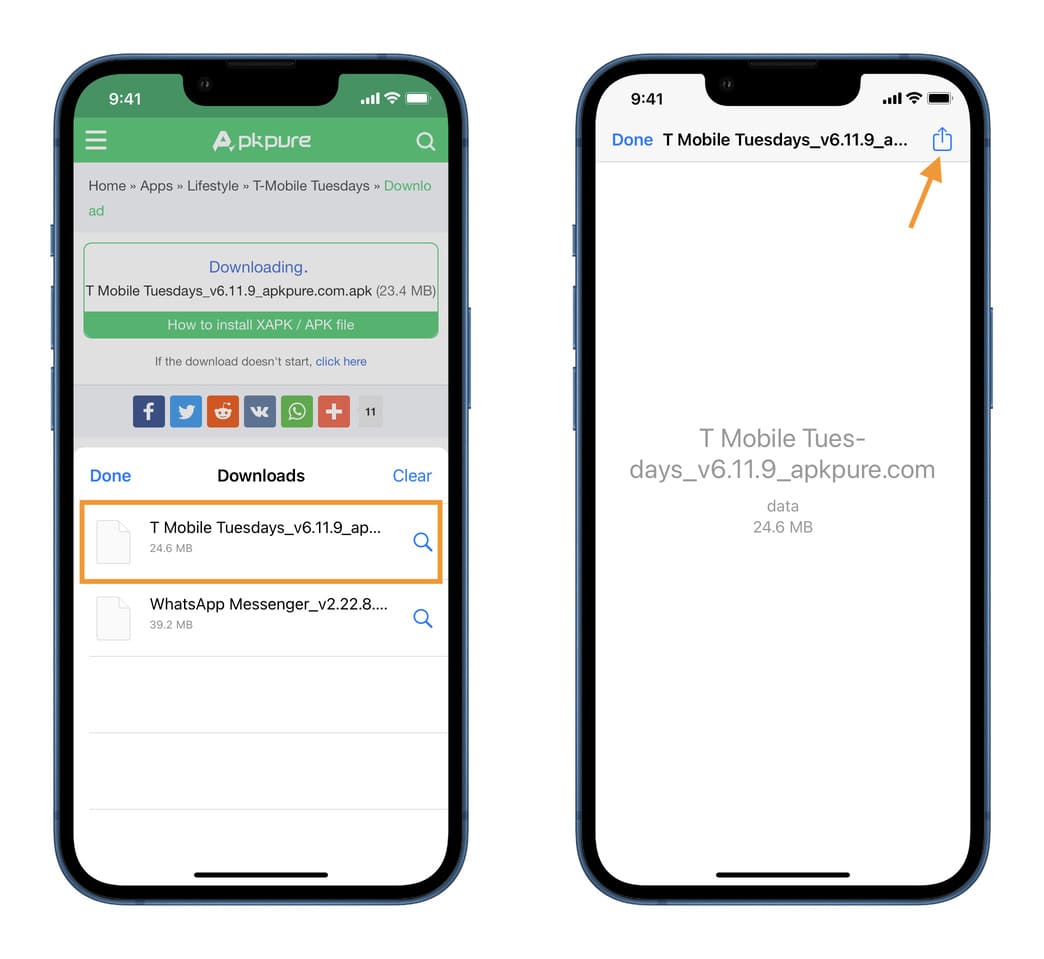
Given the fundamental incompatibility, directly installing an APK on an iPhone is not possible. However, the tech community has always been resourceful, leading to discussions and methods that attempt to circumvent these limitations. It’s crucial to understand that these “workarounds” do not truly install an APK on an iPhone in its native format, but rather explore alternative ways to run Android-like functionality or install IPA files outside the App Store.
Jailbreaking: A Risky Path
One of the most widely discussed methods for gaining more control over an iPhone’s operating system is jailbreaking.
What is Jailbreaking?
Jailbreaking is the process of removing software restrictions imposed by Apple on iOS devices. It grants users root access to the operating system, allowing them to install unauthorized applications (often from third-party app stores like Cydia), customize the interface, and access system files that are otherwise locked down.
Pros and Cons
For enthusiasts, jailbreaking offers unprecedented customization and the ability to run apps not approved by Apple. This might include tweaks to enhance productivity or utilities that change core iOS functionalities. However, the cons significantly outweigh the pros for most users.
Security Implications
Jailbreaking fundamentally compromises the robust security architecture of iOS. By breaking Apple’s sandboxing and signature verification, it opens the device to a myriad of security vulnerabilities. Malware can more easily infiltrate the device, sensitive data becomes more susceptible to theft, and the integrity of the operating system is undermined. Additionally, jailbreaking often voids your device’s warranty, and it can lead to instability, performance issues, and even bricking the device if not done correctly. Crucially, even with a jailbroken iPhone, you still cannot natively run an APK file. You might be able to install IPA files from alternative sources or run emulators, but the APK format itself remains incompatible.
Third-Party App Stores and Sideloading Tools
Beyond jailbreaking, there are methods to “sideload” applications onto an iPhone. Sideloading refers to the installation of apps without going through the official App Store. However, these methods are primarily for .ipa files, not .apk files.
AltStore, Sideloadly, Cydia Impactor
Tools like AltStore, Sideloadly, and previously Cydia Impactor allow users to install .ipa files directly onto their non-jailbroken iPhones using a valid Apple Developer ID. This works by leveraging Apple’s provision for developers to test their own apps on their devices before submitting them to the App Store. Users can sign .ipa files with their own Apple ID (acting as a “developer”) and then install them.
While these tools offer a way to install apps not found on the App Store, they do not facilitate the installation of APKs. Their function is specifically for .ipa files. The primary use case is for emulators (e.g., retro gaming emulators compiled as .ipa files), unsigned apps, or modified versions of existing apps.

Developer Certificates and Revocation
A key limitation of sideloading using a free Apple Developer ID is that these “sideloaded” apps are only valid for seven days. After this period, the app will cease to launch, and you will need to re-sign and reinstall it. Paid developer accounts ($99/year) offer longer validity (up to a year). Furthermore, Apple regularly revokes enterprise certificates that are misused by large-scale third-party app stores, rendering those apps unusable until a new certificate is issued. This cat-and-mouse game ensures that Apple maintains control over its ecosystem.
Virtual Machines and Emulators
Another conceptual workaround involves running an Android environment within iOS. This typically involves emulation.
Cloud-based Android Emulators
True Android emulators that run directly on iOS are extremely rare and often perform poorly due to the fundamental architecture differences and Apple’s strict sandboxing. However, cloud-based Android emulators or virtualization services offer a different approach. These services (such as certain remote desktop solutions or specialized cloud gaming platforms that host Android environments) run a full Android operating system on a remote server. Your iPhone then streams the video output and sends input back to the server. This allows you to interact with an Android environment and run APKs, but the app itself is not installed on your iPhone; it’s running on a remote server.
Limitations and Performance
While technically allowing you to “use” an APK on an iPhone, this method comes with significant limitations. It requires a constant, high-speed internet connection, introduces latency, and consumes more data. The user experience is dependent on network conditions and the performance of the remote server, rather than your iPhone’s processing power. It’s more of a remote access solution than a native installation. For typical usage, this is not a practical long-term solution.
The Safer Alternative: Finding iOS Equivalents and Web Apps
Given the technical hurdles, security risks, and general impracticality of running APKs or even sideloaded IPA files for the average user, the most sensible approach for iPhone users is to embrace the iOS ecosystem and explore its vast offerings.
Searching the Apple App Store
The first and most recommended step is to search the Apple App Store. For almost every popular Android application, there’s often an official iOS version available. Developers typically target both major platforms, ensuring their apps reach the widest possible audience. If a direct equivalent isn’t available, there are usually highly competent alternative apps that offer similar or even superior functionality designed specifically for iOS. The App Store provides a safe, curated, and user-friendly environment for discovering and installing apps, complete with reviews, ratings, and automatic updates. This approach guarantees optimal performance, security, and compatibility with your iPhone’s hardware and software.
Progressive Web Apps (PWAs)
Many modern applications and services are moving towards web-based solutions, often delivered as Progressive Web Apps (PWAs). A PWA is essentially a website that offers an app-like experience. It can be added to your iPhone’s home screen, launch without a browser interface (appearing as a standalone app), and often offers features like offline access and push notifications.
For many services that might have an Android-only app or where you’re reluctant to install a full app, checking for a PWA version is an excellent alternative. Simply navigate to the website in Safari, tap the Share button, and select “Add to Home Screen.” This provides a safe, system-agnostic way to access app-like functionality without dealing with incompatible file formats or compromising your device’s security.
Cross-Platform Development
The rise of cross-platform development frameworks like React Native, Flutter, and Xamarin has made it easier for developers to build applications that run natively on both iOS and Android from a single codebase. This means that if an app exists on Android, there’s a very high probability that its developers have also released or are planning to release an iOS version. If you encounter an app on Android that you desperately need on your iPhone, a quick search for its iOS counterpart or an email to the developer might reveal that an iOS version already exists or is in the pipeline.
Security Risks and Best Practices
Attempting to bypass Apple’s stringent security measures or install software from unverified sources always carries significant risks. Understanding these dangers is crucial for maintaining digital security and protecting your personal data.
Malware and Data Theft
The primary risk associated with installing software from untrusted sources, whether through jailbreaking or dubious sideloading methods, is exposure to malware. Malicious software can range from adware (unwanted advertisements) to spyware (programs that covertly monitor your activities and steal data) or even ransomware (which locks your device or data until a ransom is paid). By downloading and installing unverified apps, you could inadvertently grant malicious actors access to your contacts, photos, location data, banking information, and other sensitive personal details. The “walled garden” of the App Store, while restrictive, serves as a crucial defense against these threats.
Voiding Warranties and Stability Issues
Jailbreaking an iPhone typically voids its warranty. This means that if your device develops a hardware or software issue after being jailbroken, Apple may refuse to service or replace it under warranty. Beyond warranty concerns, modifying the core operating system can lead to instability, frequent crashes, reduced battery life, and compatibility problems with future iOS updates. These issues can severely degrade the user experience and potentially render your device unreliable.
Protecting Your Device
To protect your iPhone and personal data, always adhere to the following best practices:
- Stick to the Official App Store: This is the safest and most reliable source for applications.
- Keep iOS Updated: Apple regularly releases security patches and updates. Install them promptly to ensure your device is protected against the latest known vulnerabilities.
- Be Skeptical of Third-Party Sources: If you’re considering using a third-party app store or sideloading tool, thoroughly research its reputation and understand the risks involved. For most users, the risks outweigh any perceived benefits.
- Use Strong Passcodes and Biometrics: Secure your device with a strong passcode, Face ID, or Touch ID to prevent unauthorized access.
- Back Up Your Device Regularly: In case of data loss or system corruption, a recent backup (to iCloud or your computer) can be invaluable for recovery.
Conclusion
The question “How to install APK on iPhone?” ultimately leads to a definitive conclusion: you cannot directly install an APK file on an iPhone. The fundamental architectural differences, combined with Apple’s stringent security protocols and closed ecosystem, make direct compatibility impossible.
While methods like jailbreaking and sideloading exist, they are primarily for installing .ipa files (not .apk files) and come with significant security risks, potential stability issues, and often void your device’s warranty. For the vast majority of users, these workarounds are impractical and ill-advised.
Instead of trying to force an Android app onto an iOS device, the smarter and safer approach is to leverage the robust and secure ecosystem that Apple has built. Search for official iOS versions of your desired apps on the App Store, explore the growing utility of Progressive Web Apps, or consider cloud-based emulation if an absolute Android-only app is indispensable. By understanding the technological landscape and adhering to best practices, iPhone users can enjoy a secure, stable, and feature-rich mobile experience without compromising their device’s integrity or personal data.
aViewFromTheCave is a participant in the Amazon Services LLC Associates Program, an affiliate advertising program designed to provide a means for sites to earn advertising fees by advertising and linking to Amazon.com. Amazon, the Amazon logo, AmazonSupply, and the AmazonSupply logo are trademarks of Amazon.com, Inc. or its affiliates. As an Amazon Associate we earn affiliate commissions from qualifying purchases.