
In an era defined by ubiquitous digital connectivity, the desire for a seamless and personalized audio experience on the go has never been stronger. For millions, SiriusXM satellite radio represents the pinnacle of premium in-car entertainment, offering an unparalleled array of ad-free music channels, live sports, news, and exclusive talk content. However, for those new to the service or contemplating an upgrade, the process of integrating SiriusXM into their vehicle can seem multifaceted. This comprehensive guide delves into the various technological pathways available, offering insights and tutorials to ensure every driver can enjoy the extensive programming SiriusXM offers, directly from their dashboard.
Understanding SiriusXM’s In-Car Ecosystem
Before diving into installation methods, it’s crucial to grasp the fundamental technology and service structure behind SiriusXM. This foundational understanding will empower you to make informed decisions about the best integration strategy for your specific vehicle and listening preferences.
The Basics of Satellite Radio Technology
Unlike traditional AM/FM radio, which relies on terrestrial broadcast towers, SiriusXM employs a network of geostationary satellites to transmit its programming across vast geographical areas. This satellite-based distribution ensures consistent signal quality, virtually eliminating dead zones and providing crystal-clear audio even in remote locations. The signal is then picked up by a small antenna, typically mounted on the car’s roof, and routed to a compatible receiver unit. This receiver decodes the digital signal, converting it into audio that can be played through the car’s sound system. The robustness of this technology is a primary reason for its appeal, offering a reliable alternative to internet-dependent streaming services that can falter in areas with poor cellular coverage.
Subscription Tiers and Their Implications for In-Car Use
SiriusXM offers various subscription packages, each with different channel lineups and access features. These tiers directly impact what content you can access and, critically, how you can access it in your car. While all packages provide core satellite radio channels, some higher-tier subscriptions, such as the “Platinum” plan, include access to SiriusXM’s streaming app. This app access is a game-changer for in-car integration, as it allows users to stream content via their smartphone, potentially bypassing the need for dedicated satellite radio hardware in the car itself if other streaming options are available. Understanding the content and technological access points of your chosen subscription plan is the first step in determining your optimal in-car setup.
Identifying Your Car’s Current SiriusXM Readiness
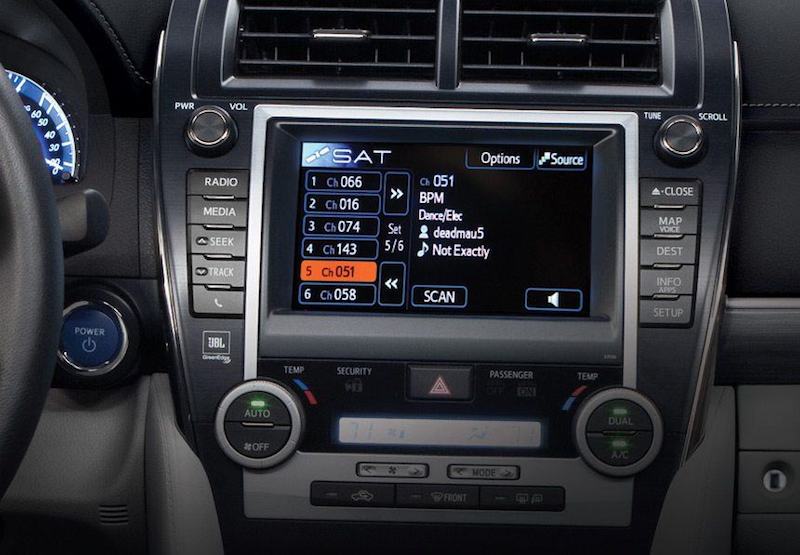
Modern vehicles often come equipped with SiriusXM capabilities straight from the factory. A quick check of your car’s radio display or owner’s manual can reveal if it has a factory-installed SiriusXM tuner. Look for a “SAT,” “XM,” or “SiriusXM” button or menu option on your infotainment system. If present, your car is already equipped with the necessary hardware, and the process will primarily involve activating a subscription. For older vehicles or those without factory integration, aftermarket solutions become necessary, ranging from simple plug-and-play devices to more complex professional installations. Knowing your car’s starting point will dictate the complexity and cost of getting connected.
Primary Methods for In-Car Integration
Getting SiriusXM into your car can be achieved through several technological approaches, each with its own advantages, disadvantages, and suitability for different vehicle types and user preferences.
Factory-Installed SiriusXM Radios: The Seamless Experience
For many drivers, the most straightforward path is utilizing a pre-installed SiriusXM radio. Most new vehicles, particularly in North America, come with a complimentary trial subscription to SiriusXM, indicating the presence of the necessary tuner and antenna.
- Activation Process: If your car has a factory-installed unit, the primary step is activation. This typically involves tuning to Channel 0 or Channel 1, noting the Radio ID (or ESN), and then visiting the SiriusXM website or calling their customer service to set up a subscription. The signal is then sent to your car, activating the service. This method offers the most integrated user experience, with controls seamlessly incorporated into the car’s existing infotainment system and steering wheel controls.
Aftermarket Solutions: Enhancing Older Vehicles
For vehicles not equipped with factory-installed SiriusXM, a range of aftermarket options provides a viable path to satellite radio. These solutions vary in complexity and integration level.
-
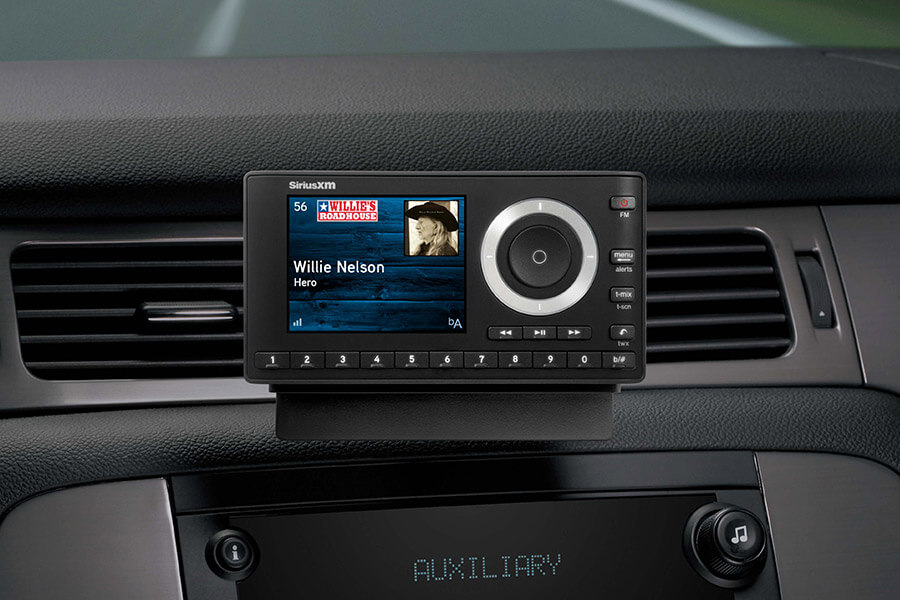
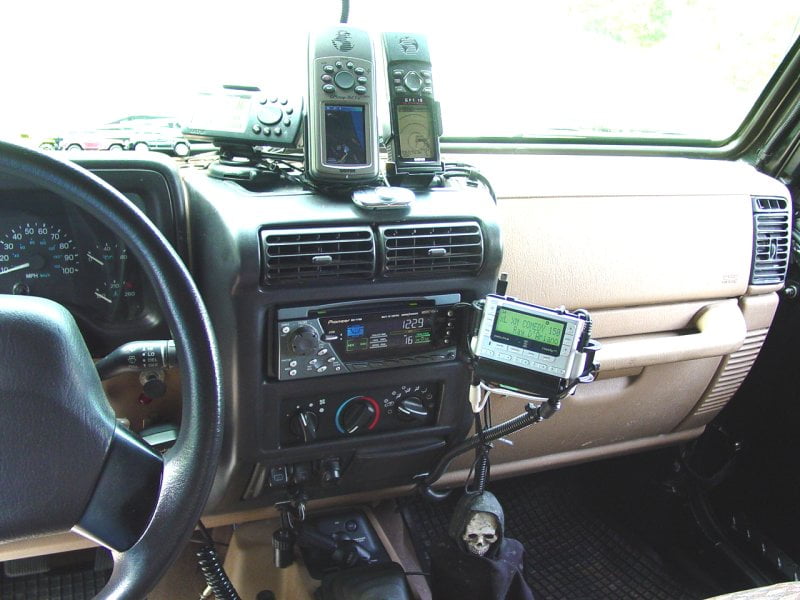
Standalone Satellite Radio Receivers: These are dedicated SiriusXM units that come with their own display, controls, and antenna. They are typically mounted on the dashboard or windshield and draw power from the car’s 12V outlet. Audio can be routed to the car’s stereo in several ways:
- Auxiliary Input: If your car has a 3.5mm auxiliary jack, this provides the best audio quality for standalone units.
- FM Transmitter: Many standalone units include a built-in FM transmitter. This broadcasts the SiriusXM audio over an unused FM frequency, which your car’s radio can then tune into. While convenient, audio quality can be susceptible to interference.
- Cassette Adapter: For very old cars with a cassette player, a cassette adapter can be used to feed audio from the standalone unit.
-
SiriusXM Connect Tuner Kits: These compact, hideaway tuners are designed to integrate more cleanly with existing car stereos that are “SiriusXM Ready.” They connect directly to a compatible car stereo via a proprietary interface cable, allowing the car stereo to control the SiriusXM content directly. This offers a more integrated look than standalone units, as the tuner itself is hidden from view.
- Professional Installation: While some tech-savvy individuals might attempt a DIY install, professional installation is often recommended for Connect Tuner Kits to ensure proper wiring and antenna placement, especially if dashboard components need to be removed.
-
Utilizing Third-Party Head Units with Built-in SiriusXM: Upgrading your car’s entire head unit (car stereo) to an aftermarket model with integrated SiriusXM capability is another robust solution. These head units often feature modern amenities like touchscreens, Apple CarPlay/Android Auto, and superior audio processing, in addition to satellite radio.
- Comprehensive Upgrade: This option not only adds SiriusXM but can also significantly enhance your car’s overall infotainment experience. Installation can be complex, often requiring wiring harnesses and dashboard kits specific to your vehicle, making professional installation highly advisable.
Leveraging Your Smartphone: The App-Based Approach
For subscribers with plans that include streaming access, the SiriusXM app on your smartphone offers a flexible and increasingly popular way to enjoy content in your car, without needing dedicated satellite radio hardware. This method relies on your phone’s data connection and your car’s ability to play smartphone audio.
- Bluetooth Audio Streaming: The most common method, connect your smartphone to your car’s infotainment system via Bluetooth. Once paired, you can launch the SiriusXM app and stream content wirelessly through your car’s speakers. This offers excellent convenience and eliminates cables.
- USB/Auxiliary Connections: If your car lacks Bluetooth or you prefer a wired connection for potentially higher audio quality or simultaneous charging, you can connect your smartphone using a USB cable (if your car supports media playback via USB) or an auxiliary (AUX) cable to the car’s 3.5mm input.
Installation and Setup: A Step-by-Step Guide
Regardless of the method you choose, a clear understanding of the installation and activation steps is crucial for a smooth setup.
Activating Your SiriusXM Subscription
This is the universal first step. Whether you have a factory-installed radio or an aftermarket unit, you’ll need to locate your Radio ID (sometimes called ESN or SID).
- Find Your Radio ID: Tune to Channel 0 on your SiriusXM radio. The Radio ID should display on the screen. For the app, log in to your account to find your streaming ID.
- Contact SiriusXM: Visit siriusxm.com/activate or call their customer service. You’ll need your Radio ID and personal information to subscribe.
- Receive the Activation Signal: Once subscribed, ensure your radio is turned on and tuned to an XM channel. It may take a few minutes for the activation signal to be received and processed by your tuner. A successful activation will show content playing instead of an error message.
Pairing Standalone Receivers or Connect Tuners
For aftermarket hardware, the physical installation precedes activation.
- Antenna Placement: The antenna is critical. Mount it externally, typically on the roof of your car (e.g., magnetic mount on the trunk lid or roof), with a clear line of sight to the sky. Run the cable neatly into the car, avoiding kinks.
- Receiver Placement (Standalone): Mount the receiver in an accessible location on your dash using the provided mounts, ensuring it doesn’t obstruct your view.
- Wiring:
- Power: Connect the receiver to a 12V power outlet.
- Audio Output: Connect the receiver’s audio output to your car stereo via AUX, USB, or configure the FM transmitter.
- Connect Tuner: Plug the Connect Tuner into the proprietary port on your “SiriusXM Ready” aftermarket head unit.
Optimizing Signal Reception for Best Performance
A strong, consistent signal is paramount for an uninterrupted listening experience.
- Antenna Positioning: Ensure your antenna is mounted externally and has an unobstructed view of the sky. Avoid placing it under metal objects or tinted windows that can block the signal.
- Cable Integrity: Check that the antenna cable is not damaged, pinched, or excessively coiled, as this can degrade signal quality.
- Environmental Factors: Tall buildings, dense foliage, and tunnels can temporarily block satellite signals. This is normal, but persistent dropouts may indicate an issue with your setup.
Troubleshooting Common Connectivity Issues
- “Check Antenna” or “No Signal”: Recheck antenna connections at both the antenna and receiver ends. Ensure the antenna is properly positioned.
- “Channel Unavailable” or “Subscription Updated”: This often means your subscription needs to be refreshed. Try sending a refresh signal from the SiriusXM website or calling customer service.
- Poor Audio Quality (FM Transmitter): Try different FM frequencies, especially those that are completely quiet. Move away from urban areas where strong local radio stations can interfere.
Enhancing Your In-Car SiriusXM Experience
Beyond basic functionality, modern technology offers several ways to enrich your SiriusXM listening in the car.
Exploring Advanced Features: On-Demand and Personalized Stations
If your subscription includes streaming access (via the app), you can unlock a wealth of additional features:
- On-Demand Content: Listen to past shows, interviews, and performances whenever you want.
- Personalized Stations: Create custom stations based on your favorite artists or genres.
- SiriusXM with 360L: Found in newer vehicles, this advanced platform combines satellite and streaming content, offering a truly hybrid experience with personalized recommendations, hundreds of additional streaming channels, and on-demand access directly through the car’s infotainment system.
Integrating with Smart Car Systems and Voice Assistants
Many modern cars integrate with smartphone apps and voice assistants.
- Apple CarPlay/Android Auto: If your car supports these platforms, you can use the SiriusXM app directly through your car’s touchscreen interface, making navigation and content selection safer and more intuitive.
- Voice Control: Leverage your car’s built-in voice assistant (e.g., Siri, Google Assistant, Alexa) or the SiriusXM app’s voice search to change channels, find artists, or launch specific shows without taking your hands off the wheel.
Maintaining Your Equipment for Longevity
To ensure your SiriusXM setup continues to perform optimally:
- Cleanliness: Keep receiver screens and controls clean and free of dust.
- Cable Management: Ensure cables are securely routed and not subject to pinching or excessive movement, which can lead to wear and tear.
- Software Updates: For app-based streaming or head units with SiriusXM integration, regularly update the app and your car’s infotainment software to benefit from bug fixes and new features.
The Future of In-Car Entertainment with SiriusXM
The landscape of in-car entertainment is constantly evolving, and SiriusXM is at the forefront of this transformation, blending its robust satellite technology with the flexibility of digital streaming.
Evolution of Connectivity: 5G and Beyond
The rollout of 5G networks promises even faster and more reliable mobile data, which will further enhance the app-based SiriusXM experience. This improved connectivity will support higher-quality audio streams, faster content loading, and more seamless integration with cloud-based services directly within the vehicle. As cars become more connected, the distinction between satellite and streaming content will become increasingly blurred, with the car’s system intelligently selecting the best delivery method for optimal performance.
Personalization and AI-Driven Content Curation
The future of SiriusXM in the car lies heavily in personalization. Leveraging AI and machine learning, SiriusXM aims to offer highly customized listening experiences. Expect car systems to learn your preferences, suggest new channels and shows based on your listening history, and even proactively curate playlists for your daily commute or road trips. The integration of listener profiles will allow different drivers of the same vehicle to have their unique SiriusXM experience automatically loaded upon entry.
The Convergence of Satellite and Streaming Technologies
The ultimate vision for SiriusXM in the car is a seamless hybrid experience. Platforms like SiriusXM with 360L are just the beginning. Future iterations will likely see a complete convergence where the user simply selects content, and the car’s system intelligently pulls it from either the satellite or an IP connection, prioritizing stability and quality. This means accessing a vast library of on-demand content, podcasts, and even interactive features, all from the intuitive interface of your car’s dashboard, ensuring that premium audio entertainment remains a defining feature of the driving experience.
By understanding the available technologies, correctly setting up your system, and staying abreast of future innovations, you can ensure that your car remains a hub of unparalleled entertainment, powered by SiriusXM.
aViewFromTheCave is a participant in the Amazon Services LLC Associates Program, an affiliate advertising program designed to provide a means for sites to earn advertising fees by advertising and linking to Amazon.com. Amazon, the Amazon logo, AmazonSupply, and the AmazonSupply logo are trademarks of Amazon.com, Inc. or its affiliates. As an Amazon Associate we earn affiliate commissions from qualifying purchases.