
For many drivers, the open road is incomplete without a rich auditory experience. SiriusXM satellite radio has revolutionized in-car entertainment, offering an unparalleled selection of ad-free music, talk shows, sports, and news channels that transcend geographical limitations. Unlike traditional terrestrial radio, which relies on local broadcast towers and suffers from signal fade, SiriusXM delivers a consistent, high-fidelity signal across vast distances via satellite. This article delves into the technological underpinnings and practical methods for integrating SiriusXM into your vehicle, ensuring you can enjoy its extensive programming no matter where your travels take you. We will explore the various hardware and software solutions available, guide you through the activation process, and offer insights into optimizing your in-car audio environment.
Understanding SiriusXM Technology in Your Vehicle
At its core, SiriusXM is a sophisticated blend of satellite communication and digital audio broadcasting. Understanding how this technology operates within your car is the first step toward a seamless listening experience.
The Core of Satellite Radio: A Technological Overview
SiriusXM’s service is powered by a constellation of geostationary satellites orbiting Earth. These satellites broadcast digital audio signals across the continent, which are then picked up by specialized antennas in compatible receivers. The digital signal is compressed and encoded, allowing for a vast number of channels to be transmitted simultaneously. Once received by your car’s antenna, the signal is fed to a tuner, which decodes the digital data back into an audio format that can be played through your vehicle’s sound system. This intricate dance of hardware and software ensures that whether you’re crossing state lines or navigating urban canyons, your favorite channels remain crystal clear. The robustness of this satellite-based delivery system is a key differentiator from traditional FM/AM radio, which is prone to interference and signal dropouts, especially in remote areas or congested urban environments.
Decoding Reception: Antennas, Tuners, and Signal Flow
The quality and reliability of your SiriusXM experience hinge on the effective interplay of several key components. The antenna, typically a small, magnetic unit mounted on the roof or dashboard, is crucial for capturing the faint satellite signals. Its placement is vital for an unobstructed view of the sky, as physical barriers like tall buildings, bridges, or even dense foliage can momentarily interrupt the signal. From the antenna, the signal travels to the SiriusXM tuner. This tuner, which can be an integrated part of your car’s infotainment system or an aftermarket module, is responsible for demodulating the satellite signal, error correction, and decoding the compressed audio stream. Finally, the decoded audio is routed through your car’s amplifier and speakers, transforming the digital data into the rich sound you hear. Modern tuners also often include a digital display interface, allowing you to browse channels, view artist and song information, and manage presets.
The Digital Edge: Beyond Satellite with Streaming
While satellite delivery remains the bedrock of SiriusXM, the service has evolved to embrace internet streaming, offering a complementary and increasingly vital technological pathway. With the SiriusXM app, subscribers can stream all the satellite channels, plus exclusive online-only content, directly to their smartphones, tablets, or other connected devices. When integrated into your car, this means leveraging your phone’s data connection (or your car’s built-in Wi-Fi hotspot) to receive SiriusXM content. This method offers several advantages: it bypasses potential satellite signal obstructions, provides on-demand access to a vast library of content, and allows for personalized experiences. The app interface itself is a piece of technology, designed for intuitive navigation, content discovery, and seamless playback, often supporting integration with Apple CarPlay and Android Auto for a safer, more integrated in-dash experience.
Primary Methods for In-Car Integration
Getting SiriusXM into your car typically falls into three main technological categories, each with its own installation complexity, cost implications, and feature sets.
Factory-Installed Systems: Seamless OEM Integration
Many modern vehicles come equipped with factory-installed SiriusXM tuners and antennas. This is the most seamless and aesthetically pleasing solution, as the hardware is designed and integrated directly into the car’s existing infotainment system by the manufacturer (OEM – Original Equipment Manufacturer). The SiriusXM interface is typically accessible through the car’s touchscreen or dashboard controls, offering a clean, unified user experience. When you purchase a new or certified pre-owned vehicle with this feature, it often includes a trial subscription, making activation straightforward. The advantage here lies in the “just works” aspect: no visible wires, no extra devices, and full compatibility with the vehicle’s audio architecture. Technically, these systems are optimized for the specific vehicle model, ensuring minimal interference and high-quality audio output through the car’s premium sound systems.
Aftermarket Solutions: Expanding Your Car’s Capabilities
For vehicles not equipped from the factory with SiriusXM, a robust aftermarket exists to provide the functionality. These solutions range from simple plug-and-play kits to more complex installations.
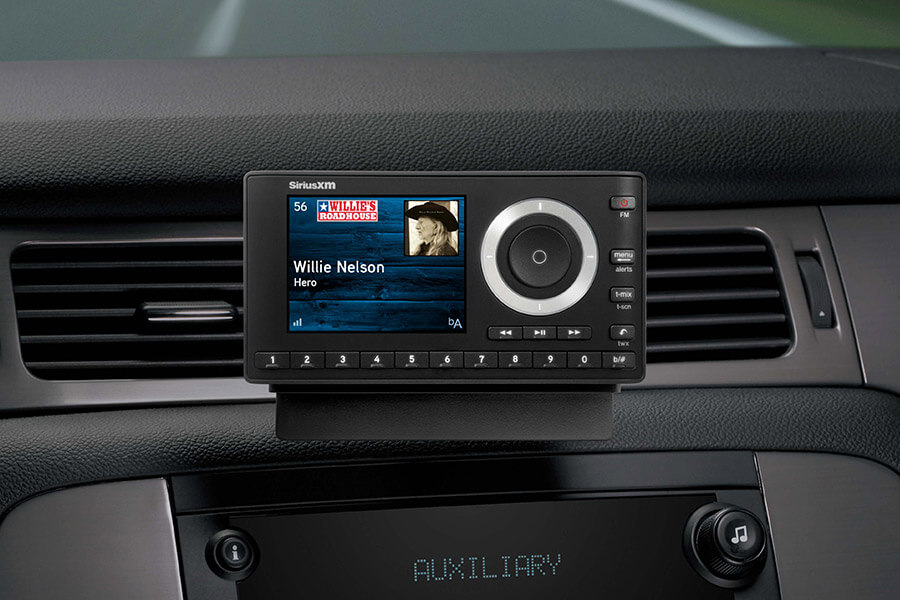
- Stand-alone satellite radios: Devices like the SiriusXM Onyx Plus or Roady BT offer a dedicated receiver unit with its own screen, connecting to your car’s audio system via an auxiliary input, FM transmitter, or Bluetooth. These units typically include a magnetic antenna that mounts on the exterior of your car. Installation is relatively simple, often a DIY task, involving routing power, antenna cables, and an audio output cable.
- Car stereo replacement units: Many aftermarket head units (car stereos) from brands like Pioneer, Kenwood, and Alpine come “SiriusXM Ready.” This means they have a dedicated port for an optional SiriusXM Connect Vehicle Tuner (SXV300V1). This small, discreet module plugs directly into the back of the head unit, and its antenna is then routed to the car’s exterior. This option offers a more integrated look and feel than a stand-alone unit, with controls often accessible directly from the head unit’s touchscreen. Installation here usually requires professional expertise or a comfortable level of DIY car electronics knowledge.
- FM Modulators/Auxiliary Input Converters: Less common today but still viable for older vehicles without auxiliary inputs or Bluetooth, these devices can be installed inline with your car’s existing antenna or wired directly to the audio system, effectively injecting the SiriusXM signal into an unused FM frequency or an auxiliary input.
Smartphone Integration: Leveraging Existing Devices
The third primary method leverages the ubiquity of smartphones and the SiriusXM app. This is a software-centric approach that capitalizes on your existing mobile data plan or a Wi-Fi connection.
- Bluetooth Streaming: The simplest method involves pairing your smartphone via Bluetooth to your car’s audio system. You launch the SiriusXM app on your phone, select your desired channel, and stream the audio wirelessly to your car speakers. This requires no additional hardware beyond your phone and car’s Bluetooth capability.
- Auxiliary Cable Connection: For cars without Bluetooth, an AUX cable can connect your phone’s headphone jack to the car’s auxiliary input jack, providing a direct wired audio path.
- USB Connection: Some newer cars support USB audio input, allowing you to connect your phone via a USB cable, which can often charge the phone while providing a digital audio signal.
- Apple CarPlay and Android Auto: This is the most advanced form of smartphone integration. If your car supports CarPlay or Android Auto, the SiriusXM app integrates seamlessly into the car’s infotainment display. This mirrors a simplified, car-optimized version of the app interface onto your dashboard screen, allowing for safe and intuitive control using the car’s built-in controls (touchscreen, voice commands, steering wheel buttons). This method offers the most fluid user experience for app-based streaming.
Step-by-Step Guide to Activating Your SiriusXM Service
Once you have the necessary hardware or software in place, the final step is to activate your SiriusXM subscription. This process is largely digital but requires some interaction with your specific receiver.
Identifying Your SiriusXM Radio ID
Every SiriusXM-compatible receiver, whether factory-installed or aftermarket, has a unique Radio ID (also known as ESN or SID). This 12-digit alphanumeric code is essential for activating your service.
- For most factory-installed or aftermarket tuners: Tune your radio to channel 0. The Radio ID will be displayed on the screen. If it doesn’t appear immediately, wait a few seconds, or try tuning to channel 1.
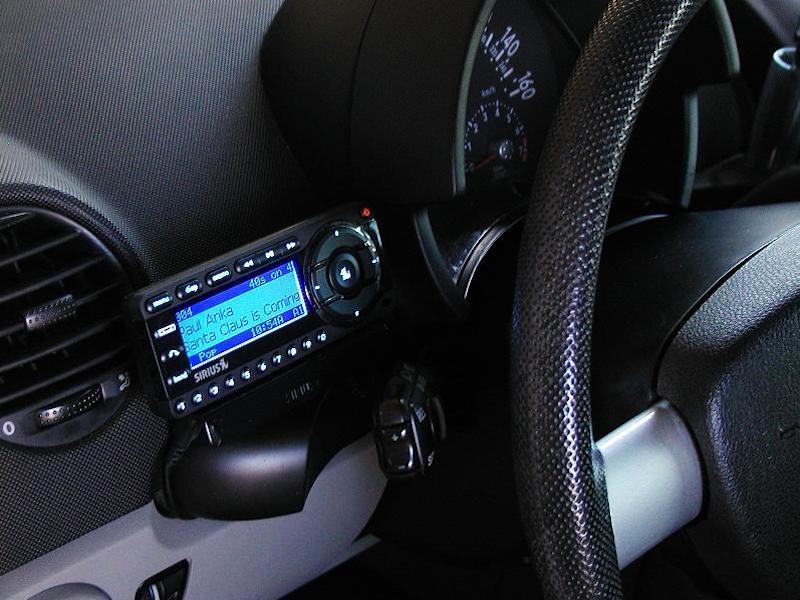
- For stand-alone plug-and-play radios: The Radio ID is typically found in the menu settings (look for “About SiriusXM” or “Radio ID”), or it might be printed on a sticker on the bottom or back of the unit.
- For the SiriusXM app: Your Radio ID is tied to your account and device, but you’ll primarily use your login credentials for activation.
Make sure to write down this Radio ID, as you’ll need it for the next step.
Navigating the Subscription Process
With your Radio ID in hand, you can initiate the subscription process.
- Visit the SiriusXM Website: Go to the official SiriusXM website (siriusxm.com) and navigate to the “Activate” or “Subscribe” section.
- Enter Your Radio ID: You will be prompted to enter your 12-digit Radio ID. This links your specific receiver to your new account.
- Choose Your Plan: SiriusXM offers various subscription packages, differing in channels, streaming access, and price. Select the plan that best suits your listening preferences.
- Provide Billing Information: Complete the registration by providing your personal and payment details.
- Confirm Activation: Once your subscription is confirmed, a signal will be sent to your radio. This usually happens within minutes, but in some cases, it can take up to an hour. Ensure your car is turned on and tuned to a SiriusXM channel (like channel 184 for a preview channel, or one of your chosen subscription channels) in an open area to receive the activation signal.
For app-based streaming, activation typically involves downloading the SiriusXM app, creating an account, and logging in with your chosen subscription plan. No Radio ID is needed for app-only subscriptions.
Testing and Troubleshooting Your Setup
After activation, it’s crucial to test your system.
- Check Signal Reception: Tune through various channels. If you experience consistent signal dropouts, particularly when stationary, revisit your antenna placement. Ensure it has a clear line of sight to the sky.
- Verify Audio Output: Listen for clear, consistent audio quality. If using an FM transmitter, try different FM frequencies to avoid local radio interference. For auxiliary or Bluetooth connections, check cable integrity or Bluetooth pairing status.
- App Functionality: If using the app, test streaming over both Wi-Fi and cellular data to ensure seamless transitions and consistent performance. Check for app updates regularly.
- No Signal/Activation Issues: If your radio displays “No Signal,” “Check Antenna,” or “Call SiriusXM to Subscribe” after activation, double-check your Radio ID, ensure your car is outside, and wait a bit longer. If issues persist, contact SiriusXM customer support, providing them with your Radio ID and the troubleshooting steps you’ve already taken.
Choosing the Right Technological Path for Your Needs
Selecting the optimal method for integrating SiriusXM into your car involves weighing technical factors against personal preferences and budget.
Evaluating Hardware Compatibility and Installation Complexity
The first consideration is your vehicle’s existing technological infrastructure. Does it have a factory-installed unit? Does it have an auxiliary input, USB port, or Bluetooth connectivity?
- Factory-Installed: Ideal for simplicity and integration. No technical effort required beyond activation.
- Aftermarket Head Unit Integration: Offers excellent integration if you’re already replacing your stereo. Requires moderate to advanced technical skills for installation or professional help.
- Stand-alone Kits: Good for older cars or those wanting a dedicated SiriusXM device without modifying the existing stereo. Installation is generally straightforward for the technically inclined DIYer, but involves managing wires and device placement.
- Smartphone App: The least hardware-intensive, leveraging existing devices. Requires a stable data connection in the car.
Consider the technical skill required for installation. While a stand-alone unit might seem easy, routing cables neatly and mounting the antenna optimally still demands some technical aptitude. Professional installation for aftermarket tuners ensures proper wiring, minimizing future electrical or signal issues.
Assessing Signal Reliability and Audio Quality Across Platforms
Each integration method has implications for signal reliability and audio fidelity.
- Satellite Signal: Generally robust, but susceptible to environmental obstructions (tunnels, dense urban areas, heavy tree cover). Audio quality is digitally compressed, but high-quality enough for most listeners.
- App Streaming: Highly reliable where cellular data or Wi-Fi is strong. Subject to data caps and network congestion. Audio quality can often be superior to satellite, especially with high-bitrate streaming options, but is dependent on the quality of your internet connection and the codecs used for Bluetooth or wired connections.
- Audio Output: A factory-installed or aftermarket tuner directly connected to your car’s digital bus or auxiliary input will generally provide the best audio fidelity. FM transmitters, while convenient, can introduce static or reduce audio clarity due to interference. Bluetooth quality has improved significantly but can still vary based on the car’s receiver and phone’s capabilities.
Future-Proofing Your In-Car Entertainment System
When making your decision, consider the longevity and adaptability of your chosen solution.
- Modular Systems: Aftermarket head units that accept SiriusXM modules are somewhat future-proof, as you can upgrade components without replacing the entire system.
- Software-Based (App): The most future-proof in terms of content delivery, as app updates continually introduce new features and improve performance. This method relies on the continuous evolution of smartphone technology and cellular networks.
- Hardware Lifespan: Dedicated satellite radios and tuners have a finite lifespan. While durable, they are electronic devices subject to wear and tear.
Investing in a solution that aligns with your current tech setup and future aspirations for your vehicle’s entertainment will ensure lasting satisfaction.
Enhancing Your SiriusXM Experience and Troubleshooting Common Tech Issues
Even with a perfect setup, occasional tweaks and troubleshooting might be necessary to maintain optimal performance and user satisfaction.
Optimizing Audio Settings and User Interface
Once SiriusXM is active, spend time personalizing your listening environment.
- Equalizer Settings: Most car stereos have an equalizer. Adjust bass, treble, and mid-range frequencies to suit your preferences and the acoustics of your vehicle. Different genres of music or talk radio might benefit from different EQ profiles.
- Gain/Volume Levels: Ensure the output level from your SiriusXM device (if it’s an aftermarket unit) matches your car’s other audio sources to avoid jarring volume changes when switching inputs.
- Preset Management: Organize your favorite channels into presets for quick access. Many systems allow for multiple pages of presets, categorized by genre or listener.
- Display Customization: If your unit has a customizable display, adjust brightness, color schemes, and information displayed (e.g., song title, artist, channel logo) for optimal visibility and aesthetic appeal.
- Voice Control: Leverage voice commands if your car’s infotainment system supports it for hands-free control, enhancing safety and convenience.
Diagnosing Signal Loss and Reception Problems
Signal loss is the most common technical issue with satellite radio.
- Environmental Factors: Tall buildings, tunnels, bridges, dense foliage, and even large trucks can temporarily block the satellite signal. This is normal, and signal usually resumes quickly once the obstruction is passed.
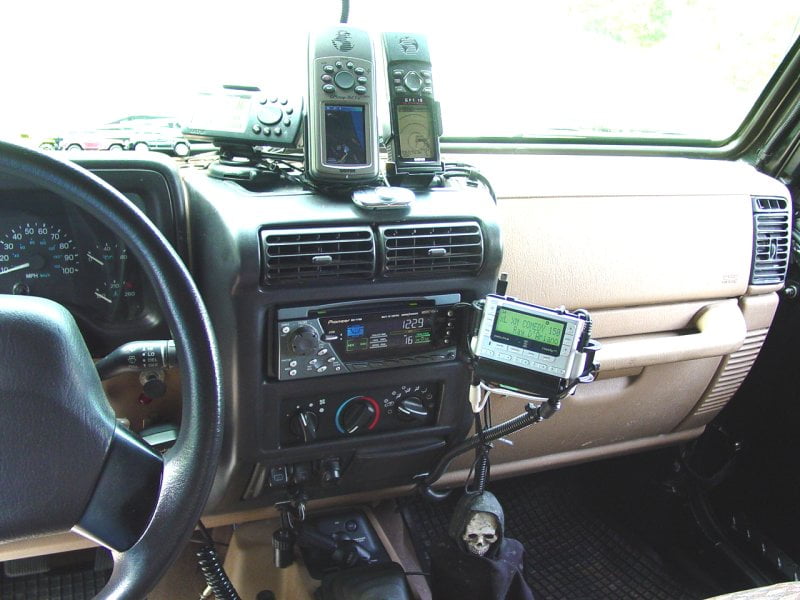
- Antenna Placement: If signal loss is frequent or prolonged in open areas, inspect your antenna. Ensure it’s securely mounted with a clear view of the sky and that its cable isn’t pinched or damaged.
- Loose Connections: Check all cable connections from the antenna to the tuner and from the tuner to the stereo. A loose connection is a frequent culprit for intermittent signal.
- Hardware Malfunction: In rare cases, the antenna or tuner itself might be faulty. If all other troubleshooting fails, consider testing with a replacement antenna or consulting a professional.
Resolving App Connectivity and Streaming Glitches
For app-based streaming, connectivity issues often stem from network problems.
- Internet Connection: Ensure your smartphone has a strong and stable cellular data signal or is connected to a reliable Wi-Fi network. Weak signals will lead to buffering or dropped streams.
- Data Usage: Be mindful of your data plan. Streaming audio consumes data, and exceeding your limit can result in throttled speeds, impacting performance.
- App Updates: Outdated apps can lead to bugs and compatibility issues. Always keep the SiriusXM app updated to the latest version.
- Cache Clear/Reinstall: If the app is acting erratically (crashing, not playing), try clearing its cache in your phone’s settings or, as a last resort, uninstalling and reinstalling the app.
- Bluetooth/CarPlay/Android Auto Issues: If streaming via these integrations, ensure your phone and car are properly paired or connected. Troubleshoot these connections as you would for any other app or device. Sometimes, restarting both the phone and the car’s infotainment system can resolve temporary glitches.
By understanding the technological principles and common troubleshooting steps, you can ensure a consistently enjoyable SiriusXM experience in your car, making every drive more engaging and entertaining.
aViewFromTheCave is a participant in the Amazon Services LLC Associates Program, an affiliate advertising program designed to provide a means for sites to earn advertising fees by advertising and linking to Amazon.com. Amazon, the Amazon logo, AmazonSupply, and the AmazonSupply logo are trademarks of Amazon.com, Inc. or its affiliates. As an Amazon Associate we earn affiliate commissions from qualifying purchases.