
In an increasingly digital world, streaming services have become the cornerstone of home entertainment, offering an unprecedented breadth of content at our fingertips. Among the pantheon of these platforms, Amazon Prime Video stands out not just for its extensive library of movies, TV shows, and original productions, but also as a core component of the broader Amazon Prime ecosystem. For many, “getting Prime TV” is synonymous with unlocking a vast universe of digital content, a process that intertwines with various technological considerations, from device compatibility to network optimization and user interface navigation. This comprehensive guide will demystify the process, ensuring you can seamlessly access and enjoy everything Prime Video has to offer, strictly from a technology-centric viewpoint.

Understanding Amazon Prime Video: Your Gateway to Premium Entertainment
Amazon Prime Video is far more than just another streaming service; it’s a meticulously engineered platform designed to deliver high-quality digital entertainment across a multitude of devices. Understanding its technological underpinnings is the first step in effectively leveraging its capabilities.
What is Amazon Prime Video?
At its core, Amazon Prime Video is an on-demand video streaming service operated by Amazon. It offers a diverse catalog that includes thousands of licensed films and television series, exclusive Amazon Originals (like “The Lord of the Rings: The Rings of Power” and “The Boys”), and a growing selection of live sports and events. From a technical perspective, the service employs adaptive bitrate streaming technology, which dynamically adjusts video quality based on your internet connection speed to minimize buffering and ensure a smooth viewing experience. It supports various resolutions, from standard definition (SD) to high definition (HD) and increasingly, Ultra HD 4K with HDR (High Dynamic Range), leveraging advanced codecs for efficient data transmission. The platform also integrates features like X-Ray, which pulls IMDb data directly onto your screen, providing cast, crew, trivia, and soundtrack information in real-time—a clever fusion of content and metadata technology.
The Core Requirement: An Amazon Prime Membership
Access to Amazon Prime Video is fundamentally tied to an Amazon Prime membership. This isn’t just a marketing bundle; it’s a strategic technological integration. When you subscribe to Amazon Prime, you gain access to a suite of benefits, with Prime Video being a significant digital component. The membership acts as a universal key, unlocking not only the streaming service but also other technologically enhanced benefits like Prime Music, Prime Reading, and expedited shipping services which, while seemingly unrelated to streaming, contribute to the overall digital ecosystem Amazon cultivates. Technically, your Prime membership authenticates your access across all these disparate services through a unified account system, ensuring a seamless user experience whether you’re shopping, reading, or watching.
Beyond Streaming: The Broader Prime Ecosystem
While the primary focus is on streaming, the technological infrastructure supporting Amazon Prime Video is deeply embedded within the wider Amazon ecosystem. This means your Amazon account is the central hub for all your interactions, from purchasing smart home devices like Echo speakers and Fire TV Sticks, to managing cloud storage and accessing digital content. This integration allows for cross-device functionality, where you can start watching a show on your TV and pick it up seamlessly on your tablet, thanks to cloud-based progress syncing. It also facilitates a streamlined purchasing experience for digital rentals or purchases directly within the Prime Video app, leveraging your stored payment information from your Amazon account. This holistic approach leverages cloud computing and robust API integrations to create a cohesive digital lifestyle for its users.
Navigating the Subscription Process and Account Setup
Gaining access to Prime Video is a straightforward process, primarily involving setting up or linking an Amazon account and initiating a Prime membership. This section focuses on the technical steps and digital security considerations.
Signing Up for Amazon Prime: Step-by-Step
The initial step involves creating an Amazon account if you don’t already have one. This digital identity will serve as your portal to all Amazon services.
- Visit the Amazon Website: Navigate to Amazon.com or your regional Amazon domain.
- Create an Account: Click on “Hello, Sign in” and then “Start here” under “New customer?”. You’ll be prompted to enter your name, email address, and a password. Ensure your password is robust, combining uppercase and lowercase letters, numbers, and symbols to meet modern security standards.
- Initiate Prime Membership: Once your Amazon account is established, locate the “Try Prime” or “Start your free 30-day Prime trial” option. Amazon typically offers a generous trial period, allowing you to test the full suite of Prime benefits, including Prime Video, before committing to a paid subscription.
- Provide Payment Information: Even for a free trial, you’ll need to enter valid payment details (credit/debit card). This is a standard procedure for subscription services to ensure continuity if you choose to remain a member after the trial. Your data is encrypted and processed securely according to industry standards.
- Confirmation: Upon successful registration, you’ll receive a confirmation email. Your Amazon Prime membership, and consequently access to Prime Video, will be activated almost instantly.
Managing Your Membership: Billing and Renewal
Managing your Prime membership is an important aspect of controlling your digital subscriptions and finances. Amazon provides a user-friendly interface for this.
- Access Your Account: Log in to your Amazon account.
- Navigate to Prime Membership: Go to “Accounts & Lists” and then select “Prime Membership.”
- Review Details: Here, you can view your current membership status, the next billing date, and the payment method associated with your subscription.
- Update Payment Information: If your credit card expires or you wish to change your payment method, you can do so securely from this page. Amazon uses secure sockets layer (SSL) encryption to protect your financial data during transmission.
- Cancel or Change Membership: Should you decide to cancel, the option to “End Membership” is clearly visible. You can also switch between monthly and annual billing cycles, which often offers a cost-saving advantage. All changes are processed digitally and reflected almost immediately.
Security Best Practices for Your Prime Account
Digital security is paramount when dealing with online accounts, especially those linked to payment information and personal entertainment preferences.
- Strong, Unique Passwords: Never reuse passwords. Use a complex, unique password for your Amazon account. Consider using a password manager to generate and store these securely.
- Two-Factor Authentication (2FA): Enable 2FA (also known as Two-Step Verification) immediately. This adds an extra layer of security by requiring a code from your phone (via SMS or an authenticator app) in addition to your password, significantly reducing the risk of unauthorized access even if your password is compromised.
- Recognize Phishing Attempts: Be vigilant against phishing emails or messages that impersonate Amazon. Always check the sender’s email address and hover over links before clicking. Amazon will never ask for your password or payment information via email.
- Regularly Review Account Activity: Occasionally check your order history and login activity within your Amazon account settings to ensure there are no suspicious transactions or unauthorized access attempts.
Accessing Prime Video Across Your Devices
One of the greatest strengths of Amazon Prime Video lies in its ubiquitous accessibility. The service is designed to be compatible with a vast array of devices, ensuring you can stream content wherever and whenever you choose.
Smart TVs and Streaming Sticks: Seamless Integration
The living room television remains a primary viewing device, and Prime Video is engineered for optimal performance on these platforms.
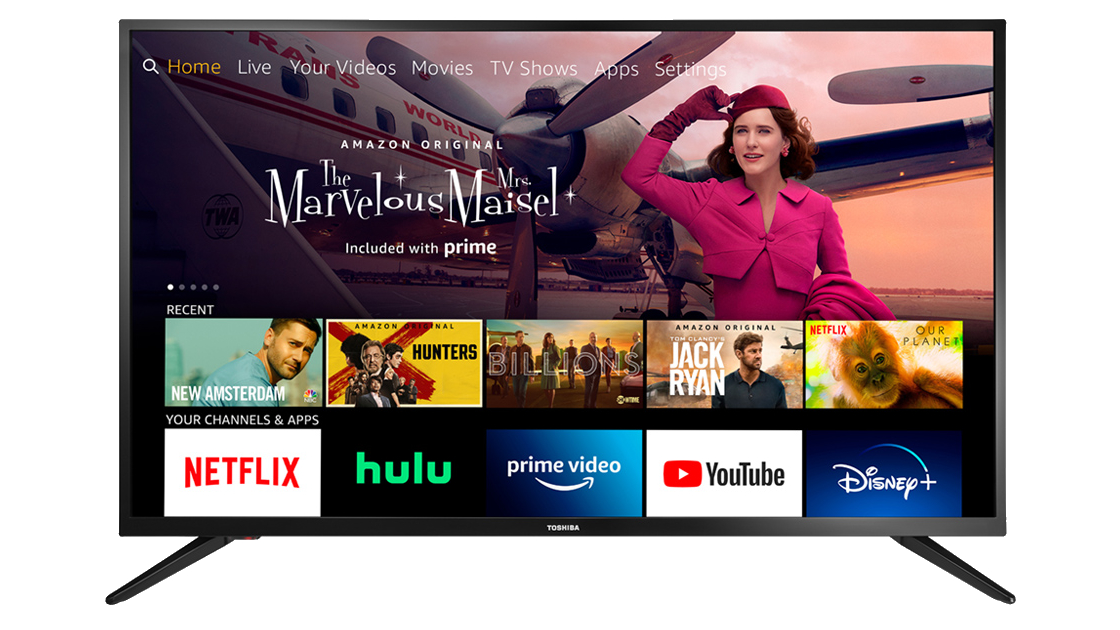
- Smart TVs: Most modern smart TVs (e.g., Samsung, LG, Sony, Vizio) come with the Prime Video app pre-installed or available for download from their respective app stores. The app provides a dedicated interface, often leveraging the TV’s native resolution capabilities (HD, 4K, HDR) and sound systems (Dolby Atmos, DTS:X). Installation involves navigating to the app store, searching for “Amazon Prime Video,” downloading, and then signing in with your Amazon account credentials.
- Streaming Sticks and Set-Top Boxes: Devices like Amazon Fire TV Stick, Roku, Apple TV, Google Chromecast with Google TV, and NVIDIA Shield are purpose-built for streaming. The Prime Video app is a standard offering across these platforms, often deeply integrated. Fire TV devices, being Amazon’s own hardware, offer the most seamless experience with direct voice control via Alexa. Setup typically involves plugging the device into your TV’s HDMI port, connecting to Wi-Fi, and downloading/signing into the Prime Video app. These devices act as dedicated media clients, optimizing network bandwidth and video decoding for a superior streaming experience.
Mobile Devices: Streaming On-the-Go
The Prime Video app for smartphones and tablets (iOS and Android) transforms your mobile device into a portable entertainment hub.
- App Download: Search for “Amazon Prime Video” in the Apple App Store or Google Play Store, download, and install.
- Features: Beyond streaming, the mobile app is feature-rich. It supports offline downloads, allowing you to save content to your device’s local storage for viewing without an internet connection—perfect for travel. The app also offers robust parental controls, casting capabilities (to Chromecast or Fire TV devices), and access to your watchlist and purchase history. The interface is optimized for touchscreens, with intuitive navigation and gesture controls.
Computers and Laptops: Browser-Based Access
For those who prefer a larger screen without a dedicated streaming device, Prime Video is fully accessible via web browsers.
- Web Interface: Simply visit PrimeVideo.com and sign in with your Amazon account. The website’s interface is designed for desktop viewing, offering full functionality for browsing, watching, and managing your account.
- System Requirements: Ensure your browser is up-to-date (Chrome, Firefox, Edge, Safari are all supported), and your computer meets minimum system requirements for smooth playback, especially for high-resolution content. A stable internet connection is crucial for optimal streaming quality.
Gaming Consoles: Expanding Your Entertainment Hub
Modern gaming consoles have evolved into comprehensive entertainment centers, and Prime Video is a staple application on them.
- PlayStation and Xbox: Both Sony PlayStation (PS4, PS5) and Microsoft Xbox (Xbox One, Xbox Series X/S) offer the Prime Video app through their respective digital storefronts. Download the app, sign in, and transform your console into a streaming powerhouse. These consoles often boast powerful processors and network capabilities, delivering excellent video and audio fidelity, making them a great option for enjoying Prime Video content.
Optimizing Your Prime Video Experience
Beyond merely accessing the service, optimizing your Prime Video experience involves understanding and utilizing its various technological features and settings to enhance viewing quality and personalization.
Interface Navigation and Content Discovery
The Prime Video interface is designed for efficient content discovery.
- Categorization and Search: Content is logically categorized into Movies, TV Shows, Amazon Originals, and more specialized genres. A robust search function allows you to quickly locate specific titles or explore content by actor, director, or keyword. The underlying recommendation engine, a sophisticated AI algorithm, analyzes your viewing history and preferences to suggest personalized titles, fostering deeper engagement with the platform.
- Watchlist: A crucial feature, the “Watchlist” allows you to save titles you want to watch later, ensuring you never forget an interesting find. This digital queue helps organize your viewing intentions across all devices.
Customizing Playback and Quality Settings
To tailor your streaming experience to your internet bandwidth and device capabilities, Prime Video offers several technical adjustments.
- Video Quality: Within the player settings, you can often manually select video quality (e.g., “Best,” “Good,” “Data Saver”). This is particularly useful on mobile data plans or slower Wi-Fi connections. The adaptive bitrate streaming generally handles this automatically, but manual override provides granular control.
- Data Usage: For mobile users, controlling data usage is vital. The app provides settings to limit streaming and download quality specifically for cellular data, preventing unexpected overages.
- Subtitles and Audio Tracks: You can customize subtitle appearance (font size, color) and select different audio languages or audio descriptions (for accessibility), leveraging the platform’s multi-language and accessibility support technologies.
Utilizing Advanced Features: Profiles, Watchlists, and Downloads
Prime Video includes several advanced features that significantly enhance user convenience and personalization.
- User Profiles: Create distinct profiles for different family members, each with their own viewing history, recommendations, and watchlists. This ensures personalized content experiences and avoids cluttering one’s recommendations with others’ viewing habits. Each profile maintains its own set of technical preferences.
- Offline Downloads: As mentioned, the ability to download content to mobile devices for offline viewing is a key technological advantage. This feature effectively bypasses internet connectivity issues, allowing for uninterrupted entertainment during flights, commutes, or in areas with poor reception. The downloaded files are DRM-protected and have a limited viewing window.
- Parental Controls: Implement PIN-protected parental controls to restrict access to content based on ratings, ensuring children only view age-appropriate material. This feature leverages robust access control mechanisms to filter content based on predefined criteria.
Troubleshooting Common Technical Issues
Even with advanced technology, occasional hiccups can occur. Here’s a brief overview of troubleshooting common tech-related Prime Video problems.
- Buffering or Poor Quality: Often a network issue. Check your internet speed (a broadband connection of at least 5 Mbps for HD and 15-25 Mbps for 4K is recommended). Restart your router and modem. If streaming wirelessly, try moving closer to your router or using a wired Ethernet connection for better stability.
- App Crashes or Freezing: Try closing and reopening the app. If the problem persists, clear the app’s cache (in device settings) or reinstall the app. Ensure your device’s operating system and the Prime Video app are updated to their latest versions, as updates often include bug fixes and performance improvements.
- Login Problems: Double-check your Amazon account credentials. If you’ve forgotten your password, use the “Forgot Password” link on the Amazon website. Ensure Two-Factor Authentication codes are entered correctly.
- Device Compatibility: Ensure your device meets the minimum system requirements for the Prime Video app. Older devices or operating systems might no longer be supported, leading to functionality issues.
Exploring Additional Prime Video Features and Benefits
Prime Video continually evolves, integrating new features and expanding its content offerings to remain a competitive and technologically advanced streaming platform.
Renting, Buying, and Subscribing to Channels
Beyond the content included with your Prime membership, Prime Video acts as a digital storefront and a hub for other streaming services.
- Digital Rentals and Purchases: You can rent or buy newly released movies and TV show seasons directly through the Prime Video interface. This allows immediate digital access to content not yet available for streaming or to own a digital copy for unlimited viewing. The purchases are stored in your Amazon account’s digital library, accessible across all your devices.
- Amazon Prime Video Channels: This feature allows you to subscribe to additional premium channels (e.g., HBO Max, Showtime, Starz, BritBox) directly within the Prime Video app. This consolidates your subscriptions into one billing system and one user interface, simplifying content discovery and management, and negating the need for multiple separate apps. Technically, these channels leverage Prime Video’s infrastructure for content delivery and user authentication, offering a unified streaming experience.
Live Sports and Events: A Growing Frontier
Amazon has significantly invested in live content, particularly sports, demonstrating its technical capability to handle real-time broadcasting at scale.
- Live Sports Rights: Depending on your region, Prime Video streams exclusive live sports events, such as NFL’s Thursday Night Football in the US or Premier League football in the UK. This requires a robust content delivery network (CDN) and sophisticated live streaming technology to ensure low latency and high-quality broadcasts to millions of concurrent viewers.
- Interactive Features: Some live events come with interactive features like alternative audio feeds, X-Ray statistics, and replay options, enhancing the live viewing experience through real-time data integration.
Parental Controls: Managing Content for Families
For families, robust parental controls are a critical technological feature, empowering adults to manage content accessibility for younger viewers.
- PIN Protection: Parents can set a 5-digit PIN to restrict content based on age ratings. This PIN is required to play restricted content, make purchases, or bypass viewing restrictions on specific profiles.
- Purchase Restrictions: Controls can also be applied to prevent accidental or unauthorized purchases of movies and TV shows from the Prime Video store.
- Device-Specific Settings: Parental controls can often be configured globally for the account or specifically for individual devices, offering flexibility in managing viewing environments. This tiered control system is a testament to the platform’s focus on user safety and customization.
In conclusion, “getting Prime TV” is a journey into a sophisticated digital entertainment ecosystem. From the initial Amazon Prime membership and secure account setup to navigating its vast content library and leveraging advanced features across diverse devices, every step is underpinned by robust technology. By understanding these technical facets, users can not only access but truly optimize their Prime Video experience, transforming their living rooms, mobile devices, and computers into personalized hubs of premium digital entertainment.
aViewFromTheCave is a participant in the Amazon Services LLC Associates Program, an affiliate advertising program designed to provide a means for sites to earn advertising fees by advertising and linking to Amazon.com. Amazon, the Amazon logo, AmazonSupply, and the AmazonSupply logo are trademarks of Amazon.com, Inc. or its affiliates. As an Amazon Associate we earn affiliate commissions from qualifying purchases.