
In the modern financial landscape, your bank statement is more than just a list of transactions; it is a critical document for financial health, tax compliance, and securing credit. Whether you are applying for a mortgage, preparing your annual tax returns, or simply auditing your personal spending habits, knowing how to efficiently retrieve and manage your Bank of America statements is a foundational skill in personal finance.
Bank of America, as one of the largest financial institutions in the world, provides several streamlined methods for accessing these records. This guide explores the digital and physical pathways to obtaining your statements, while also providing insight into how to use these documents to optimize your overall financial strategy.
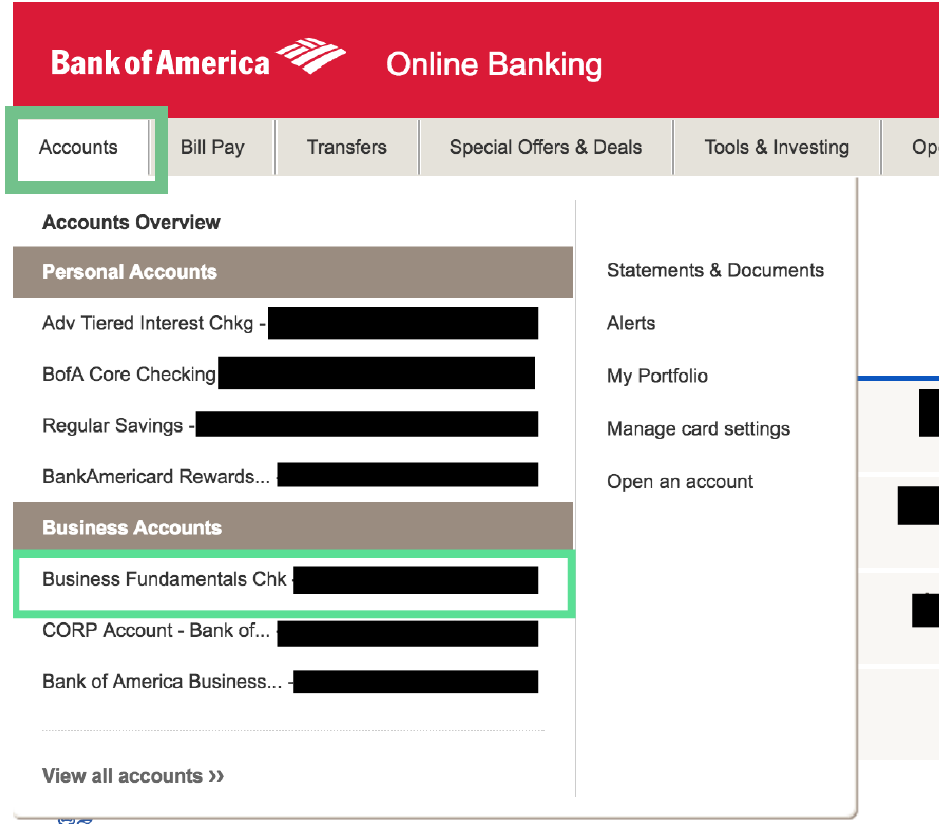
Accessing Statements via the Online Banking Portal
The most efficient way to manage your financial records is through the Bank of America online banking portal. Digital access allows for immediate retrieval of documents, often dating back several years, which is essential for long-term financial planning.
Step-by-Step Retrieval on Desktop
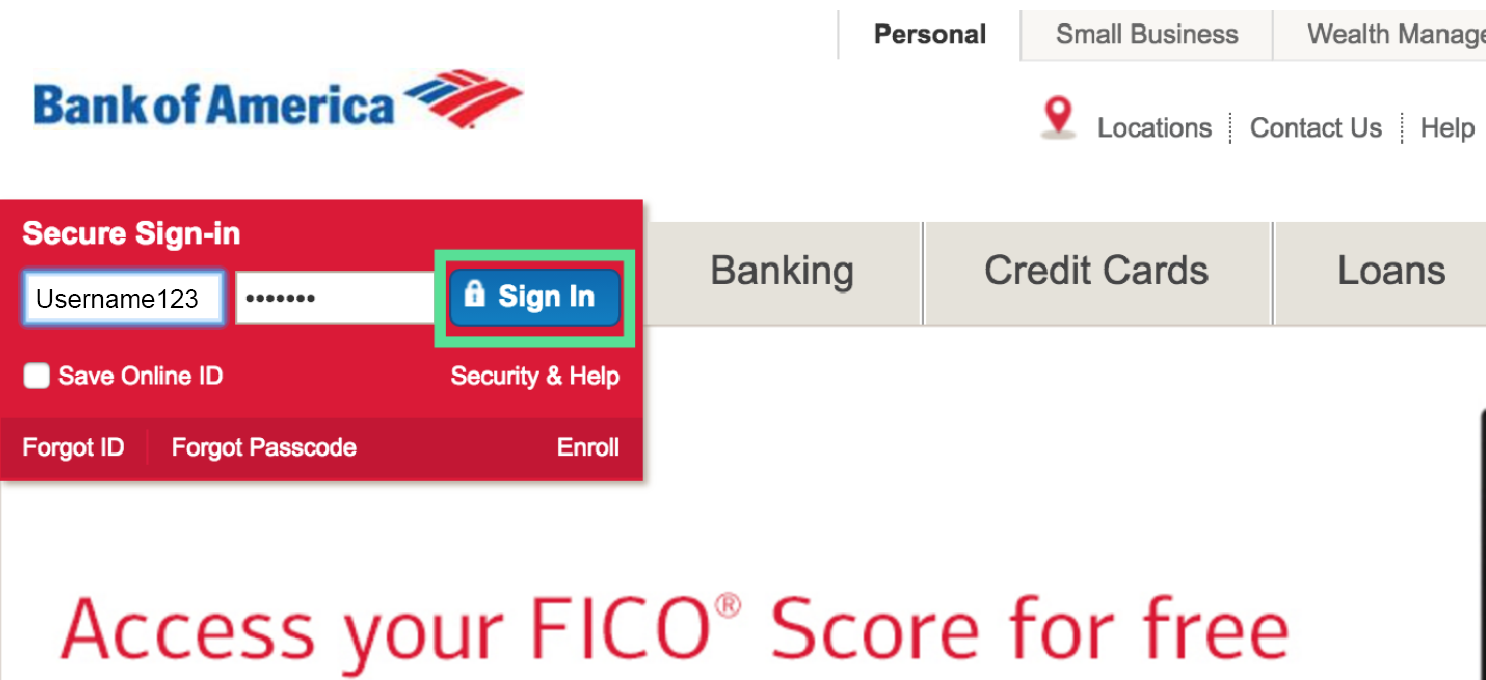
To begin, navigate to the Bank of America website and log in with your secure credentials. Once you are on your account dashboard, follow these steps:
-
Select the specific account for which you need a statement (Checking, Savings, or Credit Card).
-
Locate the “Statements & Documents” tab, usually found in the secondary navigation menu below the account summary.
-
Choose the “Statements” sub-tab. Here, you will see a chronological list of available statements.
-
Click on the link for the specific month or period you require. The statement will typically open as a PDF in a new browser window or download directly to your device.
Going Paperless: The Financial Strategy
Financial experts often recommend switching to paperless statements. Not only is this environmentally friendly, but it also enhances your digital security by reducing the risk of mail fraud and identity theft. Within the “Statements & Documents” section, you can manage your “Paperless Settings.” By opting into electronic-only delivery, you ensure that your sensitive financial data remains behind encrypted login walls rather than in an unsecured physical mailbox.
Accessing Historical Records
Bank of America typically keeps up to seven years of statements available online. This is particularly useful for those undergoing a deep financial audit or those who need to prove residency or income for historical periods. If you require a statement older than seven years, you may need to request a “Statement Research” service, which can be initiated through the online message center, though this may incur a nominal fee.
Utilizing the Bank of America Mobile App
In an era of on-the-go financial management, the Bank of America mobile app provides a robust interface for retrieving documents directly from a smartphone or tablet. This is particularly useful when you are at a meeting with a financial advisor or a dealership and need to verify funds or recent deposits instantly.
Navigating the Mobile Interface
Once logged into the app using biometric authentication or your passcode, the process is streamlined:
-
Tap on the account you wish to view.
-
Scroll down to the “Statements & Documents” section.
-
Tap “View Statements.”
-
Select the specific statement period. The app will generate a PDF view of the document.
Sharing and Saving Documents Securely
The mobile app allows you to leverage the native sharing features of your device. You can save the PDF to a secure cloud storage folder (like iCloud or Google Drive) or send it directly via secure email. However, from a personal finance security standpoint, it is always recommended to use encrypted channels when sharing full bank statements, as they contain your full account number and transaction history.
Mobile Alerts and Notifications
To stay on top of your monthly financial cycle, you can set up mobile alerts that notify you the moment your new statement is ready for review. This encourages a proactive approach to money management, allowing you to reconcile your accounts immediately and spot any discrepancies before they become significant issues.
Offline Methods and Professional Document Requests
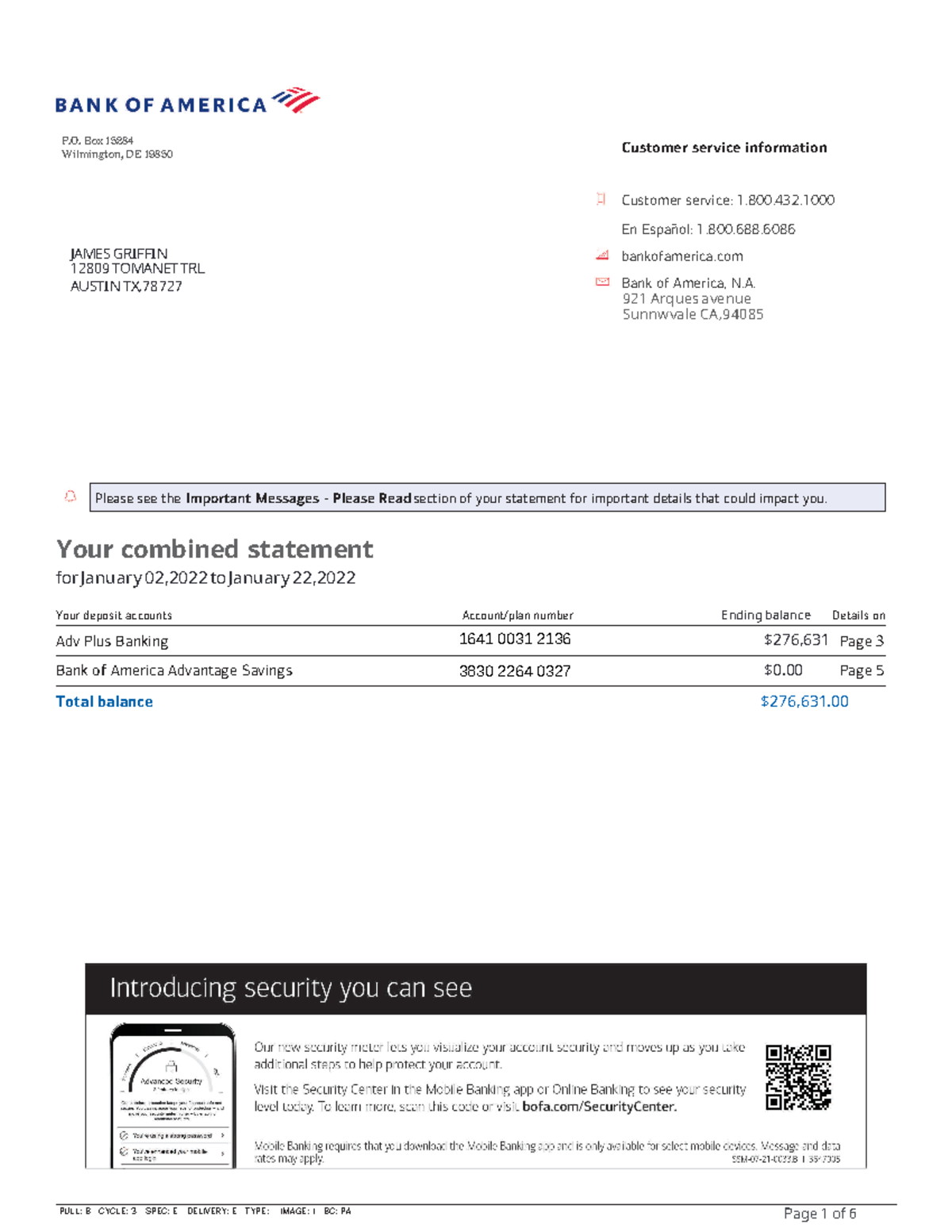
While digital access is the standard, there are circumstances where a physical, bank-certified copy of a statement is required. Legal proceedings, certain international visa applications, and some high-value real estate transactions may demand an original paper document.
Visiting a Financial Center
For immediate physical copies, visiting a Bank of America financial center is the most direct route. A personal banker can print official copies of your statements. It is important to bring valid government-issued identification. Note that while recent statements may be printed for free, some branches may charge a small fee for multiple months of historical records.
Requesting Statements by Mail
If you do not have access to a printer and cannot visit a branch, you can request that paper copies be mailed to your address of record. This can be done via the “Contact Us” section of the website or by calling the customer service number on the back of your debit card. When requesting via phone, ensure you specify the exact date range required to avoid unnecessary charges.
The Role of ATMs
While you cannot print a full, multi-page statement at an ATM, Bank of America ATMs do allow you to print a “Mini-Statement.” This typically shows the last ten transactions and your current balance. While not sufficient for tax or loan purposes, it is a quick way to verify recent activity if you do not have mobile data access.
Maximizing Your Bank Statement for Financial Growth
A bank statement is a powerful diagnostic tool for your personal finances. Obtaining the statement is only the first step; the true value lies in how you interpret and use the data.
Categorizing Expenses for Budgeting
Reviewing your monthly statement allows you to categorize your spending into “Needs” versus “Wants.” By exporting your statement data into a CSV or Excel format (available through the online portal), you can use spreadsheet software to run pivot tables or charts. This visualization of your data can reveal “leakage”—small, recurring expenses like forgotten subscriptions or daily convenience purchases that aggregate into significant annual costs.
Identifying Patterns and Fraud
Regularly downloading and reviewing your statements is the first line of defense against financial fraud. While the bank has automated systems to catch major red flags, smaller, “shaved” transactions or unauthorized subscriptions can often slip through. A monthly manual review ensures that every dollar leaving your account is authorized. If you spot an error, Bank of America allows you to dispute transactions directly through the online interface associated with that specific statement.
Preparing for Major Life Milestones
When you are preparing for a major investment, such as buying a home or starting a business, your bank statements serve as the primary evidence of your financial character. Lenders look for consistency in income, the absence of frequent overdrafts, and a healthy “reserve” or “float” in your accounts. By reviewing your statements months before you apply for credit, you can “clean up” your financial profile—for example, by reducing large discretionary outflows or ensuring all deposits are easily explainable.
Integrating Statements with Financial Management Tools
To truly master your money, you should integrate your Bank of America account data with broader financial tools.
Exporting Data for Tax Purposes
For freelancers, small business owners, or those with complex investment portfolios, the bank statement is a raw data source for tax preparation. Bank of America allows users to download transaction history in formats compatible with QuickBooks, Quicken, and generic CSV files. This eliminates the need for manual data entry, reducing the risk of errors in your tax filings and ensuring you maximize your deductible expenses.
Connecting to Third-Party Apps
Many personal finance apps, such as YNAB (You Need A Budget) or Empower, connect directly to your Bank of America account via secure APIs. While these apps provide real-time updates, downloading the official monthly PDF statement remains necessary for your permanent records. These official documents are the “source of truth” in the event of a technical glitch or a data discrepancy in a third-party app.
Long-Term Record Retention Policies
From a financial planning perspective, you should maintain your own archive of bank statements. While the bank provides seven years of history, your personal financial journey may span decades. Keeping digital copies of your statements in an encrypted, backed-up environment (such as an external hard drive or a secure cloud vault) ensures that you have a complete history of your wealth-building journey, which can be invaluable for estate planning or long-term trend analysis.
In conclusion, retrieving a Bank of America bank statement is a simple process that can be completed in minutes via a computer or smartphone. However, the habit of consistently accessing, reviewing, and archiving these documents is what separates passive consumers from active wealth managers. By utilizing the digital tools at your disposal and understanding the strategic value of the data contained within your statements, you can maintain tighter control over your financial destiny.
aViewFromTheCave is a participant in the Amazon Services LLC Associates Program, an affiliate advertising program designed to provide a means for sites to earn advertising fees by advertising and linking to Amazon.com. Amazon, the Amazon logo, AmazonSupply, and the AmazonSupply logo are trademarks of Amazon.com, Inc. or its affiliates. As an Amazon Associate we earn affiliate commissions from qualifying purchases.