
In the burgeoning world of digital finance, cryptocurrency has evolved from a niche interest into a global phenomenon. Central to interacting with this ecosystem is the concept of a “wallet address”—a unique string of characters that acts as your digital mailbox for receiving specific cryptocurrencies. For millions worldwide, Coinbase serves as a primary gateway to this digital frontier, offering a user-friendly platform to buy, sell, and store various digital assets. However, even seasoned users might occasionally need to pinpoint their exact wallet address for a particular cryptocurrency, a crucial step for transactions like receiving funds from another platform, an individual, or a decentralized application.
This comprehensive guide will demystify the process of locating your wallet address on Coinbase, equipping you with the knowledge and confidence to navigate this essential aspect of cryptocurrency management. We’ll delve into the technical underpinnings of these addresses, provide step-by-step instructions for both desktop and mobile interfaces, and, critically, highlight the security considerations that underpin all digital asset interactions. Understanding how to accurately find and utilize your Coinbase wallet address isn’t just a technical skill; it’s a fundamental pillar of secure and effective participation in the digital economy.
Understanding Cryptocurrency Wallet Addresses
Before diving into the “how-to,” it’s vital to grasp the foundational concept of a cryptocurrency wallet address. These aren’t just random sequences; they are the public identifiers for your digital asset accounts, each designed to be unique and specific to a particular blockchain and cryptocurrency.
What is a Crypto Wallet Address?
At its core, a crypto wallet address is a cryptographic hash, a string of alphanumeric characters that serves as a unique identifier for a specific location on a blockchain where cryptocurrency can be sent and received. Think of it as your bank account number for a particular digital asset. When someone wants to send you Bitcoin, they need your Bitcoin wallet address. If they want to send you Ethereum, they need your Ethereum wallet address. Each cryptocurrency generally operates on its own blockchain or a compatible network, meaning a Bitcoin address will not work for Ethereum, and vice-versa.
These addresses are derived from your public key, which is itself derived from your private key. The public key is shareable, allowing others to send you funds, while the private key must remain secret, as it grants access to spend those funds. Coinbase, as a custodial exchange, manages these private keys on your behalf for the assets held within their platform.
Why Do You Need Your Wallet Address?
The primary reason to find your wallet address is to receive cryptocurrency. Whether you’ve sold an item for crypto, been paid by an employer in Bitcoin, or simply want to transfer funds from another exchange or a self-custody wallet, you’ll need to provide the sender with the correct address. Providing an incorrect address, even by a single character, can lead to irreversible loss of funds, underscoring the critical importance of accuracy.
Beyond receiving funds, your wallet address might be needed for:
-
Verifying ownership: Some services or platforms might ask for your address to confirm you own a specific amount of crypto.
-
KYC/AML procedures: In regulated environments, providing your address can be part of know-your-customer (KYC) or anti-money laundering (AML) protocols.
-
Interacting with dApps: While less common directly from an exchange wallet, in the broader crypto ecosystem, addresses are fundamental for interacting with decentralized applications.
Types of Wallet Addresses and Network Compatibility
It’s crucial to understand that not all wallet addresses are created equal. Each blockchain has its own addressing scheme and network rules. For instance:
-
Bitcoin (BTC) addresses typically start with
1,3, orbc1. -
Ethereum (ETH) addresses and addresses for most ERC-20 tokens (tokens built on the Ethereum blockchain) start with
0x. -
Litecoin (LTC) addresses often start with
LorM.
The key takeaway here is network compatibility. Sending an ERC-20 token to a Bitcoin address, or vice-versa, will result in permanent loss of funds. Even within similar address formats (like different tokens on the Ethereum network), it’s essential to ensure the specific asset is supported by the receiving address on Coinbase. Coinbase will typically show you the correct address type for each asset it supports, along with warnings if you attempt to send to an incompatible network.
Navigating Coinbase: A Guide to Locating Your Addresses
Coinbase is designed with user-friendliness in mind, but finding your wallet address might require a few clicks. The process is straightforward whether you’re using the desktop interface or the mobile app.
Logging In and Initial Setup
Before anything else, ensure you’re logging into the official Coinbase website or app. Always double-check URLs for phishing attempts. Once logged in, prioritize your account security by enabling Two-Factor Authentication (2FA) if you haven’t already. This is a non-negotiable best practice for protecting your digital assets.
Finding Your Receive Address on the Desktop Interface
The desktop website provides a clear path to your wallet addresses:
-
Log In to Your Coinbase Account: Navigate to
coinbase.comand enter your credentials, completing any 2FA prompts. -
Go to ‘Send / Receive’: In the top right corner of the dashboard, you’ll typically see a ‘Send / Receive’ button. Click on it.
-
Select ‘Receive’: A pop-up window will appear. Ensure the ‘Receive’ tab is selected.
-
Choose the Asset: From the dropdown menu labeled ‘Asset’, select the specific cryptocurrency for which you need the address (e.g., Bitcoin, Ethereum, Litecoin).
-
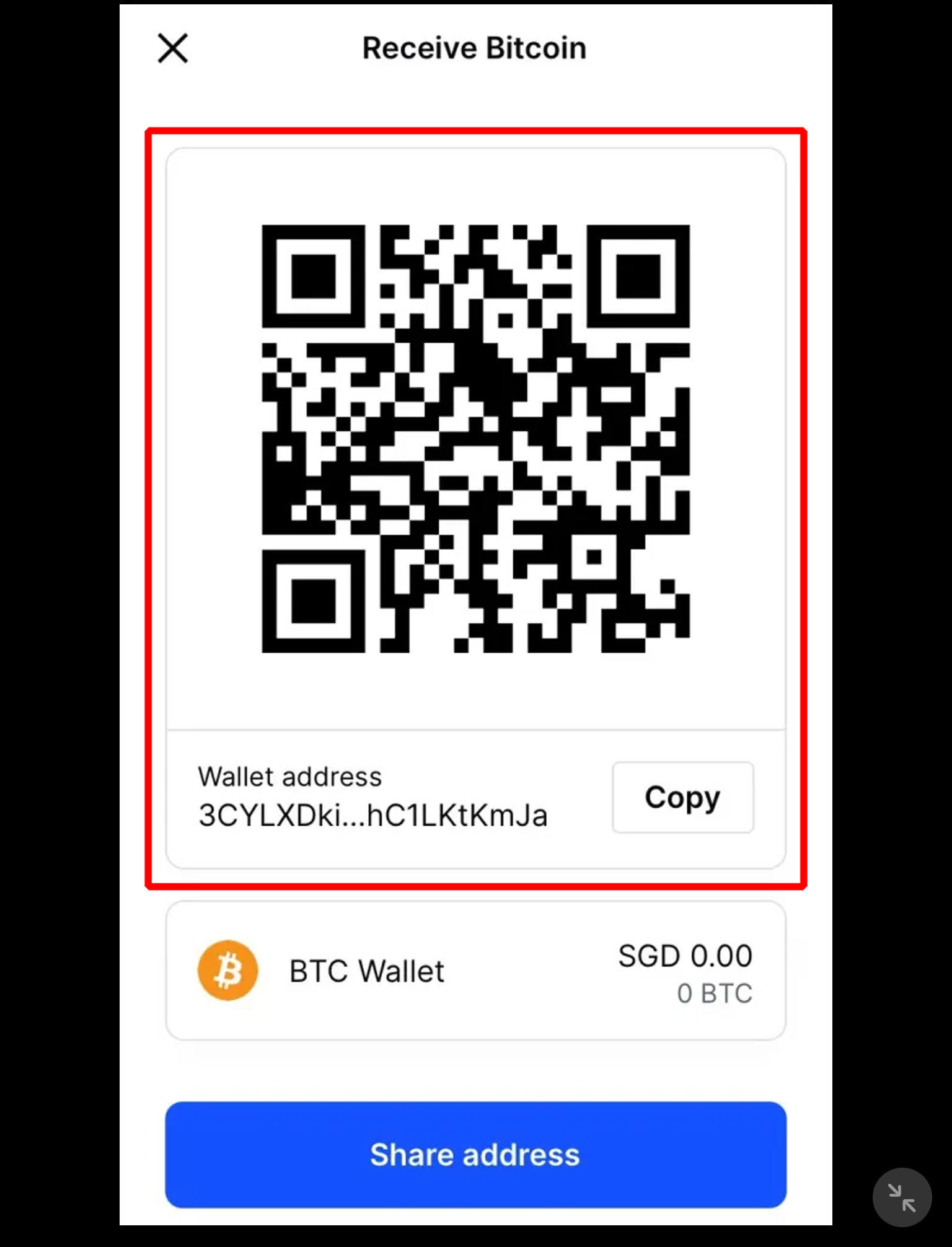
View Your Address: Once you select the asset, your unique wallet address for that cryptocurrency will be displayed. It will be a long string of alphanumeric characters, often accompanied by a QR code for easy scanning.
-
Copy the Address: Crucially, always use the ‘Copy’ button provided. Manually typing out or even highlighting and copying a long address greatly increases the risk of error.
-
Review Network Information: Below the address, Coinbase will often display important information about the network (e.g., “Only send Bitcoin (BTC) to this address”). Pay close attention to these warnings.
Locating Your Address on the Coinbase Mobile App
The mobile app offers an equally intuitive experience:
-
Open the Coinbase App: Launch the app on your iOS or Android device.
-
Tap the Blue ‘Send / Receive’ Button: This prominent button is usually located at the bottom center of the navigation bar.
-
Tap ‘Receive’: A menu will slide up; select ‘Receive’.
-
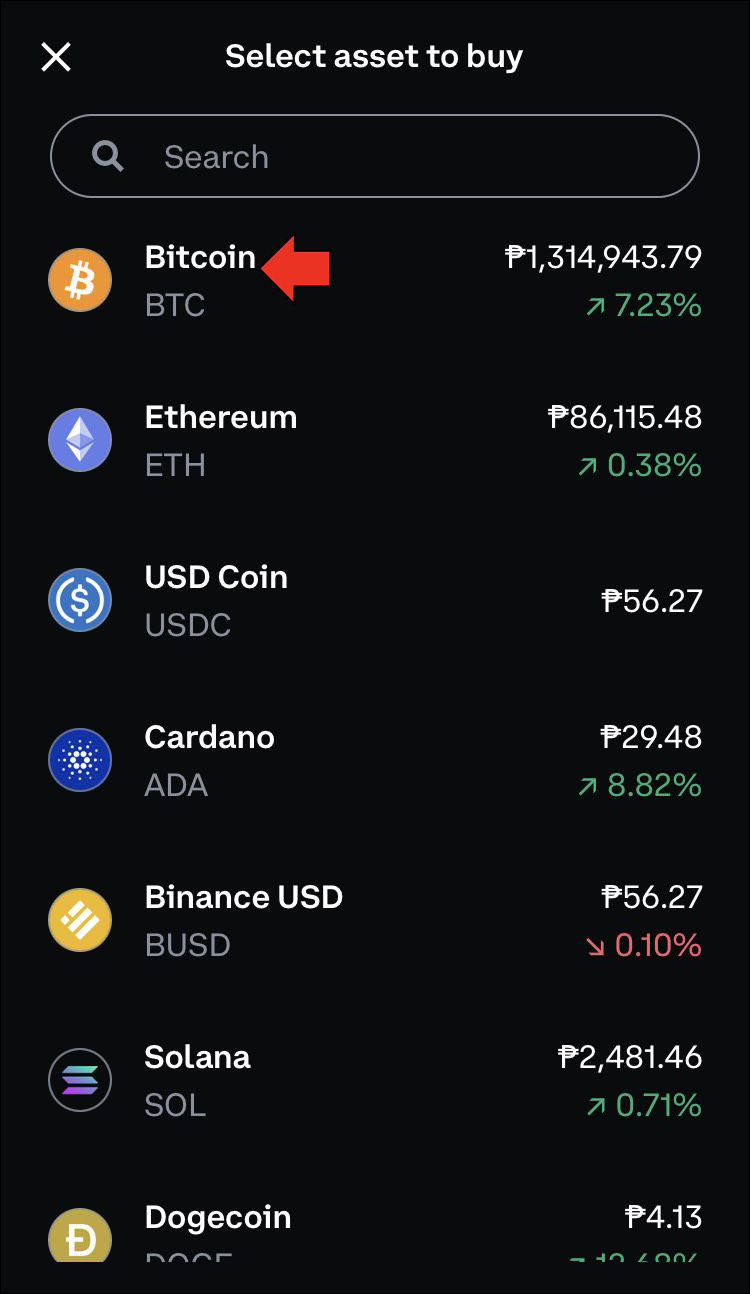
Select the Asset: A list of your available assets will appear. Tap on the specific cryptocurrency you wish to receive.
-
View and Copy Your Address: Your unique wallet address and its corresponding QR code will be displayed. Tap the ‘Copy address’ button.
-
Confirm Network Compatibility: Similar to the desktop version, the app will show warnings about sending only the correct cryptocurrency to this address.
Specifics for Different Cryptocurrencies
It’s paramount to remember that each cryptocurrency has its own distinct wallet address. If you want to receive Bitcoin, you need a Bitcoin address. If you want Ethereum, you need an Ethereum address. While Coinbase streamlines this by automatically generating and displaying the correct address for the asset you select, the responsibility falls on the user to select the right asset from the dropdown menu before copying the address. Never assume an address for one crypto will work for another, even if they share some characters or look similar.
Critical Considerations for Digital Security and Best Practices
Finding your wallet address is just the first step. The inherent irreversibility of blockchain transactions means that precision and security are non-negotiable.
Double-Checking the Address
This cannot be stressed enough: always double-check the address. After copying it, before initiating any send, compare the first few and last few characters of the copied address with the address displayed on Coinbase. Malicious software (malware) can sometimes silently alter clipboard contents, replacing a legitimate crypto address with one controlled by an attacker. This is known as a clipboard hijacker. A quick visual check can save you from a catastrophic loss.
Network Compatibility: A Matter of Life and Death for Your Funds
As briefly touched upon, sending cryptocurrencies to the wrong network is one of the most common and devastating mistakes. For example, if you’re trying to send USDT (a stablecoin) and it exists as an ERC-20 token on the Ethereum network and also as a TRC-20 token on the Tron network, you must ensure you send the ERC-20 USDT to an Ethereum-compatible address and TRC-20 USDT to a Tron-compatible address. Coinbase clearly indicates the network compatibility for each address. Ignoring these warnings will almost certainly lead to irreversible loss of funds, as the receiving address simply won’t exist on the network you sent the funds to.
Understanding Coinbase’s Custodial Nature
It’s important to distinguish between your “wallet address” on the Coinbase exchange and a “self-custody wallet” like the separate Coinbase Wallet app or a hardware wallet. When you hold assets on the Coinbase exchange, Coinbase is the custodian; they hold the private keys. The addresses you find on the exchange are essentially deposit addresses that link to your internal account within Coinbase’s system. While functionally identical for receiving funds, this differs from a non-custodial wallet where you solely control your private keys and thus your funds. For most users, using Coinbase’s custodial services is convenient, but understanding this distinction is key to truly grasping crypto security.
Protecting Your Account
Beyond correctly identifying your address, protecting your overall Coinbase account is paramount.
-
Strong, Unique Passwords: Use a complex password that isn’t reused anywhere else.
-
Two-Factor Authentication (2FA): Always enable 2FA, preferably using an authenticator app (like Google Authenticator or Authy) over SMS, which is more vulnerable.
-
Phishing Awareness: Be vigilant against phishing emails or websites that try to trick you into revealing your login credentials. Always verify the sender and the URL.
-
Regular Security Reviews: Periodically review your account activity and security settings on Coinbase.
Troubleshooting Common Issues and FAQs
Even with the clearest instructions, questions and minor hiccups can arise. Here are some common concerns related to Coinbase wallet addresses.
“My Address Changed!”
For certain cryptocurrencies, particularly Bitcoin, it’s common for Coinbase (and other wallets) to generate a new receive address each time you request one. This is a privacy feature, not a bug, deriving from the concept of a “Hierarchical Deterministic (HD) wallet.” Don’t worry; previous addresses associated with your account typically remain valid and can still receive funds. However, it’s generally good practice to use the most recently generated address when sharing it.
Unable to Find a Specific Crypto’s Address
If you can’t find an address for a particular cryptocurrency on Coinbase, there are a few possibilities:
-
Coinbase Doesn’t Support It: Coinbase supports a wide range, but not all cryptocurrencies. If an asset isn’t listed when you try to select it, it likely means Coinbase doesn’t support it for direct deposits or withdrawals.
-
Network Issues: Very rarely, there might be temporary network maintenance. Check Coinbase’s status page for any ongoing issues.
What if I Sent Funds to the Wrong Address/Network?
This is the most critical question with the most somber answer: cryptocurrency transactions are irreversible. If you send funds to an incorrect address or the wrong network, there is virtually no way to retrieve them. Coinbase, as an exchange, cannot reverse transactions on a blockchain that it does not control. This underscores why precision, double-checking, and understanding network compatibility are so vital. Always perform a small test transaction first if you are unsure or sending a large amount for the first time.

Conclusion
Finding your wallet address on Coinbase is a fundamental operation for anyone engaging with digital assets. While seemingly simple, it underpins the secure and successful transfer of value across blockchain networks. By understanding what these addresses represent, meticulously following the platform’s steps, and rigorously adhering to digital security best practices—especially double-checking and confirming network compatibility—you empower yourself to navigate the cryptocurrency landscape with confidence and minimize the risk of costly errors.
Coinbase provides the tools and safeguards, but ultimate responsibility rests with the user. Approach every transaction with a keen eye for detail and a solid understanding of the underlying technology. This diligence will not only help you find your wallet address but also safeguard your digital wealth in the ever-evolving world of cryptocurrency.
aViewFromTheCave is a participant in the Amazon Services LLC Associates Program, an affiliate advertising program designed to provide a means for sites to earn advertising fees by advertising and linking to Amazon.com. Amazon, the Amazon logo, AmazonSupply, and the AmazonSupply logo are trademarks of Amazon.com, Inc. or its affiliates. As an Amazon Associate we earn affiliate commissions from qualifying purchases.