
Navigating Essential Financial Data Through Mobile Technology
In an increasingly digital world, access to critical financial information on demand is not just a convenience but a necessity. The Bank of America mobile application stands as a prime example of how technology empowers users to manage their accounts from virtually anywhere. Among the myriad data points a user might need, the routing number holds a special place. This nine-digit code serves as a digital address for your financial institution, directing funds to the correct bank during transactions like direct deposits, wire transfers, and automated bill payments. For many, the thought of needing this number might conjure images of rummaging through checkbooks or logging into a desktop portal. However, the Bank of America app simplifies this process, embedding this vital information directly into an intuitive mobile interface. Understanding not just where to find it, but also why mobile access to such data is crucial, underscores the sophisticated interplay between banking and technology in modern personal finance.
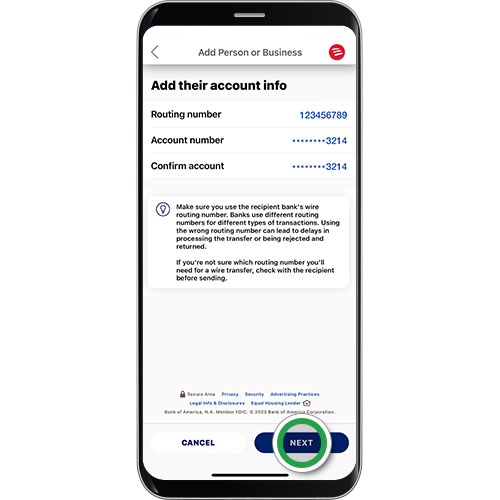
What is a Routing Number and Why is App Access Important?
A routing number, officially known as an ABA routing transit number, is fundamentally a bank identifier. It ensures that money transferred digitally reaches the correct financial institution. Each bank has one or more routing numbers, often varying by region or the type of transaction. For instance, a routing number for a wire transfer might differ from one used for an ACH payment. The shift from physical banking to digital platforms has made quick access to these numbers more important than ever. Gone are the days when one would primarily refer to a paper check. Today, whether setting up a new utility payment online, receiving a paycheck via direct deposit, or initiating a peer-to-peer transfer, the routing number is a foundational piece of information.
The significance of finding this information on a mobile app like Bank of America’s cannot be overstated within the tech landscape. Mobile apps offer unparalleled immediacy and convenience. Instead of requiring a user to be at a specific computer or to have physical documents on hand, the app turns any smartphone into a portable banking hub. This not only streamlines financial tasks but also enhances user autonomy. The ability to retrieve a routing number instantly means users can complete time-sensitive transactions without delay, a testament to the power of well-designed mobile interfaces in financial technology. Furthermore, the digital security protocols embedded within these apps often make them a safer way to access sensitive data compared to less secure methods.
The Technological Framework of the Bank of America App
The Bank of America app is more than just a digital window into your bank account; it’s a sophisticated piece of software engineered for secure and efficient financial management. Its architecture is built upon robust security frameworks, intuitive user interface (UI) design, and seamless integration with various backend banking systems. Understanding this technological framework helps users appreciate the reliability and safety of accessing sensitive information like routing numbers through the app.
Initial Login and Security Protocols
Accessing the Bank of America app begins with rigorous security. Users are typically prompted for a username and password, but beyond that, the app leverages advanced authentication methods. Biometric login, such as fingerprint scanning or facial recognition, offers a quick yet highly secure way to gain entry, removing the need to manually enter credentials each time. This not only enhances convenience but also significantly bolsters security, as biometric data is far harder to compromise than traditional passwords. Multi-Factor Authentication (MFA), often involving a one-time passcode sent to a registered device, adds another layer of protection, verifying the user’s identity across multiple independent factors. From a technology perspective, these features are critical in preventing unauthorized access to financial data, forming the first line of defense in mobile banking.
Navigating the App Dashboard and Account Information
Upon successful login, users are greeted by a well-organized dashboard designed for quick overview and easy navigation. The UI prioritizes critical information, often displaying account balances, recent transactions, and quick links to common tasks. For finding a routing number, the relevant sections are usually those pertaining to individual account details. The app’s design aims to minimize clicks and cognitive load, guiding users intuitively to the information they need. This is achieved through clear labeling, consistent iconography, and logical grouping of features. For instance, tapping on a specific checking or savings account typically leads to a detailed view of that account, where all its associated numbers and settings are aggregated. The underlying technology ensures that each tap or swipe communicates securely with Bank of America’s servers, retrieving personalized account data in real-time without compromising data integrity or speed.
Step-by-Step Guide: Locating Your Routing Number in the App
Finding your routing number within the Bank of America app is designed to be a straightforward process, reflecting the app’s focus on user-centric design. While minor interface updates might occur, the general pathway remains consistent.
Step 1: Log In and Select Your Account
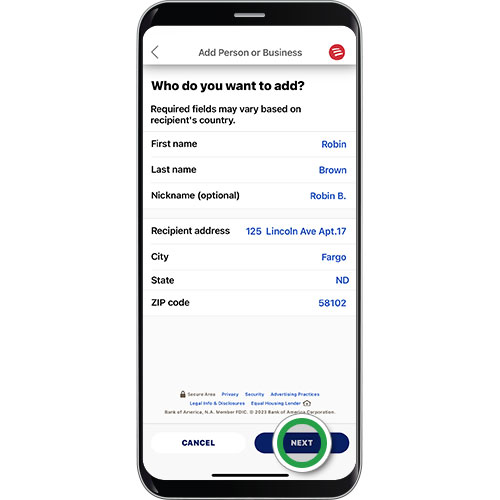
- Launch the Bank of America App: Tap the Bank of America icon on your smartphone or tablet’s home screen.
- Secure Login: Authenticate your identity using your username and password, or leverage biometric features like Face ID or Touch ID if enabled. This secure gateway is crucial for protecting your financial data.
- Navigate to Accounts: Once logged in, you’ll typically land on a dashboard displaying an overview of your accounts. Tap on the specific checking or savings account for which you need the routing number. It’s important to select the correct account, as routing numbers can sometimes vary slightly between different account types or even different branches within the same bank, although for Bank of America, they are often standardized for specific regions.
Step 2: Access Account Details
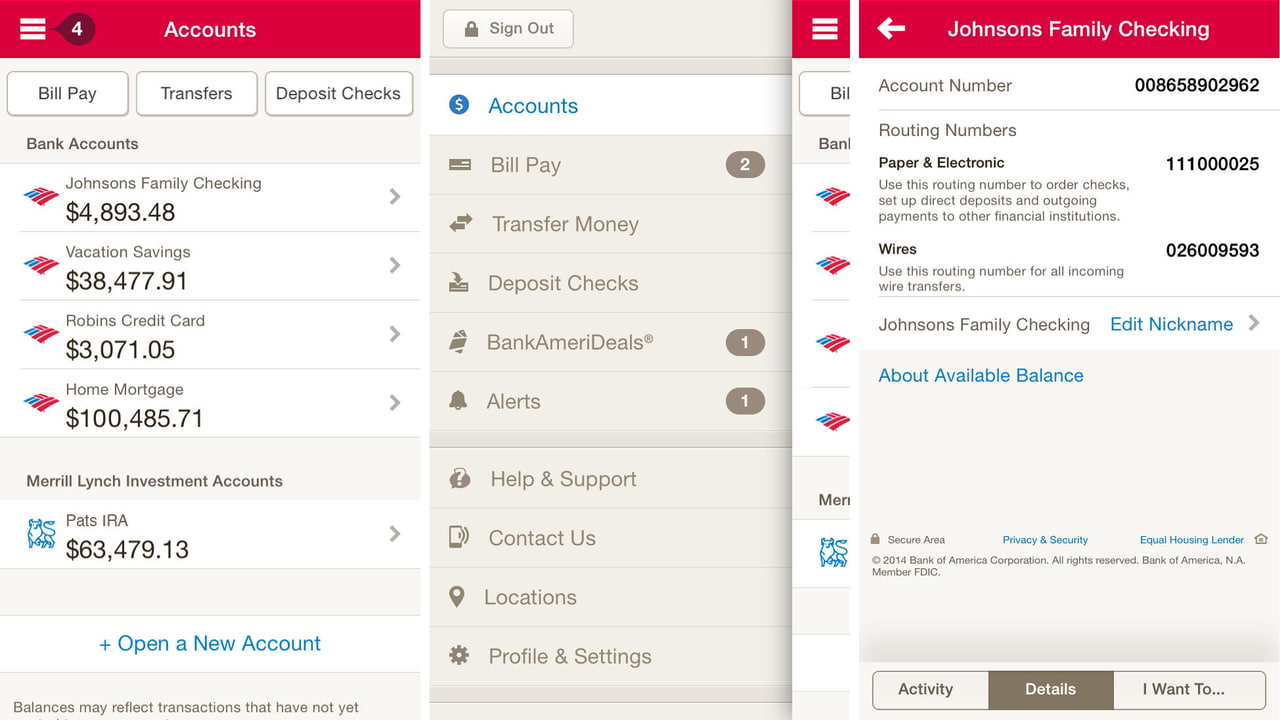
- Locate Account Information: After selecting your account, you’ll be presented with a more detailed view. Look for a section or a link labeled “Account Details,” “Show Details,” “Account Info,” or similar. This is often represented by an “i” icon or a dropdown arrow near the account name. The app’s developers strategically place this information to be easily discoverable without cluttering the primary transaction view.
- Reveal Routing Number: Within the “Account Details” section, you should find your routing number clearly displayed. It’s usually listed alongside your account number. The app might require a secondary authentication (like re-entering your password or using biometrics again) to display highly sensitive information like the full account number or routing number as an added security measure, ensuring that even if your phone is briefly unattended, sensitive data remains protected.
Step 3: Copying and Utilizing the Information Securely
- Copying the Number: Many modern banking apps, including Bank of America’s, offer a “copy” icon next to sensitive numbers. Tapping this icon will copy the routing number to your device’s clipboard, making it easy to paste into another application or form without manual transcription errors. This small feature is a significant usability improvement, reducing friction and enhancing accuracy in digital transactions.
- Secure Usage: When using your routing number, always ensure you are providing it to trusted entities. Be vigilant about phishing attempts or unsecured websites. The app provides a secure environment for viewing this data, but the responsibility of its safe use elsewhere falls to the user. After use, it’s good practice to clear your device’s clipboard, especially if you copied sensitive data.
Troubleshooting Common Issues
- App Not Loading/Crashing: Ensure your app is updated to the latest version. Outdated apps can suffer from compatibility issues. Check your device’s app store for updates.
- Routing Number Not Visible: Double-check that you’ve selected the correct account and navigated to the “Account Details” section. If still not visible, there might be a temporary display glitch; restarting the app often resolves this.
- Internet Connection: A stable internet connection (Wi-Fi or cellular data) is essential for the app to retrieve account information from the bank’s servers.
Enhancing Your App Security and Data Privacy
While the Bank of America app is engineered with robust security features, user actions play a critical role in maintaining the integrity and privacy of financial data. Adopting best practices for mobile banking is paramount, especially when accessing sensitive details like routing numbers.
Best Practices for Mobile Banking Security
- Strong, Unique Passwords: Always use complex passwords that combine letters, numbers, and special characters. Avoid using easily guessable information. Crucially, use a unique password for your banking app, separate from those used for other online services.
- Enable Biometric Authentication: Utilize features like Face ID or Touch ID for quick and secure logins. These methods are significantly harder to bypass than traditional passwords alone.
- Keep Your Device Secure: Maintain your smartphone’s operating system (iOS or Android) and the Bank of America app itself updated. Software updates frequently include security patches that protect against new vulnerabilities. Use a strong screen lock (PIN, pattern, or biometrics) on your device.
- Beware of Public Wi-Fi: Avoid accessing your banking app when connected to unsecured public Wi-Fi networks. These networks can be vulnerable to eavesdropping, potentially exposing your data. If you must use public Wi-Fi, consider using a Virtual Private Network (VPN) for an encrypted connection.
- Monitor Account Activity: Regularly review your transaction history within the app. Early detection of unusual activity can prevent larger financial losses. Enable push notifications for key transactions or security alerts.
Bank of America’s Security Features at a Glance
Bank of America employs multiple layers of security to protect its users:
- Encryption: All data transmitted between your app and the bank’s servers is encrypted, safeguarding it from interception.
- Fraud Monitoring: Sophisticated systems continuously monitor transactions for suspicious patterns, flagging potential fraud.
- Secure Sockets Layer (SSL) / Transport Layer Security (TLS): These protocols establish secure connections, ensuring data privacy and integrity during online interactions.
- Account Alerts: Customizable alerts notify you of specific activities, such as large withdrawals, password changes, or low balances, keeping you informed in real-time.
- Remote Locking/Wiping: In case your device is lost or stolen, Bank of America’s customer support can often assist in locking or deactivating access from the compromised device, preventing unauthorized use of your banking app.
These technological safeguards, combined with proactive user habits, create a secure ecosystem for managing your finances, including safely accessing critical information like your routing number, directly from your mobile device. The seamless integration of security into the user experience is a hallmark of robust financial technology, allowing users to leverage the convenience of mobile banking without compromising their financial safety.
aViewFromTheCave is a participant in the Amazon Services LLC Associates Program, an affiliate advertising program designed to provide a means for sites to earn advertising fees by advertising and linking to Amazon.com. Amazon, the Amazon logo, AmazonSupply, and the AmazonSupply logo are trademarks of Amazon.com, Inc. or its affiliates. As an Amazon Associate we earn affiliate commissions from qualifying purchases.