
Filing taxes can often feel like a daunting annual ritual, a complex maze of forms, deadlines, and financial jargon. Yet, it’s an indispensable aspect of personal finance, a critical responsibility that, when handled correctly, ensures you meet your legal obligations, optimize your financial health, and potentially claim refunds or credits you’re entitled to. This guide aims to demystify the tax filing process, providing a professional, insightful, and engaging roadmap for individuals and small businesses to navigate their annual financial reporting with confidence. We’ll delve into understanding your obligations, gathering necessary documents, choosing the right filing method, and the step-by-step process of completing and submitting your return, all within the crucial domain of personal and business finance.
Understanding Your Tax Filing Obligations
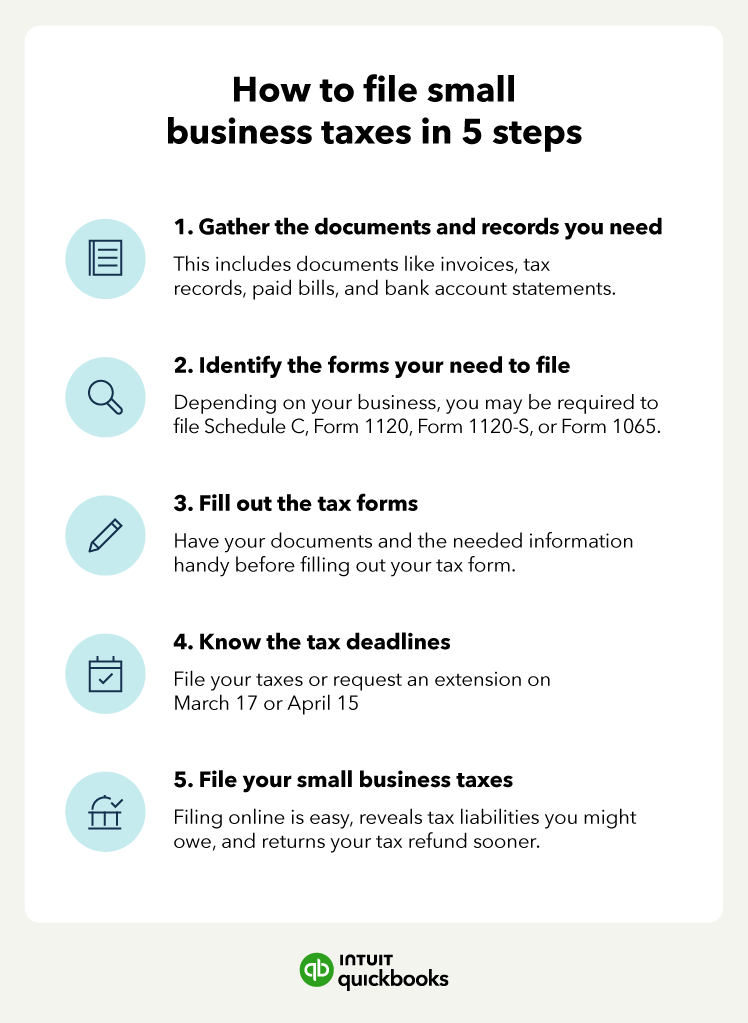
Before you even begin to think about numbers, the first crucial step is to understand why and when you need to file. Tax filing isn’t universal; specific criteria determine who is required to submit a return, and adhering to deadlines is paramount to avoiding penalties.
Who Needs to File?
The requirement to file a tax return primarily hinges on your gross income, filing status (e.g., single, married filing jointly, head of household), and age. For most U.S. taxpayers, if your gross income exceeds a certain threshold—which is adjusted annually by the IRS—you are generally required to file. However, even if your income falls below this threshold, there are several scenarios where filing is still advisable or mandatory:
- Self-Employed Individuals: If your net earnings from self-employment were $400 or more, you must file a tax return to report these earnings and pay self-employment taxes (Social Security and Medicare taxes).
- Individuals with Special Income: This includes income from investments, certain scholarships, or health savings accounts.
- Claiming a Refund: If you had federal income tax withheld from your pay, you might be due a refund, even if your income is below the filing threshold. You must file a return to receive it.
- Claiming Tax Credits: Many refundable tax credits, such as the Earned Income Tax Credit (EITC) or the Child Tax Credit, require you to file a return to claim them, even if you owe no tax or had no tax withheld.
Understanding these conditions early can save you from future headaches and ensure you don’t miss out on financial benefits.
Key Deadlines and Penalties
The IRS operates on a strict annual calendar. For most individual taxpayers, the primary deadline to file federal income tax returns and pay any tax due is April 15th of the following year. If April 15th falls on a weekend or holiday, the deadline shifts to the next business day. For example, for the tax year 2023, the deadline is April 15, 2024.
- Extensions: If you can’t meet the April 15th deadline, you can typically file for an extension using Form 4868, which grants you an automatic six-month extension to file your return, usually until October 15th. Crucially, an extension to file is not an extension to pay. If you estimate you will owe taxes, you must pay them by the April 15th deadline to avoid penalties and interest.
- Estimated Taxes: Self-employed individuals and those with significant income not subject to withholding (e.g., investments, rental income) are generally required to pay estimated taxes quarterly throughout the year. These deadlines are typically April 15, June 15, September 15, and January 15 of the following year.
- Penalties: Failing to file on time or pay on time can result in penalties. The “failure to file” penalty is typically 5% of the unpaid taxes for each month or part of a month that a tax return is late, capped at 25%. The “failure to pay” penalty is 0.5% of the unpaid taxes for each month or part of a month that taxes remain unpaid, also capped at 25%. Interest also accrues on underpayments. These penalties can significantly erode your financial position, emphasizing the importance of timely action.
Types of Tax Forms
Navigating the world of tax forms can be intimidating, but understanding the common ones you might encounter simplifies the process.
- Form 1040 (U.S. Individual Income Tax Return): This is the foundational form for most individual taxpayers, used to report income, claim deductions and credits, and calculate your tax liability.
- Form W-2 (Wage and Tax Statement): Issued by employers, this form reports your annual wages and the amount of federal, state, and local taxes withheld from your pay.
- Form 1099-MISC / 1099-NEC (Miscellaneous Information / Nonemployee Compensation): These forms report income paid to independent contractors, freelancers, or for certain other types of payments (e.g., rent, royalties). 1099-NEC specifically reports nonemployee compensation.
- Form 1099-INT / 1099-DIV (Interest Income / Dividends and Distributions): These forms report interest earned from banks and dividends received from investments, respectively.
- Schedule A (Itemized Deductions): Used if you choose to itemize deductions instead of taking the standard deduction, reporting expenses like medical costs, state and local taxes, and mortgage interest.
- Schedule C (Profit or Loss from Business): Essential for sole proprietors and independent contractors to report income and expenses from their business.
- Schedule SE (Self-Employment Tax): Used to calculate the self-employment tax (Social Security and Medicare taxes) owed by self-employed individuals.
Familiarizing yourself with these forms is the first step in ensuring you accurately report all necessary financial information.
Gathering Your Essential Tax Documents
The backbone of an accurate tax return is comprehensive documentation. Before you even think about inputting numbers, dedicate time to systematically gather all relevant financial records. This preparatory phase is critical for avoiding errors, maximizing legitimate deductions, and streamlining the filing process.
Income Verification
Your income documents are arguably the most crucial pieces of information for your tax return. They provide a clear record of how much you earned and what taxes, if any, were already withheld.
- W-2 Forms: If you are an employee, your employer will send you a Form W-2 by January 31st. This form details your wages, tips, other compensation, and the federal, state, and local taxes withheld. Ensure you receive a W-2 from every employer you worked for during the tax year.
- 1099 Forms (NEC, MISC, INT, DIV, R, G, B, etc.): If you’re a freelancer, independent contractor, or received various other types of income (e.g., interest from bank accounts, dividends from investments, distributions from retirement plans, proceeds from the sale of assets, government payments), you’ll receive corresponding 1099 forms. These are typically sent by January 31st, though some investment-related 1099s may arrive later in February or March. Don’t forget any 1099-K forms if you received payments through third-party payment networks (like PayPal, Venmo, or credit card processors) for goods or services.
- K-1 Forms: If you’re an owner of a partnership, S corporation, or certain trusts, you’ll receive a Schedule K-1 detailing your share of the entity’s income, losses, and deductions. These forms often arrive later than others, sometimes not until March or April, so plan accordingly.
- Other Income Records: This includes records for rental income, alimony received (for agreements pre-2019), gambling winnings (W-2G), and any other sources of income not reported on formal tax forms.
Deduction and Credit Documentation
Maximizing your deductions and credits is key to reducing your tax liability or increasing your refund. This requires meticulous record-keeping throughout the year.
- Itemized Deductions: If you plan to itemize (which makes sense if your total itemized deductions exceed the standard deduction for your filing status), you’ll need records for:
- Medical Expenses: Receipts for doctor visits, prescriptions, health insurance premiums (if not pre-tax), and other qualified medical costs.
- State and Local Taxes (SALT): Property tax statements, state income tax paid, or sales tax receipts. Note the $10,000 SALT deduction limit.
- Mortgage Interest: Form 1098, which reports the interest you paid on your home mortgage.
- Charitable Contributions: Receipts for cash donations (with bank records if over $250), valuation records for non-cash donations, and acknowledgement letters from charities.
- Education Expenses: Form 1098-T (Tuition Statement) from educational institutions, receipts for course materials, and student loan interest statements (Form 1098-E).
- Childcare Expenses: Records of payments to daycare providers or caregivers, including their Taxpayer Identification Number (TIN).
- Retirement Contributions: Statements from your IRA or other retirement accounts showing contributions made during the year.
- Business Expenses (for Self-Employed): Detailed records of all business-related expenses, such as office supplies, software subscriptions, travel, advertising, and home office costs.
- Health Savings Account (HSA) Contributions: Statements from your HSA provider showing contributions and distributions.
Previous Year’s Tax Return
Your prior year’s tax return is a valuable resource. It contains information that might carry over to the current year, such as capital loss carryovers, passive activity losses, or adjusted gross income (AGI), which is often needed for verification when e-filing. Keeping a digital or physical copy readily accessible is a best practice.
Choosing Your Filing Method
Once your documents are in order, the next pivotal decision is how you will actually prepare and submit your tax return. The method you choose can significantly impact the complexity, cost, and accuracy of your filing experience.
DIY Tax Software
For many taxpayers, especially those with straightforward returns, do-it-yourself tax software offers a convenient and often cost-effective solution. These platforms guide you through the process with a question-and-answer format.
- Pros:
- Cost-Effective: Many software options offer free versions for simple returns (e.g., FreeTaxUSA, IRS Free File program). Paid versions are often more affordable than professional preparers.
- Convenience: File from anywhere with an internet connection, at your own pace.
- Guided Process: User-friendly interfaces walk you through each section, helping you identify potential deductions and credits.
- Accuracy Checks: Software often includes built-in error checks to minimize mistakes.
- E-filing: Most software integrates direct e-filing with federal and state tax authorities, speeding up refunds.
- Cons:
- Complexity: Can become overwhelming for highly complex returns (e.g., multiple businesses, foreign income, intricate investments).
- Self-Reliance: You are responsible for inputting correct information and understanding tax implications.
- Customer Support: While available, support may not match the personalized advice of a human professional.
- Popular Options: TurboTax, H&R Block Tax Software, TaxAct, FreeTaxUSA, and the IRS Free File Alliance (which provides free software options for taxpayers below certain income thresholds).
Professional Tax Preparer
For individuals with complex financial situations, business owners, or those who simply prefer expert assistance, a professional tax preparer can be an invaluable resource.
- When to Use:
- Complex Returns: Multiple income streams, significant investments, cryptocurrency transactions, rental properties, foreign income, or intricate business structures.
- Life Changes: Marriage, divorce, birth of a child, purchasing a home, starting a business, or inheriting assets can significantly alter your tax situation.
- Audits or Amendments: If you’re facing an IRS audit or need to amend a previous return.
- Tax Planning: For proactive advice on minimizing future tax liabilities.
- What to Expect:
- Expert Knowledge: Preparers stay updated on ever-changing tax laws.
- Personalized Advice: Tailored guidance specific to your financial situation.
- Time Savings: They handle the bulk of the work, freeing up your time.
- Audit Support: Many offer representation if your return is audited.
- Types of Preparers:
- CPAs (Certified Public Accountants): Licensed accountants with extensive training in tax and accounting.
- Enrolled Agents (EAs): Federally licensed tax practitioners authorized to represent taxpayers before the IRS.
- Tax Attorneys: Specialists in tax law, particularly useful for complex legal tax issues.
- Non-credentialed Preparers: Varying levels of expertise; choose carefully.
- Costs: Fees vary widely based on the complexity of your return, geographic location, and the preparer’s credentials. Be prepared to pay more for specialized expertise.
Free Tax Help Programs
For taxpayers who meet specific criteria, several programs offer free tax preparation and assistance.
- VITA (Volunteer Income Tax Assistance): The IRS-sponsored VITA program offers free tax help to people who generally make $64,000 or less, persons with disabilities, and limited English-speaking taxpayers who need assistance in preparing their own tax returns.
- TCE (Tax Counseling for the Elderly): The TCE program offers free tax help to all taxpayers, particularly those who are 60 years of age and older, specializing in questions about pensions and retirement-related issues unique to seniors.
- IRS Free File: A partnership between the IRS and leading tax software companies, offering free federal tax preparation and e-filing for taxpayers whose adjusted gross income (AGI) falls below a certain threshold (often around $79,000).
These programs are excellent resources for those seeking professional guidance without the associated costs.
Step-by-Step Guide to Completing Your Tax Return
Regardless of whether you use software or a professional, understanding the logical flow of a tax return empowers you to follow along, ask informed questions, and ensure accuracy.
Inputting Income Information
The first step is to accurately report all your income. This is where your W-2s, 1099s, and other income records become crucial. Each piece of reported income must be entered into the appropriate section of your tax software or provided to your preparer. For self-employed individuals, this involves detailing all business income and meticulously tracking eligible business expenses on Schedule C to arrive at your net profit or loss. Overlooking any income source can lead to an underpayment and potential penalties from the IRS.
Claiming Deductions and Credits
This is where strategic financial planning can significantly impact your tax outcome. Deductions reduce your taxable income, while credits directly reduce the amount of tax you owe (and some can even result in a refund if they exceed your tax liability).
- Standard vs. Itemized Deductions: You generally choose one or the other. The standard deduction is a fixed dollar amount that varies by filing status and age. Itemizing involves listing specific allowable expenses. You should itemize if your total itemized deductions exceed your standard deduction. Common itemized deductions include state and local taxes, home mortgage interest, charitable contributions, and certain medical expenses.
- Common Tax Credits: Don’t miss out on valuable credits:
- Child Tax Credit: For families with qualifying children.
- Earned Income Tax Credit (EITC): For low to moderate-income working individuals and families.
- Education Credits (e.g., American Opportunity Tax Credit, Lifetime Learning Credit): For students and their families.
- Child and Dependent Care Credit: For expenses paid for the care of a qualifying individual to allow you to work or look for work.
- Energy Credits: For qualifying home energy improvements.
Carefully review all eligible deductions and credits to ensure you’re taking advantage of every opportunity to reduce your tax burden. Tax software is particularly adept at prompting you for these, while a professional preparer will proactively identify them based on your financial data.
Calculating Your Tax Liability
Once all income, deductions, and credits are factored in, your tax software or preparer will calculate your total tax liability. This is the amount of tax you owe for the year. The system then compares this liability to the total amount of taxes you’ve already paid throughout the year (through withholding from your paychecks or estimated tax payments).
- Refund: If your total payments exceed your tax liability, you’re due a refund.
- Tax Due: If your tax liability exceeds your payments, you owe additional tax to the IRS.
Understanding this calculation helps you verify the results and plan for future tax payments.
Reviewing for Accuracy and Common Errors
Before finalizing your return, a thorough review is non-negotiable. Even the most advanced software can’t catch information you’ve entered incorrectly.
- Cross-check Information: Compare key figures on your return against your original documents (W-2s, 1099s).
- Verify Personal Data: Ensure your name, Social Security number, and dependents’ information are correct.
- Check Filing Status: Confirm your filing status is correct, as it significantly impacts your tax liability.
- Look for Red Flags: Are any numbers unexpectedly high or low? Did you forget to report income or claim an obvious deduction?
- Common Errors to Avoid: Missing forms (e.g., a forgotten 1099), math errors, incorrect Social Security numbers, or choosing the wrong filing status. If using a professional, don’t be afraid to ask questions about anything you don’t understand.
Submitting Your Return and What Comes Next
The final stage involves officially submitting your tax return and managing any subsequent actions, from paying taxes to receiving refunds, and understanding potential post-filing scenarios.
E-filing vs. Mail-in Filing
- E-filing (Electronic Filing): This is the most common and recommended method.
- Advantages: Faster processing of refunds, immediate confirmation of receipt, reduced risk of errors (due to software checks), and generally more secure. Most tax software and professionals facilitate e-filing for both federal and state returns.
- How it Works: Your return is transmitted directly to the IRS (and state tax agencies) electronically. You typically need your prior year’s AGI or a self-selected PIN to authenticate your identity.
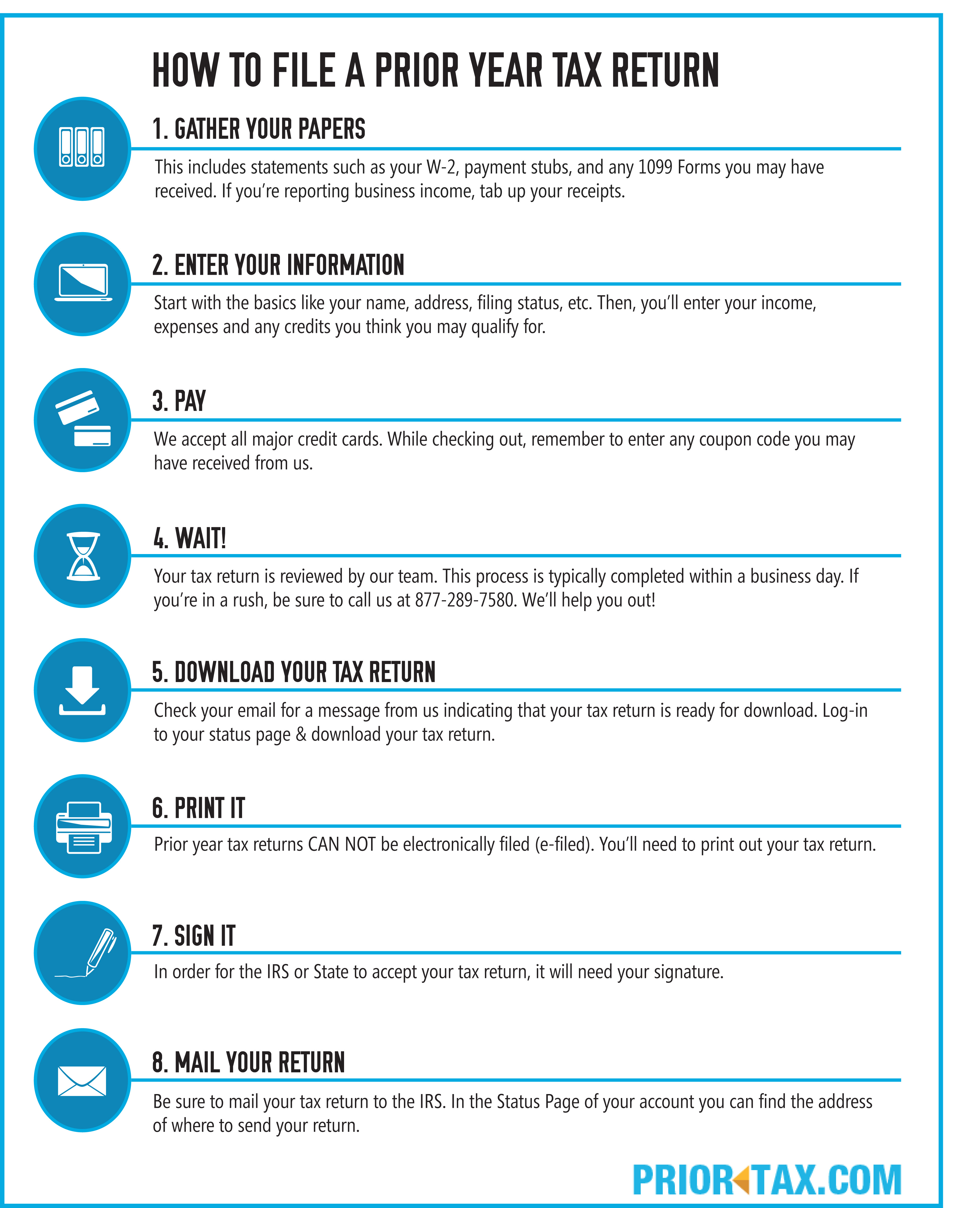
- Mail-in Filing: While still an option, it’s slower and comes with a higher risk of delays or errors.
- Considerations: Only use certified mail with a return receipt if you must mail your return, especially if paying taxes by check, to have proof of timely submission.
Paying Your Taxes
If your return shows you owe additional tax, you must ensure payment is made by the April 15th deadline (or extended deadline if you filed an extension, remembering it’s an extension to file, not to pay).
- Direct Debit: The most convenient method when e-filing; your tax software or preparer can set up an electronic funds withdrawal directly from your bank account.
- IRS Direct Pay: A free service on the IRS website to pay directly from your checking or savings account.
- Credit/Debit Card: Can be used through authorized third-party processors, but typically involves a processing fee.
- Check or Money Order: Mailed with Form 1040-V, Payment Voucher.
- Estimated Taxes: If you anticipate owing more than $1,000 in tax (or $500 for corporations), you may need to pay estimated taxes quarterly using Form 1040-ES to avoid underpayment penalties. This is particularly relevant for self-employed individuals, gig workers, and those with significant investment income.
Receiving Your Refund
If you’re due a refund, you have a few options for how to receive it:
- Direct Deposit: The fastest and safest method. Your refund is electronically deposited directly into your bank account.
- Paper Check: The IRS will mail you a physical check. This takes longer.
- Apply to Next Year’s Taxes: You can elect to have your refund applied as a payment towards your estimated taxes for the upcoming year.
The IRS typically issues refunds within 21 days for e-filed returns, though some returns may take longer due to various review processes. You can track your refund status using the “Where’s My Refund?” tool on the IRS website.

What to Do If You’re Audited or Need to Amend
Even with careful preparation, situations can arise post-filing.
- Amending Your Return: If you discover an error after filing, you’ll need to file an amended return using Form 1040-X, Amended U.S. Individual Income Tax Return. There’s typically a three-year window from the original filing date to amend a return.
- IRS Correspondence or Audit: Don’t panic. Most IRS correspondence is a request for clarification or additional information, not a full-blown audit. Respond promptly and accurately. If you receive an audit notice, gather all requested documentation, and consider consulting with your tax preparer or a tax professional (EA, CPA, or tax attorney) to help you navigate the process. Maintaining thorough records throughout the year is your best defense.
Filing taxes is an annual journey within your broader financial management strategy. By understanding your obligations, meticulously organizing your documents, wisely choosing your filing method, and carefully completing each step, you can transform this often-dreaded task into a streamlined process that supports your overall financial well-being and ensures compliance with tax laws. Remember, proactive planning and diligent record-keeping throughout the year are the cornerstones of a successful and stress-free tax season.
aViewFromTheCave is a participant in the Amazon Services LLC Associates Program, an affiliate advertising program designed to provide a means for sites to earn advertising fees by advertising and linking to Amazon.com. Amazon, the Amazon logo, AmazonSupply, and the AmazonSupply logo are trademarks of Amazon.com, Inc. or its affiliates. As an Amazon Associate we earn affiliate commissions from qualifying purchases.