
Tax season, for many, can evoke feelings of dread and complexity. Yet, it’s an unavoidable annual commitment that significantly impacts your personal finances. For millions of Americans, navigating the intricate world of tax codes has been simplified by platforms like TurboTax. This guide is designed to demystify the process of filing your 2023 taxes using TurboTax, empowering you to approach tax season with confidence, precision, and an eye towards maximizing your financial well-being. From gathering essential documents to understanding your refund or liability, we’ll walk you through each crucial step, ensuring you leverage TurboTax to its fullest potential for a smooth and financially savvy filing experience.

Navigating Your Tax Season with Confidence: Why TurboTax?
The landscape of personal finance demands tools that are not only efficient but also intuitive. When it comes to tax preparation, the choice of software can significantly impact your financial outcome and the ease of the process. TurboTax has positioned itself as a leading solution for individuals and small businesses, largely due to its user-friendly interface and comprehensive support. Understanding why it’s a preferred choice for many is the first step toward a less stressful tax season.
Understanding TurboTax’s Role in Personal Finance
TurboTax serves as more than just a data entry platform; it’s a sophisticated financial assistant designed to guide users through the often-complex world of tax regulations. Its primary role in personal finance is to simplify compliance, reduce errors, and help individuals identify potential deductions and credits they might otherwise overlook. By translating intricate IRS jargon into straightforward questions, TurboTax empowers users to take control of their tax obligations, transforming what could be a daunting task into a manageable one. This accessibility helps foster better financial literacy and encourages proactive engagement with one’s tax situation, which is crucial for long-term financial health and planning. From calculating your taxable income to determining your refund or amount due, TurboTax integrates various financial aspects into a cohesive, guided experience.
Choosing the Right TurboTax Edition for Your Needs
One of TurboTax’s strengths lies in its tiered product offerings, tailored to various financial complexities and individual situations. Selecting the correct edition is paramount to optimizing your filing experience and ensuring you access all relevant features without overpaying for unnecessary ones.
- TurboTax Free Edition: Ideal for simple tax returns, typically those with W-2 income, limited interest and dividends, and who plan to take the standard deduction. This is a cost-effective option for individuals with straightforward financial circumstances.
- TurboTax Deluxe: The most popular choice, suitable for homeowners, those with significant deductions, or who itemize. It’s designed to help users find hundreds of deductions and credits, crucial for maximizing refunds or reducing tax liability for those with more involved finances.
- TurboTax Premier: Geared towards individuals with investments (stocks, bonds, mutual funds, cryptocurrency) and rental property income. This edition offers specialized guidance for reporting complex investment gains and losses, essential for investors aiming for accurate and optimized tax reporting.
- TurboTax Self-Employed: A robust solution for freelancers, independent contractors, small business owners, and gig economy workers. It guides users through reporting business income and expenses, calculating self-employment taxes, and identifying industry-specific deductions, directly impacting the profitability and financial stability of their ventures.
Careful consideration of your income sources, deductions, and financial assets for the 2023 tax year will lead you to the most appropriate TurboTax product, ensuring that the software effectively serves your specific financial narrative.
Getting Started: Essential Preparations Before You Begin
The foundation of a successful tax filing experience, regardless of the software used, lies in thorough preparation. While TurboTax streamlines the input process, the accuracy and completeness of your financial data are entirely dependent on what you provide. Proactive document gathering not only saves time but also significantly reduces the chances of errors that could lead to audits or missed financial opportunities.
Gathering Your Financial Documents: The Ultimate Checklist
Before you even log into TurboTax, having all your financial documents meticulously organized is non-negotiable. This centralized approach ensures that you don’t overlook any income, deduction, or credit, which can have a direct impact on your final tax outcome. Here’s a comprehensive checklist:
- Income Statements: W-2s (from employers), 1099-NEC (non-employee compensation), 1099-MISC (miscellaneous income), 1099-INT (interest income), 1099-DIV (dividend income), 1099-B (stock sales), Schedule K-1 (from partnerships, S corporations, trusts).
- Proof of Deductions & Credits:
- Education: Form 1098-T (tuition statement), student loan interest statements (Form 1098-E).
- Homeownership: Form 1098 (mortgage interest statement), property tax statements.
- Healthcare: Medical expense receipts, HSA/FSA contributions and distributions.
- Charitable Contributions: Receipts for cash and non-cash donations.
- Retirement Contributions: IRA contributions (Traditional/Roth), 401(k) contributions (from W-2).
- Business Expenses: Receipts and records for self-employment expenses (mileage logs, home office expenses, supplies).
- Other Essential Documents: Social Security numbers for all individuals on the return, prior year’s tax return (for reference), bank account information for direct deposit of refunds or direct debit for payments.
Having these documents ready will allow you to flow seamlessly through TurboTax’s interview questions, populating the necessary fields with accurate figures.
Creating or Accessing Your TurboTax Account
With your documents in hand, the next step is to get online. If you’re a returning TurboTax user, simply log in with your existing credentials. TurboTax often pre-fills some personal information from previous years, saving you time and ensuring consistency. For new users, creating an account is a straightforward process requiring basic personal details and setting up secure login information. It’s crucial to use strong, unique passwords and consider enabling two-factor authentication for enhanced digital security, especially given the sensitive financial information you’ll be handling. Your TurboTax account acts as a secure portal for all your tax-related activities, from filing to accessing past returns, making account management an integral part of your financial record-keeping strategy.
Step-by-Step Filing Process: Maximizing Your Refund (or Minimizing Your Liability)
Once your preparations are complete, you’re ready to dive into the core of the tax filing process. TurboTax is designed to walk you through each section methodically, ensuring that all aspects of your financial life for the 2023 tax year are accurately represented. The goal here isn’t just to file, but to strategically leverage the software to achieve the best possible financial outcome—whether that means a larger refund or a smaller tax bill.
Entering Personal Information and Dependent Details
The initial sections of TurboTax focus on your personal information, filing status, and any dependents. This seemingly simple step is foundational, as it directly influences your eligibility for certain credits and deductions, significantly impacting your tax calculation. You’ll confirm your Social Security number, date of birth, and address. If you have dependents, accurately entering their information—including their Social Security numbers and relationship to you—is crucial for claiming valuable credits like the Child Tax Credit, Credit for Other Dependents, or Education Credits. TurboTax’s interview-style questions guide you to select the correct filing status (e.g., Single, Married Filing Jointly, Head of Household), which is a key determinant of your tax bracket and standard deduction amount.
Reporting Income: Wages, Investments, and Other Earnings
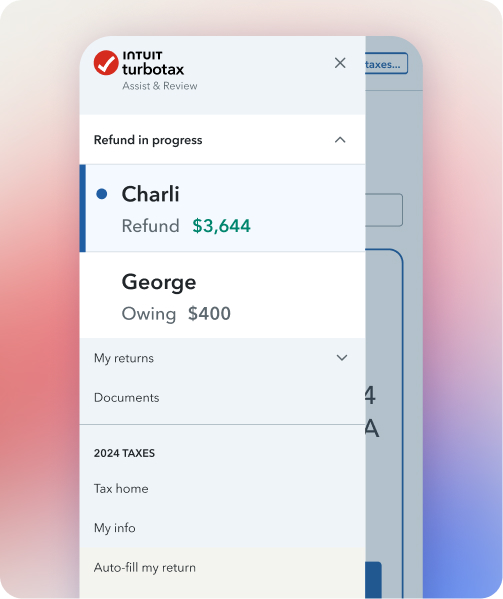
This is where the financial data from your collected documents comes into play. TurboTax offers multiple ways to input income:
- W-2s: Many employers can electronically send your W-2 data directly to TurboTax, or you can simply snap a picture of your physical W-2. Otherwise, manual entry of the box numbers is straightforward.
- 1099s: For interest, dividends, stock sales, or self-employment income, you’ll enter the corresponding 1099 forms. TurboTax provides clear prompts for each type of income, ensuring you report all earnings accurately. For investment income, it will guide you through cost basis adjustments and capital gains/losses.
- Other Income: If you have income from sources like rental properties, royalties, or gambling winnings, TurboTax has dedicated sections to ensure these are reported correctly according to IRS guidelines. Accurately reporting all income streams is vital for avoiding discrepancies with the IRS and maintaining financial integrity.
Claiming Deductions and Credits: Unlocking Your Tax Savings
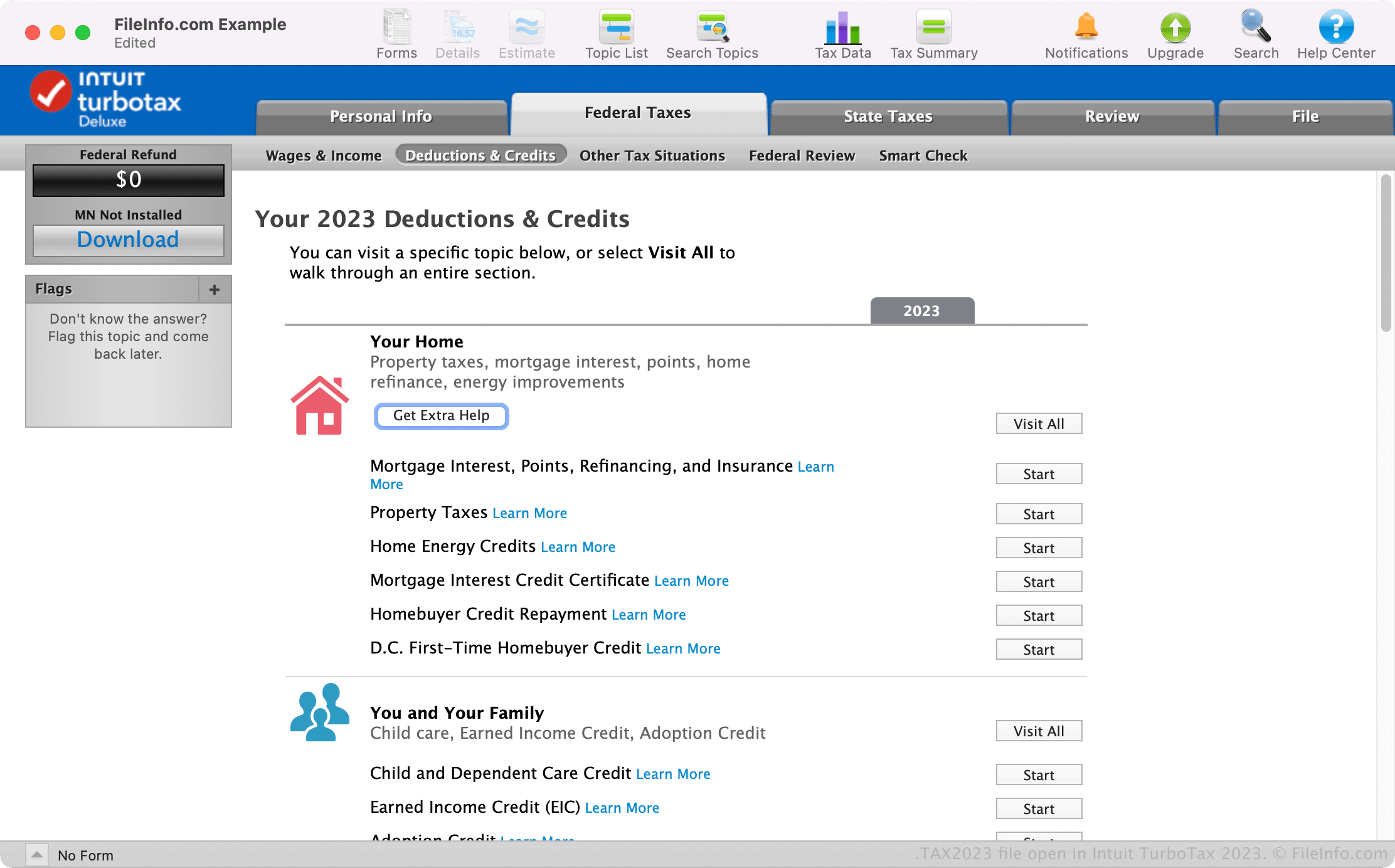
This is arguably the most impactful part of the filing process for your financial bottom line. TurboTax excels at identifying potential deductions and credits you might qualify for based on your entered income and personal details.
- Standard vs. Itemized Deductions: TurboTax will automatically calculate both your standard deduction and your potential itemized deductions (e.g., mortgage interest, state and local taxes, charitable contributions). It then recommends the option that yields the greatest tax savings, directly improving your financial position.
- Common Credits: Be prepared to answer questions related to:
- Child-Related Credits: Child Tax Credit, Credit for Other Dependents, Child and Dependent Care Credit.
- Education Credits: American Opportunity Tax Credit, Lifetime Learning Credit.
- Retirement Savings Contributions Credit (Saver’s Credit): For low-to-moderate income individuals contributing to retirement accounts.
- Earned Income Tax Credit (EITC): A significant credit for low-to-moderate-income working individuals and families.
TurboTax’s guided interview ensures you consider every relevant opportunity, which can translate into substantial savings or an increased refund.
Reviewing Your Return and Ensuring Accuracy
Before the final submission, TurboTax provides a comprehensive review of your entire return. This critical step allows you to catch any potential errors or omissions. The software highlights areas that may need further attention, suggests potential missed deductions, and checks for inconsistencies. Take this opportunity to meticulously review all entered data against your original documents. An accurate return is paramount to avoiding penalties, interest, and potential audits, safeguarding your financial future. This final check is your last line of defense against costly mistakes.
Finalizing Your Return: Payment, Filing, and Post-Submission Steps
After meticulously preparing and reviewing your tax return, the final steps involve submitting it to the IRS and state tax authorities, addressing any tax liability, and organizing your records for the future. This phase is crucial for ensuring compliance and establishing good financial habits.
Understanding Your Tax Outcome: Refund or Amount Due?
Once all data is entered and reviewed, TurboTax will clearly display your federal and state tax outcomes:
- Refund: If you’ve overpaid your taxes throughout the year (e.g., too much withheld from your paycheck), you’ll be due a refund. TurboTax will show you the exact amount. This can be a welcome financial boost, which you might use for savings, investments, or debt repayment—important decisions in personal finance.
- Amount Due: If you haven’t paid enough taxes (common for self-employed individuals or those with significant investment income), you’ll owe the government. TurboTax will calculate this amount. It’s crucial to be prepared to pay this on time to avoid penalties. For future financial planning, consider adjusting your withholdings or making estimated tax payments to avoid a large bill next year.
Understanding this outcome is central to managing your cash flow and planning for future financial obligations.
E-Filing Your Federal and State Returns
TurboTax simplifies the submission process through e-filing, which is the fastest and most secure method to file your taxes. With a few clicks, your federal and state returns are electronically transmitted directly to the respective tax authorities.
- Federal E-File: Most users will qualify for free federal e-filing directly through TurboTax. You’ll need your prior year’s Adjusted Gross Income (AGI) or a prior year’s self-selected PIN to verify your identity.
- State E-File: Depending on your TurboTax product and state, state e-filing may be included or an additional cost. Ensure both federal and state returns are properly submitted.
E-filing offers immediate confirmation of receipt, reducing anxiety about whether your return has been successfully delivered. It’s a reliable and efficient way to fulfill your tax obligations.
What to Do After Filing: Record Keeping and Future Planning
Filing your taxes isn’t the end of your tax journey; it’s a marker for the start of responsible record-keeping and future financial planning.
- Save Copies: Always save digital and/or physical copies of your filed tax return and all supporting documents for at least three years (or longer, depending on your financial situation). TurboTax securely stores your returns electronically, but having personal backups is a wise financial practice.
- Monitor Refund/Payment: If you’re expecting a refund, you can track its status via the IRS “Where’s My Refund?” tool and your state’s equivalent. If you owe, ensure your payment method (direct debit or mail-in check) is correctly processed.
- Adjust Withholdings: If you received a large refund, it means you essentially gave the government an interest-free loan throughout the year. If you owed a significant amount, you might face penalties. Consider adjusting your W-4 form with your employer or setting up estimated tax payments to better align your tax payments with your actual liability, optimizing your personal cash flow.
- Review and Plan: Use your current tax return as a learning tool. What deductions did you miss? Could you have saved more for retirement? Tax season provides an annual opportunity to review your financial health and set new goals for the upcoming year, from increasing savings to optimizing investment strategies.
Beyond the Basics: Advanced Tips for a Smarter Tax Season
While TurboTax makes filing straightforward, there are always opportunities to enhance your approach and integrate tax considerations more deeply into your overall financial strategy. A proactive mindset can yield significant long-term benefits.
Leveraging TurboTax’s Support and Resources
Even with an intuitive platform, questions can arise, especially concerning unique financial situations. TurboTax offers various support channels that can be invaluable:
- Online Help and FAQs: A vast knowledge base provides answers to common questions and clarifies complex tax topics.
- Live Tax Experts: For an additional fee, you can get on-demand advice from credentialed tax experts (CPAs or EAs) who can review your return or answer specific questions. This can be a worthwhile investment if you have complex financial situations or simply seek peace of mind.
- Audit Support: Many TurboTax editions include audit support, offering guidance and assistance should the IRS question your return. Knowing this financial safety net exists can reduce anxiety and provide a structured path forward if an audit arises. Utilizing these resources can ensure your financial decisions are well-informed and compliant.
Proactive Tax Planning for the Future
The best tax strategy extends beyond the filing deadline. Effective financial management involves year-round tax planning.
- Estimated Taxes: If you’re self-employed or have significant income not subject to withholding, make quarterly estimated tax payments to avoid penalties. TurboTax can help you calculate these.
- Retirement Contributions: Maximize contributions to tax-advantaged accounts like 401(k)s and IRAs. Understanding the difference between Roth and traditional contributions and their immediate and long-term tax implications is crucial for retirement planning.
- Capital Gains Harvesting: Strategically selling investments at a loss to offset capital gains and up to $3,000 of ordinary income can be a powerful tax-saving technique for investors.
- Major Life Changes: Life events such as marriage, divorce, birth of a child, or buying a home have significant tax implications. Adjust your financial planning and withholdings accordingly.
- Consult a Financial Advisor: For complex financial situations or long-term wealth management, consider consulting with a qualified financial advisor who can integrate tax planning into your broader financial goals, ensuring your money works as efficiently as possible.
By viewing tax filing not just as an annual chore but as an integral component of your financial strategy, you can transform it into an opportunity for growth, savings, and greater financial security. TurboTax provides the tools, but your proactive engagement ensures the optimal financial outcome.
aViewFromTheCave is a participant in the Amazon Services LLC Associates Program, an affiliate advertising program designed to provide a means for sites to earn advertising fees by advertising and linking to Amazon.com. Amazon, the Amazon logo, AmazonSupply, and the AmazonSupply logo are trademarks of Amazon.com, Inc. or its affiliates. As an Amazon Associate we earn affiliate commissions from qualifying purchases.