
In an increasingly data-driven world, the ability to understand and manipulate percentages is a fundamental skill. From calculating discounts and sales tax to analyzing financial reports and scientific data, percentages provide a universal language for proportional representation. While the concept of percentages might seem straightforward, accurately figuring them out, especially for complex scenarios, often requires the reliable assistance of a calculator. This guide delves into the indispensable role of calculators – from basic handheld devices to sophisticated software applications – in simplifying percentage calculations, transforming a potentially daunting task into an efficient and error-free process. Within the realm of technology, mastering your calculator for these operations isn’t just about punching numbers; it’s about leveraging a powerful tool to enhance precision and decision-making in myriad personal and professional contexts.

The Fundamentals of Percentage Calculation and Your Digital Assistant
Before diving into specific calculator techniques, it’s crucial to solidify the foundational understanding of what a percentage represents. This conceptual clarity empowers users to apply calculator functions intelligently rather than just blindly following steps. The calculator, in essence, is an accelerator for these fundamental principles.
Understanding What a Percent Is
At its core, “percent” means “per hundred.” It’s a way of expressing a number as a fraction of 100. For example, 25% signifies 25 out of every 100 units. This standardized representation allows for easy comparison of quantities even when their total amounts differ. Whether you’re comparing the effectiveness of two different technologies (e.g., battery life improvement percentages) or analyzing market share, percentages provide a common denominator. Your calculator’s primary function is to efficiently convert between fractions, decimals, and percentages, handling the underlying arithmetic with speed and accuracy.
Basic Formulae: The Building Blocks
Most percentage problems can be broken down into a few core mathematical relationships:
- Finding a percentage of a number: To find X% of Y, the formula is (X/100) * Y. For instance, finding 15% of $200 means (15/100) * 200 = 0.15 * 200 = $30.
- Determining what percentage one number is of another: To find what percent X is of Y, the formula is (X/Y) * 100%. For example, if you scored 80 out of 120 on a test, your percentage score is (80/120) * 100% ≈ 66.67%.
- Percentage Increase/Decrease: This involves calculating the change relative to an original amount.
- Increase: ((New Value – Original Value) / Original Value) * 100%.
- Decrease: ((Original Value – New Value) / Original Value) * 100%.
These formulae form the backbone of all percentage calculations. While they can be performed manually, the efficiency and reduced error rate offered by a calculator are invaluable, especially when dealing with non-integer values or large numbers.
The Role of Your Calculator’s Percent Key (%)
Many calculators, from basic models to advanced scientific and financial ones, feature a dedicated “%” key. The behavior of this key can vary slightly between calculator brands and models, which is a common source of confusion.
- As a converter: Often, the “%” key acts as a “divide by 100” function. For example, typing “50 %” might display “0.5”.
- In operations: When used in conjunction with multiplication or addition/subtraction, its function becomes more dynamic. For instance, to find 20% of 150:
- Method 1 (Universal): 150 * 0.20 = 30
- Method 2 (Using % key): 150 * 20 % = 30. (Here, the calculator typically interprets “20%” as 0.20 before multiplying).
- For increase/decrease: To add 10% to 50:
- Method 1: 50 * 1.10 = 55
- Method 2 (Using % key): 50 + 10 % = 55. (The calculator automatically calculates 10% of 50 and adds it).
Understanding your specific calculator’s percent key functionality is crucial. A quick test (e.g., 100 + 10 % or 100 * 10 %) will reveal its precise operation, ensuring you leverage this technological feature correctly.
Mastering Basic Percentage Operations on Your Calculator
Once you grasp the fundamentals and your calculator’s specific features, performing routine percentage calculations becomes second nature. This section walks through the most common operations.
Finding a Percentage of a Number
This is perhaps the most frequent percentage calculation. Whether it’s a sales discount, a tip, or a tax amount, you often need to find a portion of a whole.
Example: Calculate 18% sales tax on an item costing $75.
- Standard Method (Decimal Conversion):
- Convert the percentage to a decimal: 18 ÷ 100 = 0.18
- Multiply the decimal by the number: 0.18 * 75 = 13.5
- Calculator Steps: 18 [/] 100 [=] [x] 75 [=] (Result: 13.5)
- Using the % Key (if your calculator supports it this way):
- Enter the number: 75
- Press the multiplication key: [x]
- Enter the percentage: 18
- Press the percent key: [%]
- Calculator Steps: 75 [x] 18 [%] (Result: 13.5)
Calculating Percentage Increase
This is essential for understanding growth, markups, or inflation.
Example: A product originally priced at $50 increases by 15%. What is the new price?
- Standard Method:
- Calculate the increase amount: 15% of 50 = (0.15 * 50) = 7.5
- Add the increase to the original price: 50 + 7.5 = 57.5
- Calculator Steps: 50 [x] 15 [%] [+] 50 [=] (Result: 57.5)
- Faster Method (Multiplying by 1 + decimal):
- Convert the percentage increase to a decimal: 15% = 0.15
- Add 1 to this decimal: 1 + 0.15 = 1.15
- Multiply the original price by this factor: 50 * 1.15 = 57.5
- Calculator Steps: 50 [x] 1.15 [=] (Result: 57.5)
Calculating Percentage Decrease
Crucial for discounts, depreciation, or decline analysis.
Example: A shirt originally priced at $40 is on sale for 25% off. What is the sale price?
- Standard Method:
- Calculate the discount amount: 25% of 40 = (0.25 * 40) = 10
- Subtract the discount from the original price: 40 – 10 = 30
- Calculator Steps: 40 [x] 25 [%] [-] 40 [=] (Result: 30) (Note: Depending on calculator, you might do 40 [-] 40 [x] 25 [%] [=])
- Faster Method (Multiplying by 1 – decimal):
- Convert the percentage decrease to a decimal: 25% = 0.25
- Subtract this decimal from 1: 1 – 0.25 = 0.75
- Multiply the original price by this factor: 40 * 0.75 = 30
- Calculator Steps: 40 [x] 0.75 [=] (Result: 30)
Determining the Percentage One Number Is of Another
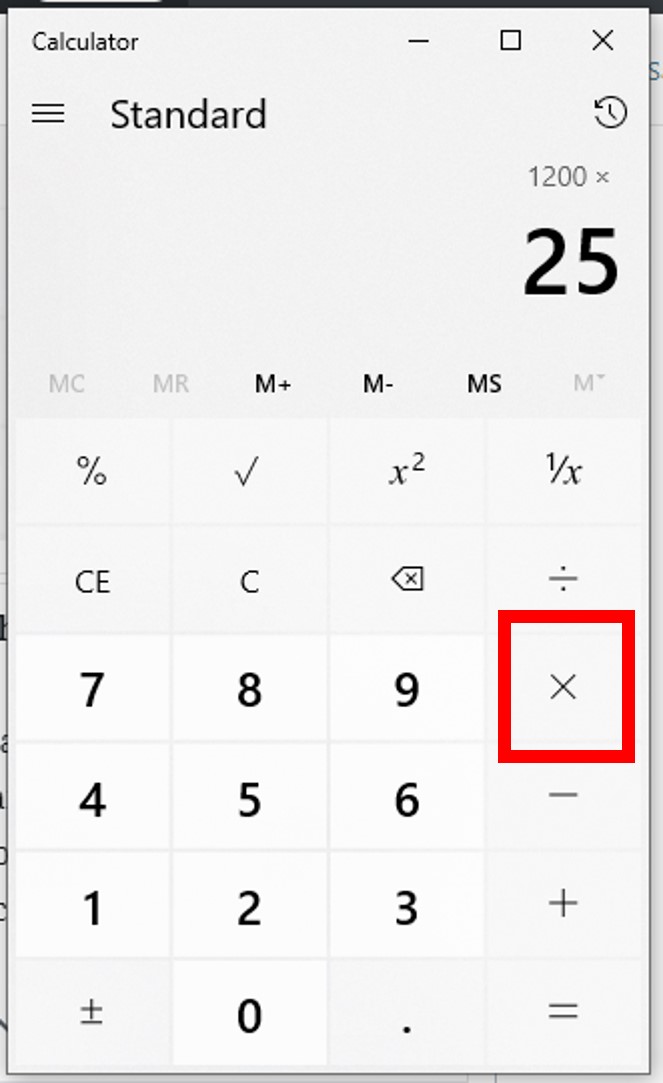
Often used for calculating grades, market share, or completion rates.
Example: You answered 35 questions correctly out of a total of 50 questions on a quiz. What percentage did you score?
- Standard Method:
- Divide the part by the whole: 35 ÷ 50 = 0.7
- Multiply by 100 to convert to a percentage: 0.7 * 100 = 70%
- Calculator Steps: 35 [/] 50 [x] 100 [=] (Result: 70)
- Using the % Key (if your calculator supports it): Some advanced calculators might allow: 35 [/] 50 [%] which would directly show 70.
Advanced Percentage Scenarios and Calculator Techniques
Beyond basic operations, calculators become even more indispensable when tackling complex percentage problems, leveraging their memory functions and order of operations capabilities.
Working with Compound Percentages
This involves applying multiple percentages sequentially, such as calculating successive discounts or sales tax on an already discounted item. It’s vital to apply percentages to the current total, not the original.
Example: An item costs $100. It’s discounted by 20%, and then an additional 10% is taken off the sale price. What is the final price?
- Step-by-step:
- First discount: 20% of $100 = $20. New price = $100 – $20 = $80.
- Second discount: 10% of $80 = $8. Final price = $80 – $8 = $72.
- Calculator Method (using sequential multiplication):
- For a 20% discount, multiply by (1 – 0.20) = 0.80.
- For a 10% discount, multiply by (1 – 0.10) = 0.90.
- Calculator Steps: 100 [x] 0.80 [x] 0.90 [=] (Result: 72)
This method elegantly handles multiple discounts or markups in a single chain calculation.
Reversing Percentage Calculations
Sometimes, you know the final value after a percentage change and need to find the original value. This is common when removing sales tax or finding a price before a discount.
Example: An item costs $120 after a 20% sales tax was added. What was the original price before tax?
- Understanding the Logic: If 20% tax was added, the final price represents 100% (original) + 20% (tax) = 120% of the original price.
- Formula: Original Price = Final Price / (1 + Tax Rate as Decimal)
- Calculator Steps: 120 [/] (1 [+] 0.20) [=] (or 120 [/] 1.20 [=]) (Result: 100)
Example: An item is on sale for $75, which is 25% off its original price. What was the original price?
- Understanding the Logic: If it’s 25% off, the sale price represents 100% (original) – 25% (discount) = 75% of the original price.
- Formula: Original Price = Sale Price / (1 – Discount Rate as Decimal)
- Calculator Steps: 75 [/] (1 [-] 0.25) [=] (or 75 [/] 0.75 [=]) (Result: 100)
Handling Percentages in Scientific and Financial Calculators
More advanced calculators offer features that streamline complex percentage calculations:
- Memory Functions (M+, M-, MR/MC): Useful for storing intermediate results in multi-step calculations, preventing errors from re-entering numbers. For example, if you need to calculate percentage of several different numbers from a common base, you can store the base or the percentage factor.
- Parentheses (()): Essential for controlling the order of operations, ensuring that calculations are performed in the correct sequence (e.g., in reversal problems like 120 / (1 + 0.20)).
- Specific Modes/Keys: Financial calculators often have dedicated keys for interest rates, present value, future value, and payment calculations, which inherently involve percentage changes over time. While these are beyond basic percentage calculations, they illustrate the technological evolution of calculators to simplify complex financial percentages. Similarly, some scientific calculators allow direct input of percentages in fractions or exponents.
Common Pitfalls and Pro Tips for Accuracy
Even with the power of a calculator, human error remains a factor. Awareness of common mistakes and adopting best practices can significantly improve accuracy.
Misinterpreting the Percent Key’s Functionality
As noted earlier, the “%” key can behave differently. Always test it with a simple calculation (e.g., 100 * 10 %) to understand if it immediately converts to a decimal or integrates into an operation. When in doubt, convert percentages to decimals manually (divide by 100) before multiplying or dividing; this method is universal across all calculators.
Order of Operations and Parentheses
This is critical. Remember the acronym PEMDAS/BODMAS (Parentheses/Brackets, Exponents/Orders, Multiplication and Division, Addition and Subtraction). If your calculation involves a mix of operations, use parentheses to force the calculator to perform certain parts first. For example, 100 + 100 * 0.05 will yield 105, but (100 + 100) * 0.05 will yield 10. This distinction is vital in complex percentage problems.
Checking Your Work and Estimation
Even with a calculator, a quick mental estimation can catch significant errors. If you’re calculating a 10% discount on $200, you know the answer should be around $20 (the discount) or $180 (the final price). If your calculator gives you $2 or $2000, you’ve likely made an input error. For critical calculations, perform the calculation twice, perhaps using a slightly different method, to ensure consistency.
Leveraging Calculator Apps and Software for Complex Tasks
Beyond physical calculators, the digital ecosystem offers a wealth of tools:
- Smartphone Calculator Apps: Many built-in apps are quite powerful, often featuring scientific modes and the ability to review calculation history. They offer convenience and portability.
- Spreadsheet Software (Excel, Google Sheets): For multiple percentage calculations, particularly in tables of data, spreadsheets are superior. They allow for formulas to be applied across entire columns or rows, automating calculations and providing visual analysis. For example, calculating percentage change for a series of quarterly sales figures is trivial in a spreadsheet.
- Online Calculators: Websites dedicated to specific calculations (e.g., tip calculators, loan interest calculators) can simplify tasks by providing pre-built interfaces. These are particularly useful for niche financial or statistical percentage problems.
These software tools extend the “calculator” concept, offering enhanced functionality for managing and processing percentage-based data, a true reflection of the technological advancements in computation.

Conclusion
Mastering how to figure out percentages on a calculator is more than just a mathematical skill; it’s a technological competency that empowers individuals to navigate a world brimming with numerical data. From understanding the nuanced behavior of the percent key to leveraging advanced features like memory and parentheses, the effective use of a calculator transforms complex percentage problems into manageable, accurate computations. Whether you’re a student tackling coursework, a professional analyzing trends, or simply managing personal finances, the insights gained from precise percentage calculations are invaluable. By embracing your calculator as a sophisticated digital assistant, understanding its mechanisms, and applying best practices, you can unlock a new level of numerical fluency, ensuring accuracy and confidence in every percentage-based decision you make. The technology embedded in these ubiquitous devices is a testament to how practical tools can simplify complex aspects of daily life, making the seemingly intricate entirely approachable.
aViewFromTheCave is a participant in the Amazon Services LLC Associates Program, an affiliate advertising program designed to provide a means for sites to earn advertising fees by advertising and linking to Amazon.com. Amazon, the Amazon logo, AmazonSupply, and the AmazonSupply logo are trademarks of Amazon.com, Inc. or its affiliates. As an Amazon Associate we earn affiliate commissions from qualifying purchases.