
The digital landscape of the 21st century is defined by the “subscription economy.” At the forefront of this movement is Amazon Prime, a multifaceted service that has evolved from a simple free-shipping perk into a sprawling ecosystem encompassing cloud storage, streaming media, gaming, and grocery logistics. However, as digital fatigue sets in and users look to streamline their software stacks, the process of “de-integrating” from such a massive platform requires more than just a cursory click. Ending an Amazon Prime membership is a technical exercise in navigating complex User Interface (UI) design, understanding data dependencies, and managing a multi-device ecosystem.

In this guide, we will explore the technical nuances of terminating an Amazon Prime subscription, analyzing the interface hurdles designed to retain users and the backend implications for your digital assets.
Navigating the Amazon Ecosystem: The Digital Infrastructure of Prime
To understand how to end Amazon Prime, one must first understand the architecture of the Prime ecosystem. Amazon has masterfully built a “walled garden” where various software services are interlinked. When you consider ending your membership, you aren’t just stopping a shipping service; you are disconnecting from a complex web of APIs and cloud-based services.
Understanding the Multi-Platform Challenge
Amazon Prime is accessible through a myriad of entry points: web browsers, mobile applications (iOS and Android), smart TVs, and proprietary hardware like the Echo and Fire TV. Each of these platforms employs a different technical framework for account management. For instance, the mobile app utilizes a “web-view” overlay for subscription management, which can sometimes lead to latency or synchronization errors if the app’s cache is not cleared. Understanding that the “Membership” portal is a centralized database node accessed by various clients is the first step in a successful termination.
Identifying Linked Digital Assets and Cloud Dependencies
Before initiating the cancellation protocol, a technical audit of your linked assets is essential. Prime is not a singular service but a bundle of digital permissions. Ending the membership impacts:
- Amazon Photos: A cloud storage solution that offers unlimited full-resolution photo storage for Prime members. Termination reverts the account to a basic 5GB tier, potentially triggering data deletion protocols for excess files.
- Prime Video and Music: The loss of access to the encrypted DRM (Digital Rights Management) content library.
- Twitch/Prime Gaming: The severance of OAuth tokens that link your Amazon account to third-party gaming platforms.
The Step-by-Step Technical Guide to Ending Your Membership
Amazon’s cancellation flow is often cited by UI/UX designers as an example of “dark patterns”—design choices intended to frustrate or redirect a user’s intent. Navigating this requires a methodical approach to ensure the instruction is processed correctly by Amazon’s backend servers.
Managing the Desktop Interface and Browser Cookies
The most reliable method for ending Amazon Prime is via a desktop browser, as it provides the most stable interface for complex account changes.
- Authentication: Log in to your account and navigate to the “Accounts & Lists” dropdown.
- The Prime Hub: Click on the “Prime” tile. This page acts as a dashboard for your membership status.
- The Cancellation Funnel: Select “Manage Membership” and then “End Membership.”
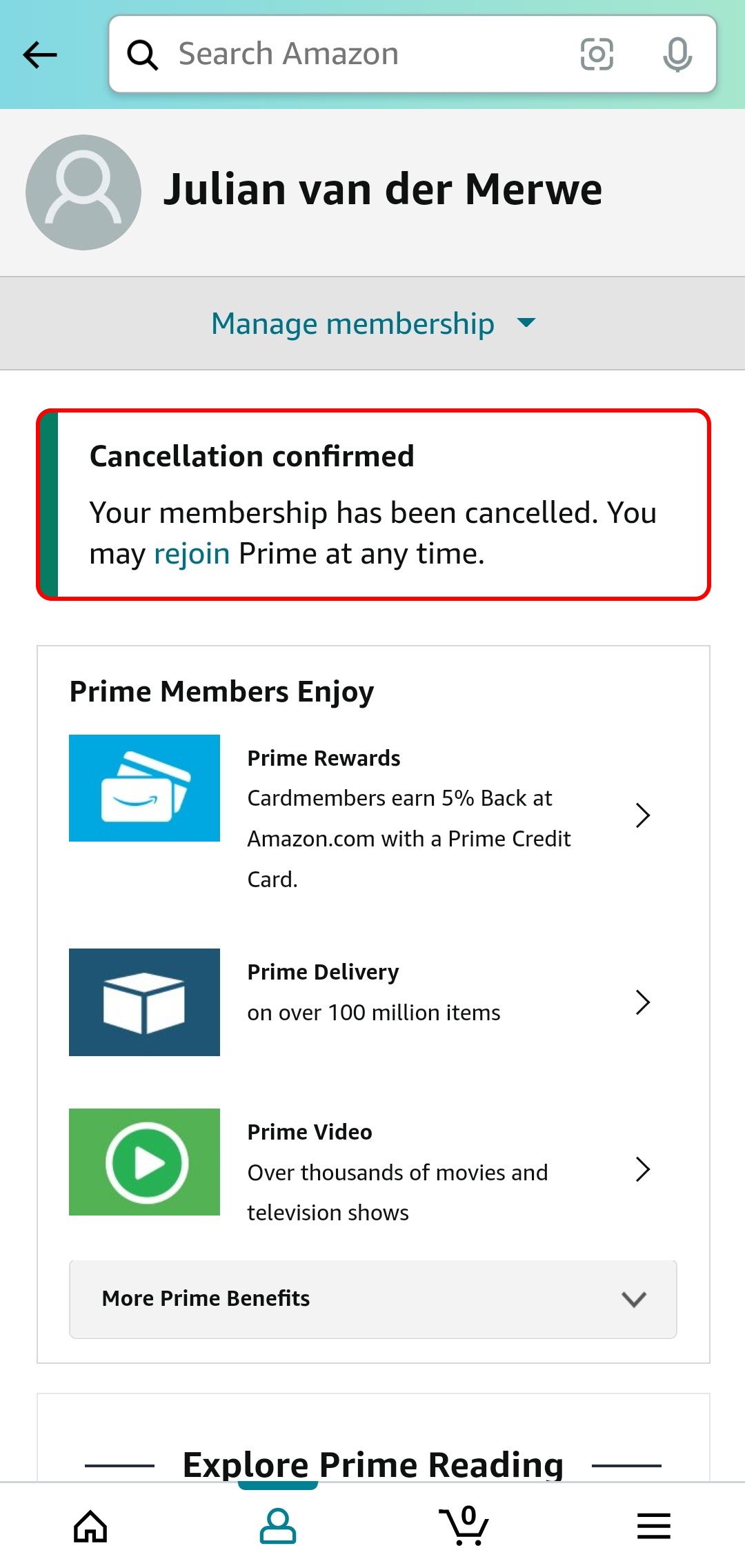
Technically, Amazon will lead you through a three-to-four-step “funnel.” This is designed to check for active usage patterns—reminding you of “unused benefits” to trigger a psychological rethink. From a technical standpoint, each page load is a confirmation step that updates your session state. Ensure you proceed until you receive a final “Membership Ended” confirmation screen and a corresponding automated email triggered by their SMTP servers.
Navigating the Amazon Shopping App (iOS and Android)
Canceling via the mobile app involves navigating through several layers of the application’s UI. Users must tap the “User” icon, go to “Your Account,” and scroll to “Manage Prime Membership.” Because mobile apps often use cached data to improve performance, it is recommended to refresh the app or check the “Membership” status twice to ensure the local client has synced with the Amazon server’s updated record of your subscription status.

Decoupling from the Prime Ecosystem: More Than Just a Cancellation
Once the primary subscription is flagged for termination, the technical work of decoupling your devices and data begins. Simply ending the billing cycle does not automatically optimize your hardware or secure your remaining data.
Managing Your Digital Library and Cloud Storage
As mentioned previously, the most significant technical risk during Prime termination is data loss in Amazon Photos. If you have 100GB of photos stored under the “unlimited” Prime benefit, the moment your membership expires, your account enters a “grace period.” During this window, you must utilize Amazon’s “Photos Desktop App” to bulk-download your assets. Relying on the web-based download tool for large libraries often results in “Time-Out” errors due to browser memory limitations. Using the dedicated desktop client allows for more robust packet handling and resume-on-failure capabilities.
Handling Prime-Specific Hardware (Kindle, Echo, Fire Stick)
Your hardware devices—Echo speakers, Fire TV Sticks, and Kindles—are “nodes” in the Prime network.
- Fire TV: Once Prime ends, the UI of your Fire TV will change. The “Prime” category labels will remain, but the authentication tokens for streaming content will expire. You may need to clear the cache of the Prime Video app on the device to remove “Continue Watching” metadata that is no longer accessible.
- Kindle: If you utilized “Prime Reading,” those titles are checked out via a temporary license. Syncing your Kindle via Wi-Fi after cancellation will trigger a “license expired” command, removing the books from your local storage. To keep your device’s file system clean, it is best to manually remove these titles before the final sync.
Post-Cancellation: Maintaining Digital Security and Account Integrity
After the membership is successfully terminated, your Amazon account remains active as a “Free” tier account. This transition is a critical time to perform a security audit and manage third-party integrations that may have been forgotten.
Auditing Third-Party Subscriptions and “Channels”
Many users subscribe to “Prime Video Channels” (like Paramount+ or MUBI) through the Amazon interface. Technically, these are sub-subscriptions tied to the primary Prime “parent” account. In many cases, ending the Prime membership does not automatically cancel these third-party billing cycles, or conversely, it may cut off access to them while the billing continues via a third-party gateway. It is imperative to navigate to the “Subscriptions” section of your account to ensure all “Child” subscriptions are either migrated to standalone accounts or terminated alongside the Prime membership.
Two-Factor Authentication and Data Privacy
With the reduction of your digital footprint on Amazon, it is a professional best practice to review your security settings. Ensure that Two-Factor Authentication (2FA) is active using an Authenticator App rather than SMS, as the latter is susceptible to SIM-swapping attacks. Furthermore, you can request a “Data Disclosure” from Amazon’s privacy portal. This allows you to see the telemetry data Amazon has collected during your Prime tenure, providing a clear picture of your digital shadow within their ecosystem.
The Future of Subscription Management and User Autonomy
Ending Amazon Prime is more than a cost-saving measure; it is an act of reclaiming digital autonomy from an all-encompassing software ecosystem. As software services become more integrated, the “technical debt” of leaving a platform increases. Users must be savvy, understanding the difference between a UI “Quit” button and the actual backend de-provisioning of services.
By following a structured, technical approach to cancellation—auditing cloud dependencies, navigating the multi-step UI funnel, and managing hardware syncs—you ensure that your transition out of the Prime ecosystem is seamless and secure. In an age of automated billing and persistent digital footprints, the ability to effectively “unplug” from a service is a vital skill for the modern tech-literate consumer. Whether you are switching to a decentralized media server or simply reducing your software overhead, the technical steps outlined here provide the roadmap for a clean break from one of the world’s largest digital infrastructures.
aViewFromTheCave is a participant in the Amazon Services LLC Associates Program, an affiliate advertising program designed to provide a means for sites to earn advertising fees by advertising and linking to Amazon.com. Amazon, the Amazon logo, AmazonSupply, and the AmazonSupply logo are trademarks of Amazon.com, Inc. or its affiliates. As an Amazon Associate we earn affiliate commissions from qualifying purchases.