
In an increasingly digital world, managing money efficiently and securely is paramount. PayPal has emerged as a ubiquitous financial tool, revolutionizing how individuals and businesses send, receive, and manage funds globally. From facilitating seamless online purchases to empowering freelancers and small businesses with robust payment solutions, understanding “how to do PayPal” is not just about using an app; it’s about unlocking a powerful ecosystem designed to streamline your financial life.
This guide will demystify PayPal, walking you through its essential features, best practices, and strategic applications for both personal finance and entrepreneurial ventures. We will explore how this versatile platform integrates into modern money management, offering convenience, security, and a pathway to broader financial freedom.
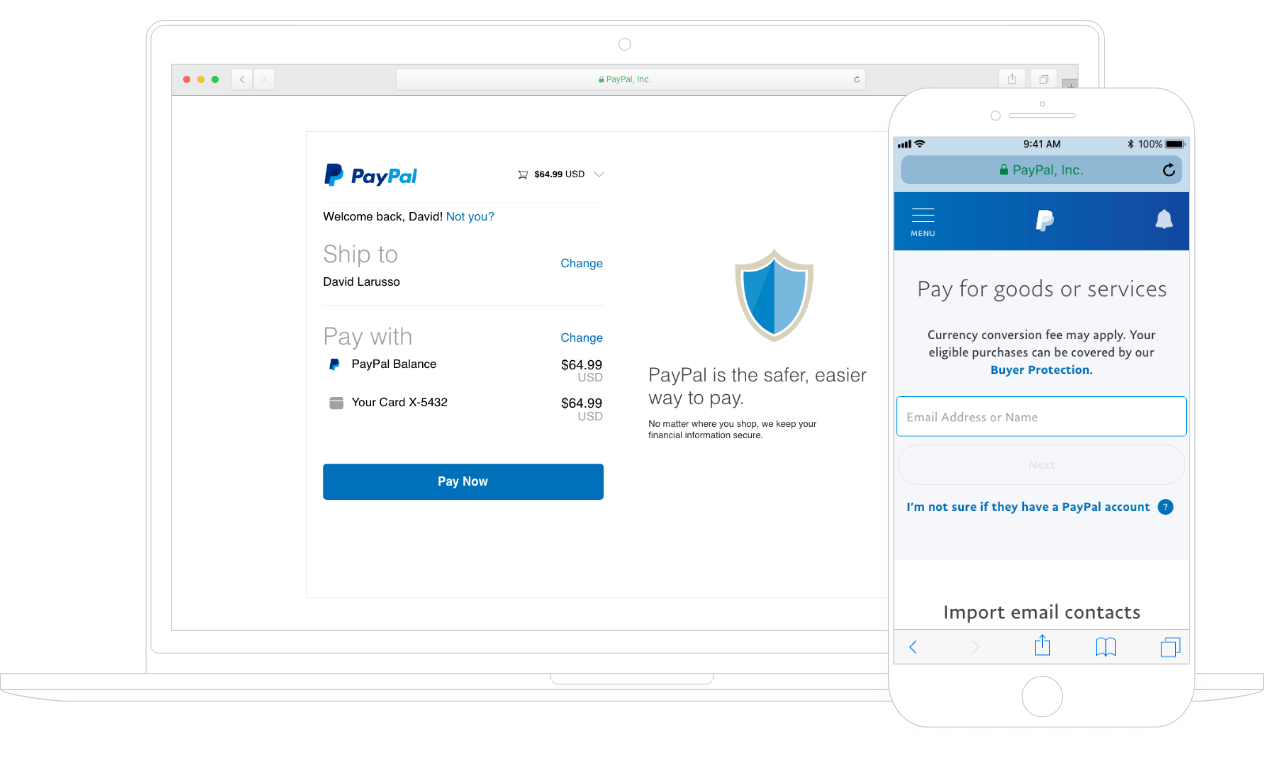
Getting Started with PayPal: Setting Up Your Account
Embarking on your PayPal journey begins with setting up the right account, a straightforward process that lays the foundation for all your future digital transactions. Choosing the appropriate account type from the outset ensures you leverage PayPal’s features optimally, whether for personal use or business operations.
Choosing the Right Account Type: Personal vs. Business
PayPal primarily offers two account types, each tailored to distinct user needs:
- Personal Account: Ideal for individuals who primarily use PayPal for online shopping, sending money to friends and family, or receiving occasional payments. It’s designed for simplicity and convenience in day-to-day financial interactions, without the complexities associated with commercial transactions.
- Business Account: Geared towards freelancers, small businesses, and larger enterprises, this account type offers a suite of advanced features necessary for commercial operations. This includes accepting payments from customers, generating invoices, managing multiple users, and accessing detailed sales reports. While there are typically no monthly fees for a standard business account, transaction fees for receiving payments are part of the operational cost. Opting for a business account from the beginning is crucial if you intend to receive payments for goods or services, as it ensures compliance and provides access to critical tools for growth.
The Registration Process: Step-by-Step
Registering for a PayPal account is quick and intuitive:
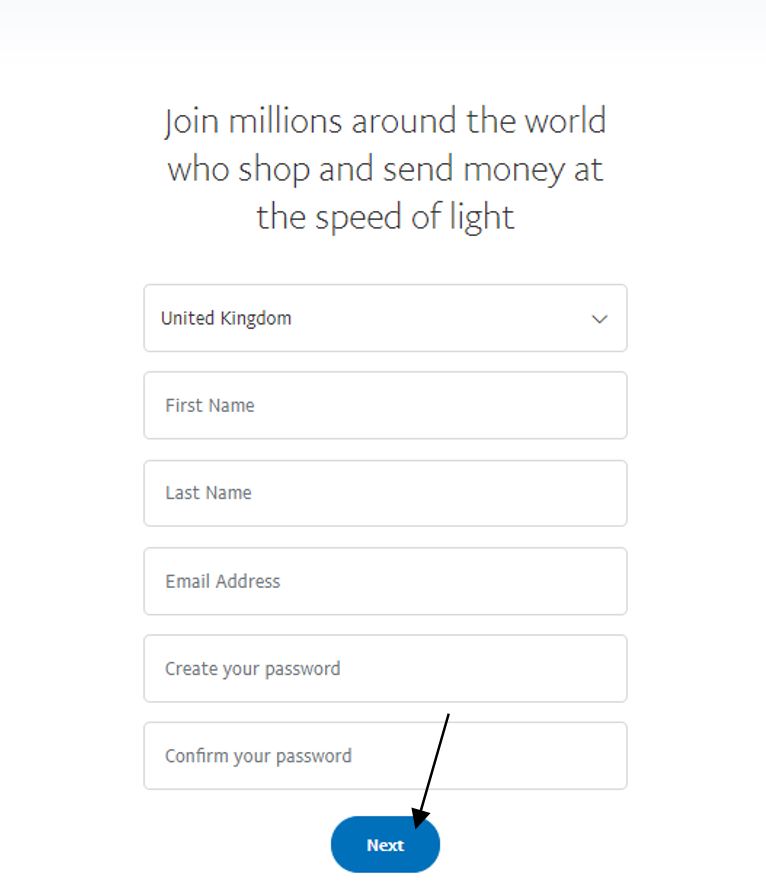
- Visit the PayPal Website: Navigate to PayPal’s official website and click on the “Sign Up” button.
- Select Account Type: Choose between “Personal Account” or “Business Account” based on your needs.
- Provide Personal Information: For a personal account, you’ll typically enter your name, email address, phone number, and create a strong password. For a business account, you’ll provide business details, including legal name, business type, and contact information.
- Verify Your Identity: PayPal often requires identity verification to comply with financial regulations and enhance security. This may involve providing a government-issued ID, proof of address, or other documentation. This step is critical for lifting sending/receiving limits and fully accessing all features.
- Agree to Terms and Conditions: Review and accept PayPal’s User Agreement and Privacy Policy.
Linking Financial Instruments: Banks and Cards
To truly “do PayPal,” you need to connect it to your existing financial infrastructure. Linking a bank account and/or a debit/credit card provides the necessary funding sources for your transactions and enables you to withdraw received funds.
- Linking a Bank Account: This is generally the most cost-effective way to fund payments and receive withdrawals, often incurring minimal or no fees for standard transfers. PayPal verifies your bank account by making two small deposits (typically less than $1) which you then confirm on your PayPal account, proving ownership. This process can take a few business days.
- Linking a Debit or Credit Card: Cards offer instant funding for payments, which can be convenient. However, using a credit card as a funding source for sending money may sometimes incur a fee from PayPal. Debit cards typically draw directly from your bank account balance without an additional fee for standard payments. Always review PayPal’s fee structure for your specific transaction type.
Once linked and verified, these financial instruments empower you to seamlessly move money in and out of your PayPal account, making it a truly versatile financial tool.
Navigating Core PayPal Functions for Personal Finance
For individuals, PayPal acts as a powerful extension of their personal finance toolkit, simplifying everything from splitting bills with friends to making secure online purchases. Mastering these core functions is key to leveraging PayPal effectively in your daily life.
Sending Money: P2P Payments and Purchases
The ability to send money is a cornerstone of PayPal’s utility.
- Peer-to-Peer (P2P) Payments: Sending money to friends and family is incredibly simple. You only need the recipient’s email address or phone number. When funded by your PayPal balance or a linked bank account, these personal payments within your country are typically free. However, if you use a credit card or send money internationally, fees may apply. It’s crucial to select the “sending to friends and family” option to avoid fees for personal transfers; mistakenly selecting “paying for goods or services” will incur a fee for the sender.
- Online Purchases: PayPal is a widely accepted payment method across millions of online stores. When checking out, simply select the PayPal option, log in to your account, and confirm the payment. This method not only offers convenience but also adds a layer of security, as your financial details are not shared directly with the merchant.
Receiving Money: Invoices and Payment Requests
Receiving money through PayPal is equally straightforward, offering flexibility for various scenarios.
- Direct Payments: Someone can send money directly to your PayPal account using your registered email address. Once received, the funds appear in your PayPal balance.
- Payment Requests: If you need to remind someone to pay you, or if you’re splitting a bill, you can send a “request money” through PayPal. You specify the amount and the recipient’s email, and they receive a notification to pay you back.
- Invoicing (Personal Use): While primarily a business feature, even individuals can use PayPal’s invoicing tool for clearer record-keeping if, for example, they occasionally perform a small service for a friend or relative and wish to formalize the payment request.
Managing Your PayPal Balance and Withdrawals
Once you’ve received funds, managing your PayPal balance is crucial.
- Holding a Balance: You can choose to keep funds in your PayPal account. This can be convenient for future online purchases or sending money.
- Withdrawing Funds: To access your money outside of PayPal, you can withdraw funds to your linked bank account.
- Standard Transfer: Typically free, but can take 1-3 business days to reach your bank account.
- Instant Transfer: For a small fee, you can transfer funds almost instantly to an eligible debit card or bank account. This option is invaluable when you need quick access to your money.
Exploring PayPal’s Financial Features (e.g., Pay in 4, Savings)
PayPal continuously expands its offerings beyond basic payments, integrating more comprehensive financial tools:
- Pay in 4: This feature allows eligible customers to split purchases into four interest-free payments over several weeks. It’s an excellent budgeting tool for managing larger expenses without incurring debt, offering financial flexibility directly within the PayPal platform.
- PayPal Savings: In some regions, PayPal offers a high-yield savings account, integrating a traditional banking service directly into your digital wallet. This feature allows users to grow their savings while keeping their funds readily accessible for PayPal transactions. These innovations highlight PayPal’s evolution from a simple payment processor to a more holistic personal finance manager.
Leveraging PayPal for Online Income and Business Finance
For entrepreneurs, freelancers, and small business owners, PayPal transforms into an indispensable platform for managing business finance, enabling smooth transactions, and expanding market reach. Its robust features cater specifically to the demands of commercial operations, facilitating growth and efficiency.
Accepting Payments as a Freelancer or Small Business
PayPal is a cornerstone for many online businesses due to its ease of setup and global reach.
- PayPal.Me Link: A personalized link (e.g., paypal.me/yourname) makes it incredibly easy for clients to pay you with just a click. You simply share the link, and they can enter the amount and send money.
- Invoicing: PayPal’s professional invoicing tool allows businesses to create and send customized invoices directly from their account. These invoices can include itemized lists of services/products, taxes, discounts, and payment terms. They provide a professional appearance and simplify payment tracking. PayPal also sends reminders to clients for overdue payments, reducing administrative burden.
- Website Payments: For businesses with an online storefront, PayPal offers various solutions to accept payments directly on their website, including:
- PayPal Checkout: Integrates seamlessly into e-commerce platforms, offering customers the option to pay with their PayPal account or a credit/debit card without leaving your site.
- Payment Buttons: Simple “Buy Now” or “Add to Cart” buttons can be generated and embedded for direct sales of individual items or services.
Integrating PayPal into E-commerce Platforms
Modern e-commerce platforms often have built-in integrations for PayPal, simplifying the setup process for merchants.
- Popular Platforms: Shopify, WooCommerce, BigCommerce, Etsy, and many others offer direct PayPal integration. This means customers checking out on these platforms can easily select PayPal as a payment option, directing them to PayPal’s secure portal to complete their purchase.
- Benefits of Integration: This streamlines the customer experience, increases conversion rates by offering a trusted payment method, and centralizes sales data within PayPal for easier reconciliation. It also often grants access to PayPal’s seller protection policies, offering peace of mind for business owners.
Managing Disputes and Seller Protection
In the realm of online transactions, disputes and chargebacks are an unfortunate reality. PayPal offers mechanisms to protect both buyers and sellers.
- Seller Protection: For eligible transactions, PayPal’s Seller Protection program can cover sellers against claims, chargebacks, or reversals due to unauthorized transactions or items not received. To qualify, sellers must adhere to specific guidelines, such as shipping to the address provided by PayPal and retaining proof of shipment. Understanding and leveraging this protection is vital for mitigating financial risk in your business operations.
- Dispute Resolution: When a buyer opens a dispute (e.g., item not as described, item not received), PayPal provides a structured resolution process. Sellers can respond, provide evidence (tracking numbers, communication logs, photos), and work towards a resolution directly with the buyer or escalate to PayPal for review. Efficient dispute management is crucial for maintaining good customer relations and protecting your funds.
Advanced Reporting for Business Users
For growing businesses, insightful data is invaluable. PayPal’s business accounts offer robust reporting tools.
- Sales Reports: Track sales trends, understand peak periods, and identify top-selling products or services.
- Transaction History: A detailed log of all incoming and outgoing payments, making reconciliation and bookkeeping simpler.
- Tax Reports: Tools to help businesses prepare for tax season by categorizing transactions and generating summaries. These reports provide a clear overview of financial performance, aiding in strategic decision-making and simplifying accounting processes.
Security and Best Practices for PayPal Users
Security is paramount when dealing with financial tools, and PayPal is no exception. Understanding and implementing best practices is crucial to protect your account and funds from potential threats.
Protecting Your Account: Strong Passwords and 2FA
Your first line of defense is robust account security.
- Strong, Unique Passwords: Use complex passwords that combine uppercase and lowercase letters, numbers, and symbols. Crucially, do not reuse your PayPal password on any other website or service. A password manager can help you manage unique, strong passwords.
- Two-Factor Authentication (2FA): Enable 2FA immediately. This adds an extra layer of security by requiring a second verification step (like a code sent to your phone) in addition to your password whenever you log in or make certain transactions. Even if your password is compromised, 2FA prevents unauthorized access.
Recognizing and Avoiding Scams
PayPal is a target for various phishing and scam attempts. Vigilance is key.
- Phishing Emails: Be wary of emails claiming to be from PayPal that ask for personal information, threaten account closure, or contain suspicious links. Always check the sender’s email address and hover over links before clicking. PayPal will never ask for your full password or bank details via email.
- Fake Invoices/Payment Requests: Scammers may send fake invoices or payment requests hoping you’ll pay them unknowingly. Always verify the legitimacy of any invoice or request before authorizing payment.
- “Payment Pending” Scams: Be cautious of buyers who claim they’ve sent payment but it’s “pending” and requires you to ship an item or pay a fee first. Always confirm the payment is fully cleared in your PayPal account before taking any action.
- Unsolicited Offers: Be skeptical of unsolicited offers that seem too good to be true, especially those requiring you to pay a fee via PayPal to “unlock” larger sums of money or prizes.
Understanding PayPal’s Buyer and Seller Protections
PayPal offers comprehensive protection policies designed to give users peace of mind.
- Buyer Protection: If an eligible item you purchased doesn’t arrive or isn’t as described, PayPal Buyer Protection can help you get a full refund. This encourages confident online shopping.
- Seller Protection: As discussed earlier, Seller Protection shields merchants from eligible claims related to unauthorized transactions or items not received, provided they follow PayPal’s guidelines.
Knowing these policies empowers you to transact with greater confidence, knowing that you have recourse in case of an issue.
The Future of Digital Transactions with PayPal
PayPal is not static; it continuously evolves to meet the demands of the global digital economy. Its trajectory points towards greater integration, expanded services, and a broader role in the financial lives of individuals and businesses worldwide.
Expanding Financial Services and Global Reach
PayPal is consistently broadening its portfolio of financial products. This includes:
- Debit and Credit Cards: Offering PayPal-branded cards that link directly to your account balance or credit line, providing flexibility for in-store and online purchases.
- Cryptocurrency Integration: In select markets, PayPal has ventured into cryptocurrency, allowing users to buy, sell, and hold certain digital currencies directly within their PayPal accounts, reflecting a move towards embracing emerging financial assets.
- Enhanced International Capabilities: Continuously improving cross-border payment efficiency and currency exchange services, making global money transfers more accessible and affordable for users and businesses alike.
Integration with Emerging Payment Technologies
PayPal is at the forefront of adopting and integrating new payment technologies to enhance user experience and security.
- Contactless Payments: Integration with NFC (Near Field Communication) technology through mobile apps allows for tap-to-pay functionality in physical stores, making PayPal a viable option for in-person transactions.
- QR Code Payments: Facilitating payments via QR codes offers a quick and secure method for both buyers and sellers, particularly useful for small businesses and person-to-person transactions in various settings.
- AI and Machine Learning for Fraud Detection: PayPal heavily invests in advanced AI and machine learning algorithms to detect and prevent fraudulent activities in real-time, constantly enhancing the security of its platform.
These advancements underscore PayPal’s commitment to remaining a leading financial tool, adapting to technological shifts, and continuing to simplify the complexities of money management in the digital age.

Conclusion
Mastering “how to do PayPal” means more than just creating an account; it involves understanding its full spectrum of features as a versatile financial tool. From effortlessly managing personal expenses, sending money to loved ones, and making secure online purchases, to empowering businesses with robust payment acceptance, invoicing, and comprehensive reporting, PayPal simplifies numerous aspects of digital finance.
By adopting best practices for security, leveraging its protective policies, and staying informed about its evolving services, you can harness PayPal’s full potential. It stands as a testament to the power of digital innovation in personal and business finance, offering a gateway to efficient, secure, and globally connected money management. Embrace PayPal, and confidently navigate the landscape of modern digital transactions.
aViewFromTheCave is a participant in the Amazon Services LLC Associates Program, an affiliate advertising program designed to provide a means for sites to earn advertising fees by advertising and linking to Amazon.com. Amazon, the Amazon logo, AmazonSupply, and the AmazonSupply logo are trademarks of Amazon.com, Inc. or its affiliates. As an Amazon Associate we earn affiliate commissions from qualifying purchases.