
Navigating the complexities of tax season can often feel like a daunting annual ritual. However, in an increasingly digital world, the advent and continuous refinement of online tax filing platforms have revolutionized this process, transforming it from a paper-laden headache into a streamlined, accessible, and often more accurate experience. For individuals and small businesses alike, doing taxes online is no longer just a convenience; it’s a fundamental aspect of modern personal financial management, offering greater control, efficiency, and a clearer understanding of one’s financial obligations and opportunities. This guide will walk you through everything you need to know to confidently do your taxes online, empowering you to take charge of your financial well-being.

Understanding the Landscape of Online Tax Filing
The shift towards digital tax preparation is one of the most significant evolutions in personal finance in recent decades. It democratizes access to tax-filing tools and information, making it easier for millions to comply with tax laws and optimize their financial outcomes.
Who Should File Online?
Online tax filing caters to a broad spectrum of taxpayers, making it a versatile solution.
- Individuals with Simple Returns: Those with W-2 income, standard deductions, and minimal investments often find free or low-cost online solutions incredibly straightforward. The step-by-step guidance is ideal for first-time filers or those with uncomplicated financial lives.
- Individuals with Complex Returns: Even those with more intricate financial situations—such as multiple sources of income (1099s), various investments, real estate, itemized deductions, or dependents—can benefit significantly. Premium online tax software offers advanced features, calculators, and audit support that guide users through complex scenarios, often proving more cost-effective than a traditional accountant for moderately complex situations.
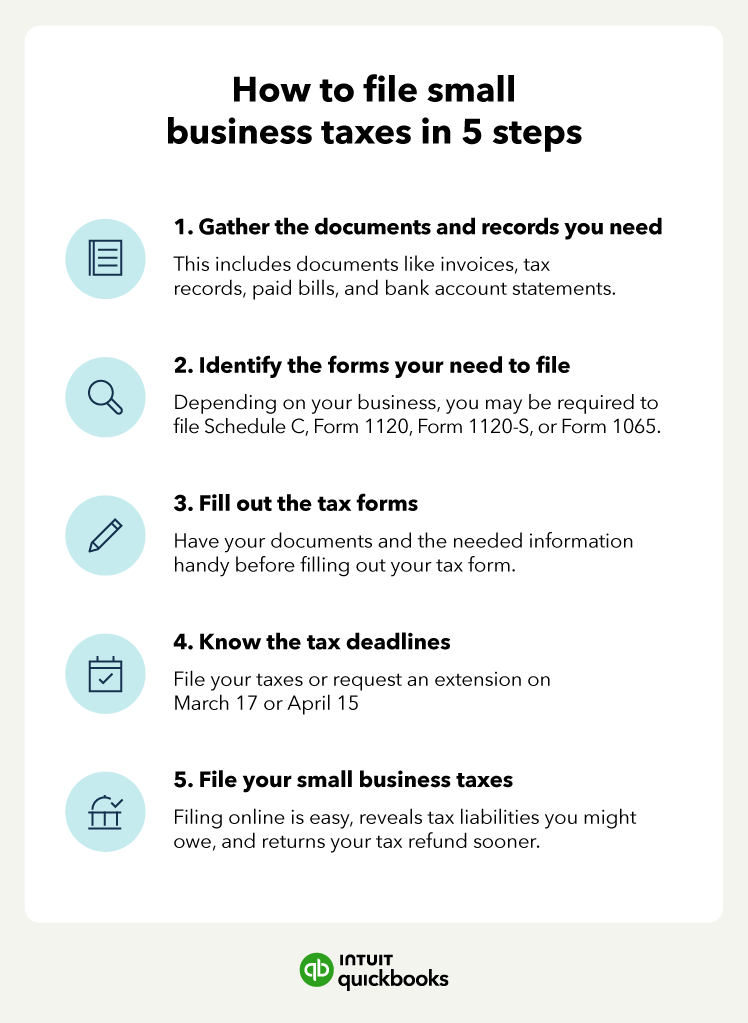
- Self-Employed Individuals and Small Business Owners: The self-employed face unique tax challenges, including estimated taxes, deductions for business expenses, and understanding various forms like Schedule C. Specialized online tax software versions are tailored to these needs, helping users maximize business deductions and manage quarterly payments efficiently.
- Anyone Seeking Convenience and Control: Regardless of income or complexity, the ability to file taxes from the comfort of one’s home, at any time, with immediate access to results and refund status, appeals to virtually everyone. It puts the taxpayer directly in control of their financial data and submission process.
Key Benefits of Digital Tax Preparation
Embracing online tax filing offers a multitude of advantages that extend beyond mere convenience.
- Enhanced Accuracy: Online tax software employs sophisticated algorithms and built-in error checks that significantly reduce mathematical errors and missed deductions common with manual calculations. It prompts users for necessary information and flags potential inconsistencies, helping ensure compliance and accuracy.
- Speed and Efficiency: The process is considerably faster. Data can be imported directly from financial institutions or payroll providers, minimizing manual entry. E-filing means your return reaches the tax authorities almost instantly, and refunds are typically processed much quicker via direct deposit compared to mailed paper checks.
- Cost-Effectiveness: While some premium services come with a fee, they are often significantly cheaper than hiring a traditional tax accountant for comparable services. Many free options exist for low-to-moderate income taxpayers, making tax filing accessible to everyone.
- Accessibility and Flexibility: File anytime, anywhere, as long as you have an internet connection. This flexibility is invaluable for busy individuals, those who travel, or anyone who prefers to work on their taxes at their own pace without strict office hours.
- Guided Assistance and Resources: Most online platforms offer extensive help sections, FAQs, and even live chat or phone support from tax professionals. They translate complex tax jargon into understandable language, simplifying the process for non-experts.
- Environmental Friendliness: Reducing paper consumption by filing electronically contributes to environmental sustainability, aligning with broader digital-first initiatives.
Types of Online Tax Filing Services
The market for online tax services is diverse, catering to different needs and budgets.
- IRS Free File and State Programs: For taxpayers meeting specific income thresholds (which change annually, typically below $79,000 for federal for 2023 tax year), the IRS partners with various tax software providers to offer free federal tax filing. Many states also have similar free programs. These are excellent options for those with straightforward returns.
- Commercial Tax Software: Popular platforms like TurboTax, H&R Block, TaxAct, and TaxSlayer dominate this space. They offer various tiers, from free (for very simple returns) to premium versions designed for self-employed individuals, investors, and complex situations. These services provide robust features, extensive support, and often include state filing and audit defense options.
- Online Tax Preparation Services with Professional Review: Some platforms combine the convenience of online software with the expertise of human tax professionals. Users input their data, and a certified public accountant (CPA) or enrolled agent reviews the return before filing, offering a hybrid approach that provides peace of mind for more complex situations without the full cost of a traditional in-person accountant.
Preparing for a Smooth Online Tax Filing Experience
Successful online tax filing begins long before you log into a software program. Proper preparation is key to ensuring accuracy, maximizing deductions, and minimizing stress.
Gathering Essential Financial Documents
The most critical step is compiling all necessary paperwork. Organize these documents well in advance to avoid last-minute scrambling.
- Income Statements: W-2s (from employers), 1099-NEC (non-employee compensation), 1099-MISC (miscellaneous income), 1099-INT (interest income), 1099-DIV (dividend income), 1099-B (stock sales), K-1s (from partnerships/S-corps), Social Security statements, and any other income reporting forms.
- Deduction and Credit Documentation:
- Education: Form 1098-T (tuition statement), student loan interest statements (1098-E).
- Healthcare: Medical expense receipts, health savings account (HSA) statements (Form 1099-SA).
- Homeownership: Form 1098 (mortgage interest statement), property tax bills, home energy efficiency improvement receipts.
- Charitable Contributions: Receipts for cash donations, appraisals for non-cash donations.
- Childcare: Information from your childcare provider (name, address, EIN/SSN).
- Self-Employment/Business: Records of business income and expenses, mileage logs, home office expenses.
- Retirement Contributions: IRA contribution records.
- Previous Year’s Tax Return: This document is invaluable. It provides previous Adjusted Gross Income (AGI), carryovers for losses or credits, and can serve as a template for recurring information.
- Personal Information: Social Security Numbers (for yourself, spouse, and dependents), dates of birth, current and previous addresses.
Understanding Your Filing Status and Deductions
Your filing status determines your standard deduction amount and applicable tax rates.
- Filing Status: Carefully choose from Single, Married Filing Jointly, Married Filing Separately, Head of Household, or Qualifying Widow(er) with Dependent Child. Your marital status on December 31st of the tax year generally dictates this.
- Standard vs. Itemized Deductions: Most taxpayers opt for the standard deduction, which is a fixed amount based on your filing status. However, if your eligible itemized deductions (e.g., mortgage interest, state and local taxes, medical expenses, charitable contributions) exceed the standard deduction, itemizing could lower your taxable income more significantly. Online software will typically help you determine which option is more beneficial.
- Tax Credits: Unlike deductions, which reduce your taxable income, tax credits directly reduce your tax liability dollar for dollar. Be aware of common credits like the Child Tax Credit, Earned Income Tax Credit (EITC), education credits, and credits for dependent care. The software will guide you through eligibility.
Setting Up Your Online Account Securely
Security is paramount when dealing with sensitive financial information.
- Choose Reputable Platforms: Stick to well-known tax software providers or the official IRS website for Free File options.
- Strong, Unique Passwords: Create a complex password that is unique to your tax software account. Do not reuse passwords from other sites.
- Multi-Factor Authentication (MFA): Always enable MFA if the platform offers it. This adds an extra layer of security, typically requiring a code sent to your phone or email in addition to your password.
- Secure Internet Connection: Avoid public Wi-Fi networks when accessing or inputting sensitive financial data. Use a secure, private network at home.
- Beware of Phishing Scams: The IRS and legitimate tax software providers will never initiate contact with you via email or social media asking for personal information or demanding immediate payment. Be vigilant about suspicious communications.

Navigating the Online Tax Filing Process Step-by-Step
Once your documents are gathered and your accounts secured, the actual filing process becomes a guided journey.
Choosing the Right Software/Service
Your choice of platform will depend on your tax situation and budget.
- Cost vs. Features: Free versions are great for simple returns. As your financial life becomes more complex (investments, self-employment, itemized deductions), you’ll likely need to upgrade to a paid version that offers the necessary forms, calculations, and support.
- Ease of Use: Most major platforms offer intuitive, interview-style interfaces. If you’re new to online filing, look for highly-rated user experiences.
- Support Options: Consider what kind of help you might need. Some services offer live chat, phone support, or even direct access to tax professionals for review.
- State Filing: Ensure the software supports state tax filing for your resident state(s) and any non-resident states you might have income from. Often, state filing is an add-on cost.
Data Entry and Review
This is where you input all the information from your gathered documents.
- Follow the Prompts: Online tax software is designed to be user-friendly, guiding you through questions about your income, deductions, and credits. It breaks down complex forms into simple, digestible questions.
- Import Data: Many platforms allow you to import W-2s and 1099s directly from employers or financial institutions, saving time and reducing data entry errors.
- Double-Check Everything: Before moving on, carefully review each section. Compare the figures entered into the software with your physical documents. A small typo can have significant implications. Pay particular attention to Social Security Numbers, income amounts, and bank account details for refunds/payments.
- Utilize Built-in Checkers: The software will typically run diagnostics to identify potential errors, missing information, or opportunities for deductions you might have overlooked. Take these suggestions seriously.
E-Filing Your Return and Payment Options
Once you’ve meticulously reviewed your return, it’s time to submit.
- E-File Submission: Follow the final steps to electronically file your federal and state returns. You’ll usually need to agree to terms and perhaps enter a PIN or your prior year AGI to verify your identity.
- Confirmation: After submission, you should receive a confirmation email from the software provider and, critically, an acceptance notification from the IRS (and your state tax authority). This confirms your return has been successfully received. Keep these confirmations for your records.
- Payment Options (if taxes are owed):
- Direct Debit: Most online software allows you to authorize the IRS and state to directly debit the amount owed from your bank account on a specified date.
- Credit/Debit Card: You can pay your taxes using a credit or debit card through various payment processors, though a convenience fee usually applies.
- Estimated Payments: If you’re self-employed or have significant income not subject to withholding, you might need to make quarterly estimated tax payments. The software can help calculate these.
- Installment Agreement: If you can’t pay your full tax bill by the deadline, you can often set up an installment agreement directly with the IRS or your state, though interest and penalties may still apply.
What to Do After Filing
Your responsibilities don’t end with hitting “submit.”
- Save Copies: Download and save digital copies of your complete federal and state returns, along with any supporting documents, in a secure location.
- Retain Physical Records: While most records can be digital, it’s wise to keep physical copies of key documents for at least three years from the filing date (or longer in some cases, like asset purchases).
- Track Your Refund: If you’re due a refund, you can track its status using the IRS “Where’s My Refund?” tool or your state’s equivalent. Direct deposit is the fastest way to receive it.
- Amend if Necessary: If you discover an error after filing, you may need to file an amended return (Form 1040-X). Most online software can assist with this.
Security, Accuracy, and Peace of Mind in Online Tax Filing
While online tax filing offers immense advantages, maintaining security and ensuring accuracy are paramount to protecting your financial health and avoiding potential issues with tax authorities.
Safeguarding Your Financial Data
The digital nature of online tax filing necessitates a proactive approach to cybersecurity. Your personal and financial information is a goldmine for identity thieves, making robust security measures indispensable.
- Understand Platform Security: Reputable online tax software providers invest heavily in security, using encryption (like SSL/TLS) to protect data in transit and at rest. They adhere to industry best practices for data privacy and security. Familiarize yourself with your chosen platform’s security features and privacy policy.
- Practice Good Cyber Hygiene:
- Secure Your Devices: Ensure your computer or mobile device is protected with up-to-date antivirus software, firewalls, and operating system updates.
- Avoid Public Wi-Fi: As mentioned, public Wi-Fi networks are often unsecured and susceptible to eavesdropping. Always use a private, encrypted network when handling sensitive financial information.
- Be Wary of Phishing and Scams: Tax season is a prime time for fraudsters. Be highly skeptical of unsolicited emails, texts, or phone calls claiming to be from the IRS or tax software providers. The IRS will almost always initiate contact via postal mail. Never click suspicious links or provide personal information in response to such communications.
- Identity Theft Protection: Consider subscribing to an identity theft protection service. If you suspect you’re a victim of tax-related identity theft, contact the IRS immediately.
- Regular Account Monitoring: Periodically check your financial accounts and credit reports for any suspicious activity, especially around tax season.
Ensuring Accuracy and Avoiding Common Mistakes
Accuracy is not just about compliance; it’s about optimizing your financial outcome. Errors can lead to delays, missed deductions, or even penalties.
- Cross-Reference Documents: This cannot be overstressed. Every number entered into the software should directly match a number on an official document (W-2, 1099, etc.). Do not guess or estimate.
- Understand Tax Law Changes: Tax laws can change annually. While online software is updated to reflect these changes, a basic awareness of significant shifts (e.g., changes to deduction limits, new credits) can help you verify the software’s output and understand your return better.
- Don’t Rush: While online filing offers speed, resist the temptation to rush through the process, especially during data entry and review. Allocate sufficient time to complete your return thoroughly and carefully.
- Review All Summaries: Before e-filing, the software will provide a summary of your return. Scrutinize this summary carefully. Look for obvious errors, like an incorrect filing status, missing dependents, or unexpected refund/balance due amounts.
- Utilize Help Features: If you encounter a term or concept you don’t understand, use the software’s built-in help features, FAQs, or customer support. It’s better to ask than to make an assumption that leads to an error.
When to Seek Professional Assistance
While online tax filing is powerful, there are specific scenarios where professional human guidance remains invaluable.
- Extremely Complex Financial Situations: If you own multiple businesses, have significant foreign income, deal with intricate investment portfolios (e.g., options, futures, cryptocurrency), or have experienced major life changes with complex financial implications (e.g., divorce with significant asset division), a human tax professional (CPA, enrolled agent) can offer personalized advice and navigate nuances that software might simplify too much.
- Major Life Events with Tax Consequences: Marriage, divorce, birth of a child, purchasing or selling a home, inheritance, or starting a business can all significantly impact your tax situation. A professional can help you understand these implications and optimize your filing.
- Audit Concerns or IRS Correspondence: If you’ve received a letter from the IRS, are facing an audit, or have unfiled back taxes, a tax professional is crucial. They can represent you and guide you through the process, often achieving better outcomes than navigating it alone.
- Lack of Confidence or Time: If you simply don’t feel confident in your ability to file accurately, or if your time is too valuable to spend hours wrestling with forms, the peace of mind offered by a professional is well worth the investment.
- Tax Planning Beyond Basic Filing: A tax professional can offer strategic advice on tax planning for future goals, such as retirement, education funding, or estate planning, which goes beyond merely completing your annual return.
In conclusion, doing your taxes online is a highly efficient and effective component of modern personal finance. By understanding the available tools, diligently preparing your documents, prioritizing security, and knowing when to leverage professional expertise, you can transform a once-dreaded task into an empowering annual financial review. Embrace the digital age of tax preparation, taking control of your financial journey with confidence and clarity.
aViewFromTheCave is a participant in the Amazon Services LLC Associates Program, an affiliate advertising program designed to provide a means for sites to earn advertising fees by advertising and linking to Amazon.com. Amazon, the Amazon logo, AmazonSupply, and the AmazonSupply logo are trademarks of Amazon.com, Inc. or its affiliates. As an Amazon Associate we earn affiliate commissions from qualifying purchases.