
In the rapidly evolving landscape of cryptocurrency, digital wallets like SafePal stand as critical custodians of users’ valuable digital assets. SafePal, known for its blend of hardware and software solutions, offers a secure and user-friendly experience for managing a wide array of cryptocurrencies. However, even with the most robust technology, users may occasionally encounter situations requiring assistance. Whether it’s a technical glitch, a question about a specific feature, a transaction query, or a security concern, knowing how to effectively and securely contact SafePal wallet support is paramount.
This guide delves into the various official channels SafePal provides for user assistance, outlines best practices for engaging with support, and, crucially, emphasizes the vital security measures users must uphold to protect their assets while seeking help. Navigating the support ecosystem of a digital asset wallet requires diligence and an understanding of the specific protocols designed to safeguard your investments.
Understanding SafePal and the Need for Support
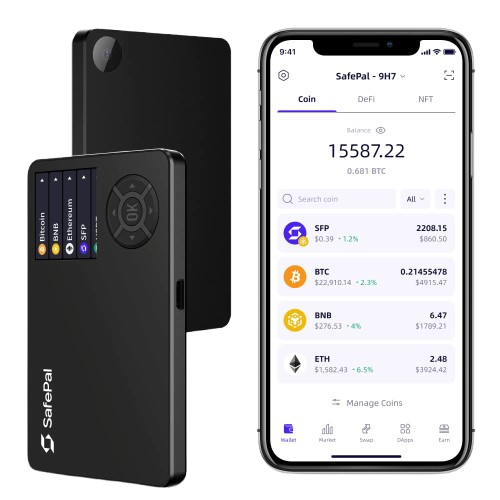
SafePal has carved out a significant niche in the crypto space by offering both hardware wallets (like the S1) and software wallet solutions, providing users with varying degrees of security and convenience for managing their decentralized finance (DeFi) portfolios. The core appeal of SafePal lies in its commitment to user-friendliness combined with advanced security features, including EAL5+ secure element technology in its hardware wallets and comprehensive DApp integration in its software applications.
What is SafePal?
SafePal is a comprehensive cryptocurrency wallet platform that supports a vast range of cryptocurrencies and blockchain networks. It was incubated by Binance and is designed to provide a secure and intuitive way for users to store, manage, and transact their digital assets. The platform offers a multi-faceted approach to security, including a hardware wallet for offline storage, a mobile software wallet for on-the-go access, and a browser extension for seamless DApp interaction. This ecosystem aims to empower users with full control over their private keys, thus embodying the “not your keys, not your coins” ethos central to cryptocurrency ownership. Its user interface is designed to be accessible even for those new to crypto, abstracting away much of the underlying blockchain complexity while maintaining robust security.
Common Scenarios Requiring Assistance
Despite SafePal’s intuitive design, users might encounter various situations that necessitate reaching out to customer support. These scenarios often fall into several key categories:
- Technical Issues: This includes problems with wallet synchronization, app crashes, firmware update failures for hardware wallets, connectivity issues, or glitches within the user interface.
- Transaction-Related Queries: Users might need help understanding why a transaction is pending, confirming if a transaction was successful, troubleshooting failed transactions, or querying incorrect transaction details. Given the irreversible nature of blockchain transactions, these issues can be particularly stressful.
- Feature Inquiries: With new features, DApp integrations, and updates regularly rolled out, users might have questions about how to use specific functionalities, such as staking, swapping, or connecting to new decentralized applications.
- Account and Wallet Management: While SafePal is non-custodial, meaning they don’t hold your keys, users might have questions about recovering access to their wallet if they lose their device (assuming they have their seed phrase), managing multiple wallets, or setting up new security features.
- Security Concerns: Although rare, users might report suspicious activity, inquire about potential vulnerabilities, or seek guidance on best practices for securing their wallet against emerging threats.
- General Information and Education: New users, in particular, may have fundamental questions about how crypto wallets work, the specifics of SafePal’s technology, or best practices for managing their digital assets securely.
For all these reasons, having clear, reliable access to support is a critical component of the overall SafePal user experience, reinforcing trust and enabling users to navigate the complexities of digital asset management with confidence.
Navigating SafePal’s Official Support Channels
When you need assistance with your SafePal wallet, it’s crucial to use only the official support channels to protect your assets and privacy. Engaging with unofficial sources or unverified contacts exposes you to significant risks, including phishing scams and loss of funds. SafePal provides several avenues for support, each designed to address different types of inquiries and urgency.
The SafePal Support Center and Knowledge Base
The first and most often overlooked resource is SafePal’s comprehensive online Support Center, typically found on their official website (support.safepal.com). This platform hosts an extensive Knowledge Base and a detailed FAQ section that covers a vast range of topics from initial setup and troubleshooting common issues to in-depth explanations of features and security best practices.
- Self-Service Efficiency: Before contacting a human agent, it is highly recommended to search the Knowledge Base. Many common questions and technical issues have already been addressed with step-by-step guides, video tutorials, and clear explanations. This self-service approach is often the fastest way to resolve your problem, especially for frequently encountered scenarios.
- Categorized Information: The content is usually well-organized into categories such as “Hardware Wallet,” “Software Wallet,” “Transactions,” “Security,” and “DApps,” making it easy to navigate and find relevant articles. Utilizing the search bar within the support center can quickly direct you to the exact information you need.
Submitting a Support Ticket (Email Support)
If you cannot find a solution in the Knowledge Base, or if your issue is complex, specific to your situation, or requires direct intervention from SafePal’s support team, submitting a formal support ticket is the next step. This is typically done through a designated “Submit a Request” or “Contact Us” form within the official Support Center.
- Formal and Trackable: Submitting a ticket creates a formal record of your inquiry, which can be tracked by both you and the support team. You will usually receive an automated confirmation email with a ticket number.
- Required Information: When submitting a ticket, be prepared to provide as much detail as possible. This includes your SafePal wallet type (hardware or software), the operating system of your device, detailed descriptions of the issue, any error messages encountered, screenshots or video recordings (if applicable), transaction IDs (TxIDs) for transaction-related issues, and the steps you’ve already taken to troubleshoot. Clear and concise information helps the support team understand and diagnose your problem more efficiently.
- Email Communication: All further communication regarding your ticket will typically occur via email. Ensure the email address you provide is secure and regularly monitored. Always double-check the sender’s email address to verify it’s from an official SafePal domain to prevent phishing attempts.
Engaging with SafePal on Social Media (with Caveats)
SafePal maintains an active presence on various social media platforms, including Twitter, Telegram, and Discord. These channels can be useful for general announcements, community discussions, and sometimes for quick queries.
- General Inquiries: Social media platforms are best suited for general questions about SafePal’s services, announcements, or seeking community advice.
- NEVER Share Sensitive Information: It is critically important to never share any sensitive personal or wallet-related information (like seed phrases, private keys, wallet addresses, transaction details, or support ticket numbers) on public social media platforms or in direct messages unless explicitly directed by a verified SafePal administrator in a secure, pre-established support channel.
- Scam Vigilance: Social media is rife with scammers impersonating official SafePal support. Be extremely wary of unsolicited DMs from accounts claiming to be support staff. Official SafePal support will almost never initiate a private message to offer help without you first reaching out on a formal channel, and they will never ask for your seed phrase or private keys. Always verify the authenticity of an account by checking its official links from the SafePal website.
Community Forums and Telegram Groups
SafePal also fosters community interaction through official Telegram groups and potentially dedicated forums. These can be excellent resources for peer-to-peer support and staying updated with the SafePal ecosystem.
- Peer Support and Information Sharing: In these groups, experienced users often share insights, provide troubleshooting tips, and discuss best practices. It can be a good place to find solutions to common problems that other users have already faced and overcome.
- Moderated Environments: Official SafePal community channels are typically moderated by SafePal staff. However, even in moderated groups, vigilance is required. Scammers often lurk in these environments, waiting for opportunities to target users who post about their issues.
- Official Admin Identification: Always look for official administrator badges or verified tags next to the names of SafePal team members. They will guide you to official support channels for specific issues rather than trying to resolve complex problems directly in the chat or asking for sensitive information.
- No Direct Wallet Support: Remember that community forums and Telegram groups are not direct channels for personalized technical support for your specific wallet issues. For that, the support ticket system is the designated route.
By understanding and utilizing these official channels appropriately, you can ensure a secure and efficient experience when seeking assistance for your SafePal wallet.
Essential Steps Before Reaching Out
Before you click that “submit ticket” button or send a message on a public forum, taking a few preparatory steps can significantly expedite the resolution of your issue and, in many cases, help you resolve it independently. This not only saves you time but also helps the SafePal support team focus on truly complex problems.
Self-Help: Leveraging the Knowledge Base and FAQs
As mentioned earlier, SafePal’s official website and Support Center are treasure troves of information. Before contacting support:
- Search the FAQ and Knowledge Base: Use relevant keywords related to your issue (e.g., “transaction stuck,” “firmware update error,” “DApp connection”). The vast majority of common issues have detailed guides or solutions already documented.
- Review Tutorials and Guides: SafePal often provides step-by-step tutorials, including video guides, for common procedures like setting up your wallet, sending/receiving assets, or performing a firmware update. Ensure you’ve followed all instructions precisely.
- Check System Status Pages: Sometimes, issues are not client-side but related to the SafePal system, blockchain network congestion, or third-party service outages. Check SafePal’s official status page (if available) or relevant blockchain explorers (e.g., Etherscan, BSCScan) to see if there are any known network issues affecting transactions.
Preparing Your Information for a Smooth Interaction
If self-help doesn’t resolve your issue, preparing a comprehensive overview of your problem will allow SafePal support to assist you much more effectively. Think of yourself as a detective gathering clues.
- Wallet Type: Specify if you are using a SafePal S1 hardware wallet, the SafePal App (software wallet), or the browser extension.
- Device and OS: Provide details about the device you’re using (e.g., iPhone 14, Samsung Galaxy S23, Windows 11 PC, macOS Ventura) and its operating system version.
- SafePal App/Firmware Version: Note down the exact version number of your SafePal App (found in “Settings” -> “About Us”) or the firmware version of your S1 hardware wallet.
- Clear Problem Description: Describe the issue in detail. When did it start? What exactly happened? What were you trying to do?
- Steps to Reproduce: List the exact steps you took leading up to the problem. This helps support staff replicate the issue and understand its root cause.
- Error Messages: Copy and paste the exact text of any error messages you received. Screenshots or short video recordings of the error or the problematic process are incredibly helpful.
- Transaction Details (if applicable): For transaction-related issues, provide:
- The cryptocurrency and network involved (e.g., ETH on Ethereum, BNB on BSC).
- The exact amount.
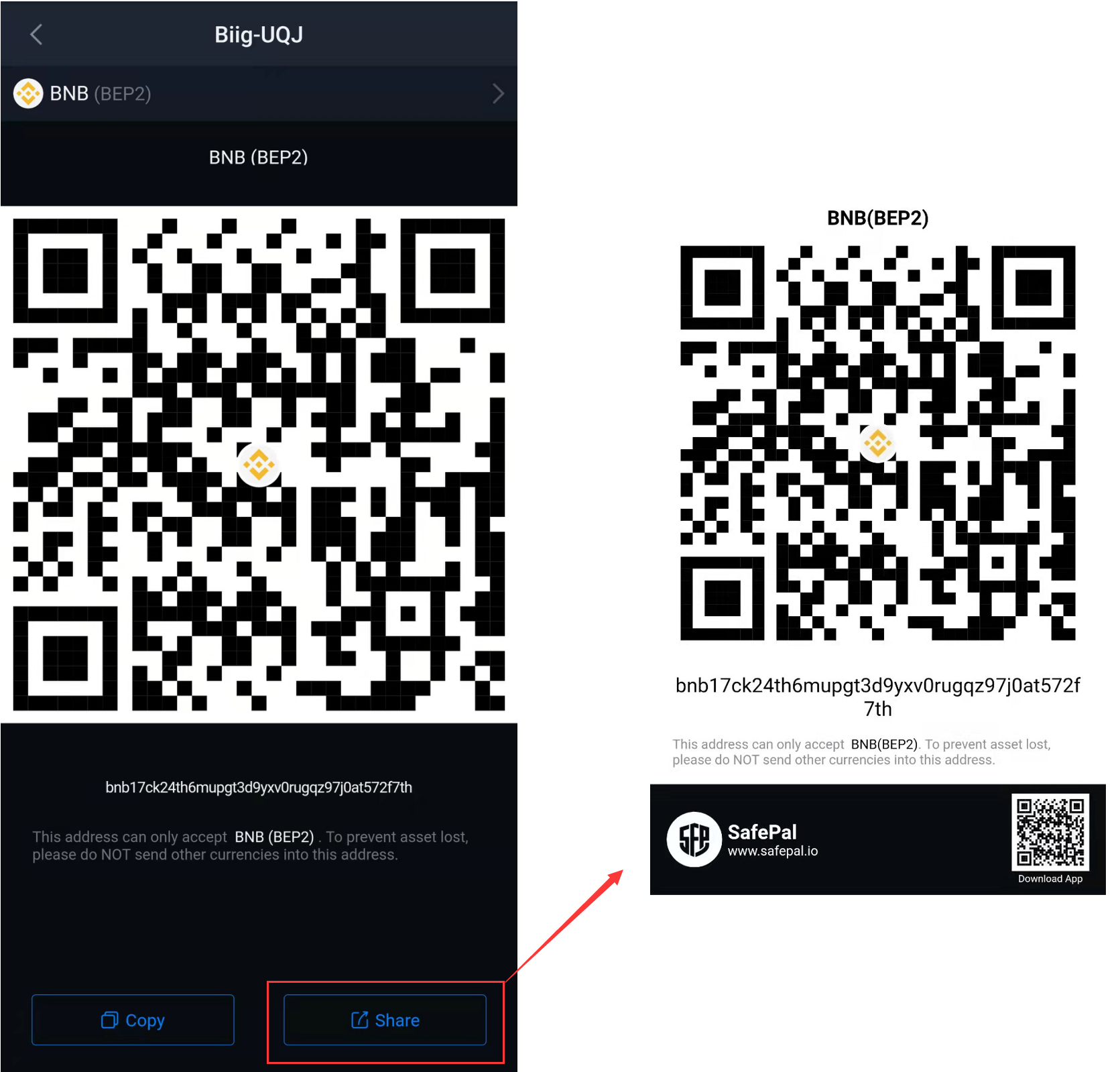
- The sending and receiving wallet addresses.
- The transaction ID (TxID or hash) if available. This is crucial for blockchain verification.
- What You’ve Already Tried: Document any troubleshooting steps you’ve already attempted (e.g., restarting the app/device, clearing cache, re-installing the app, updating firmware). This prevents support from suggesting steps you’ve already performed.
Basic Troubleshooting for Common Issues
Many common problems can be resolved with a few simple troubleshooting steps before contacting support:
- Restart the App/Device: A simple restart can often clear temporary glitches.
- Ensure Good Internet Connection: A stable internet connection is vital for wallet synchronization and transaction broadcasting.
- Update Software/Firmware: Ensure your SafePal App is updated to the latest version from official app stores, and your hardware wallet firmware is up-to-date. Outdated software can cause compatibility issues.
- Clear Cache (Software Wallet): For software wallets, clearing the app’s cache (if the option exists in settings or via device settings) can resolve data corruption issues.
- Check Network Fees: If a transaction is stuck, it might be due to insufficient network fees. Ensure you have enough native coin (e.g., ETH for Ethereum, BNB for BSC) to cover gas fees.
- Verify Wallet Addresses: Always double-check recipient addresses, especially when copying and pasting. Even a single incorrect character can lead to irreversible loss of funds.
By diligently following these preparatory steps, you not only make the support process more efficient but also empower yourself with a deeper understanding of your SafePal wallet and its operations.
Prioritizing Your Security: Avoiding Scams and Phishing
In the world of cryptocurrency, security is paramount. The non-custodial nature of wallets like SafePal means you are solely responsible for your assets, and scammers relentlessly target users, especially when they are seeking help. Understanding and adhering to strict security protocols is not just good practice; it’s essential for the survival of your digital wealth.
The Golden Rules: Never Share Your Seed Phrase or Private Keys
This is the most critical rule in crypto: Never, under any circumstances, share your 12-word or 24-word seed phrase (also known as recovery phrase or mnemonic phrase) or your private keys with anyone, including individuals claiming to be SafePal support, official representatives, or any online service.
- Seed Phrase is Your Master Key: Your seed phrase is the ultimate key to your funds. Anyone who possesses it gains full and irreversible control over your wallet and all its contents. SafePal support will never ask for this information, nor will any legitimate cryptocurrency service.
- No Exceptions: There is no technical scenario where SafePal support would require your seed phrase or private keys to assist you. Any request for this information is an immediate red flag and a clear indication of a scam attempt.
- Offline Storage: Your seed phrase should be written down on paper (or etched onto metal) and stored securely offline in a private location, away from prying eyes and digital threats. Never store it digitally (e.g., in a cloud service, email, or photo).
Identifying Official SafePal Channels
Scammers are adept at creating convincing fake websites, social media profiles, and email addresses. Always verify the authenticity of any SafePal communication or platform.
- Official Website Domain: Always ensure you are on
safepal.comfor the main site orsupport.safepal.comfor the support center. Bookmark these official URLs to avoid typos or clicking malicious links. - Official Social Media Handles: Verify that the social media accounts you interact with are the official ones, usually linked directly from the
safepal.comwebsite. Look for verification badges (blue ticks) on platforms like Twitter, but also be aware that even verified accounts can be compromised or impersonated through subtle changes (e.g., “Safepal_Official” vs. “SafepalOfficial”). - Official Email Addresses: Legitimate SafePal support emails will come from official SafePal domains (e.g.,
support@safepal.com,no-reply@safepal.com). Be suspicious of emails from generic domains or slight variations (e.g.,safepall.com,safepal-support.co). - In-App Support: If available, always prefer using the “Contact Us” or “Support” option directly within the SafePal app, as these links will reliably direct you to the official support channels.
Recognizing Common Scam Tactics
Being aware of prevalent scam techniques can help you identify and avoid malicious actors.
- Phishing Links: Scammers send emails, social media messages, or display ads with links to fake SafePal websites that look identical to the real one. These sites are designed to trick you into entering your seed phrase, password, or other sensitive information. Always manually type official URLs or use your bookmarks.
- Impersonation: As discussed, scammers will impersonate SafePal support staff on social media, Telegram, Discord, or via email. They might offer “immediate help” or claim your wallet is “at risk” to create a sense of urgency.
- Fake DApps or Wallet Connects: Be cautious when connecting your SafePal wallet to decentralized applications (DApps). Always verify the URL of the DApp and ensure it’s legitimate. Malicious DApps can trick you into approving transactions that drain your wallet.
- Remote Desktop Software: Never allow anyone claiming to be SafePal support to access your computer or phone remotely. This is an extremely dangerous tactic often used by scammers to gain full control over your device and steal your funds.
- Unsolicited Assistance: Be wary of anyone who proactively reaches out to you, especially on social media, offering to “help” with your crypto problems. Legitimate support typically responds to your initiated requests.
- Pressure and Urgency: Scammers often try to create a sense of panic or urgency, pressuring you to act quickly without thinking. Always take your time, verify information, and if in doubt, do nothing.
By internalizing these security principles and maintaining a high level of vigilance, you can significantly mitigate the risk of falling victim to scams and ensure that your SafePal wallet remains a secure haven for your digital assets. The responsibility ultimately lies with the user to protect their own keys and information.
Optimizing Your Support Experience
When you do need to contact SafePal support, a well-structured approach can significantly improve the efficiency and outcome of your interaction. Effective communication and an understanding of the support process are key to a positive experience.
Crafting Clear and Concise Communications
The clearer and more comprehensive your initial support request, the faster the SafePal team can understand and address your issue.
- Be Specific: Avoid vague language. Instead of “My wallet isn’t working,” say “My SafePal App v3.2.1 on iOS 17.2 crashes immediately after I try to open a DApp via WalletConnect.”
- Logical Flow: Present your information in a logical sequence. Start with the problem, explain what you were doing, describe what happened, list any error messages, and detail what steps you’ve already attempted.
- Use Visuals: Attach screenshots or short video recordings whenever possible. A picture often conveys more information than words, especially for visual bugs or specific interface issues. Ensure these visuals do not inadvertently expose sensitive information like your seed phrase.
- One Issue Per Ticket: If you have multiple unrelated issues, it’s generally better to submit separate support tickets for each. This ensures each problem gets dedicated attention and prevents confusion.
- Polite and Professional Tone: While frustrating issues can be stressful, maintaining a polite and professional tone will always result in a more productive interaction with support staff.
What to Expect: Response Times and Follow-Up
Customer support for cryptocurrency platforms can vary in response times due to several factors, including the complexity of the issue, the volume of requests, and the time zone differences.
- Initial Response: You will typically receive an automated confirmation email immediately after submitting a ticket, acknowledging receipt and providing a ticket number.
- Human Response: The time it takes to receive a human response can range from a few hours to several business days. Critical issues might be prioritized, but patience is often required, especially during peak times or after major updates.
- Follow-Up Questions: Be prepared for the support agent to ask follow-up questions to gather more context or troubleshoot further. Respond promptly and thoroughly to these inquiries to avoid delays.
- Escalation: If your issue is complex or requires specialized knowledge, it might be escalated to higher-tier support. This process can take additional time.
- Maintain Communication within the Ticket: Always reply directly to the email thread associated with your support ticket rather than opening new tickets for the same issue. This keeps all relevant communication in one place.

Providing Constructive Feedback
Once your issue is resolved, or even during the process, providing constructive feedback can be valuable for SafePal to improve its services.
- Rate Your Experience: Many support systems offer an option to rate your support experience (e.g., “Was this helpful?”). Take a moment to provide an honest rating.
- Suggest Improvements: If you have suggestions on how the Knowledge Base could be clearer, how a specific feature could be more intuitive, or how the support process could be streamlined, share it constructively. This feedback helps SafePal enhance its user experience and support infrastructure.
- Acknowledge Good Service: If you had a particularly helpful support agent, consider mentioning them by name (if applicable) or highlighting the positive aspects of your interaction. Positive reinforcement is always appreciated.
By approaching the support process with clarity, patience, and a security-first mindset, you can effectively leverage SafePal’s resources to resolve any challenges you encounter, ensuring a smooth and secure experience with your digital assets.
aViewFromTheCave is a participant in the Amazon Services LLC Associates Program, an affiliate advertising program designed to provide a means for sites to earn advertising fees by advertising and linking to Amazon.com. Amazon, the Amazon logo, AmazonSupply, and the AmazonSupply logo are trademarks of Amazon.com, Inc. or its affiliates. As an Amazon Associate we earn affiliate commissions from qualifying purchases.