
In an era defined by digital convenience and instant access, the ritual of preparing for a flight has been fundamentally transformed by technology. No longer confined to lengthy airport queues, checking in for an American Airlines flight has evolved into a seamless, often anticipatory, digital experience. This guide delves into the technological backbone that facilitates American Airlines’ check-in process, offering a comprehensive tutorial for tech-savvy travelers eager to optimize their journey from the comfort of their device or the efficiency of an airport kiosk. We’ll explore the digital tools at your disposal, demystify the step-by-step procedures, and even glimpse the future of flight check-in, all through the lens of enhancing your travel tech literacy.
Understanding the Digital Check-in Ecosystem
The modern travel experience begins long before you reach the airport, primarily thanks to a sophisticated digital ecosystem designed for efficiency and user control. American Airlines, like many contemporary carriers, leverages a multi-channel approach to check-in, ensuring accessibility and flexibility for its diverse passenger base. This ecosystem is built on the convergence of mobile applications, robust web platforms, and intelligent self-service kiosks, each offering distinct advantages.
American Airlines Mobile App: Your Pocket Travel Assistant
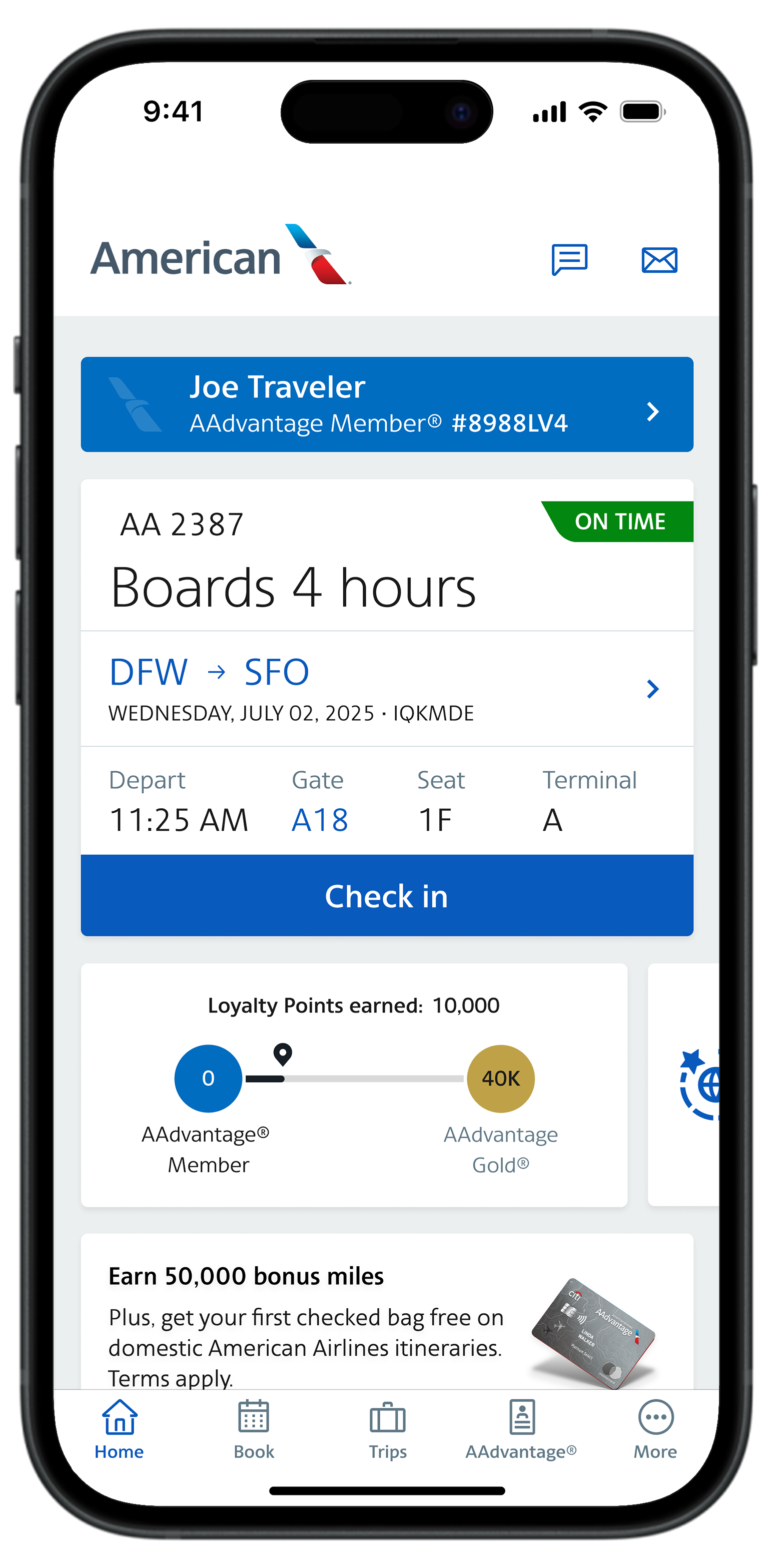
The American Airlines mobile app stands as the cornerstone of the digital check-in experience. Far more than just a check-in portal, this application serves as a comprehensive travel assistant, centralizing flight information, booking management, and on-the-go updates. For check-in, its intuitive interface streamlines the process, allowing passengers to confirm their presence on a flight, select seats, and even pay for checked baggage with just a few taps. The app leverages push notifications to remind travelers when check-in opens and provides real-time gate changes or delay alerts, transforming a potentially stressful journey into a well-informed one. Its integration with mobile wallet technologies enables digital boarding passes, further reducing reliance on physical documents and expediting passage through security checkpoints. The underlying technology behind the app prioritizes secure data transmission and user authentication, safeguarding personal information while providing unparalleled convenience.
Web Check-in: Browser-Based Convenience
For those who prefer a larger screen or are accessing their travel plans from a desktop or laptop, American Airlines’ web check-in portal offers a robust and equally convenient alternative. Accessible through any standard web browser, this platform mirrors much of the functionality found in the mobile app, providing a comprehensive interface for managing reservations, checking in, and printing boarding passes from home or office. The web portal is particularly useful for travelers with complex itineraries, group bookings, or those who need to access specific account features not always optimized for smaller mobile screens. The website’s architecture is designed for cross-browser compatibility and employs industry-standard encryption protocols to ensure data security during transactions, from seat selection to baggage fee payments. Its emphasis on a clear, step-by-step guided process makes it user-friendly for even those less accustomed to mobile apps.
Airport Kiosks: Bridging the Digital-Physical Divide
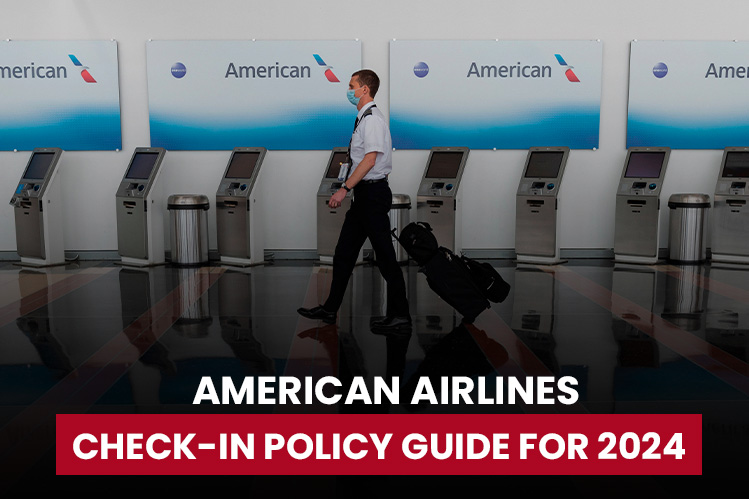
Despite the pervasive nature of mobile and web check-in, airport kiosks remain a vital component of the digital check-in ecosystem, particularly for travelers who arrive without a pre-checked-in status, need to print physical boarding passes, or require assistance with baggage tags. These self-service machines, equipped with touchscreens and barcode readers, provide a quick and efficient on-site solution. They offer a physical manifestation of the digital check-in process, allowing passengers to scan their passport or credit card, retrieve their reservation, confirm details, and print boarding passes and baggage tags within minutes. The technology behind these kiosks is designed for robust performance in high-traffic environments, with secure card readers and intuitive user interfaces that simplify what could otherwise be a manual, agent-assisted process. They act as an essential bridge, providing digital efficiency to those who prefer or require a physical interaction point at the airport.
Step-by-Step Digital Check-in Procedures
Navigating the various digital check-in pathways is straightforward once you understand the core mechanics. Each method—mobile, web, or kiosk—is designed for intuitive use, guiding you through the necessary steps to confirm your flight and prepare for departure.
Pre-Check-in Preparations: What You Need
Before initiating any digital check-in process, ensure you have a few key pieces of information readily accessible. Primarily, you’ll need your six-character American Airlines confirmation code (PNR), your ticket number, or your AAdvantage frequent flyer number. If traveling internationally, your passport details will be required, and it’s advisable to have any necessary visa information handy. Confirm your flight departure time; online check-in typically opens 24 hours prior to scheduled departure and closes 45 minutes to 90 minutes before, depending on the route and destination (especially for international flights). For app and web check-in, a stable internet connection is crucial.
Navigating the American Airlines App for Check-in
-
Download and Log In: If you haven’t already, download the American Airlines app from your device’s app store. Log in with your AAdvantage credentials or use the “Guest” option if you prefer not to log in.
-
Locate Your Trip: On the app’s home screen, your upcoming trips should be visible under “My Trips.” Select the flight you wish to check in for. If not visible, use the “Find Trip” option and enter your confirmation code.
-
Initiate Check-in: Once your trip is selected, you’ll see a prominent “Check In” button. Tap it to begin the process.
-
Verify Details and Add Passengers: The app will display your flight details and a list of passengers on your reservation. Confirm that all information is correct. If traveling with others, you can check them in simultaneously.
-
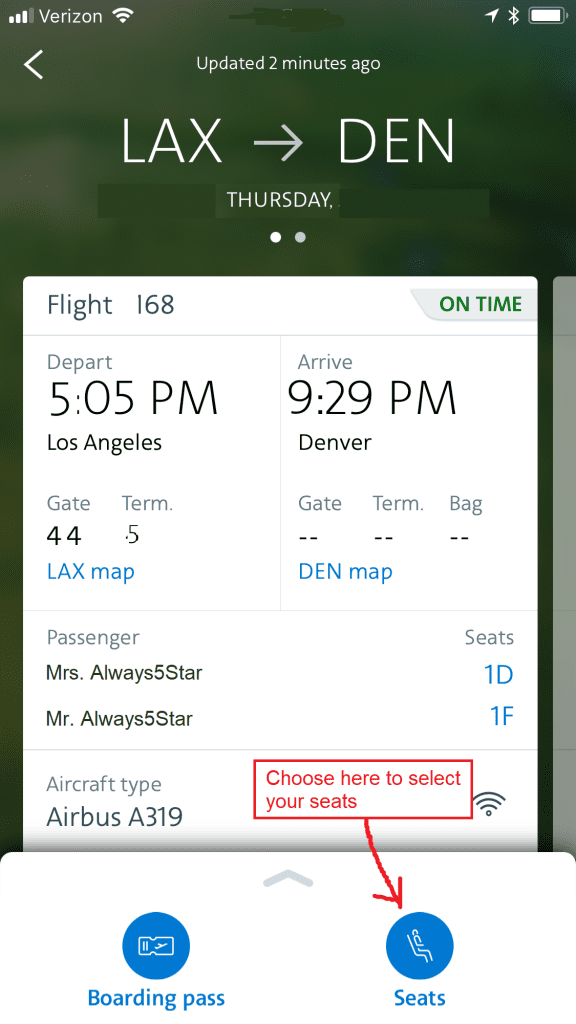
Seat Selection (Optional): You’ll be prompted to review or change your seat assignments. If a fee applies for your preferred seat, you can securely pay within the app using a linked payment method.
-
Baggage Declaration and Payment: Declare any checked baggage. The app will calculate fees based on your destination and fare class. Securely process payment if applicable.
-
Confirm and Receive Boarding Pass: Review all details one final time. Upon confirmation, your digital boarding pass will be generated and made available within the app, often with an option to add it to your device’s mobile wallet (e.g., Apple Wallet, Google Pay).
The Web Check-in Process: A Desktop Walkthrough
-
Access the Website: Open your web browser and navigate to the American Airlines official website (aa.com).
-
Find Your Trip: On the homepage, locate the “Check in” tab or the “My Trips” section. Enter your confirmation code, AAdvantage number, or ticket number, along with your last name.
-
Begin Check-in: Click the “Check In” button.
-
Passenger and Flight Details: The system will display your flight information and passenger details. Verify everything carefully. You’ll be asked to confirm you are not carrying prohibited items.
-
Seat Selection/Changes: Review your seat assignment. If changes are needed or desired, the website provides a graphical seat map for selection, with any associated fees clearly displayed.
-
Baggage Information: Declare any checked bags. The website will present the baggage policy and applicable fees. Secure online payment options will be available.
-
Final Review and Boarding Pass: After confirming all details, the system will issue your boarding pass. You’ll have options to print it, email it to yourself, or retrieve it via the mobile app.
Kiosk Check-in: On-Site Efficiency
-
Locate a Kiosk: Upon arrival at the airport, find an American Airlines self-service kiosk in the terminal.
-
Identify Yourself: Follow the on-screen prompts. You can identify your reservation by scanning your passport, credit card (used for booking), entering your confirmation code, or your AAdvantage number.
-
Confirm Details: The kiosk will retrieve your booking information. Verify your flight details and confirm your identity.
-
Seat and Baggage: Make any necessary seat changes. Declare checked bags; the kiosk will print baggage tags for you to attach.
-
Print Documents: The kiosk will print your boarding pass and baggage tags. Ensure you collect all printed documents. For international travel, you may still need to speak with an agent to verify travel documents, even after kiosk check-in.
Leveraging Technology for a Smoother Journey
Beyond the core check-in function, technology significantly enhances the overall travel experience, streamlining various touchpoints from curb to gate.
Digital Boarding Passes: Paperless Travel
The advent of digital boarding passes has revolutionized efficiency at the airport. Stored on your smartphone via the American Airlines app or a mobile wallet, these QR code-enabled passes eliminate the need for paper, reduce environmental impact, and speed up the process at security checkpoints and boarding gates. Their dynamic nature means they can be updated in real-time with gate changes or new boarding times, providing immediate information without the need to consult airport screens.
Bag Tagging and Drop-off Solutions
For those checking bags, technology extends to self-service bag tagging. After checking in online or via the app, you can print bag tags at an airport kiosk or, in some innovative trials, even from a home printer. This pre-tagging system dramatically reduces wait times at baggage drop-off counters, converting a full-service interaction into a quick scan and deposit. American Airlines’ investment in these technologies underscores a commitment to minimizing friction points in the travel journey.
Real-time Flight Updates and Notifications
A critical advantage of digital check-in and the accompanying mobile app is the immediate access to real-time flight information. The American Airlines app provides instantaneous push notifications for gate changes, flight delays, boarding announcements, and even baggage claim information. This proactive communication, driven by sophisticated backend systems, keeps travelers informed and reduces anxiety, allowing them to adjust plans or navigate the airport more effectively. This digital infrastructure transforms a passive waiting experience into an informed and responsive one.
Troubleshooting Common Tech-Related Check-in Issues
While technology aims for seamlessness, occasional glitches can occur. Understanding common issues and their resolutions can save valuable time and alleviate stress.
App Glitches and Browser Problems
Problem: The app freezes, crashes, or the website won’t load correctly.
Solution: First, ensure your device’s operating system and the American Airlines app are updated to their latest versions. Clear your app cache or browser cookies and try again. For app issues, force-quit and restart the app. If using a browser, try a different browser (e.g., Chrome, Firefox, Edge) or switch to incognito/private mode to rule out extension conflicts. A device restart can also resolve many transient software issues.
Connectivity and Account Access Issues
Problem: Cannot connect to the internet, or login credentials aren’t recognized.
Solution: Verify your Wi-Fi or cellular data connection. If on Wi-Fi, try switching to cellular data, or vice versa. If you’re unable to log into your AAdvantage account, use the “Forgot Password” feature. If you frequently travel, consider using a password manager app to securely store and retrieve complex passwords, minimizing login frustrations. If you’ve been locked out due to multiple failed attempts, you may need to wait a short period or contact customer service for a reset.
Security Best Practices for Digital Check-in
Problem: Concerns about data security or identity theft during the online process.
Solution: Always check in using secure, private networks, avoiding public Wi-Fi where data interception is possible. Ensure the American Airlines website URL begins with “https://” indicating an encrypted connection. Be wary of phishing emails requesting personal information or prompting you to click suspicious links; always go directly to aa.com or use the official app. For an extra layer of security, use strong, unique passwords for your AAdvantage account and enable two-factor authentication if available. Regularly review your account activity for any unauthorized access.
The Future of Flight Check-in: Innovation on the Horizon
The evolution of check-in technology is far from complete. American Airlines, like the broader aviation industry, is continuously exploring cutting-edge innovations to make the process even more effortless and personalized.
Biometric Integration and Facial Recognition
The most prominent innovation on the horizon is the widespread adoption of biometrics, particularly facial recognition. Imagine walking up to a camera, having your face scanned, and instantly being identified, checked in, and cleared for boarding, all without presenting a single document. American Airlines is already piloting and implementing biometric boarding at select airports, leveraging technology to verify passenger identity against government databases, dramatically speeding up the gate process. This secure, contactless method promises to extend to bag drop and lounge access, creating a truly seamless airport experience.
AI-Powered Customer Support for Check-in
Artificial intelligence is poised to revolutionize customer support during the check-in process. AI-powered chatbots and virtual assistants, accessible via the app or website, will be able to answer complex check-in queries, troubleshoot issues in real-time, and even guide passengers through the process with personalized instructions. This will offload routine inquiries from human agents, allowing them to focus on more complex issues and providing passengers with instant, accurate assistance 24/7.
Enhanced Personalization and Predictive Services
Future check-in experiences will be highly personalized. Leveraging machine learning, systems will analyze past travel behaviors, preferences, and even current situations (e.g., flight delays) to offer predictive services. This could mean pre-assigning preferred seats, offering relevant upgrades at check-in, automatically rebooking connecting flights in case of delays, or suggesting nearby amenities at the airport—all tailored to the individual traveler’s needs before they even think to ask. This proactive approach, powered by sophisticated data analytics, will redefine convenience.
In conclusion, checking in for an American Airlines flight has evolved into a robust technological process, offering unparalleled convenience and efficiency. By embracing the mobile app, web portal, and airport kiosks, travelers can take control of their journey, navigating pre-flight procedures with ease. As technology continues its relentless march forward, the future promises even greater integration, personalization, and seamlessness, transforming the once-mundane act of check-in into an integral and delightful part of the modern travel experience. Understanding and utilizing these digital tools is not just a convenience; it’s an essential skill for the contemporary traveler.
aViewFromTheCave is a participant in the Amazon Services LLC Associates Program, an affiliate advertising program designed to provide a means for sites to earn advertising fees by advertising and linking to Amazon.com. Amazon, the Amazon logo, AmazonSupply, and the AmazonSupply logo are trademarks of Amazon.com, Inc. or its affiliates. As an Amazon Associate we earn affiliate commissions from qualifying purchases.