
The digital transformation of the aviation industry has fundamentally shifted the passenger experience from physical counters to mobile interfaces. At the forefront of this evolution is the American Airlines mobile application, a sophisticated piece of software designed to streamline complex logistics into a user-centric mobile workflow. For travelers, mastering the digital check-in process is no longer just a convenience; it is a critical step in navigating the modern airport ecosystem efficiently. This guide provides an in-depth technical walkthrough of the American Airlines app check-in process, exploring the software’s features, interface logic, and troubleshooting protocols.
Navigating the American Airlines Mobile Ecosystem
The American Airlines app functions as a centralized hub for travel management, integrating real-time data from global distribution systems (GDS) and internal fleet management software. Understanding the technical layout of the application is the first step toward a seamless check-in.
App Installation and System Requirements
Before initiating the check-in process, users must ensure their device meets the necessary software requirements. The American Airlines app is optimized for both iOS and Android platforms. To ensure stability and security, users should be running the most recent version of the app available in the Apple App Store or Google Play Store. Frequent updates often include critical patches for API connectivity and security protocols that handle sensitive passenger data.
The User Interface: Overview of the Dashboard
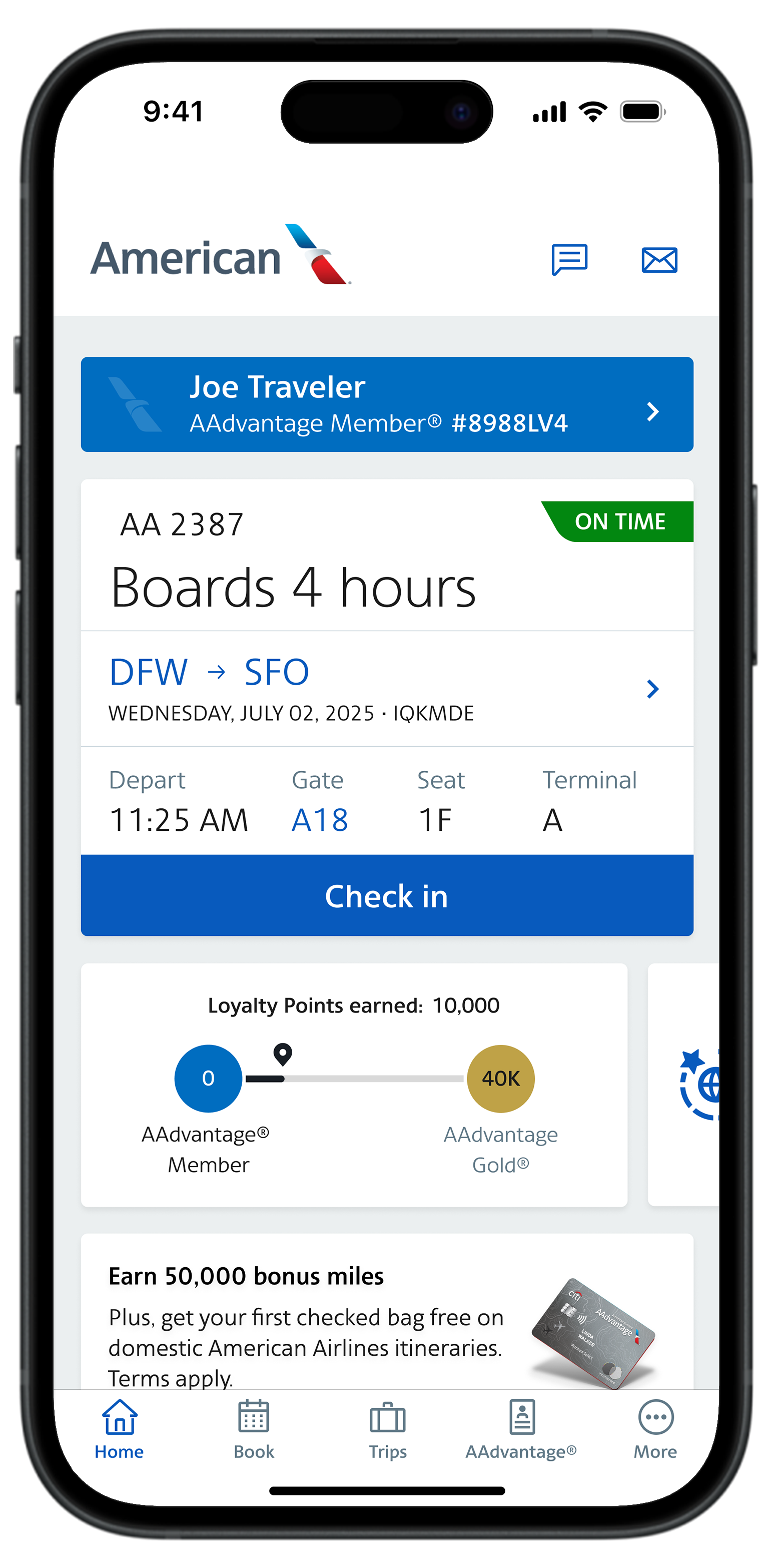
Upon launching the application, the user is greeted with a dynamic dashboard. If a user is logged into their AAdvantage account, the app utilizes a “smart tile” system that automatically surfaces upcoming trips based on the passenger’s profile. The interface is designed with a high-contrast layout to ensure readability under various lighting conditions, such as bright airport terminals. The primary navigation bar at the bottom provides quick access to “Home,” “Trips,” “Flight Status,” and “Account” sections, allowing for rapid movement between different software modules.
Step-by-Step Guide to Digital Check-In
The check-in window opens exactly 24 hours before the scheduled departure time. This synchronization is tied to the airline’s Departure Control System (DCS), which manages passenger manifests and weight/balance calculations for the aircraft.
Locating Your Reservation
To begin the check-in process, the software must retrieve your specific reservation data. Users have two primary methods for this:
-
AAdvantage Login: For frequent flyers, logging in via biometric authentication (FaceID or Fingerprint) or a password will automatically populate all active reservations linked to the account.
-
Continue as Guest: For those without an account or those checking in for a one-off trip, the “Find Trip” feature requires the six-character alphanumeric Record Locator (PNR) and the passenger’s last name. The app then queries the backend database to pull the itinerary into the mobile session.
The Check-In Workflow
Once the trip is identified, a prominent “Check-In” button will appear on the dashboard. Tapping this initiates a multi-step logic sequence:
-
Verification of Identity: The app prompts the user to confirm the passengers being checked in. This is a crucial step for group bookings where some passengers may be traveling on different segments.
-
Regulatory Disclosures: The software displays mandatory legal and safety information, including hazardous materials (HazMat) declarations. This is a synchronized compliance check required by aviation authorities.
-
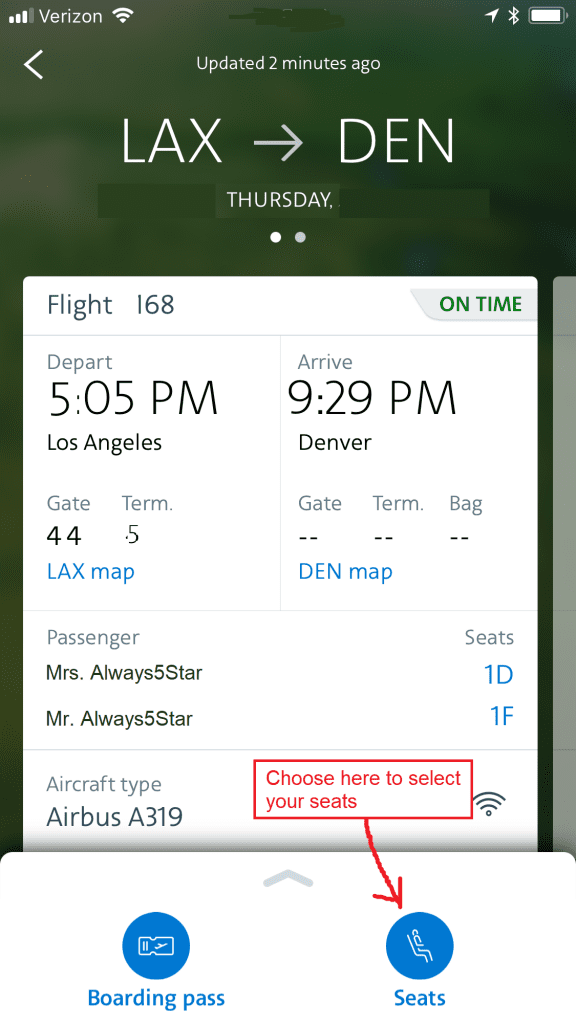
Seat Selection and Upgrades: The app interface provides a real-time visual map of the aircraft cabin. This map is a graphical representation of the live inventory. Users can tap on available seats to change their location or view upgrade options. The app’s backend communicates with the payment gateway to handle any real-time transactions for premium seat assignments.
Handling Documentation and Health Requirements
Depending on the destination, the app may trigger a “VeriFLY” integration or an internal document verification module. For international travel, the app uses OCR (Optical Character Recognition) technology to allow users to scan their passports using the device’s camera. The software validates the passport data against travel requirements in real-time. If the destination requires specific health documentation or visas, the app provides a secure upload portal to ensure all “Ready to Fly” criteria are met before the boarding pass is generated.
Maximizing App Features Post-Check-In
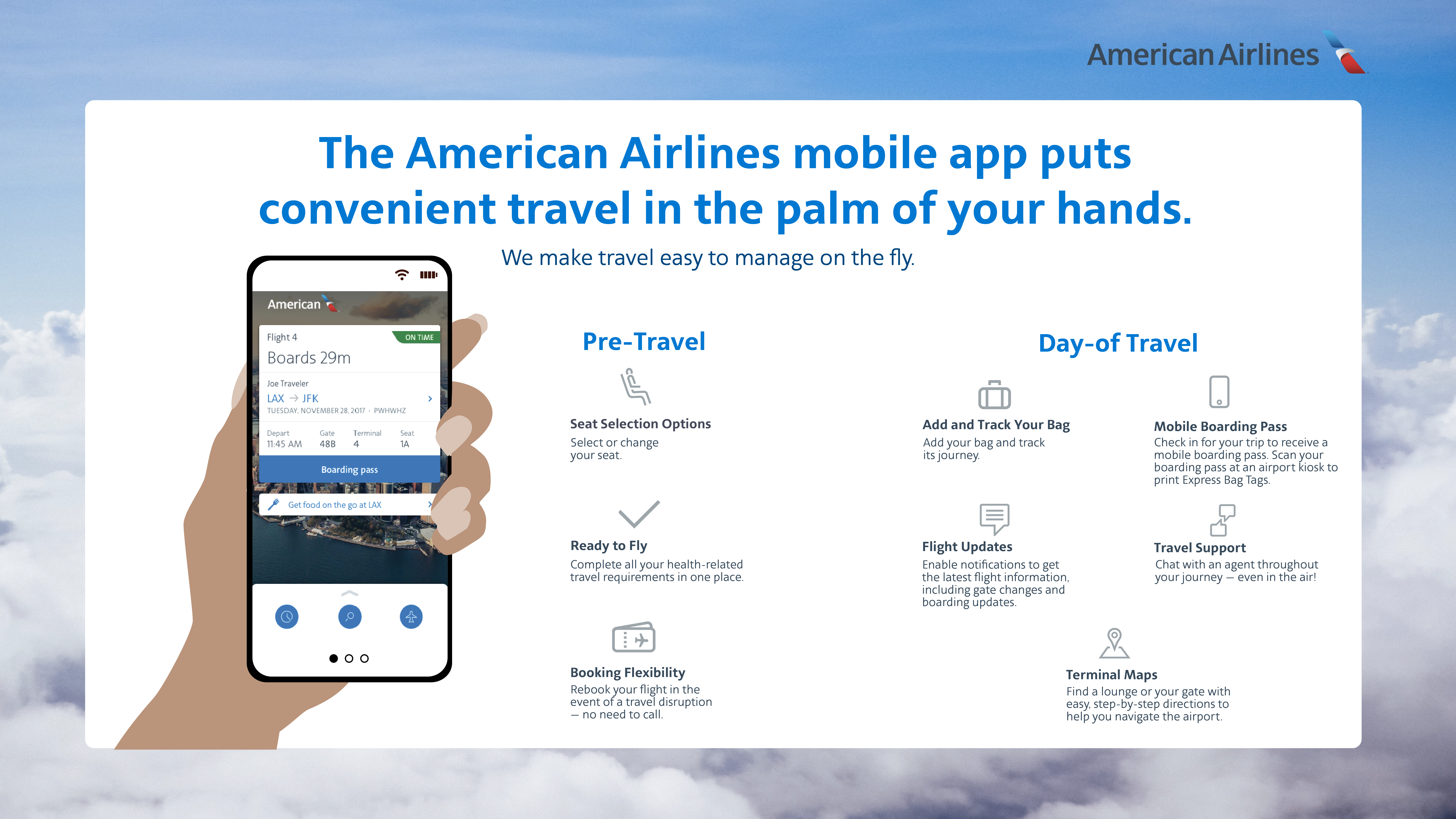
Checking in is only the beginning of the app’s utility. Once the check-in sequence is completed, the software transitions into a “Day of Travel” mode, providing active assistance through various integrated tools.
Managing Your Digital Boarding Pass
The digital boarding pass is the most vital output of the check-in process. The American Airlines app utilizes dynamic QR code technology, which is more secure than traditional paper barcodes.
-
Offline Access: The app is designed to cache the boarding pass locally. This ensures that even if the user loses cellular or Wi-Fi connectivity at the security checkpoint, the pass remains accessible.
-
Wallet Integration: Users are encouraged to export their boarding pass to the Apple Wallet or Google Pay. This allows for OS-level integration, where the boarding pass can appear on the lock screen based on GPS proximity to the airport or time-based triggers.
Real-Time Flight Tracking and Notifications
The app serves as a sophisticated notification engine. By enabling push notifications, the software communicates directly with the airline’s operations center to provide:
-
Gate Changes: If the aircraft is reassigned to a different gate, the app updates the UI instantly.
-
Boarding Status: The app tracks the boarding process in phases (Groups 1–9), notifying the user exactly when their group is called.
-
Bag Tracking: Through RFID integration at many airports, the app allows users to track their checked luggage. The “Track Your Bags” feature shows when a bag has been scanned onto the aircraft and when it has arrived at the carousel.
Troubleshooting Connectivity and App Latency
In rare instances, users may encounter “Check-In Unavailable” messages. Technically, this usually stems from one of three issues: a sync error with the GDS, a requirement for manual document verification at the airport, or server-side maintenance. To troubleshoot, users should first attempt to hard-close the app and clear the application cache. If the issue persists, checking the flight status on a web browser can determine if the problem is app-specific or related to the reservation itself.
Security and Data Privacy in Mobile Travel
Given the sensitive nature of travel data, the American Airlines app employs enterprise-grade security protocols to protect passenger information during the check-in process.
Protecting Your AAdvantage Account
The application utilizes OAuth 2.0 protocols for secure authorization. When users log in, the app issues a secure token that expires after a period of inactivity, preventing unauthorized access if the device is lost. Furthermore, the app supports Multi-Factor Authentication (MFA), adding a layer of security beyond just a password.
Biometric Integration and Secure Storage
For users who opt-in, the app stores encrypted versions of travel documents. When using the camera to scan a passport, the raw image is processed locally on the device to extract data points before being transmitted over an encrypted HTTPS connection. The use of biometrics for app entry ensures that even if a device is unlocked, the sensitive itinerary and boarding pass data remain protected behind an additional layer of hardware-backed security.
Future Trends in Airline App Technology
As mobile hardware and cloud computing continue to advance, the American Airlines app is poised to incorporate even more sophisticated technological features to enhance the check-in and transit experience.
AI-Driven Personalization
The next frontier for the check-in process involves predictive analytics and Artificial Intelligence. Future iterations of the app may analyze historical travel patterns to suggest optimal check-in times or automatically offer rebooking options through a chatbot interface the moment a delay is predicted by weather-tracking algorithms.
Seamless Contactless Travel
We are moving toward a “frictionless” airport experience where the app acts as a digital identity. Integration with TSA PreCheck Touchless Identity and biometric boarding gates means that the check-in process on the app will eventually link directly to facial recognition cameras at the gate. In this ecosystem, the physical act of showing a boarding pass may become obsolete, replaced by a secure, background handshake between the American Airlines app and the airport’s security infrastructure.
By understanding the technical nuances of the American Airlines app, travelers can move from being passive passengers to active managers of their own journey. The app is a powerful tool that, when used to its full potential, mitigates the stresses of travel through data-driven efficiency and robust software design.
aViewFromTheCave is a participant in the Amazon Services LLC Associates Program, an affiliate advertising program designed to provide a means for sites to earn advertising fees by advertising and linking to Amazon.com. Amazon, the Amazon logo, AmazonSupply, and the AmazonSupply logo are trademarks of Amazon.com, Inc. or its affiliates. As an Amazon Associate we earn affiliate commissions from qualifying purchases.