
In the evolving landscape of digital finance, mobile banking and payment applications have become indispensable tools for managing money. Among the myriad options, Chime and Cash App stand out as popular choices, each offering unique features that cater to diverse financial needs. While both facilitate easy money management, users often seek to transfer funds between these platforms, whether to consolidate finances, pay a friend, or access specific features. This article delves into the practical methods, considerations, and best practices for sending money from your Chime account to Cash App, ensuring a smooth and secure transaction within the realm of personal finance.
Understanding the Landscape: Chime and Cash App as Financial Tools
Before diving into the mechanics of transferring funds, it’s crucial to understand the distinct roles and functionalities of Chime and Cash App. Both platforms have revolutionized personal finance by offering accessible, mobile-first banking solutions, but they serve slightly different primary purposes. Recognizing these distinctions helps in navigating your financial ecosystem more effectively.
Chime: Mobile Banking for the Modern Age
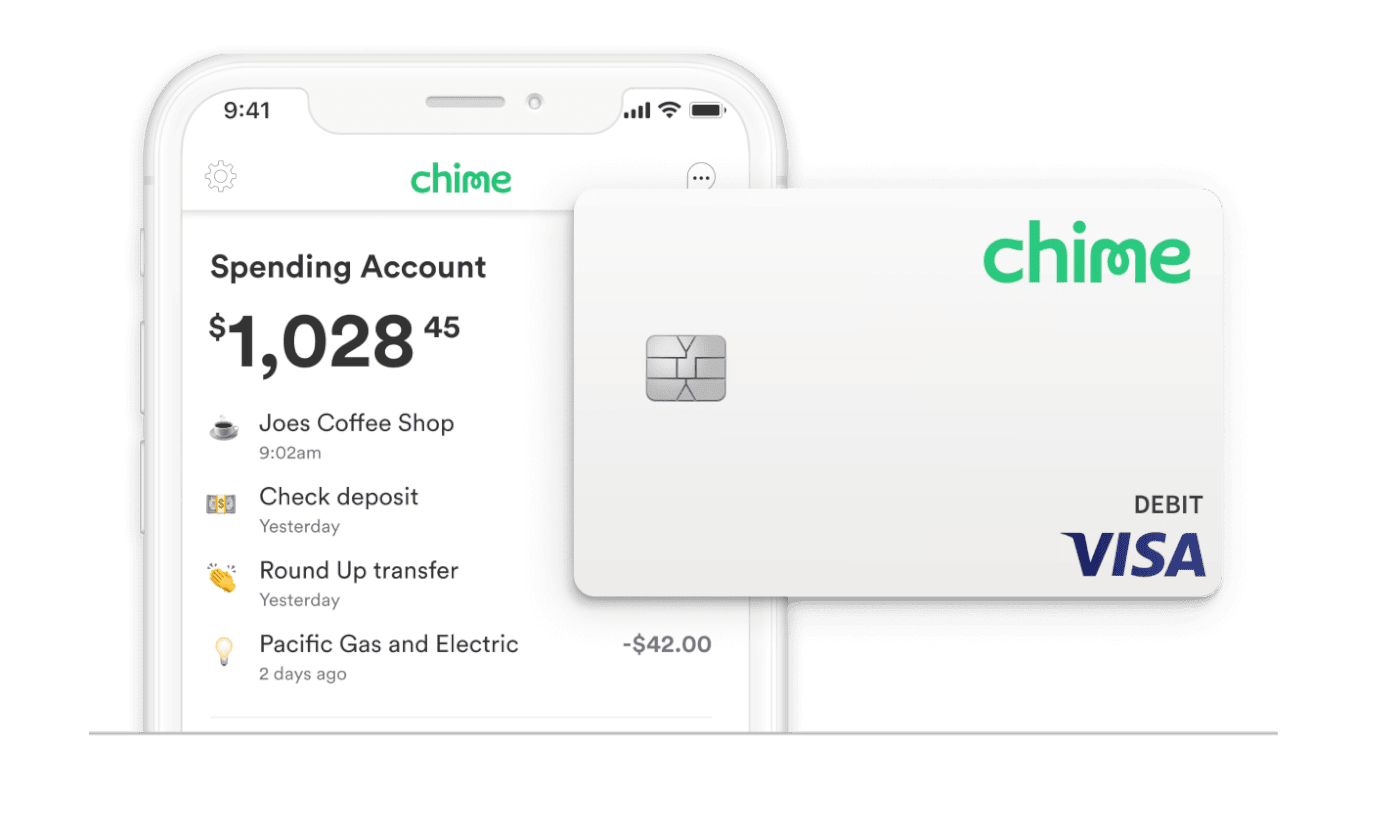
Chime operates as a leading financial technology company that partners with banks to provide an array of mobile-first banking services. It’s known for its user-friendly app, fee-free banking experience (no monthly fees, no overdraft fees up to a certain limit, no minimum balance requirements), and early access to paychecks. Chime accounts typically include a spending account (like a checking account) and a savings account, along with a Chime Visa® Debit Card. For many, Chime represents their primary banking relationship, offering direct deposit, bill pay, and ATM access without the overhead of traditional brick-and-mortar banks. Its emphasis is on helping users manage their everyday finances efficiently and avoid common bank fees, making it a powerful tool for budget-conscious individuals and those embracing digital banking.
Cash App: Peer-to-Peer Payments and Beyond
Cash App, developed by Block, Inc. (formerly Square, Inc.), started primarily as a peer-to-peer (P2P) payment service, enabling users to send and receive money with friends and family instantly. Over time, it has expanded significantly to offer a broader range of financial services, including direct deposit capabilities, a linked debit card (the “Cash Card”), investing in stocks and Bitcoin, and tax filing services. Its appeal lies in its simplicity, speed, and versatility, especially for quick money transfers and small business transactions. Cash App is often used for casual splitting of bills, receiving payments for side hustles, or managing a portion of one’s spending separate from their primary bank. It acts more as a digital wallet and a supplementary financial tool rather than a full-service bank.
The Importance of Secure Digital Money Transfers
Given that both Chime and Cash App handle sensitive financial information and transactions, security is paramount. When moving money between these platforms, users rely on robust encryption, fraud detection systems, and industry-standard security protocols. Understanding how these systems work, along with practicing personal security measures like strong passwords and two-factor authentication, is vital to protect your funds and personal data. Both apps are designed with security in mind, but the ultimate responsibility for careful handling of account information rests with the user.
The Direct Method: Linking Your Chime Debit Card to Cash App
The most straightforward and commonly used method to send money from Chime to Cash App involves linking your Chime Visa® Debit Card directly to your Cash App account. This approach leverages the card network to facilitate transfers, treating your Chime card much like any other debit card from a traditional bank.
Step-by-Step Guide to Adding Chime to Cash App
-
Open Cash App: Launch the Cash App on your smartphone.
-
Access Banking Tab: Tap the “Banking” tab, which is typically represented by a house icon or a bank building icon on the main screen.
-
Link Bank/Card: Select the option to “Link Bank” or “Add Card.” Since Chime functions with a debit card, you’ll choose “Add Card.”
-
Enter Chime Debit Card Details: You will be prompted to enter your Chime Visa® Debit Card number, expiration date, CVV (the 3-digit security code on the back of the card), and your billing ZIP code. Ensure these details are entered accurately.
-
Confirm Link: After entering the details, Cash App will attempt to verify the card. Once verified, your Chime debit card will be successfully linked to your Cash App account.
Initiating a Transfer from Cash App Using Your Chime Card
Once your Chime debit card is linked, you can use it to add funds to your Cash App balance or send money directly from Chime via Cash App.
-
Send Money: From the Cash App home screen, enter the amount of money you wish to send.
-
Select Recipient: Tap “Pay” and choose or enter the recipient’s $Cashtag, email, or phone number.
-
Choose Funding Source: Before confirming the payment, Cash App will display the funding source. If your Cash App balance is insufficient, it will automatically pull from your linked debit card. Ensure your Chime debit card is selected as the payment source if you intend to send money directly from your Chime account.
-
Confirm Transaction: Review the details and tap “Pay” to complete the transfer. The money will be deducted from your Chime account and sent to the recipient via Cash App.
Alternatively, you can add funds to your Cash App balance from your Chime debit card:
-
Banking Tab: Go to the “Banking” tab in Cash App.
-
Add Cash: Tap the “Add Cash” button.
-
Enter Amount: Input the amount you want to add.
-
Confirm Source: Ensure your Chime debit card is selected as the source, then confirm. The funds will be transferred from your Chime account to your Cash App balance.
Understanding Instant vs. Standard Deposits
When funds are sent via Cash App using a linked debit card (like Chime’s), the transfer is typically instant. The recipient receives the money almost immediately. However, if you are cashing out money from Cash App to your Chime account, you’ll have two options:
-
Instant Deposit: Usually incurs a small fee (e.g., 0.5% to 1.75%) and the funds arrive in your Chime account within minutes.
-
Standard Deposit: Is free but typically takes 1-3 business days for the funds to reflect in your Chime account.
For the purpose of sending money from Chime to Cash App (or a Cash App recipient), the process via the linked debit card is generally instant.
The Indirect Route: Leveraging a Linked Bank Account
While the debit card method is convenient, there might be scenarios where an indirect route, involving a traditional bank account as an intermediary, is preferred or necessary. This method offers an alternative, particularly if you encounter issues linking your Chime card directly or if you prefer to manage large sums through established bank transfers.
Why an Intermediate Bank Account Might Be Necessary
In some rare instances, users might face temporary issues with direct debit card linking or encounter specific transaction limits imposed by either platform that make direct transfers less feasible for larger amounts. Additionally, some users might simply prefer to route funds through a primary bank account they use for all major transactions, acting as a central hub for their digital finances. Chime itself functions similarly to a traditional bank, allowing you to link it to other financial services via your account and routing numbers.
Moving Funds from Chime to an External Bank Account
To use an indirect route, you would first transfer money from your Chime account to a separate, linked bank account (e.g., a checking account at a traditional bank like Chase, Bank of America, Wells Fargo, etc.).
-
Link External Account to Chime: If you haven’t already, you’ll need to link your external bank account to your Chime account. This is usually done through the Chime app by providing your external bank’s account and routing numbers. Chime typically uses small “trial deposits” to verify the account, which you’ll need to confirm.
-
Initiate Transfer from Chime: Once linked, in the Chime app, navigate to the “Move Money” or “Transfers” section.
-
Select External Account: Choose your linked external bank account as the destination for the transfer.
-
Enter Amount and Confirm: Input the desired amount and confirm the transfer. These transfers are typically ACH (Automated Clearing House) transfers and can take 1-3 business days to process and for the funds to appear in your external bank account.
Transferring from Your Bank Account to Cash App
Once the funds have successfully landed in your external bank account, you can then transfer them to Cash App.
-
Link External Bank Account to Cash App: Ensure your external bank account is linked to your Cash App. This process is similar to linking a debit card: go to the “Banking” tab in Cash App, select “Link Bank,” and follow the prompts to connect your bank using your bank login credentials (often via Plaid) or by entering your account and routing numbers.
-
Add Cash to Cash App: In the Cash App, go to the “Banking” tab and tap “Add Cash.”
-
Select External Bank Account: Choose your newly funded external bank account as the source.
-
Enter Amount and Confirm: Enter the amount you wish to transfer and confirm the transaction. Funds transferred this way usually take 1-3 business days to appear in your Cash App balance, as they are also ACH transfers.
While this method involves more steps and a longer processing time, it provides a reliable alternative for moving funds between Chime and Cash App, especially when direct card transfers might face specific constraints.
Common Challenges and Troubleshooting Tips
Despite the relative ease of digital money transfers, users can occasionally encounter issues. Knowing how to troubleshoot common problems and understanding the underlying limitations can save time and frustration.
Addressing Failed Transactions and Pending Transfers
-
Incorrect Card Details: Double-check that all Chime debit card details (number, expiration, CVV, ZIP code) entered into Cash App are perfectly accurate. Even a single digit error can cause a transaction to fail.
-
Insufficient Funds: Ensure you have enough money in your Chime account to cover the transfer amount. Failed transactions due to insufficient funds are common.
-
Transaction Limits: Both Chime and Cash App have daily, weekly, or monthly spending and transfer limits. If your transaction exceeds these limits, it will be declined. Check the respective app’s support sections for current limits.
-
Security Holds/Flags: Sometimes, large or unusual transactions might be flagged by either Chime or Cash App’s fraud prevention systems, resulting in a temporary hold or decline. In such cases, contact the customer support of the respective app for clarification.
-
Network Issues: Ensure you have a stable internet connection when initiating transfers.
Understanding Limits and Fees (or lack thereof)
One of the significant advantages of using Chime and Cash App is their commitment to low or no fees for many standard services.
-
Sending Money: Sending money from Chime to Cash App via a linked Chime debit card (or from your Cash App balance) is typically free.
-
Adding Cash to Cash App: Adding cash to your Cash App balance from a linked debit card or bank account is also generally free.
-
Cashing Out from Cash App: While standard deposits to your Chime account are free (1-3 business days), instant deposits carry a small fee (usually 0.5% – 1.75%).
-
Transaction Limits: Be aware of limits. Cash App, for instance, has limits on how much you can send, receive, and cash out within specific timeframes. Chime also has daily spending limits on its debit card. These limits are in place for security reasons and to comply with financial regulations.
Security Best Practices for Digital Financial Transfers
To ensure your funds are always secure when moving money between Chime and Cash App:
-
Enable Two-Factor Authentication (2FA): Always use 2FA on both your Chime and Cash App accounts. This adds an extra layer of security.
-
Strong, Unique Passwords: Use complex and unique passwords for each financial app.
-
Monitor Transactions: Regularly review your transaction history on both Chime and Cash App for any unauthorized activity.
-
Beware of Scams: Be cautious of phishing attempts, unexpected payment requests, or offers that seem too good to be true. Only send money to people you know and trust.
-
Secure Wi-Fi: Avoid conducting financial transactions over unsecured public Wi-Fi networks.
-
Keep Apps Updated: Ensure both Chime and Cash App are updated to their latest versions to benefit from the newest security patches and features.
Why Choose Chime and Cash App for Your Financial Needs?
The synergy between Chime and Cash App illustrates the broader trend in personal finance towards more flexible, mobile-centric, and user-friendly banking solutions. Understanding how to leverage these tools effectively can significantly enhance your financial management strategy.
Benefits for Personal Finance Management
Integrating Chime and Cash App into your financial routine offers several benefits. Chime provides a robust foundation for everyday banking, with features like early direct deposit and automatic savings. Cash App, on the other hand, excels at quick, peer-to-peer transactions and offers easy access to investing. Using them together allows for specialized money management: keeping primary funds in Chime while using Cash App for immediate social payments or managing a budget for specific expenses. This bifurcation can help compartmentalize spending and improve overall financial oversight.
The Future of Digital Banking and Payment Apps
The seamless interaction between platforms like Chime and Cash App highlights the future direction of personal finance. Digital banks and payment apps are continually evolving, offering more integrated services, greater convenience, and sophisticated financial tools. As these platforms mature, we can expect even more fluid transfer options, enhanced security features, and personalized financial insights, further empowering users to take control of their money from their smartphones.
Maximizing Your Financial Flexibility
Knowing how to transfer funds between Chime and Cash App ultimately provides greater financial flexibility. Whether you need to quickly pay a friend who only uses Cash App, move funds to consolidate your budget, or utilize a specific feature on one app that the other doesn’t offer, these methods ensure your money is where you need it, when you need it. By mastering these digital financial pathways, you unlock the full potential of modern banking tools, making your financial life simpler, faster, and more controlled. The ability to smoothly transition funds across different digital platforms is a cornerstone of effective personal finance in the digital age.
aViewFromTheCave is a participant in the Amazon Services LLC Associates Program, an affiliate advertising program designed to provide a means for sites to earn advertising fees by advertising and linking to Amazon.com. Amazon, the Amazon logo, AmazonSupply, and the AmazonSupply logo are trademarks of Amazon.com, Inc. or its affiliates. As an Amazon Associate we earn affiliate commissions from qualifying purchases.