
Cash App has revolutionized peer-to-peer payments, offering a quick and convenient way to send and receive money. However, the speed that makes it so appealing can also lead to accidental transactions or payments to the wrong recipient. Understanding how to navigate the app’s features for transaction management, particularly cancellation, is crucial for any user. While Cash App transactions are designed to be instant and generally irreversible once completed, there are specific scenarios and steps users can take to address errors or unauthorized activity. This guide delves into the technicalities of Cash App transactions, outlines potential cancellation paths, and emphasizes digital security best practices.

Understanding Cash App Transaction States and Reversibility
The ability to cancel a transaction on Cash App largely depends on its current status. Unlike traditional bank transfers which might have longer processing times, Cash App aims for near-instantaneity, which has significant implications for reversibility.
Instant vs. Pending Transactions
Cash App transactions can generally be categorized into two states that determine your options for cancellation:
-
Pending Transactions: These are transactions that have been initiated but have not yet been fully processed and delivered to the recipient’s account. This state is often temporary and can occur due to network delays, a recipient needing to accept the payment, or security checks. A transaction in a pending state is the only type that users can potentially cancel directly within the app.
-
Completed Transactions: Once a transaction is marked as complete, the funds have been successfully transferred from your Cash App balance or linked payment method to the recipient’s Cash App balance. At this point, the transaction is considered final and irreversible by Cash App’s system. The funds are no longer under your control within the app.
The Immutability of Completed Transactions
A core design principle of many digital payment platforms, including Cash App, is the finality of completed transactions. This design choice contributes to the efficiency and reliability of the service but also places a significant responsibility on the user to ensure transaction details are correct before confirming a payment. The system is built to minimize intermediaries and delays, meaning that once the “send” button is pressed and the system confirms the transfer, it’s treated as a completed exchange. This immutability is a security feature in itself, preventing fraudulent claims of non-receipt after funds have genuinely been delivered.
When Direct Cancellation is Possible
The window for direct cancellation is extremely narrow and primarily applies to transactions that remain in a “pending” state. Reasons for a transaction to be pending might include:
-
The recipient has not yet linked a bank account to receive funds.
-
The recipient needs to manually accept the payment, often for security reasons or if they are a new user.
-
There’s a temporary system delay or security review initiated by Cash App.
If a transaction is pending, Cash App might offer an option to cancel it directly from your activity feed. This is the ideal scenario for rectifying an error without needing to involve the recipient or customer support.
Step-by-Step Guide: Attempting to Cancel a Pending Transaction
If you’ve sent money via Cash App and immediately realize there’s an error, your first step should be to check if the transaction is still pending. Acting quickly is paramount.
Accessing Your Activity Feed
-
Open the Cash App: Launch the Cash App on your mobile device.
-
Navigate to the Activity Tab: Tap the clock icon, typically located in the bottom-right corner of the main screen. This will open your activity feed, which displays a chronological list of all your transactions (payments sent, received, direct deposits, etc.).
Locating the Transaction
-
Scroll and Identify: Carefully scroll through your activity feed to locate the specific transaction you wish to cancel. Look for the payment to the incorrect recipient or the payment with the mistaken amount.
-
Check the Status: Tap on the transaction to view its details. On the transaction detail screen, look for the status indicator. If it shows “Pending,” you may have an option to cancel. If it shows “Completed,” direct cancellation is no longer possible through this method.
Initiating the Cancellation Request
-
Look for “Cancel”: If the transaction is pending, you might see a “Cancel” button or an option to “Cancel Payment” within the transaction details. This button will only appear if the transaction is genuinely in a state where it can be reversed by you.
-
Confirm Cancellation: Tap the “Cancel” button. The app will likely prompt you with a confirmation message, asking if you are sure you want to cancel the payment. Confirm your decision.
Confirmation and Monitoring
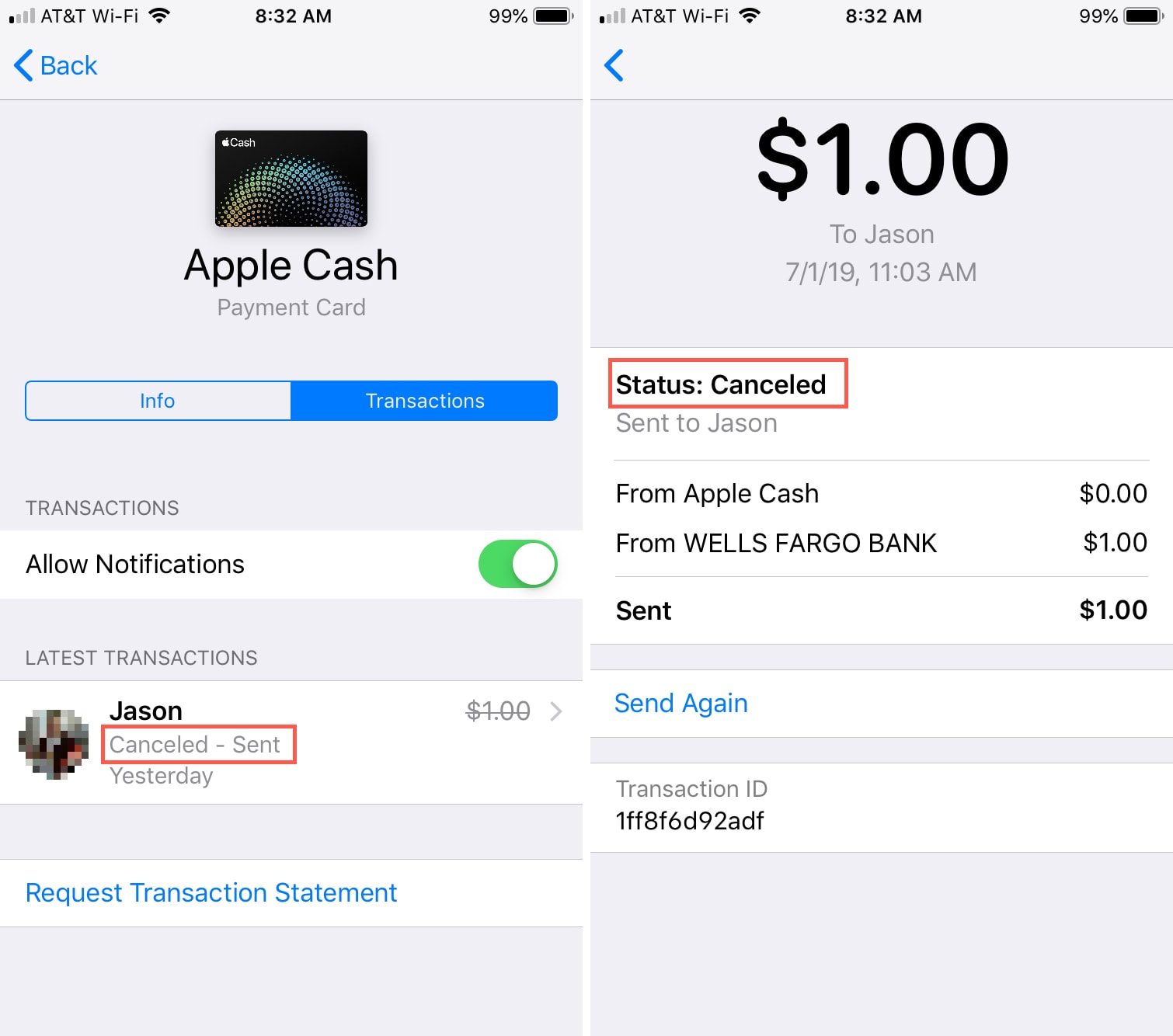
Once you’ve attempted to cancel, the transaction status in your activity feed should update. It might change to “Cancelled” or show a message indicating the cancellation is being processed. It’s advisable to monitor your Cash App balance and the transaction status for a short period to ensure the funds are returned to your account. If the cancellation is successful, the money should be credited back to your Cash App balance or the linked payment method.
What to Do When Direct Cancellation Isn’t an Option
For the vast majority of cases involving mistaken or unauthorized transactions, direct cancellation is not an option because the transaction is already complete. In these scenarios, alternative strategies focusing on communication and dispute resolution become necessary.
Requesting a Refund from the Recipient
This is the primary and most effective method for recovering funds from a completed transaction sent in error.
-
Contact the Recipient Directly: If you know the recipient (e.g., you sent money to the wrong friend or family member), the quickest way to resolve the issue is to reach out to them personally. Explain the situation and politely request they send the money back to you. Cash App has a “Request” feature which can be used for this purpose within the app.
-
Use Cash App’s “Request” Feature: If you don’t have direct contact with the recipient or prefer to keep the interaction within the app:
-
Go to the main screen of Cash App.
-
Tap the “Request” button (usually labeled with a dollar sign icon).
-
Enter the amount you mistakenly sent.
-
Select the person you sent the money to from your contacts or by searching for their $Cashtag.
-
Add a note explaining the refund request.
-
Tap “Request.”
This sends a formal request to the recipient to return the funds. They will then have the option to accept or decline the request.
-
Contacting Cash App Support for Unauthorized Transactions
If a transaction was not initiated by you (i.e., it’s an unauthorized charge or fraud), or if you suspect you’ve been scammed and the recipient is unwilling to refund the money, contacting Cash App Support is the next step.
-
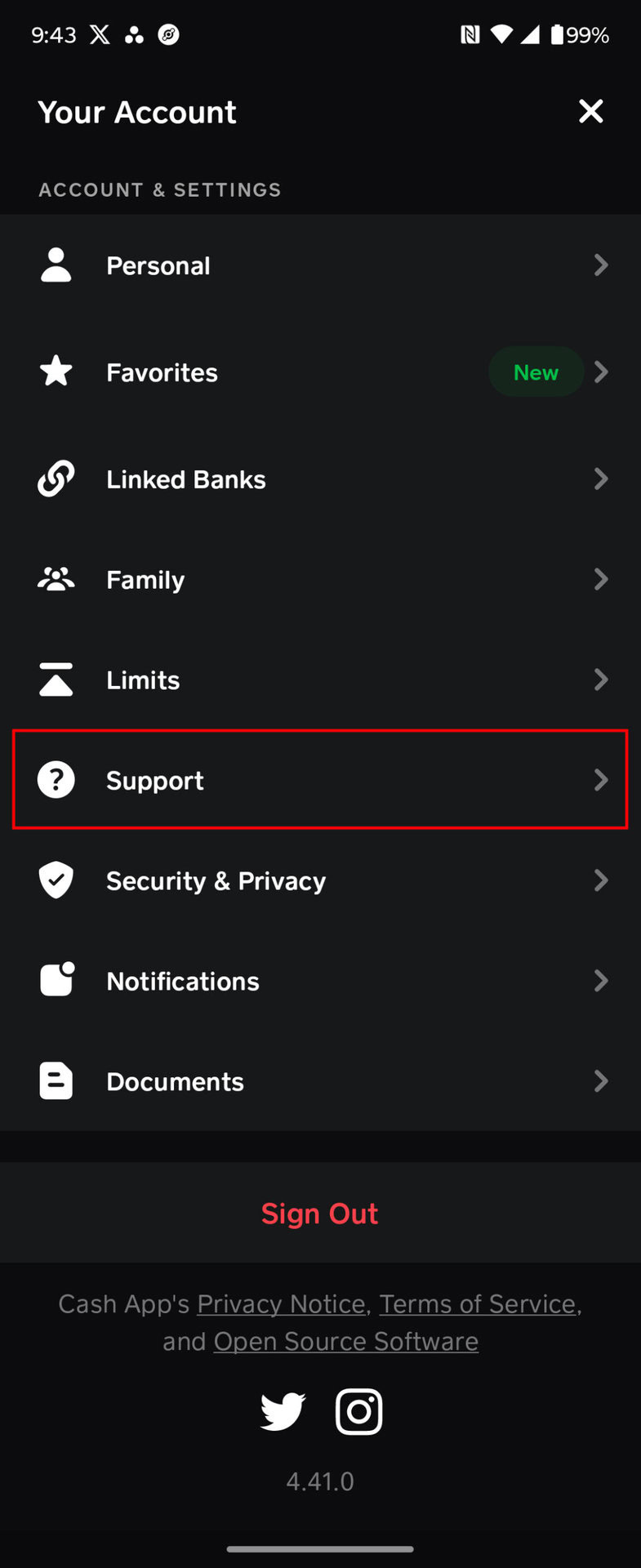
Report the Issue In-App:
-
Tap the profile icon on your Cash App home screen.
-
Scroll down and tap “Support.”
-
Tap “Something Else.”
-
Navigate through the options to “Dispute a Transaction” or “Report a Scam.”
-
Provide all relevant details about the transaction, including screenshots if available.
-
-
Explain the Situation Clearly: Be precise when describing what happened. Clearly state that the transaction was unauthorized or that you believe you were a victim of a scam. Cash App support will review your claim and may take action, though recovery of funds is not guaranteed, especially in cases where you willingly sent money to a scammer.
Disputing Charges with Your Bank (Last Resort)
If all other avenues fail, particularly in cases of unauthorized transactions linked to a debit card or bank account, you might consider disputing the charge with your bank.
-
Gather Evidence: Collect all information related to the transaction, including Cash App receipts, communications, and any reports filed with Cash App support.
-
Contact Your Bank: Explain to your bank that you believe there was an unauthorized charge made through Cash App. Your bank may be able to initiate a chargeback process.
-
Understand Limitations: Be aware that chargebacks can be a lengthy process and are typically reserved for clear cases of fraud where your card or account was used without your permission. Cash App’s terms of service might also come into play, and repeated chargebacks could lead to issues with your Cash App account. This should always be considered a last resort.
Proactive Measures for Secure Cash App Usage
Preventing accidental transactions or falling victim to scams is always better than trying to recover funds after the fact. Adopting robust digital security practices can significantly mitigate risks.
Double-Checking Recipient Details
Before hitting “send,” always:
-
Verify the $Cashtag: Ensure the $Cashtag matches the intended recipient exactly. A single misspelled character can send money to a completely different person.
-
Confirm Name and Photo (if available): Many users link a name or profile picture to their $Cashtag. Use these as additional verification points.
-
Confirm Amount: Double-check the numerical amount to prevent sending more or less than intended.
Enabling Security Features
Cash App offers several features to enhance your account security:
-
Security Lock: Enable a PIN or Touch ID/Face ID for all payments. This adds an extra layer of authentication before any money leaves your account.
-
Notifications: Set up notifications for all transactions to immediately spot any unauthorized activity.
-
Two-Factor Authentication (2FA): Where available, enable 2FA for your Cash App account and linked email/phone. This provides critical protection against unauthorized access.
Recognizing Scams and Fraud
Be vigilant about common scams:
-
“Cash App Flip” Scams: These promise to multiply your money but are designed to steal your initial investment.
-
Fake Customer Support: Scammers often impersonate Cash App support. Only communicate through official channels within the app or on the official website.
-
Phishing Attempts: Be wary of suspicious emails or texts asking for your Cash App login credentials or personal information. Cash App will never ask for your PIN or full social security number via email or text.
-
Unexpected Payments: If you receive an unexpected payment from an unknown source, do not send it back or interact with it until you’ve confirmed its legitimacy with Cash App support.
Cash App’s Digital Security Framework and User Responsibility
Cash App employs various digital security measures to protect user data and transactions, but these are complemented by the user’s proactive engagement in security practices.
Encryption and Data Protection
Cash App utilizes industry-standard encryption protocols to protect all financial information and transactions. Data transmitted between your device and their servers is encrypted, safeguarding it from interception. This applies to your linked bank accounts, debit cards, and transaction history. Robust backend security systems are in place to detect and prevent fraudulent activities, including continuous monitoring for suspicious patterns.
User Accountability in Transaction Verification
Despite these security frameworks, the finality of transactions emphasizes the principle of user accountability. When a user authenticates a payment with their PIN or biometric data, Cash App processes it as an authorized instruction. This design minimizes friction and facilitates rapid transfers but also means that the onus is largely on the user to ensure the accuracy of each transaction before confirmation. Understanding this balance between system security and user responsibility is key to navigating Cash App effectively and securely. By leveraging the available security features and practicing diligent verification, users can significantly reduce the risk of needing to cancel or dispute a transaction.
aViewFromTheCave is a participant in the Amazon Services LLC Associates Program, an affiliate advertising program designed to provide a means for sites to earn advertising fees by advertising and linking to Amazon.com. Amazon, the Amazon logo, AmazonSupply, and the AmazonSupply logo are trademarks of Amazon.com, Inc. or its affiliates. As an Amazon Associate we earn affiliate commissions from qualifying purchases.