
In the modern digital landscape, the “Subscription Economy” has transformed how we consume software, media, and physical goods. At the heart of this ecosystem lies Amazon Prime, a multifaceted digital service that blends e-commerce, cloud storage, streaming technology, and logistics. However, as our digital footprints expand, “subscription fatigue” often sets in, leading users to audit their recurring services. Canceling a Prime membership is not merely a financial decision; it is a technical navigation task through a complex user interface (UI) designed with specific behavioral cues.
This guide provides a comprehensive technical walkthrough of the cancellation process, analyzes the underlying user experience (UX) architecture, and explores how to manage your data and digital assets once the service is terminated.

Navigating the Amazon Interface: A Step-by-Step Technical Guide
The process of canceling a high-level digital subscription like Amazon Prime involves navigating through several layers of the platform’s administrative dashboard. Amazon utilizes a cross-platform interface, meaning the steps remain relatively consistent whether you are accessing the service via a web browser or a mobile application, though the UI elements may shift.
Desktop vs. Mobile App: Where to Find the Settings
On a desktop environment, the path to cancellation begins with the “Accounts & Lists” dropdown menu located in the top-right corner of the navigation bar. From a technical standpoint, this is the primary entry point for user account management. You must select “Prime Membership” to access the specialized management dashboard.
On the mobile app (iOS or Android), the architecture is slightly more condensed. Users must tap the “User Icon” at the bottom of the screen, navigate to “Your Account,” and scroll down to “Manage Prime Membership.” The app uses a “hamburger” menu style or tab-based navigation that relies on localized caching to load your account details quickly.
The “Three-Step” Verification: Understanding the Cancellation Path
Once inside the Prime management dashboard, the “Manage Membership” toggle is your primary target. Amazon employs a multi-stage confirmation process to ensure that the cancellation is intentional.
- Initiation: Click “End Membership.” This triggers a script that summarizes your current usage statistics—such as how many shipping benefits you’ve utilized or how many hours of Prime Video you’ve consumed.
- Retention Prompts: The system will present “Pause” or “Remind Me Later” options. Technically, these are logic gates designed to prevent the final execution of the “cancel” command.
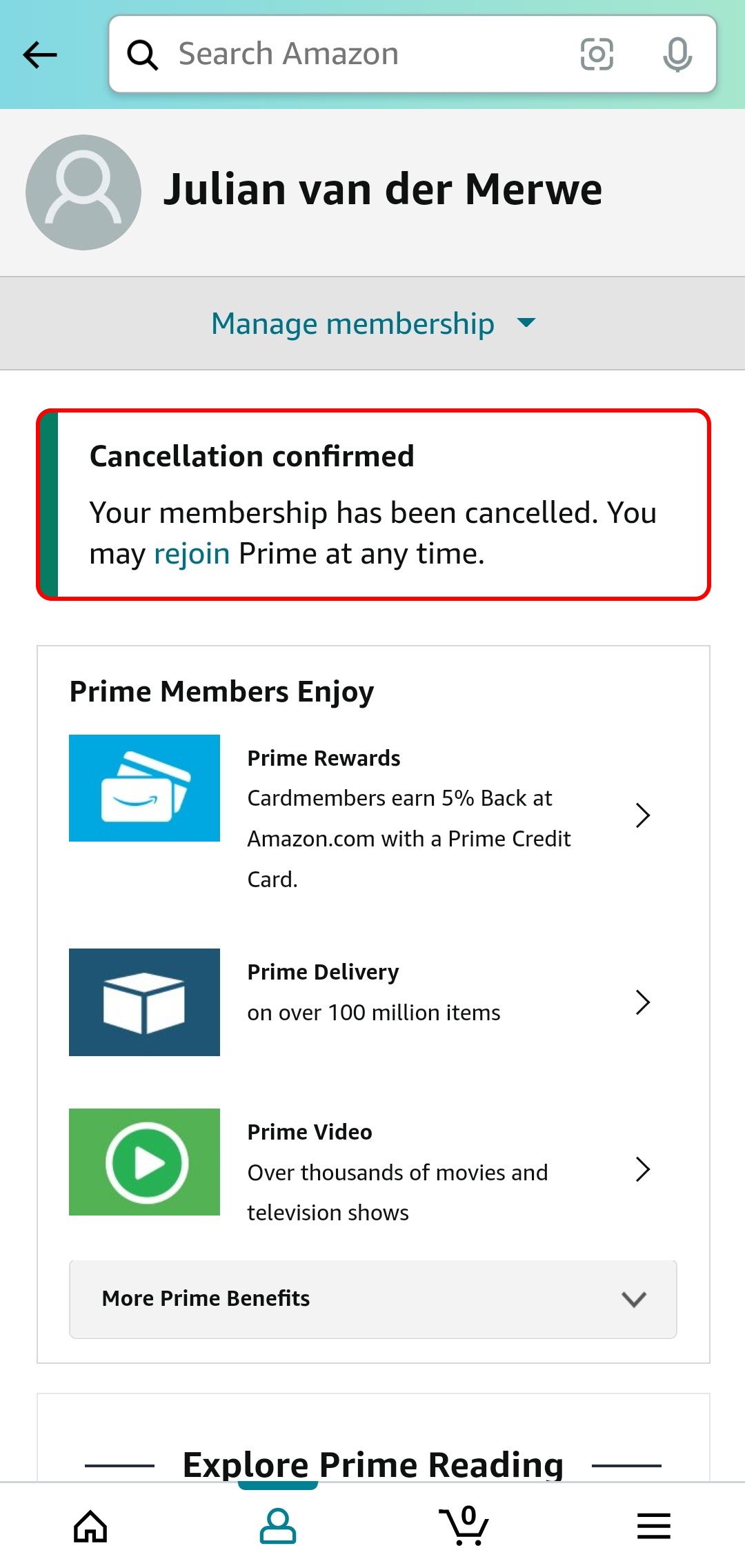
- Final Execution: You must navigate through at least three distinct pages—”I Keep My Benefits,” “Continue to Cancel,” and finally, “End on [Date].” Only when you receive a confirmation email has the database record for your subscription status been updated to “Pending Termination.”
The Architecture of Retention: Understanding UI/UX in Subscription Management
From a software design perspective, the Prime cancellation flow is a case study in “persuasive design.” While the goal of a good UI is usually to make tasks as frictionless as possible, the cancellation of a service often incorporates intentional friction.
Identifying Dark Patterns in the Cancellation Flow
In the world of tech and software design, “dark patterns” refer to UI elements crafted to trick or manipulate users into making choices they didn’t intend to. While Amazon has streamlined its process due to regulatory scrutiny (such as the FTC’s “click to cancel” initiatives), the Prime cancellation flow still utilizes subtle “confirmshaming” and complex navigation hierarchies.
The use of contrasting colors is a key technical tactic. For instance, the button to “Keep Membership” might be highlighted in a bright, action-oriented yellow, while the “Continue to Cancel” button is rendered in a muted gray or plain text link. This exploits visual hierarchy principles to guide the user away from the exit.
The Role of Feedback Loops and “Stay” Incentives
The software behind the Prime dashboard is data-driven. When a user enters the cancellation funnel, the system checks the user’s API for usage history. If the algorithm detects high engagement with Prime Video, the retention page will specifically highlight the shows the user will lose access to. This dynamic content generation is a sophisticated technical bridge between the database and the front-end UI, aimed at creating a psychological barrier to exiting the ecosystem.
Managing Your Digital Footprint After Cancellation
A common technical oversight when canceling Prime is failing to account for the “halo effect” of the subscription. Prime is not just a shipping service; it is an umbrella for a vast array of digital permissions and data storage.
What Happens to Your Digital Content (Kindle, Photos, Music)?
One of the most frequent technical questions is whether purchased content disappears. It is vital to distinguish between “subscription-based access” and “permanent licenses.”
- Prime Video & Music: You will lose access to the free library included with Prime. However, any movies or albums you purchased individually remain accessible via your Amazon account.
- Amazon Photos: This is a critical data management point. Prime members get unlimited full-resolution photo storage. Upon cancellation, your storage limit typically reverts to the free tier (5GB). If your data exceeds this, the system will eventually stop syncing, and after a grace period, it may begin deleting files to meet the quota. Before canceling, you should use the Amazon Photos Desktop App to batch-download your library to a local NAS (Network Attached Storage) or a different cloud provider.
- Kindle: Books borrowed through “Prime Reading” will be automatically removed from your device’s library upon the expiration date of your membership.
Revoking Third-Party App Permissions and Linked Accounts
Many users use their Amazon credentials as a Single Sign-On (SSO) for other tech services or link their accounts to Twitch (via Prime Gaming). When you cancel Prime, the API handshake between Amazon and Twitch is severed. You will lose your monthly channel subscription token and exclusive in-game content. It is a best practice to audit your “Login with Amazon” settings in the security dashboard to see which third-party apps are still pulling data from your profile.
Alternative Tech Solutions for Frequent Shoppers and Streamers
For the tech-savvy user, canceling Prime is often the first step toward building a more decentralized or customized digital suite. Moving away from a “walled garden” allows for greater control over your data and software choices.
Open-Source and Niche Alternatives to Prime Services
If you are leaving Prime for technical or privacy reasons, several alternatives offer similar functionality without the ecosystem lock-in:
- Self-Hosted Media: Instead of Prime Video, many users are turning to Plex or Jellyfin. By hosting your own media server on a Raspberry Pi or an old PC, you own the hardware and the software, eliminating the risk of losing access to content.
- Cloud Storage Alternatives: For photo backups, Nextcloud offers an open-source way to sync photos directly to your own server. If you prefer managed services, Google Photos or Backblaze provide robust APIs for automated backups.
- Niche E-commerce: Specialized retailers often have more advanced filtering and API integrations for power users. For electronics, sites like Newegg or B&H Photo offer technical specifications and comparison tools that often outperform Amazon’s generic interface.
Tools for Auditing Recurring Digital Subscriptions
As you streamline your tech life, you may want to use “Subscription Management” software. Tools like Rocket Money or Bobby (for iOS) connect to your financial APIs to track renewal dates. More advanced users might use a spreadsheet with Google Apps Script to pull data from email receipts and set up custom alerts. This technical approach to “digital hygiene” ensures that you are never paying for “ghost subscriptions”—services you forgot to cancel that continue to ping your credit card.

Conclusion: Digital Sovereignty in a Subscription World
Canceling an Amazon Prime membership is a significant step in reclaiming your digital sovereignty. From navigating the intentional frictions of the UI to managing the migration of cloud-stored data, the process requires a technical mindset. By understanding the UX strategies used to retain subscribers and the data implications of leaving a major ecosystem, you can make more informed decisions about which software and services truly add value to your life.
As we move further into a cloud-integrated world, the ability to join and leave digital platforms with ease is a vital skill. Whether you are migrating to open-source alternatives or simply reducing your digital noise, mastering the “cancel” button is just as important as mastering the “buy” button. Digital hygiene is an ongoing process, and auditing your major subscriptions like Prime is the perfect place to start.
aViewFromTheCave is a participant in the Amazon Services LLC Associates Program, an affiliate advertising program designed to provide a means for sites to earn advertising fees by advertising and linking to Amazon.com. Amazon, the Amazon logo, AmazonSupply, and the AmazonSupply logo are trademarks of Amazon.com, Inc. or its affiliates. As an Amazon Associate we earn affiliate commissions from qualifying purchases.