
In the modern digital landscape, the “subscription economy” has redefined how consumers interact with software and services. At the heart of this ecosystem lies Amazon Prime, a multifaceted digital powerhouse that integrates e-commerce, cloud storage, streaming media, and logistics. However, as users audit their digital footprints and streamline their software suites, the technical process of offboarding from such an integrated system becomes a critical skill.
Canceling an Amazon Prime membership is more than just a simple “off” switch; it is a journey through a sophisticated User Interface (UI) designed with specific behavioral loops. This guide provides a comprehensive technical walkthrough and an analysis of the digital architecture involved in terminating a Prime subscription.
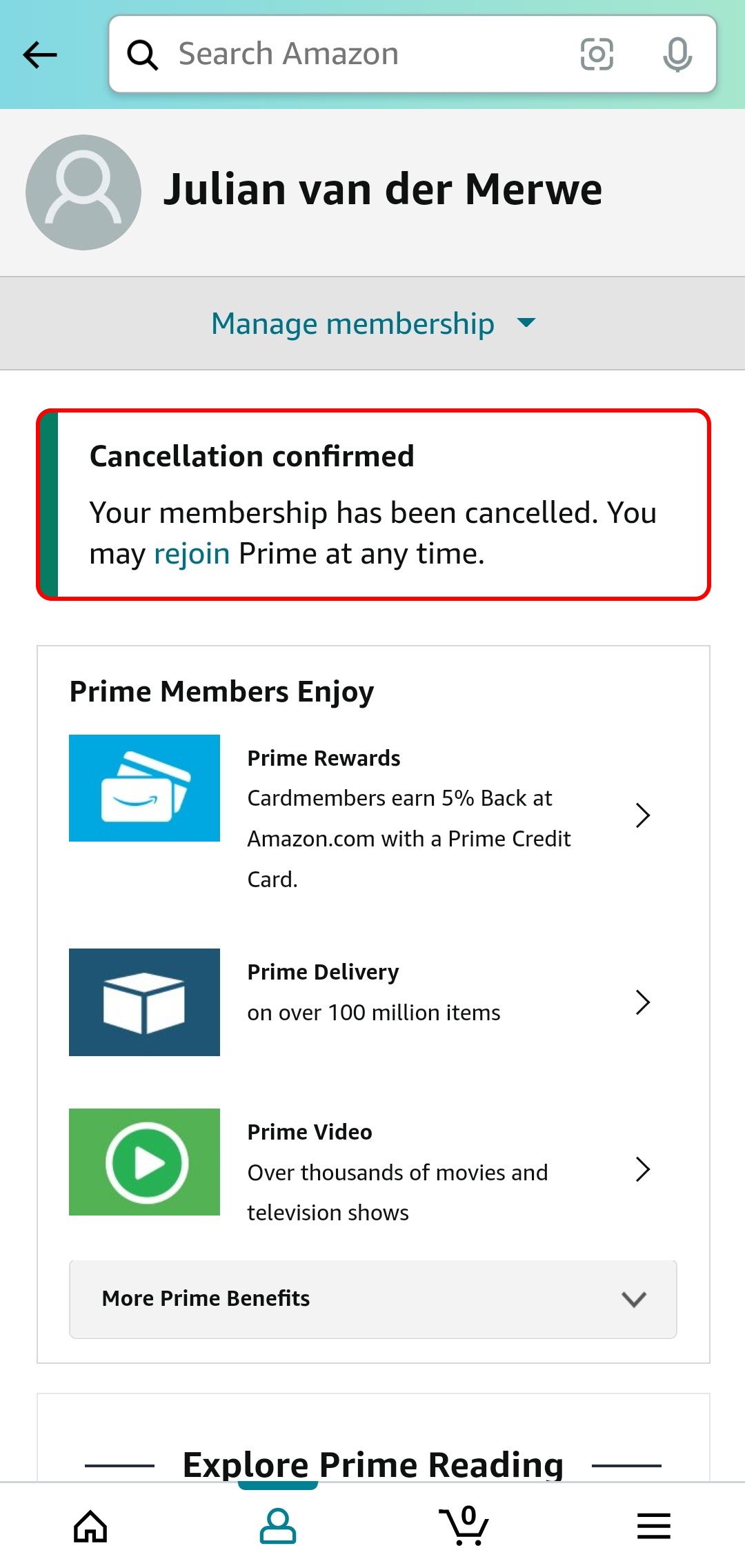
Understanding the User Experience: The Architecture of the “Roach Motel”
In the world of User Experience (UI) design, the term “Roach Motel” refers to a technical structure that is incredibly easy to enter but purposefully difficult to exit. Amazon Prime’s cancellation flow is often cited by tech analysts as a prime example of “Dark Patterns”—design choices intended to influence user behavior toward a specific path (in this case, retention).
The Technical Complexity of Interconnected Services
When you initiate a cancellation, you aren’t just stopping a shipping service. From a backend perspective, Amazon Prime is a bundle of APIs and permissions. Your account is tied to Prime Video (streaming software), Amazon Music (audio platform), Prime Reading (e-book distribution), and Amazon Photos (cloud storage).
The technical challenge for the user is navigating the “Confirmation Bias” prompts that the system generates. Each step of the cancellation process requires the software to ping various databases to show you exactly what you are losing. This real-time data retrieval is designed to create friction, slowing down the user’s progress toward the final “End Membership” command.
Identifying the Multi-Stage Verification Flow
Amazon utilizes a multi-page confirmation logic. Technically, this is referred to as a “Progressive Disclosure” model, but used in reverse. Instead of revealing helpful features as you go, it reveals the consequences of your departure. To successfully navigate this, a user must understand that clicking “Cancel” once does not terminate the script; it merely initiates the first phase of a three-to-four-stage technical handshake.
Step-by-Step Technical Walkthrough: Desktop and Mobile Navigation
Navigating the Amazon ecosystem requires a clear understanding of its information architecture. Whether you are using a web browser (desktop) or the native mobile application, the logic remains consistent, though the UI elements may shift.
Terminating Membership via Web Browser (Desktop)
The desktop interface provides the most granular control over account settings.
- Authentication: Log into your account. This establishes a secure session (SSL) that allows access to sensitive billing data.
- Account & Lists: Navigate to the top right header. This is the primary gateway to your user profile database.
- Prime Membership Hub: Click on “Prime.” This takes you to a dedicated dashboard (a sub-domain of the main account architecture).
- Manage Membership: On the right-hand side of the interface, click the “Update, cancel and more” dropdown.
- The “End Membership” Trigger: Select “End Membership.”
At this point, the system will trigger a series of “Retention Interstitials.” You will be presented with three distinct buttons. Technically, these are often labeled with varying degrees of visual prominence. You must select “I do not want my benefits” or “Continue to Cancel.”
Navigating the Amazon App (Mobile/iOS/Android)
The mobile app uses a “Hamburger Menu” or a bottom-bar navigation system.
- User Icon: Tap the person icon at the bottom of the screen.
- Your Account: Select “Your Account” from the list of options.
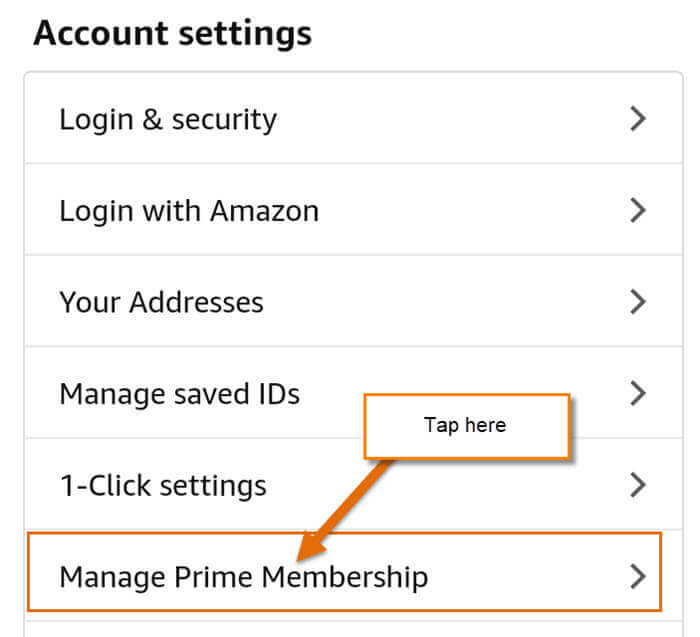
- Account Settings: Scroll to “Account Settings” and tap on “Prime Membership.”
- Manage Membership: Expand the “Manage Membership” section.
- The Final Sequence: Tap “End Membership.” The mobile UI is even more streamlined, often requiring more scrolling to find the “Continue to Cancel” button, which is frequently placed below the fold (the part of the screen not immediately visible).

Managing Post-Cancellation Digital Assets and Data Retention
One of the most significant technical concerns when canceling a Prime membership is what happens to your data. Because Prime is an umbrella for several cloud-based services, the termination of the subscription has a cascading effect on your digital library.
Prime Video and Digital Rights Management (DRM)
It is a common misconception that canceling Prime deletes your video library. Technically, any titles you have purchased outright remain accessible via your Amazon account through the Prime Video app. However, any content “Included with Prime” is immediately flagged by the DRM (Digital Rights Management) system as “unauthorized” for your user ID once the billing cycle ends. The metadata for these titles may remain in your “Watchlist,” but the stream-handshake will fail upon execution.
Amazon Photos and Cloud Storage Protocols
This is the highest-risk area for users from a technical standpoint. Prime members receive unlimited photo storage. When you cancel, your account reverts to the standard 5GB limit offered to non-Prime customers.
- The Data Buffer: Amazon typically provides a grace period, but if your data exceeds 5GB, the system will eventually block further uploads.
- Audit Requirement: Before clicking the final cancellation button, users should perform a manual data audit or use an FTP/Cloud-sync tool to migrate their high-resolution assets to an alternative server (like Google Photos, iCloud, or a local NAS).
Kindle and Prime Reading Syncing
For users of the Kindle ecosystem, “Prime Reading” is a revolving library. Once the subscription status is updated to “Inactive” in the central database, the sync-service (Whispersync) will automatically remove Prime-borrowed titles from your devices during the next check-in with Amazon’s servers. Books purchased individually via the Kindle Store are unaffected as they are tied to the base Amazon account, not the Prime subscription layer.
Digital Security and Payment Method Optimization
Canceling a subscription is an opportune time to perform a digital security audit on your Amazon account. Since Amazon stores “1-Click” payment information, managing how your data is handled post-membership is vital for maintaining a clean digital footprint.
Removing “Zombies” and Recurring Billing
Even after canceling Prime, your credit card data remains stored in Amazon’s “Wallet.” From a security perspective, if you do not plan on using the platform frequently, it is advisable to remove expired or secondary payment methods. This reduces the “attack surface” in the event of a credential stuffing attack or unauthorized account access.
Two-Factor Authentication (2FA) Review
The process of canceling a major service usually requires multiple authentication steps. Tech-savvy users should use this window to ensure that their Two-Factor Authentication (2FA) is set to a secure method, such as an Authenticator App (TOTP), rather than SMS, which is vulnerable to SIM-swapping. Ensuring that your account recovery codes are updated is a critical final step in the offboarding process.
The Future of Subscription Management: AI and Automation Tools
As the number of digital subscriptions grows, the manual process of navigating UI-heavy cancellation flows is becoming a burden for users. We are seeing a rise in “FinTech” and “App Management” tools that leverage API integrations to handle these cancellations on the user’s behalf.
Using Third-Party Privacy and Management Tools
There are now browser extensions and apps designed to identify “Dark Patterns.” These tools highlight the “hidden” cancellation buttons and can sometimes automate the multi-page clicking process by identifying the CSS selectors of the “Cancel” buttons across various platforms.
The Shift Toward “One-Click” Regulation
From a technical and legal standpoint, there is a global shift (such as the FTC’s “Click to Cancel” proposal in the U.S.) toward forcing tech giants to make the cancellation process as easy as the sign-up process. Future iterations of the Amazon UI may be forced to remove the multi-stage “Retention Interstitials” in favor of a single-node API call that terminates the subscription instantly.
In conclusion, canceling an Amazon Prime membership is a study in navigating complex digital ecosystems. By understanding the underlying software logic, the risks to your cloud-stored data, and the importance of post-cancellation security audits, you can effectively manage your digital presence. As we move further into a subscription-based software world, the ability to technically audit and terminate these “digital tethers” will remain a vital skill for every user.
aViewFromTheCave is a participant in the Amazon Services LLC Associates Program, an affiliate advertising program designed to provide a means for sites to earn advertising fees by advertising and linking to Amazon.com. Amazon, the Amazon logo, AmazonSupply, and the AmazonSupply logo are trademarks of Amazon.com, Inc. or its affiliates. As an Amazon Associate we earn affiliate commissions from qualifying purchases.