
In the modern digital economy, the tools we use to manage our capital are constantly evolving. For over two decades, PayPal has stood as a titan of the fintech world, bridging the gap between traditional banking and the internet’s borderless marketplace. However, as the financial landscape shifts toward specialized neo-banks, decentralized finance, and more cost-effective payment processors, many individuals and business owners are re-evaluating their reliance on legacy platforms.
Closing a PayPal account is more than a simple technical task; it is an act of financial hygiene. Whether you are consolidating your financial accounts to reduce your digital footprint or migrating to a platform with a more favorable fee structure, understanding the fiscal implications of “canceling” your account is paramount. This guide provides a comprehensive roadmap for closing your PayPal account through the lens of strategic money management.
Evaluating Your Financial Relationship with PayPal
Before initiating the closure process, it is essential to conduct a cost-benefit analysis of your current usage. For many, PayPal serves as a secondary digital wallet, yet it often carries hidden costs that can erode personal wealth over time.
Identifying the Need for Financial Consolidation
In the world of personal finance, complexity is often the enemy of transparency. Managing multiple digital wallets, credit cards, and bank accounts increases the risk of overlooking subscriptions, missing fraudulent charges, or losing track of small balances. If your PayPal account has become a “ghost account”—one that holds a small, idle balance or is only used for the occasional impulse purchase—canceling it can be a strategic move toward simplifying your financial life. Consolidation allows you to focus your liquidity in accounts that offer better interest rates or more robust rewards programs.
Assessing Fees and Currency Conversion Impacts
For freelancers and international business owners, PayPal’s fee structure is often a primary motivator for account closure. While the platform offers convenience, its currency conversion spreads and cross-border transaction fees are frequently higher than those of competitors like Wise or Revolut. If you find that a significant percentage of your “Online Income” is being consumed by intermediary fees, it is a clear financial signal that your current infrastructure is no longer optimal. Closing the account marks the end of an inefficient capital pipeline and the beginning of a more profitable era for your side hustle or business.
Pre-Closure Checklist: Securing Your Assets and Data
Closing a financial account is an irreversible action. Unlike a social media profile that can often be “deactivated” and later restored, a closed PayPal account is gone for good, along with its transaction history. Therefore, a meticulous pre-closure ritual is necessary to ensure no capital is left behind.
Resolving Pending Transactions and Disputes
You cannot close a PayPal account if there are unresolved issues. This includes pending payments, open disputes in the Resolution Center, or an outstanding negative balance. From a financial security perspective, you must ensure that all “Money in Flight” has landed. If you have an active dispute, wait for it to be legally and financially settled. Attempting to close an account to avoid a dispute is not only impossible under PayPal’s terms of service but can also lead to your information being flagged in various financial databases, potentially affecting your ability to use other fintech tools in the future.
Transferring Your Remaining Balance
It may seem obvious, but many users overlook small “cent balances” that accumulate from interest or refunds. Before you hit the delete button, you must zero out your balance. You can do this by transferring the funds to your linked bank account or by making a final purchase or donation. Note that standard transfers to a bank account typically take 1–3 business days. From a cash flow management perspective, ensure these funds have cleared and are visible in your primary bank statement before proceeding with the closure.
Disconnecting Linked Bank Accounts and Credit Cards
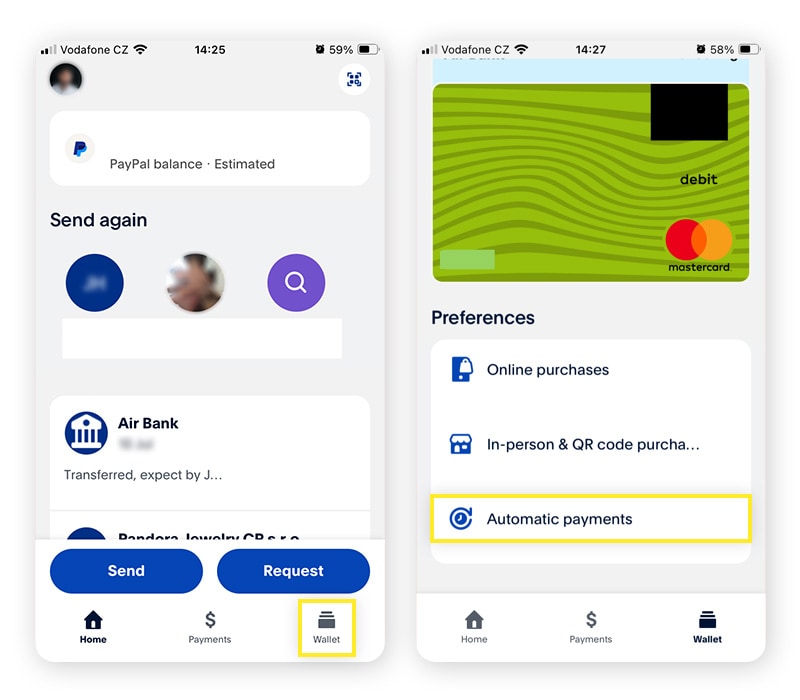
While PayPal’s system technically unlinks your cards and accounts when the profile is deleted, financial experts recommend doing this manually beforehand. This adds an extra layer of security and ensures that no “zombie” recurring payments—subscriptions you may have forgotten about—can trigger a final charge through the PayPal gateway right as you are closing it. Review your “Automatic Payments” settings and migrate any essential subscriptions (like cloud storage or professional software) to a new payment method at least one billing cycle before you cancel your PayPal account.
The Step-by-Step Process to Closing Your Account
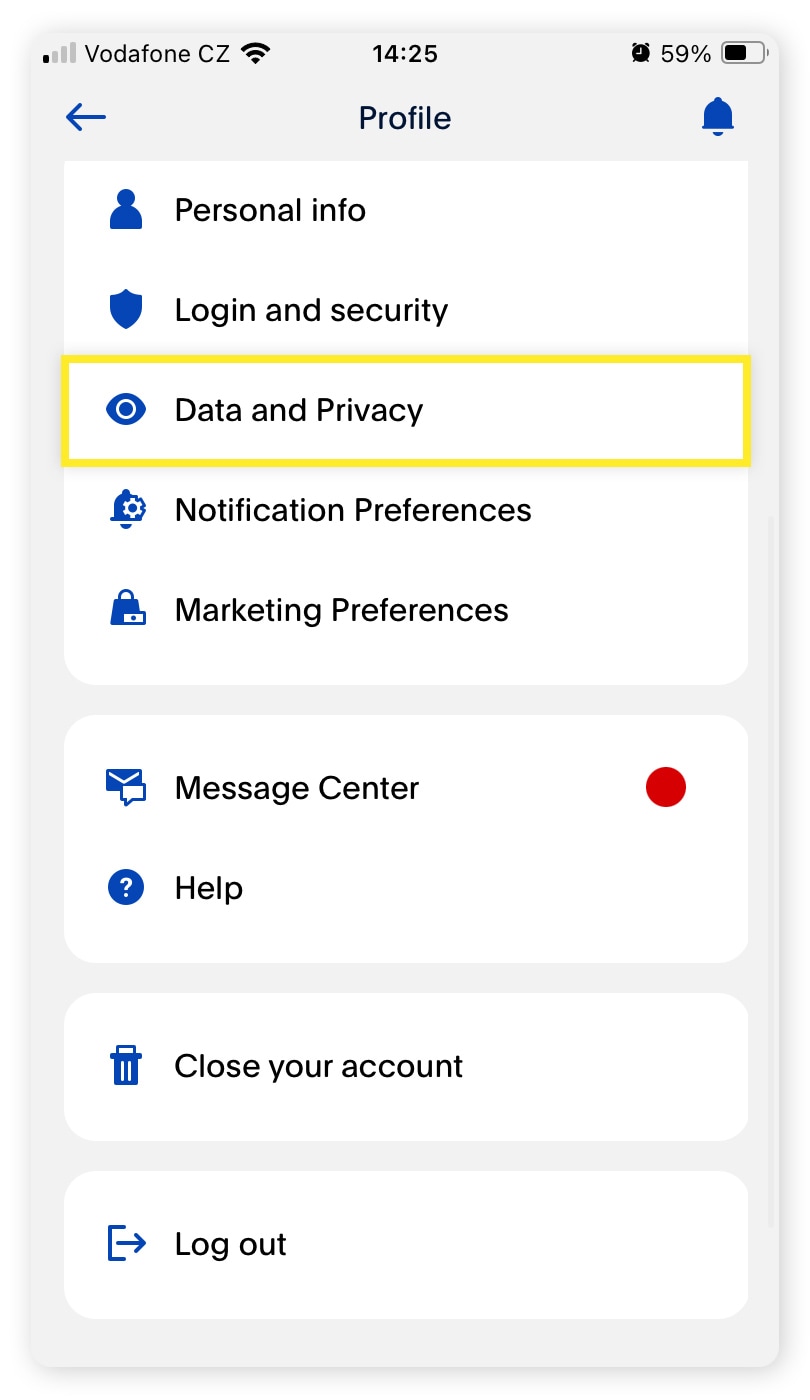
The actual process of closing a PayPal account is relatively straightforward, provided you are using the correct interface. PayPal requires this action to be performed via a web browser rather than their mobile application for security and verification purposes.
Navigating the Desktop Interface
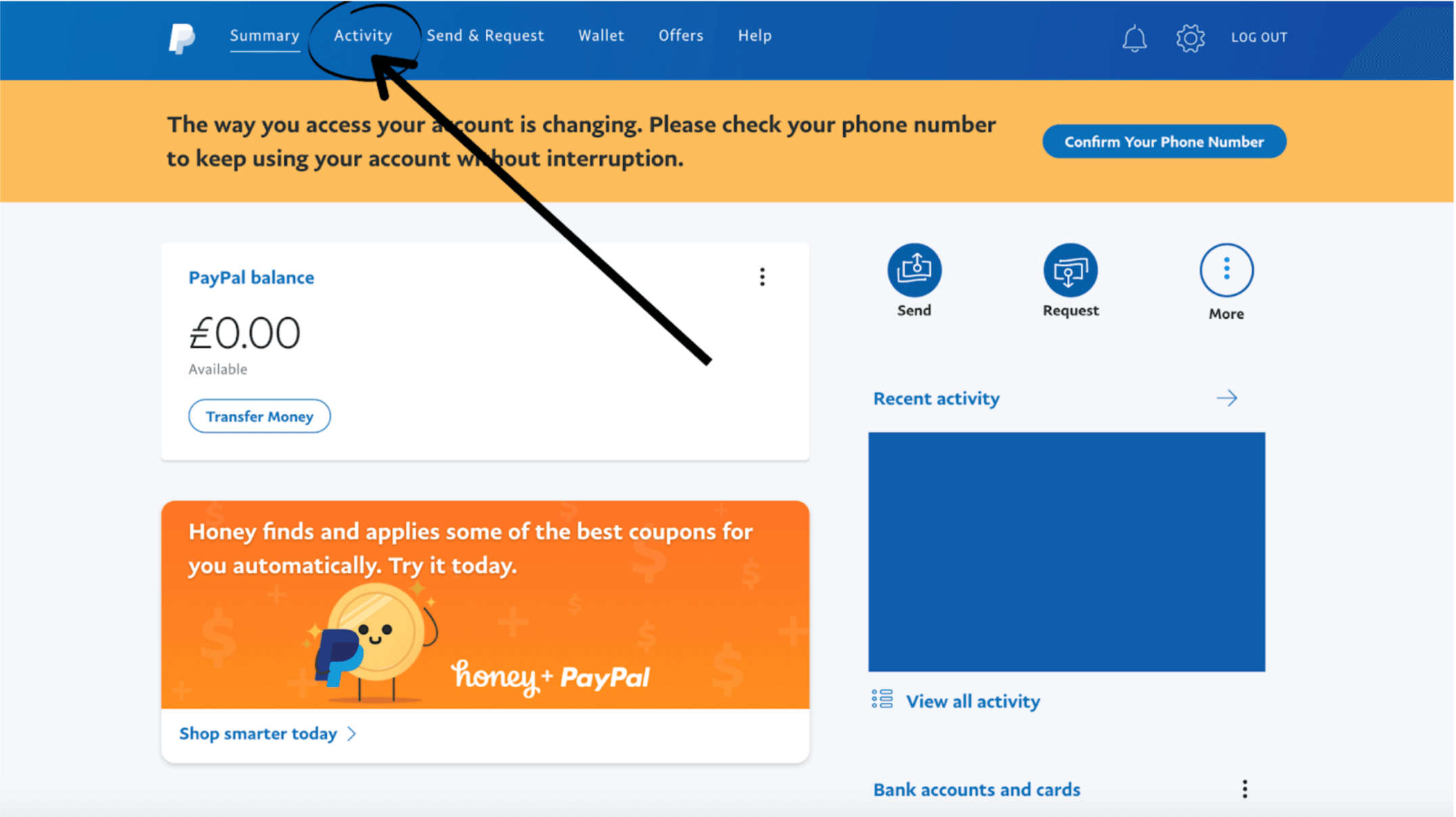
To begin, log in to your PayPal account on a desktop or via a mobile browser set to “Desktop Mode.”
- Click on the Settings icon (the gear symbol) next to the “Log Out” button.
- Under the Account tab, scroll to the bottom of the page.
- You will find an option labeled “Close your account.”
- The system will prompt you for a final verification. This is the moment to double-check that your transaction history has been downloaded.
From a financial record-keeping standpoint, downloading your “Activity Report” for the last seven years is highly recommended. If you are ever audited by tax authorities regarding online income or business expenses, you will need these records, and PayPal will not provide them once the account is closed.
Why You Can’t Close an Account via the Mobile App
The mobile app is designed for “active” financial management—sending money, checking balances, and using QR codes for retail. However, for “high-stakes” administrative actions like account termination, PayPal’s security protocol demands the more stable environment of the web interface. This prevents accidental closures and ensures that the user has access to the full suite of legal disclosures and balance-clearing tools that are sometimes truncated in a mobile app environment.
Confirming the Deletion of Your Financial Profile
Once you click “Close Account,” you will receive a confirmation email. It is vital to archive this email. In the world of business finance, documentation is everything. This email serves as proof that the relationship was terminated by the user, which can be important if you ever need to dispute a chargeback that surfaces weeks later or if you decide to open a fresh business-specific account in the future.
Post-Cancellation: Exploring Alternative Financial Tools
Closing a PayPal account shouldn’t leave a vacuum in your financial strategy. Instead, it should be the catalyst for adopting tools that better align with your current financial goals—whether that is maximizing “Online Income” or minimizing “Personal Finance” overhead.
Modern Digital Wallets for Lower Fees
The fintech revolution has birthed several alternatives that cater to specific financial needs. For those focused on international investing or receiving foreign currency, platforms like Wise (formerly TransferWise) offer mid-market exchange rates that can save hundreds of dollars a year compared to PayPal’s internal conversion rates. If your primary goal is peer-to-peer (P2P) transfers within the United States, Zelle or Cash App often provide faster access to funds with zero fees, as they are integrated directly with the US banking system.
The Rise of Specialized Business Payment Systems
For entrepreneurs, migrating from PayPal to a dedicated merchant processor like Stripe or a business-centric bank like Mercury can provide more professional invoicing tools and better integration with accounting software like QuickBooks or Xero. These platforms often offer more robust protection for sellers and more transparent fee structures, which is essential for scaling a side hustle into a legitimate corporate entity. By moving away from a generalist tool like PayPal, you allow your business finance structure to become more sophisticated and data-driven.
Conclusion: Maintaining Long-Term Financial Health
Canceling a PayPal account is a significant step in optimizing your financial life. It represents a shift from passive participation in the digital economy to an active, strategic management of your assets. By clearing out unused accounts, avoiding unnecessary fees, and choosing platforms that serve your specific needs, you are practicing sound financial stewardship.
Remember that your digital financial footprint is an extension of your overall net worth. Every account you hold is a potential point of friction or a potential point of growth. By streamlining your tools and ensuring that every platform you use provides maximum value for minimum cost, you position yourself for greater financial clarity and long-term success. Closing an account isn’t just about saying goodbye to a service; it’s about saying hello to a more organized and efficient financial future.
aViewFromTheCave is a participant in the Amazon Services LLC Associates Program, an affiliate advertising program designed to provide a means for sites to earn advertising fees by advertising and linking to Amazon.com. Amazon, the Amazon logo, AmazonSupply, and the AmazonSupply logo are trademarks of Amazon.com, Inc. or its affiliates. As an Amazon Associate we earn affiliate commissions from qualifying purchases.