
In the rapidly evolving landscape of digital commerce, establishing an online presence is no longer a luxury but a fundamental requirement for businesses of all sizes. Shopify stands as a formidable platform, democratizing e-commerce by providing a robust, user-friendly, and highly scalable solution for creating and managing online stores. This guide delves into the technical intricacies and step-by-step processes involved in building a successful store on Shopify, focusing exclusively on the technological aspects that empower entrepreneurs to craft a resilient and high-performing digital storefront. From understanding its foundational architecture to leveraging its extensive feature set and integration capabilities, we will explore the technical journey of bringing your e-commerce vision to life.
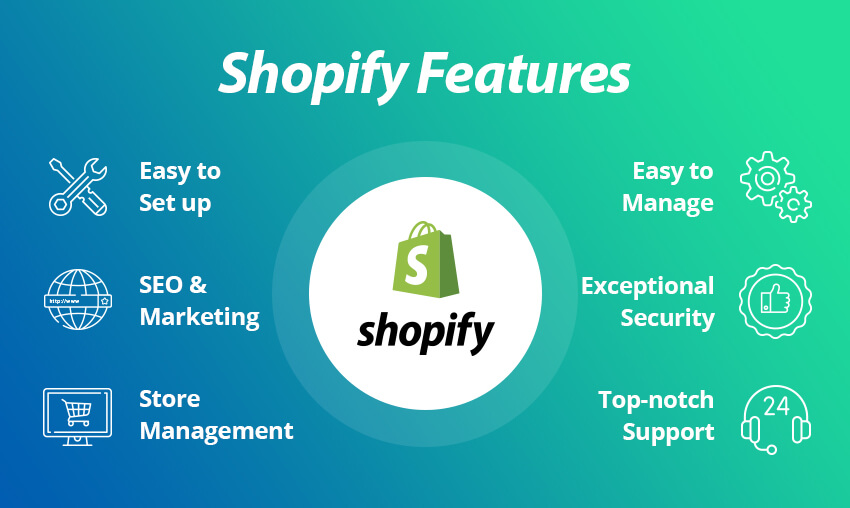
Understanding the Shopify Ecosystem: A Technological Overview
Before diving into the operational mechanics, it’s crucial to grasp the technological bedrock upon which Shopify operates. Shopify is fundamentally a Software-as-a-Service (SaaS) platform, meaning it provides a complete e-commerce solution hosted in the cloud, abstracting away the complexities of server management, software updates, and security patches from the end-user. This model is a cornerstone of its accessibility and scalability, allowing businesses to focus on their products and customers rather than intricate IT infrastructure.
Core Platform Architecture and SaaS Model
Shopify’s architecture is built on a highly distributed, cloud-based infrastructure, primarily leveraging Google Cloud and AWS services. This multi-cloud strategy ensures high availability, geographical redundancy, and efficient content delivery globally. The core platform utilizes a Ruby on Rails framework on the backend, known for its rapid development capabilities and robust ecosystem. The front end typically involves a blend of HTML, CSS, JavaScript, and Shopify’s proprietary templating language, Liquid. This combination allows for dynamic content generation and a rich user experience while maintaining performance.
The SaaS model inherently provides several technical advantages. Users benefit from continuous platform updates and security enhancements rolled out by Shopify, ensuring their store remains current with the latest web technologies and protected against emerging threats. Furthermore, the platform automatically handles traffic spikes through its scalable infrastructure, meaning a sudden influx of customers during a sale won’t crash your site – a significant technical challenge for self-hosted solutions.
Key Technological Components: Frontend, Backend, and Database Management
A Shopify store, like any sophisticated web application, comprises distinct yet interconnected technological layers:
- Frontend (Client-Side): This is what your customers interact with – the visual design, product pages, shopping cart, and checkout process. It’s rendered by web browsers and largely governed by the theme chosen and its subsequent customizations. The Liquid templating language plays a pivotal role here, allowing dynamic data from the backend to be displayed in a structured, user-friendly manner. JavaScript libraries and frameworks are also extensively used for interactive elements and asynchronous data loading.
- Backend (Server-Side): This is the engine room, invisible to the customer but critical for the store’s operation. It handles data processing, product catalog management, order fulfillment logic, payment gateway integrations, and user authentication. Shopify’s backend infrastructure processes millions of transactions daily, relying on highly optimized databases and application servers.
- Database Management: Shopify employs robust database systems to store all critical store data, including product information, customer details, orders, inventory levels, and store configurations. The choice of database technology (often a mix of SQL and NoSQL solutions) is optimized for performance, reliability, and data integrity, ensuring that all store data is securely stored and quickly retrievable. This managed database environment frees merchants from complex database administration tasks like indexing, backups, and replication.
Scalability and Cloud Infrastructure
One of Shopify’s most compelling technical strengths is its inherent scalability. Built on a cloud-native architecture, resources can be dynamically allocated to accommodate fluctuating demands. Whether you’re a small startup with a handful of daily visitors or a global enterprise processing thousands of orders per hour, Shopify’s infrastructure is designed to scale horizontally and vertically. This is achieved through load balancing, auto-scaling groups, and a global Content Delivery Network (CDN) that caches your store’s static assets (images, CSS, JS files) at various points around the world. This geographical distribution minimizes latency and ensures fast page load times for customers irrespective of their physical location, significantly enhancing the user experience and contributing to better SEO performance.
Navigating the Shopify Admin: Your Digital Command Center
The Shopify Admin is the central web interface through which you configure, manage, and operate your entire online store. It’s a testament to good software design, providing a complex array of functionalities through an intuitive, browser-based dashboard. Understanding its technical sections is paramount to effectively building and maintaining your store.
Initial Setup and Account Configuration
Upon signing up, the initial setup guides you through fundamental technical configurations. This includes defining your store’s base currency, setting up shipping zones (which involve complex algorithm calculations for rates based on weight, value, or location), and configuring tax settings. These aren’t merely administrative tasks; they involve setting up the underlying logic that the Shopify platform will use for financial calculations, order processing, and compliance across different geographical regions. Connecting a custom domain name is another critical technical step, involving DNS (Domain Name System) record manipulation (A records, CNAME records) to point your domain to Shopify’s servers. Shopify provides detailed instructions and often automates much of this process, but understanding the underlying DNS mechanism is beneficial for troubleshooting.
Product Management: Digital Cataloging and Inventory Systems
The “Products” section of the Shopify Admin is where you digitally catalog your inventory. This involves more than just uploading images and descriptions. Each product entry creates a data record in Shopify’s database, with fields for SKUs (Stock Keeping Units), barcodes, weight (critical for shipping calculations), and inventory quantities. Shopify’s inventory management system is robust, automatically decrementing stock levels upon sale and allowing for complex inventory policies (e.g., allowing overselling or setting alerts for low stock). For products with multiple variations (e.g., size, color), Shopify uses a matrix of “variants,” each with its own SKU and inventory, efficiently managing complex product datasets. The platform also supports digital products, which involves secure file hosting and delivery mechanisms post-purchase.
Theme Customization: Leveraging Liquid and Drag-and-Drop Interfaces
Shopify themes are the visual and functional templates for your store’s frontend. They are built using HTML, CSS, JavaScript, and, most importantly, Liquid – Shopify’s open-source templating language. Liquid allows developers and merchants to access and render data from Shopify’s backend (products, collections, orders, blog posts) dynamically onto the storefront.
For those without coding expertise, Shopify themes offer highly intuitive drag-and-drop section editors. These tools generate underlying Liquid and CSS code based on user selections, providing significant flexibility without direct code manipulation. However, for advanced customizations, diving into the theme’s Liquid files, CSS stylesheets, and JavaScript assets is necessary. This allows for precise control over layout, functionality, and integration with external scripts. Understanding basic web development concepts like the DOM (Document Object Model) and CSS selectors becomes valuable here.
Payment Gateways and Secure Transaction Protocols
Integrating payment gateways is a critical technical step, as it enables your store to securely accept online payments. Shopify natively integrates with various payment providers, including its own Shopify Payments (powered by Stripe), PayPal, and dozens of third-party options. The technical implementation involves configuring API keys and webhooks to ensure seamless communication between your store, the payment gateway, and your bank.
A key technical consideration here is PCI DSS (Payment Card Industry Data Security Standard) compliance. Shopify, as a platform, is PCI DSS compliant, meaning it adheres to a strict set of security standards for handling credit card information. When using Shopify Payments, this compliance is largely handled for you. For third-party gateways, ensuring they are also compliant is crucial. The entire checkout process is secured using SSL (Secure Sockets Layer) encryption, represented by the padlock icon in the browser, which encrypts all data transmitted between the customer’s browser and the server, protecting sensitive payment information.
Enhancing Functionality with Shopify Apps and Integrations
While Shopify’s core platform is feature-rich, its true power lies in its extensibility through the Shopify App Store and API integrations. This allows merchants to tailor their store’s capabilities to specific business needs without needing custom development from scratch.
The Shopify App Store: Extending Core Capabilities
The Shopify App Store is an ecosystem of thousands of applications that extend the platform’s native functionality. These apps are essentially micro-services or independent software solutions designed to integrate seamlessly with your Shopify store. From advanced SEO tools and email marketing automation to dropshipping solutions, loyalty programs, and sophisticated analytics, apps address virtually any business requirement.
Technically, these apps connect to your store via Shopify’s public APIs. When you install an app, you grant it specific permissions (e.g., read product data, write order data, access customer information). The app then uses these permissions to interact with your store’s data and functionality. Developers leverage webhooks to receive real-time updates from your store (e.g., a new order placed) and send data back to your store via API calls. This modular approach allows for rapid deployment of new features and specialized functionalities, enhancing the technical capabilities of your store without adding bloat to the core platform.

API Integrations and Third-Party Software Connectivity
Beyond the App Store, Shopify offers a comprehensive suite of APIs (Application Programming Interfaces) for developers to build custom integrations. These include the Admin API, Storefront API, and various webhooks.
- Admin API: Allows programmatic access to almost all store data and functionalities available in the Shopify Admin. This is invaluable for integrating with ERP (Enterprise Resource Planning) systems, CRM (Customer Relationship Management) software, custom inventory management solutions, or building custom reporting dashboards. Developers can use REST or GraphQL to interact with this API.
- Storefront API: Provides programmatic access to public store data (products, collections, shopping carts) for building custom storefronts using headless commerce architectures (e.g., using React, Vue, or Next.js to build a decoupled frontend). This offers ultimate flexibility in frontend design and performance optimization, though it requires significant development expertise.
- Webhooks: These are automated messages sent by Shopify to a URL of your choice when specific events occur (e.g., an order is created, a product is updated, a customer is deleted). Webhooks are crucial for real-time data synchronization and triggering workflows in external systems, ensuring that your various software tools are always up-to-date with your Shopify store’s activities.
Automating Workflows: Scripts and Custom Code Snippets
For more advanced automation and customization, Shopify provides several powerful tools:
- Shopify Flow: A visual workflow builder that allows merchants to automate tasks and processes based on specific triggers and conditions (e.g., tag customers who spend over a certain amount, send a Slack notification for high-value orders). While no coding is required, understanding logical conditions and data flow is key.
- Script Editor (for Shopify Plus): This app allows developers to write Ruby scripts that run on Shopify’s servers during the checkout process. This enables complex customizations for discounts (e.g., tiered pricing, bundle discounts), shipping rates (e.g., custom rate calculations based on complex rules), and payment gateways. This is a highly technical feature that directly manipulates the checkout logic.
- Theme Liquid and JavaScript Customizations: Directly editing theme files with Liquid and JavaScript can add custom functionalities not available through apps. This might include advanced product configurators, custom pop-ups, dynamic content loading, or integrating third-party JavaScript libraries. This requires proficiency in web development languages.
Optimizing for Performance and Security: Technical Best Practices
Building a store on Shopify isn’t just about functionality; it’s also about ensuring it performs optimally and remains secure. Technical optimization and security measures are critical for user experience, search engine rankings, and safeguarding sensitive data.
Website Speed Optimization: Image Compression and CDN Utilization
Page load speed is a crucial technical factor for both user experience and SEO. Shopify inherently optimizes many aspects, but merchants also have a role:
- Image Optimization: Large, unoptimized images are a primary culprit for slow load times. Ensure all product images and banners are compressed (using tools like TinyPNG or Shopify’s built-in image optimization) and served in modern formats like WebP where possible. Shopify automatically resizes images for different devices and serves them via its global CDN.
- Theme Choice and Structure: A lightweight, well-coded theme contributes significantly to speed. Avoid themes with excessive animations or overly complex JavaScript if not essential. Regularly review installed apps, as each app adds its own code, potentially slowing down the site.
- Minimizing HTTP Requests: Consolidating CSS and JavaScript files, and using sprite sheets for small icons, can reduce the number of HTTP requests a browser needs to make, speeding up rendering.
SEO Technicalities: Site Structure, Metadata, and Schema Markup
Search Engine Optimization (SEO) isn’t just about keywords; it has a strong technical foundation that Shopify helps facilitate:
- Clean URLs and Site Structure: Shopify generates clean, readable URLs by default and supports a logical site hierarchy (Home > Collections > Products). This makes it easier for search engine crawlers to understand your site’s content.
- Metadata Optimization: The Shopify Admin allows you to define meta titles and meta descriptions for all pages, products, and collections. These HTML
<title>tags and<meta name="description">tags are crucial for how your store appears in search engine results. - Schema Markup (Structured Data): Shopify themes often include built-in schema markup (e.g., Product Schema, Organization Schema). This structured data helps search engines understand the context of your content, leading to richer search results (e.g., displaying product ratings, price, and availability directly in search listings). While some themes handle this automatically, custom adjustments might be needed for specific business models.
- Robots.txt and Sitemaps: Shopify automatically generates a
robots.txtfile (which tells search engines which pages to crawl or not crawl) and XML sitemaps (which provide a map of all crawlable pages on your site). These are submitted to search engines to aid indexing.
Digital Security Measures: SSL, PCI Compliance, and Fraud Prevention Tools
Security is paramount in e-commerce. Shopify provides robust built-in security features:
- SSL Certificates: All Shopify stores come with a free, automatically installed SSL certificate. This encrypts data transferred between your store and your customers, securing login credentials, payment information, and personal details. The “https://” prefix and padlock icon signify this secure connection.
- PCI DSS Compliance: As mentioned, Shopify is certified Level 1 PCI DSS compliant, the highest standard for payment processing. This means your store’s infrastructure is secured against vulnerabilities, reducing your liability and ensuring customer trust.
- Fraud Prevention: Shopify employs advanced fraud analysis tools, including machine learning algorithms, to detect potentially fraudulent orders. These tools analyze various data points (IP addresses, billing/shipping mismatches, card velocity) and flag suspicious transactions, allowing merchants to review and prevent chargebacks.
- Two-Factor Authentication (2FA): Shopify encourages and supports 2FA for store owners and staff, adding an extra layer of security against unauthorized access to the admin dashboard.
Data Analytics and Reporting Tools
Shopify provides a comprehensive suite of analytics and reporting tools within the Admin. These are not just superficial metrics but powerful data analysis instruments. They track key performance indicators (KPIs) such as sales trends, conversion rates, average order value, customer behavior paths, and traffic sources. The data is collected and processed in real-time, offering insights into store performance. Furthermore, integration with Google Analytics and other third-party analytics platforms (via JavaScript tracking codes) allows for even deeper data segmentation and custom reporting, enabling data-driven decisions regarding product merchandising, marketing campaigns, and technical optimizations.
Launching and Managing Your Shopify Store: A Technical Deployment
The culmination of building your store is the launch, followed by ongoing technical management to ensure smooth operation and continuous improvement.
Domain Connection and DNS Management
Connecting your custom domain is the final technical step before making your store publicly accessible. This involves updating DNS records (A record pointing to Shopify’s IP, CNAME record for www) with your domain registrar. Shopify simplifies this process with detailed instructions and often an automated connection wizard. Understanding that DNS propagation can take up to 48 hours is important for managing expectations post-launch. Once connected, Shopify automatically provisions and renews the SSL certificate for your domain, ensuring a secure connection from day one.
Pre-Launch Checklist: Testing Functionality and User Experience
Before taking your store live, a rigorous technical review is essential:
- End-to-End Order Flow Testing: Place test orders, from adding items to the cart, proceeding through checkout with various payment methods, to verifying order confirmation and inventory updates. This ensures all payment gateways are configured correctly and backend logic is sound.
- Responsive Design Testing: Verify that your store looks and functions flawlessly across different devices (desktops, tablets, smartphones) and browsers. Use browser developer tools to simulate different screen sizes and test interactivity.
- Link Validation: Check all internal and external links to ensure there are no broken links (404 errors), which can harm SEO and user experience.
- App Functionality Verification: Confirm that all installed apps are working as expected and not causing conflicts or performance degradation.
- Analytics Setup Confirmation: Ensure tracking codes for Google Analytics, Facebook Pixel, and other platforms are correctly installed and collecting data.

Post-Launch Monitoring: Analytics, Bug Tracking, and Updates
The launch is just the beginning. Continuous technical monitoring and management are vital:
- Performance Monitoring: Regularly check your Shopify Analytics and Google Analytics for traffic patterns, conversion rates, and page load times. Tools like Google PageSpeed Insights can provide insights into further optimization opportunities.
- Bug Tracking: Actively monitor for technical issues reported by customers or detected through your own testing. Be prepared to troubleshoot theme conflicts, app errors, or integration failures.
- Security Audits: While Shopify handles core security, regularly review app permissions and user access levels. Stay informed about any security announcements from Shopify.
- Platform and App Updates: Keep your theme and apps updated to their latest versions to benefit from new features, performance enhancements, and security patches.
- Backup Strategy: Although Shopify backs up your entire store data internally, consider using third-party backup apps for specific data points or configurations that you might want to restore independently, offering an additional layer of technical resilience.
Building a store on Shopify is a journey rooted in leveraging a sophisticated technological platform. By understanding its architecture, mastering its administrative tools, integrating powerful applications, and adhering to technical best practices for performance and security, entrepreneurs can construct a highly effective, scalable, and resilient online commerce presence. The platform’s continuous innovation ensures that merchants always have access to cutting-edge tools, empowering them to thrive in the ever-evolving digital marketplace.
aViewFromTheCave is a participant in the Amazon Services LLC Associates Program, an affiliate advertising program designed to provide a means for sites to earn advertising fees by advertising and linking to Amazon.com. Amazon, the Amazon logo, AmazonSupply, and the AmazonSupply logo are trademarks of Amazon.com, Inc. or its affiliates. As an Amazon Associate we earn affiliate commissions from qualifying purchases.