
In an increasingly digital world, subscription services have become an integral part of our daily lives, streamlining everything from entertainment to essential purchases. Among these, Amazon Prime stands out as a colossal ecosystem of benefits, transforming the online shopping experience and extending far beyond expedited shipping. For many, becoming an Amazon Prime member is a gateway to unparalleled convenience, a vast library of digital content, and exclusive access to a suite of technological advantages designed to simplify modern living. This guide serves as your comprehensive technical walkthrough, detailing the steps to join, master, and manage your Prime membership within Amazon’s sophisticated digital infrastructure. From the initial click to activate your trial to leveraging every cutting-edge feature across devices, we’ll demystify the process and equip you with the knowledge to fully integrate Prime into your technological landscape.

Navigating the Digital Gateway: The Sign-Up Process
Embarking on your Amazon Prime journey begins with a few straightforward steps, primarily executed through Amazon’s primary digital platforms—its website or mobile application. Understanding the interface and options available is key to a smooth enrollment experience, ensuring you select the membership that best suits your needs and confidently manage your payment details within a secure environment.
Step-by-Step Enrollment via Amazon’s Platform
The path to Prime membership is designed to be intuitive, whether you’re accessing Amazon via a desktop browser or through its robust mobile app. The first crucial step involves ensuring you have an active Amazon account. If not, creating one is a simple process requiring an email address or phone number, your name, and a secure password.
Once logged in, the primary method to initiate your Prime membership is to locate the “Try Prime” or “Prime” banner, typically prominent on the Amazon homepage. On the desktop site, this is often found near the top of the page, sometimes as a dropdown menu option or a direct link. Within the Amazon Shopping app, you might find it under the main menu (usually represented by three horizontal lines) or also as a featured banner.
Clicking this option will direct you to the Amazon Prime landing page, which outlines the array of benefits. Here, you’ll typically find a prominent button like “Start your 30-day free trial” or “Join Prime.” Selecting this will prompt you to confirm your shipping address and payment method. Amazon aims to streamline this by pre-filling information from your existing account. Reviewing and confirming these details is crucial before proceeding. The digital interface will guide you through the final confirmation, officially activating your membership. It’s a testament to Amazon’s UX design that this complex onboarding process feels simple and accessible to users of varying technical proficiencies.
Understanding Membership Tiers and Trial Options
Amazon Prime isn’t a one-size-fits-all service; it offers flexibility through various membership tiers and trial options, all managed digitally. The standard Prime membership typically offers monthly or annual billing cycles. The annual option often presents a cost-saving advantage, paid upfront, and is ideal for long-term users. The monthly option offers greater flexibility for those who prefer not to commit for a full year. The digital platform clearly displays the pricing for both, allowing for easy comparison.
A cornerstone of the Prime onboarding experience is the 30-day free trial. This no-obligation trial allows new members to experience the full suite of Prime benefits—from expedited shipping to Prime Video and Music—before committing financially. Activating the trial still requires a valid payment method on file, but you won’t be charged until the trial period concludes. Amazon sends timely digital reminders before your trial ends, giving you the opportunity to continue or cancel your membership online with ease.
Beyond the standard offerings, Amazon provides specialized, digitally-verified discounts. For instance, Prime Student offers a discounted annual membership for eligible college students, often including an extended free trial period. Similarly, Prime Access caters to qualifying government assistance recipients, offering a reduced monthly fee. The application process for these discounted tiers is entirely digital, requiring users to upload or digitally verify their student status or EBT/Medicaid card details through Amazon’s secure portal, highlighting the platform’s robust identity verification technology.
Payment Method Integration and Security
A critical component of any subscription service is the secure management of payment information. Amazon’s platform is engineered with advanced encryption and security protocols to protect your financial data. During the sign-up process, you’ll be prompted to add a payment method—typically a credit or debit card. If you already have one on file from previous Amazon purchases, you can simply select it.
Adding a new payment method involves entering card details, including the card number, expiration date, and security code (CVV). Amazon provides clear input fields and immediate validation feedback, guiding users through the process. Once added, your payment method is stored securely, encrypted, and can be managed or updated at any time through your “Your Payments” section under “Your Account” settings. This digital hub allows you to add multiple cards, set a default payment method, and review past transactions, providing complete transparency and control over your financial interactions with Amazon Prime. The reliance on secure servers and compliance with industry standards like PCI DSS underscores Amazon’s commitment to digital security, ensuring your data is protected from unauthorized access.
Mastering Your Prime Digital Ecosystem
Once you’re a Prime member, the real power lies in your ability to seamlessly integrate and leverage its diverse digital services. From the core shopping experience to entertainment and cloud storage, Prime acts as a central digital hub, accessible across a multitude of devices and applications. Understanding how these components interact and how to optimize their use is key to maximizing your membership’s value.
Leveraging the Amazon Shopping App for Prime Benefits
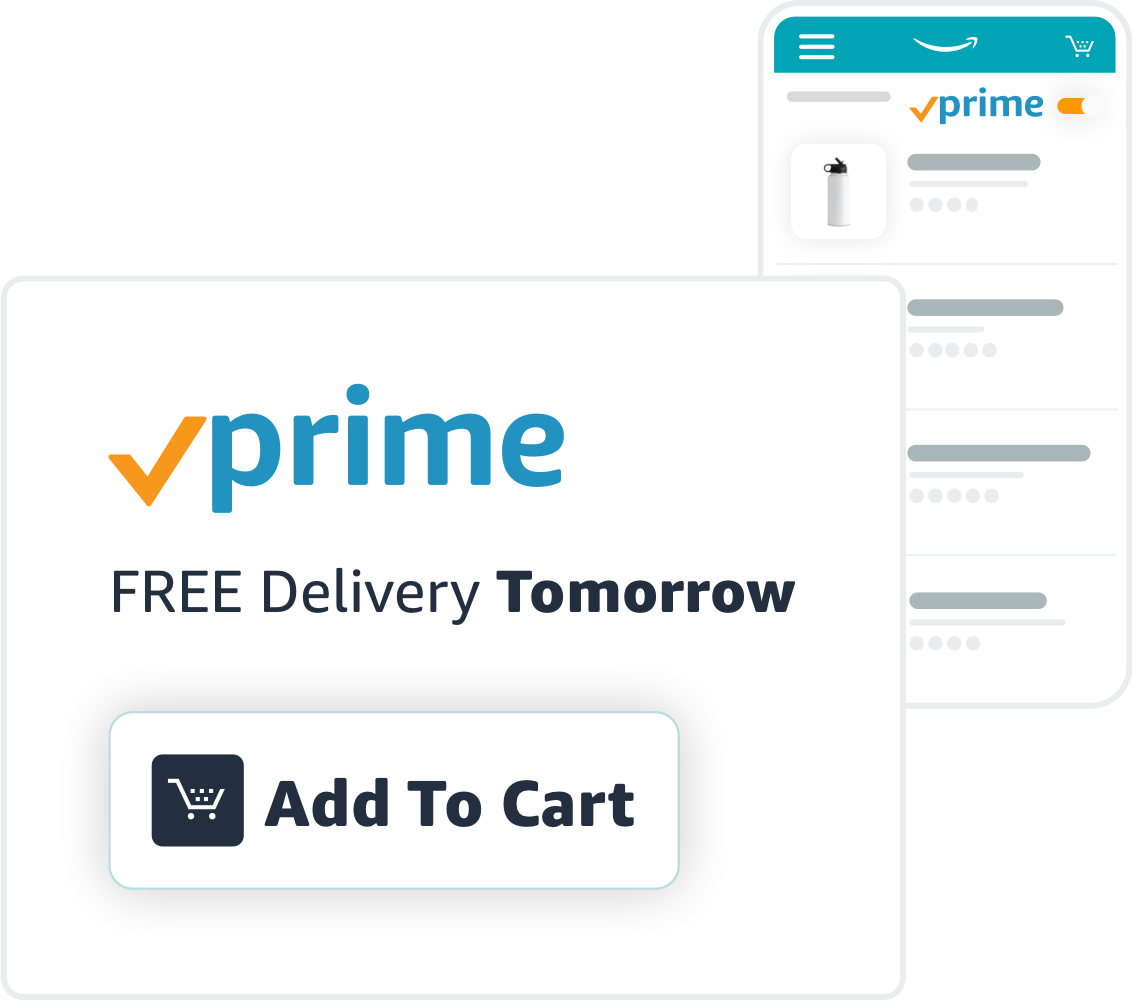
The Amazon Shopping app is the primary interface for most Prime members, transforming your smartphone or tablet into a powerful shopping companion. For Prime members, the app automatically highlights eligible items, often denoted with the distinct Prime badge, ensuring you can quickly identify products that qualify for free, fast shipping. The app’s sophisticated algorithms are designed to prioritize Prime-eligible products in search results, making the shopping experience more efficient.
Beyond basic searching, the app offers several Prime-specific features:
- Faster Checkout: With stored payment and shipping information, Prime members often experience a one-click checkout process, significantly reducing friction in purchasing.
- Order Tracking: Real-time tracking of Prime deliveries, often with detailed maps and notifications, keeps you informed every step of the way. This relies on advanced logistics and GPS technology integrated into Amazon’s delivery network.
- Prime Day Access: The app provides immediate access to Prime Day deals, often with early notifications and personalized recommendations based on your browsing history and purchasing patterns, driven by sophisticated AI.
- “Buy It Again” and Lists: Easily reorder past Prime purchases or curate wish lists, optimizing your shopping workflow.
The app’s push notification system can also alert you to upcoming deals, shipping updates, and new Prime benefits, ensuring you remain connected to your Prime ecosystem wherever you are. Its continuous updates bring new features and performance enhancements, reflecting Amazon’s commitment to a cutting-edge mobile commerce experience.
Exploring Prime Video, Music, and Reading Apps
Prime’s entertainment offerings are vast and accessible through dedicated apps, turning your devices into media centers.
- Prime Video: The Prime Video app, available on smart TVs, streaming devices (like Fire TV Stick), gaming consoles, smartphones, tablets, and web browsers, provides unlimited streaming of thousands of movies and TV shows. It supports multiple user profiles, 4K UHD streaming (device dependent), and allows for offline downloads, a crucial feature for mobile users. Its recommendation engine, powered by machine learning, personalizes content suggestions based on your viewing history.
- Amazon Music Prime: This service offers ad-free access to millions of songs and thousands of stations and playlists. The Amazon Music app, available across similar devices, allows for playlist creation, offline listening, and integration with Alexa for voice-controlled playback. For those seeking even more, Amazon Music Unlimited is a paid upgrade, offering a larger library.
- Prime Reading: While not a dedicated app in the same vein as Video or Music, Prime Reading offers access to a rotating selection of ebooks, magazines, and comics. These can be read through the standard Kindle app (available on Kindle e-readers, Fire tablets, iOS, Android, and desktop) or via the Kindle Cloud Reader in a web browser. The digital lending library seamlessly integrates with your Kindle library, providing a convenient way to discover new content.
These apps are designed with user-friendly interfaces, robust search functionalities, and seamless synchronization across devices, ensuring a consistent and high-quality digital entertainment experience, powered by scalable cloud infrastructure.
Integrating Prime Photos and Other Digital Perks
Beyond entertainment and shopping, Prime membership extends into practical digital tools designed to enhance your online life.

- Amazon Photos: This service provides unlimited full-resolution photo storage for Prime members, plus 5 GB for videos and other files. The Amazon Photos app, available on mobile and desktop, automatically backs up your photos, freeing up device space and providing secure cloud storage. Features include facial recognition for easy tagging, shared albums, and the ability to order prints and photo products directly through the app. This is a robust cloud solution, offering peace of mind for your digital memories.
- Prime Gaming (formerly Twitch Prime): For gamers, Prime Gaming offers free games, in-game content, and a free channel subscription on Twitch every month. This benefit is accessed by linking your Amazon Prime account with your Twitch account, a simple digital authentication process. It leverages cross-platform integration to deliver value to the gaming community.
- Amazon Kids+ (formerly FreeTime Unlimited): Prime members often receive discounts on this subscription, which offers thousands of kid-friendly books, movies, TV shows, and educational apps on compatible Fire, Android, iOS, and Echo devices. This benefit highlights Amazon’s reach into family-oriented digital services, with robust parental controls and content curation.
These additional perks exemplify Prime’s broad utility, extending beyond core e-commerce to become a multifaceted digital utility suite, all managed and accessed through various Amazon-developed applications and platforms.
Managing Your Prime Membership Digitally
The flexibility of Amazon Prime extends to its management. Amazon provides intuitive digital tools for members to review, update, and even cancel their subscriptions without the need for phone calls or complex forms. This focus on user self-service through its digital platforms empowers members to control their experience.
Accessing and Updating Your Membership Settings
Your “Manage Prime Membership” page is the central control panel for your subscription, accessible through the Amazon website or app under “Your Account.” Here, you’ll find a comprehensive overview of your membership status:
- Renewal Date: Clearly displayed, indicating when your next payment is due.
- Membership Type: Whether you’re on a monthly, annual, student, or Access plan.
- Payment Method: The card currently on file for your Prime subscription. You can easily change or update this by selecting a different stored card or adding a new one. This ensures continuity of service, especially if a card expires or is compromised.
- Billing History: A digital log of your Prime subscription payments.
This section also allows you to switch between monthly and annual plans, change the primary credit card associated with your Prime account, and manage who has access to your Prime benefits (e.g., sharing shipping benefits with another adult in your household, which is managed digitally through an “Amazon Household” feature). The user interface is designed for clarity, with clearly labeled options and prompts that guide you through any changes.
Troubleshooting Common Digital Issues
Even with Amazon’s robust infrastructure, users may occasionally encounter technical glitches. Prime provides several digital avenues for troubleshooting:
- Help & Customer Service: Accessible via the website or app, this section is a treasure trove of FAQs, self-help articles, and troubleshooting guides covering everything from delivery issues to streaming problems on Prime Video. It’s often the fastest way to resolve common issues, leveraging Amazon’s extensive knowledge base.
- Contact Us: If self-help isn’t sufficient, the “Contact Us” feature allows you to initiate contact with customer support digitally, via email, chat, or by requesting a callback. The chat feature, in particular, is highly responsive and can often resolve issues in real-time by connecting you with a support agent.
- Device-Specific Troubleshooting: For Prime Video or Music, in-app support often links to device-specific troubleshooting steps (e.g., clearing cache, checking internet connection, updating app versions), recognizing that software and hardware compatibility can impact performance.
Amazon’s commitment to digital self-service means that most issues can be resolved without ever needing to speak to a person, through well-designed support portals and intelligent routing of queries.
Cancelling or Pausing Your Membership Online
Amazon makes it straightforward to cancel your Prime membership if you decide it’s no longer for you. The process is entirely digital and accessible through the same “Manage Prime Membership” page:
- End Membership and Benefits: Locate the “End Membership and Benefits” or “Manage Membership” button.
- Guided Cancellation: Amazon will typically present you with a series of prompts, explaining the benefits you’ll lose and offering options like pausing your membership (if available) or switching to a monthly plan before fully cancelling. This is designed to ensure you’re aware of the implications.
- Confirmation: Once you’ve navigated these steps, a final confirmation button will process your cancellation. You’ll usually receive an email confirmation of the cancellation.
If you cancel during a free trial or within a few days of a paid period, Amazon may offer a full refund if you haven’t used any significant Prime benefits. If you’ve paid for an annual membership but cancel mid-year, you might be eligible for a partial refund based on the remaining unused period. This transparency in the digital cancellation process underscores Amazon’s user-centric approach, putting control firmly in the member’s hands.
The Future of Prime: Evolving Digital Features and Accessibility
Amazon Prime is not a static service; it’s a dynamic ecosystem that continually evolves, driven by technological advancements and user feedback. The future of Prime promises deeper integration with smart home technology, more personalized digital experiences, and expanded accessibility features, further cementing its role as an indispensable digital companion.
Voice Command Integration with Alexa Devices
A significant area of growth for Prime’s digital features lies in its synergy with Alexa and the broader Amazon Echo ecosystem. Prime members can leverage voice commands through Alexa-enabled devices for a myriad of tasks, blurring the lines between physical and digital interaction:
- Shopping: “Alexa, reorder paper towels from Prime.”
- Entertainment: “Alexa, play ‘The Marvelous Mrs. Maisel’ on Prime Video,” or “Alexa, play my Prime Music playlist.”
- Information: “Alexa, what’s my Prime delivery status?”
This integration showcases Amazon’s ambition to create a seamless, voice-controlled digital environment where Prime benefits are always at your command. Future enhancements will likely include more sophisticated multi-modal interactions, integrating visual feedback on devices with screens (like Echo Show) and more nuanced contextual understanding, making voice interaction even more natural and powerful for Prime members.
New Digital Services and Enhancements
Amazon is constantly innovating, and Prime members are often the first to experience new digital services and technological enhancements. This could include:
- Augmented Reality (AR) Shopping: Tools within the Amazon app that allow users to virtually place products in their homes before purchasing, leveraging Prime’s existing inventory data.
- Advanced Personalization: Even more sophisticated AI-driven recommendations across all Prime services, predicting not just what you might buy or watch, but what digital content or service might enhance your daily routine.
- Enhanced Digital Security: Continuous improvements in two-factor authentication, biometric logins, and proactive fraud detection to safeguard Prime accounts.
- Expanded Cloud Services: Potential for more robust personal cloud storage, collaboration tools, or even cloud gaming services that leverage Amazon’s AWS infrastructure.
Prime’s evolution is inherently tied to technological progress. As AI, IoT, and cloud computing continue to advance, Amazon will likely leverage these technologies to enrich the Prime membership, adding layers of convenience, personalization, and utility that further embed it into the digital fabric of its members’ lives.
Conclusion
Becoming an Amazon Prime member is more than just signing up for a service; it’s an initiation into a vast and continuously evolving digital ecosystem. From the initial, straightforward sign-up process navigated through Amazon’s intuitive platforms, to mastering the diverse array of apps for shopping, entertainment, and digital storage, Prime offers a masterclass in technological convenience. By understanding how to leverage the Amazon Shopping app, delve into Prime Video and Music, utilize unlimited photo storage, and efficiently manage your account settings online, members unlock the full potential of their subscription. As Amazon continues to innovate with voice integration and new digital features, Prime remains at the forefront of digital service integration, constantly enhancing accessibility and user experience. Embrace this comprehensive digital guide, and step into a world where technology simplifies, entertains, and connects you to everything Amazon Prime has to offer.
aViewFromTheCave is a participant in the Amazon Services LLC Associates Program, an affiliate advertising program designed to provide a means for sites to earn advertising fees by advertising and linking to Amazon.com. Amazon, the Amazon logo, AmazonSupply, and the AmazonSupply logo are trademarks of Amazon.com, Inc. or its affiliates. As an Amazon Associate we earn affiliate commissions from qualifying purchases.