
In the rapidly evolving landscape of personal finance, digital payment applications have become indispensable tools for managing money, sending funds, and even investing. Among these, Cash App stands out as a popular choice, known for its user-friendly interface and versatile features. Whether you’re splitting a bill with friends, paying for services, or simply budgeting your expenses, having a readily available balance in your Cash App account is often essential. While there are several ways to fund your account, adding money directly via a debit card remains one of the most common, convenient, and immediate methods. This comprehensive guide will walk you through the process, ensuring you can efficiently manage your finances within the Cash App ecosystem.
Understanding Cash App and Its Funding Mechanisms
Before delving into the step-by-step process, it’s crucial to understand what Cash App offers and why linking a debit card is a cornerstone of its functionality. Cash App is more than just a peer-to-peer payment service; it’s a financial platform that has expanded to include direct deposit, a debit card (the Cash Card), and even basic investing capabilities for stocks and Bitcoin.
What is Cash App?
At its core, Cash App, developed by Block, Inc. (formerly Square, Inc.), is a mobile payment service that allows users to send and receive money from each other quickly and easily. It provides users with a unique “$Cashtag” and, upon request, a routing and account number for direct deposits. This functionality positions Cash App as a practical alternative to traditional banking for many, especially for quick transactions and managing daily spending. Its simplicity and speed have made it a favorite for personal finance management among a wide demographic.
Why Use a Debit Card to Fund Your Account?
While Cash App offers several ways to add funds, including linking directly to a bank account via routing and account numbers, using a debit card provides distinct advantages:
-
Speed and Immediacy: Transactions initiated with a debit card are typically instant, meaning the funds are available in your Cash App balance almost immediately. This is crucial for urgent payments or when you need quick access to your money.
-
Convenience: Most individuals already possess a debit card linked to their primary bank account. Using it to fund Cash App eliminates the need to remember additional account numbers or go through complex verification processes often associated with direct bank transfers.
-
Direct Access to Bank Funds: A debit card draws directly from your linked bank account, offering a straightforward bridge between your traditional banking funds and your Cash App balance. This direct link makes managing your money across platforms seamless.
-
Security: Cash App employs robust security measures, including encryption and fraud monitoring, to protect your debit card information and transactions. When used responsibly, adding money via debit card is a secure way to move funds.
Understanding these benefits highlights why linking and using your debit card is often the preferred method for many Cash App users looking to efficiently manage their personal finance flows.
Step-by-Step Guide to Linking Your Debit Card
The first step to adding money to Cash App with your debit card is to ensure your card is properly linked to your account. This process is designed to be straightforward, but having the right information ready will make it even smoother.
Prerequisites for a Smooth Transaction
Before you begin, ensure you meet the following criteria:
-
An Active Cash App Account: You must have a registered and active Cash App account. If you’re a new user, download the app and complete the initial setup.
-
Verified Identity (Optional but Recommended): While you can use Cash App for basic transactions without full verification, verifying your identity (usually by providing your full name, date of birth, and the last four digits of your Social Security Number) expands your transaction limits, which is beneficial for adding larger sums.
-
A Valid Debit Card: The debit card must be issued by a US bank, be active, and not expired. Cash App accepts Visa, MasterCard, American Express, and Discover debit cards. It generally does not support ATM cards, PayPal cards, or prepaid cards that are not associated with a major bank.
-
Sufficient Funds in the Linked Bank Account: Naturally, the bank account associated with your debit card must have enough funds to cover the amount you wish to add to Cash App.
Adding Your Debit Card to Cash App
Follow these steps to link your debit card:
-
Open the Cash App: Launch the Cash App on your smartphone or tablet.
-
Navigate to the Banking Tab: From the main screen, tap the “Banking” tab. This icon typically looks like a small house or building, usually located on the bottom left of your screen.
-
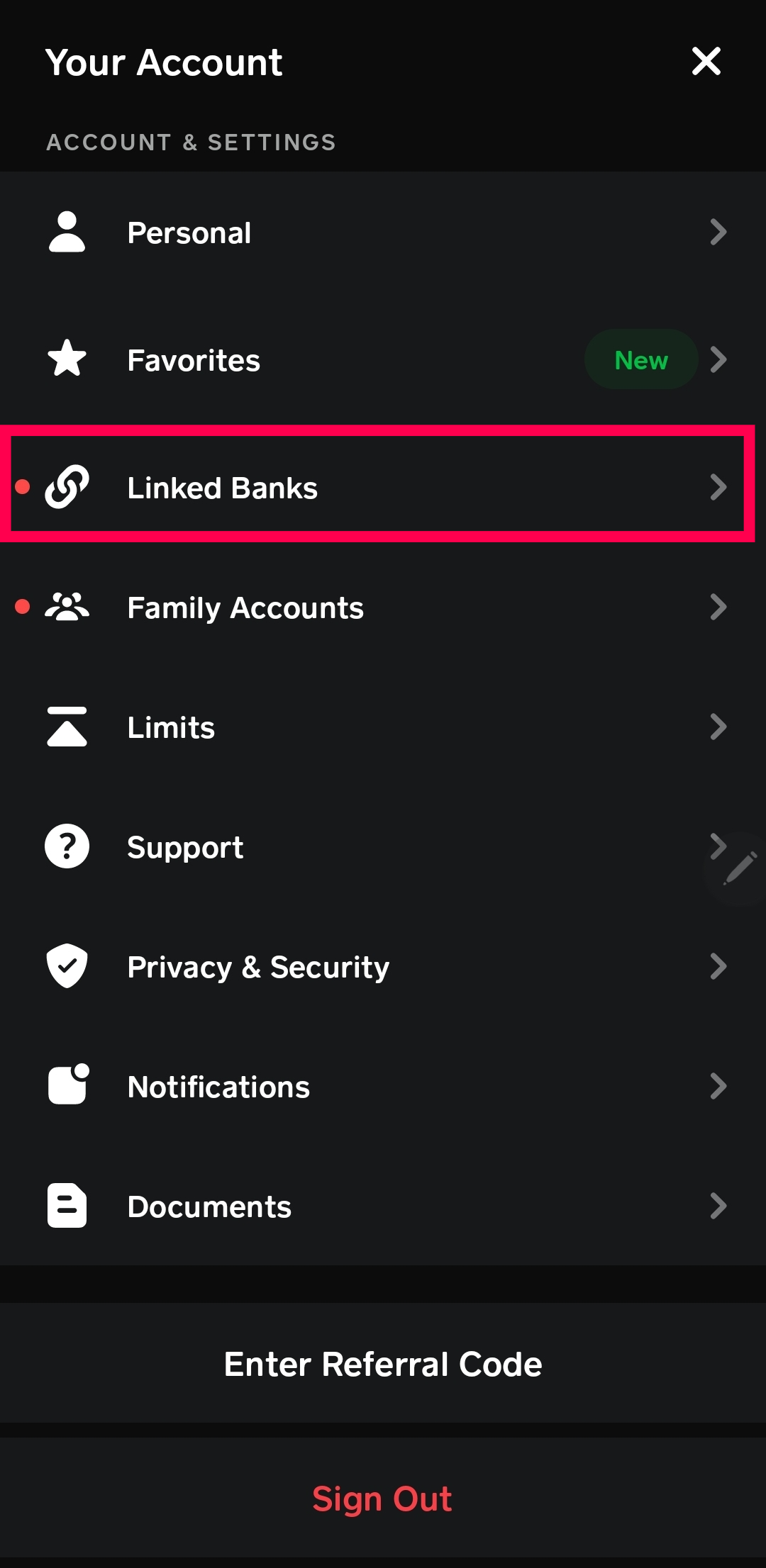
Select “Link Bank” or “Add Card”: Within the Banking tab, you’ll see options to link a bank or add a card. Choose “Link Bank” if you haven’t linked any account yet, or “Add Card” if you want to add an additional card.
-
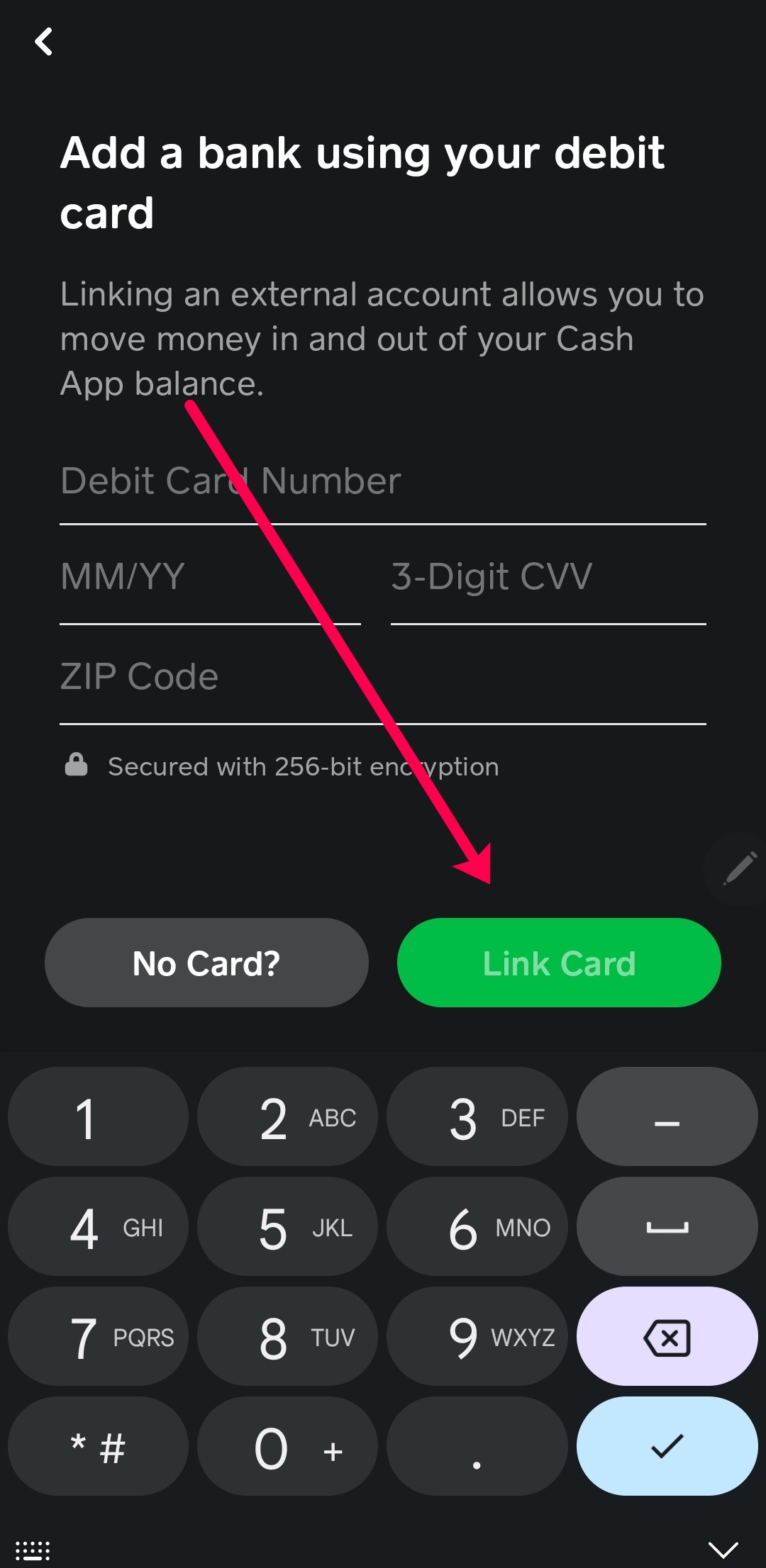
Enter Debit Card Details: You will be prompted to enter the following information:
-
Debit Card Number: The 16-digit number found on the front of your card.
-
Expiration Date: The month and year your card expires.
-
CVV (Card Verification Value): The 3 or 4-digit security code usually found on the back of your card.
-
ZIP Code: The billing zip code associated with your debit card.
-
-
Confirm and Authorize: After entering the details, tap “Link Card” or “Add Card.” Cash App may perform a small, temporary authorization charge (which will be refunded) to verify the card’s validity. This process helps ensure the card belongs to you and is active.
-
Confirmation: Once successfully linked, your debit card will appear under your linked accounts, ready for use.
The Process of Adding Funds to Your Cash App Balance
With your debit card securely linked, adding money to your Cash App balance is a quick and seamless process. This is where the true convenience of using a debit card for personal finance management within the app becomes apparent.
Initiating a Deposit

To transfer funds from your linked debit card to your Cash App balance:
-
Tap the Banking Tab: Again, from the Cash App home screen, navigate to the “Banking” tab (the house icon).
-
Select “Add Cash”: This option is clearly visible, usually near the top of the banking screen.
-
Enter the Desired Amount: A numeric keypad will appear. Input the specific amount of money you wish to add to your Cash App balance. Ensure this amount is available in your linked bank account.
-
Confirm Transaction: After entering the amount, tap the green “Add” button.
Confirming the Transaction
Before the funds are transferred, Cash App will present a summary of the transaction for your review:
-
Review Details: Double-check the amount you are adding and confirm that the correct linked debit card is selected as the source of funds.
-
Authorize with PIN or Biometrics: To complete the transaction, you will likely be prompted to enter your Cash App PIN, or use Touch ID/Face ID if enabled on your device. This is an essential security step to prevent unauthorized transfers.
-
Instantaneous Transfer and Confirmation: Once authorized, the funds are typically transferred almost instantly. You’ll receive an in-app confirmation message, and the updated balance will reflect on your Cash App home screen. You may also receive a notification from your bank about the debit.
Troubleshooting Common Issues
While the process is generally smooth, you might encounter occasional issues:
-
Card Declined: This is often due to incorrect card details (re-enter carefully), insufficient funds in your bank account, or your bank’s fraud detection system blocking the transaction. Contact your bank if you suspect the latter.
-
App Glitches: If the app is acting up, try updating it to the latest version, closing and reopening the app, or even restarting your phone.
-
Transaction Limits: Cash App imposes daily and weekly limits on how much cash you can add. If you hit a limit, you’ll receive a notification. Verifying your identity can increase these limits significantly.
-
Slow Transfer: While rare for debit card deposits, if funds don’t appear instantly, give it a few minutes and check your internet connection. If the issue persists, contact Cash App support.
Maximizing Your Cash App Experience Safely
Adding money to Cash App with a debit card is just one facet of using this versatile financial tool. To truly maximize its benefits for your personal finance management, it’s vital to prioritize security and understand its broader features.
Security Best Practices
Your financial security is paramount. When using Cash App:
-
Use Strong, Unique PINs: Create a complex PIN for your Cash App account and avoid using easily guessable numbers like birthdays.
-
Enable Two-Factor Authentication (2FA): This adds an extra layer of security, requiring a code from your phone in addition to your PIN for certain actions.
-
Be Wary of Phishing Attempts: Never share your PIN, account password, or sensitive details in response to unsolicited emails, texts, or calls claiming to be from Cash App. Cash App will never ask for your PIN.
-
Only Send Money to Trusted Individuals: Once money is sent on Cash App, it can be challenging to recover, especially if sent to a scammer. Verify recipients carefully.
-
Monitor Your Account: Regularly check your transaction history for any suspicious activity and report it immediately to Cash App support.
Understanding Fees and Limits
For savvy personal finance, knowing the costs and limitations of your tools is crucial:
-
Adding Money with a Debit Card: Generally, adding money to your Cash App balance using a standard debit card is free.
-
Instant Deposits to Bank: While sending money to other Cash App users or using your Cash Card is free, if you want to instantly transfer your Cash App balance to an external linked bank account, a small fee (typically 0.5% – 1.75%) applies. Standard deposits to a bank account are free but take 1-3 business days.
-
Transaction Limits: Unverified Cash App accounts have lower limits for sending, receiving, and adding money. Verifying your identity significantly increases these limits, making the app more robust for larger financial transactions. Always check the current limits within the app’s settings or on the Cash App website.
Beyond Adding Money: Other Features to Explore
Once you’re comfortable adding money, explore Cash App’s other features to integrate it more fully into your financial routine:
-
Cash Card: Order a free, customizable debit card linked directly to your Cash App balance. It can be used anywhere Visa is accepted, online and in physical stores.
-
Direct Deposit: Set up direct deposit for your paycheck or government benefits to have funds sent directly to your Cash App account. This can expedite access to your money.
-
Investing: Cash App allows you to buy and sell stocks and Bitcoin with as little as $1. This makes basic investing accessible directly within your financial app.
-
Cash Boosts: The Cash Card offers “Boosts,” which are instant discounts at specific merchants, providing opportunities for savings on everyday purchases.
Conclusion
Adding money to your Cash App account with a debit card is a fundamental and straightforward process that underpins much of the app’s utility for personal finance. By understanding the simple steps involved in linking your card and initiating a transfer, you gain immediate control over your funds, enabling seamless payments, budgeting, and engagement with Cash App’s broader financial ecosystem. Remember to always prioritize security, be aware of transaction limits, and explore the full suite of features to truly leverage Cash App as a powerful tool in your financial management arsenal. With these insights, you’re well-equipped to use Cash App efficiently and confidently, ensuring your money is always where you need it, when you need it.
aViewFromTheCave is a participant in the Amazon Services LLC Associates Program, an affiliate advertising program designed to provide a means for sites to earn advertising fees by advertising and linking to Amazon.com. Amazon, the Amazon logo, AmazonSupply, and the AmazonSupply logo are trademarks of Amazon.com, Inc. or its affiliates. As an Amazon Associate we earn affiliate commissions from qualifying purchases.