
In the rapidly evolving landscape of personal finance, mobile payment applications like Cash App have become indispensable tools for managing money, facilitating peer-to-peer transactions, and even engaging in investment opportunities. While Cash App offers myriad ways to fund your account, adding money directly from a credit card is a feature that provides significant convenience but also comes with crucial financial considerations. This guide delves into the practical steps and strategic insights required to leverage this feature wisely, ensuring that your financial decisions remain sound and cost-effective.

Understanding the Financial Mechanics of Cash App Funding
Before diving into the “how-to,” it’s essential to grasp the underlying financial principles involved when adding money to Cash App, particularly when using a credit card. This understanding is key to making informed choices that align with your broader financial goals.
Cash App’s Role as a Personal Finance Tool
Cash App, developed by Block, Inc., has transcended its initial purpose as a simple peer-to-peer payment service. Today, it functions as a multifaceted personal finance platform, allowing users to send and receive money, buy and sell Bitcoin, invest in stocks, and even file taxes. Its utility lies in its accessibility and integration into daily financial life, offering a digital wallet that bridges traditional banking with modern financial technology. For many, it’s a primary conduit for managing everyday expenses and immediate financial needs.
Distinguishing Between Debit and Credit Card Funding
The primary difference between funding your Cash App account with a debit card versus a credit card lies in the source of funds and the financial implications. When you use a debit card, you are drawing directly from your checking or savings account – essentially, your own money. This is a direct transfer of existing funds, and typically incurs no immediate fees from Cash App for adding money.
Conversely, using a credit card means you are accessing a line of credit extended by a bank or financial institution. You are borrowing money, not transferring your own. This distinction is critical because it introduces the concept of debt and, almost universally in such transactions, a processing fee. While convenient, this method fundamentally alters the financial nature of the transaction from a simple fund transfer to a short-term borrowing scenario.
The Cost Factor: Why Credit Card Transfers Incur Fees
One of the most significant financial considerations when adding money to Cash App from a credit card is the associated fee. Cash App typically charges a 3% fee for all credit card transactions. This fee is not arbitrary; it primarily covers the interchange and processing fees charged by credit card networks (Visa, Mastercard, American Express, etc.) and banks. When a merchant (in this case, Cash App facilitating a money transfer) accepts a credit card, they incur costs. Rather than absorbing these costs for peer-to-peer or wallet top-up transactions, Cash App passes them on to the user.
For example, adding $100 from a credit card would incur a $3 fee, meaning you receive $100 in your Cash App balance but are charged $103 on your credit card statement. Understanding this cost is paramount to evaluating whether the convenience outweighs the financial outlay, especially when cheaper or free alternatives exist.
Step-by-Step Guide to Funding Your Cash App with a Credit Card
Once you understand the financial implications, the actual process of adding money to your Cash App account using a credit card is straightforward. Following these steps will ensure a smooth and successful transaction.
Prerequisites for a Smooth Transaction
Before you begin, ensure you have the following in place:
-
An active Cash App account: Logged in and verified.
-
A linked bank account (optional but recommended): While not directly used for credit card funding, linking a bank account enhances verification and provides alternative funding/withdrawal options.
-
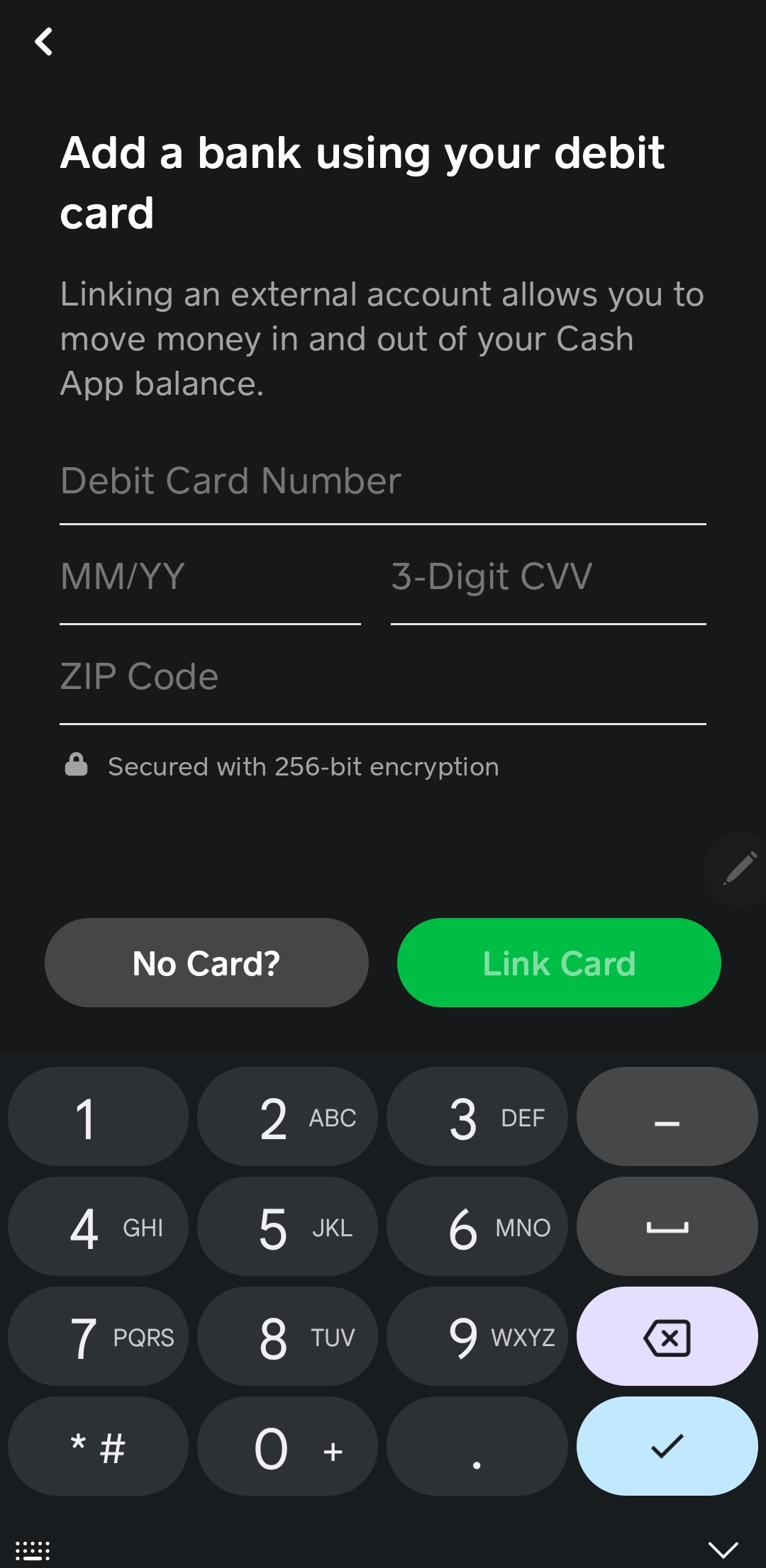
A valid credit card: The card must be active, not expired, and have sufficient available credit to cover the desired transfer amount plus the 3% fee. Make sure the credit card is already linked to your Cash App account. If not, navigate to the “Linked Banks” section from your profile icon and add a new credit card.
Navigating the Cash App Interface
The process within the Cash App is intuitive:
-
Open Cash App: Launch the application on your mobile device.
-
Access the “Money” Tab: On the main screen, look for the “Money” tab (it often looks like a house icon or the total dollar amount in your balance). Tap on it.
-
Initiate “Add Cash”: Beneath your current Cash App balance, you will see an option labeled “Add Cash.” Tap this button.
-
Enter Desired Amount: A numerical keypad will appear. Input the specific amount of money you wish to add to your Cash App balance. Remember to factor in the 3% fee for your calculations if you have a precise amount in mind for your final balance.
-
Confirm Card Selection: The app will prompt you to select the funding source. If you have multiple cards linked, ensure you select the credit card you intend to use. The app will usually display the last four digits of the card number.
-
Review Fee Disclosure: Before finalizing, Cash App will display a clear summary of the transaction, including the amount you’re adding, the 3% fee, and the total amount that will be charged to your credit card. This is your opportunity to review and confirm.
Confirming and Reviewing the Transaction
After reviewing the fee disclosure:
-
Tap “Add”: Once you’re satisfied with the details, tap the “Add” button to proceed.
-
Enter PIN/Fingerprint (if prompted): For security purposes, Cash App may require you to enter your PIN or use biometric authentication (fingerprint/Face ID) to authorize the transaction.
-
Confirmation: You will receive an instant confirmation that the funds have been added to your Cash App balance. Your credit card will be charged for the total amount (funds + 3% fee).
Always double-check your Cash App balance immediately after the transaction to ensure the funds have been successfully deposited.
Strategic Considerations for Using Credit Cards on Cash App
While convenient, using a credit card to fund your Cash App account requires a strategic approach rooted in sound financial management. Overlooking these considerations can lead to unnecessary costs or, worse, debt.
The Convenience vs. Cost Dilemma
The primary benefit of using a credit card to add funds is convenience. It’s an excellent option when you need to send money urgently, your debit card isn’t immediately available, or your bank account balance is low but you have available credit. For example, if you’re out with friends and need to split a bill, but your bank account is temporarily depleted, a credit card can bridge the gap.

However, this convenience comes at a 3% cost. For smaller, one-off transactions where urgency is paramount, this fee might be negligible. For larger, frequent transfers, the fees can accumulate rapidly, eroding your financial resources. Always weigh the immediate need against the long-term financial impact of that 3% fee. Is there a non-urgent alternative that costs less or nothing?
Avoiding Debt and Managing Credit Card Balances
The most critical financial warning when using a credit card for Cash App is the potential for accumulating debt. Remember, you are borrowing money. If you don’t pay off your credit card balance in full by the due date, you’ll incur interest charges, which can significantly amplify the initial 3% fee. This can quickly spiral into an expensive way to fund your mobile wallet.
As a best practice, only use your credit card for Cash App transfers if you have the immediate means and firm intention to pay off that specific charge on your credit card statement right away. Avoid using it for non-essential spending if it means carrying a balance, as this defeats the purpose of sound personal finance.
Leveraging Credit Card Rewards (and the Catch)
Many credit cards offer rewards programs – points, miles, or cashback – that incentivize spending. You might be tempted to use your credit card on Cash App to rack up these rewards. While technically these transactions count as spending, the 3% Cash App fee often negates or significantly diminishes the value of any rewards earned.
For example, if your credit card offers 1% cashback, and you transfer $100 to Cash App, you’d earn $1 in cashback but pay a $3 fee, resulting in a net loss of $2. Even a 2% cashback card would leave you with a net loss of $1. Only credit cards with exceptionally high reward rates (e.g., 5% on specific categories that might occasionally include mobile wallet top-ups, which is rare) might make this strategy financially viable. Always do the math: (Reward Rate % * Amount) – (3% Fee * Amount). If the result is negative, it’s not a rewarding strategy.
Alternative Funding Methods for Cost-Efficiency
For most users, the most cost-effective way to add money to Cash App is by linking a debit card or directly connecting your bank account. Both methods typically allow you to add cash to your Cash App balance for free. Prioritizing these no-fee options whenever possible is a cornerstone of responsible financial management. Reserve credit card funding for truly urgent situations where the 3% fee is justifiable for the immediate convenience.
Security and Best Practices for Financial Transactions on Cash App
Operating within any digital financial ecosystem demands vigilance regarding security. Cash App offers robust security features, but users must also adopt best practices to protect their financial information.
Protecting Your Financial Information
-
Strong, Unique Passwords: Use complex passwords for your Cash App account and avoid reusing passwords from other online services.
-
Two-Factor Authentication (2FA): Enable 2FA for an added layer of security. This requires a second form of verification (e.g., a code sent to your phone) in addition to your password, making unauthorized access much harder.
-
Beware of Phishing and Scams: Be skeptical of unsolicited messages or emails claiming to be from Cash App, especially those asking for your login credentials or personal financial information. Cash App will never ask for your PIN or full credit card number via email or text.
-
Use Secure Networks: Only access Cash App on secure, private Wi-Fi networks or cellular data. Avoid public Wi-Fi networks when conducting financial transactions.
Monitoring Your Cash App and Credit Card Statements
Regularly reviewing your financial statements is a critical habit for financial health.
-
Cash App Activity: Periodically check your Cash App activity feed for any unfamiliar transactions.
-
Credit Card Statements: Scrutinize your credit card statements monthly to ensure all charges, including Cash App transfers, are legitimate and accurately reflect your spending. Promptly report any suspicious activity to your credit card issuer and Cash App support.
Understanding Cash App’s Limits and Policies
Cash App has various limits on how much money you can send, receive, and add to your account, which can vary based on your verification status. These limits are in place for security and regulatory compliance. Be aware of these limits to avoid transaction failures. For instance, there might be a daily or weekly limit on how much you can add from a credit card. Review Cash App’s official support documentation for the most current information regarding limits.
Broader Implications for Personal Financial Health
Integrating Cash App, especially with credit card funding, into your financial routine has broader implications that touch upon your overall financial health and budgeting.
Integrating Cash App into Your Budget
For effective personal finance, every dollar needs a purpose. When you add money to Cash App, particularly with a fee, it needs to be accounted for in your budget. If you regularly use a credit card to fund Cash App, allocate a specific budget line item for these fees. This transparency helps you see the actual cost of convenience and encourages more financially prudent choices. Treat your Cash App balance as an extension of your primary checking account, ensuring that its usage is aligned with your overall spending plan.
The Role of Mobile Payment Apps in Modern Finance
Mobile payment apps like Cash App are not just tools; they represent a significant shift in how people interact with their money. They offer unparalleled convenience and speed, democratizing access to financial services. However, this accessibility comes with the responsibility of informed usage. Understanding features like credit card funding, fees, and security measures is crucial to harnessing their power for financial empowerment rather than falling prey to common pitfalls.
Making Informed Financial Decisions
Ultimately, adding money to Cash App from a credit card is a financial decision that should always be made consciously and with foresight. Ask yourself:
-
Is this the most cost-effective way to achieve my goal?
-
Can I afford the 3% fee?
-
Will I be able to pay off the credit card balance in full and on time to avoid interest charges?
-
Is there a safer or cheaper alternative available right now?
By consistently asking these questions, you transition from simply performing a transaction to making a truly informed financial decision that contributes positively to your long-term financial well-being.
Conclusion
Adding money to your Cash App from a credit card is a convenient feature that can be incredibly useful in specific situations. However, its convenience comes with a financial cost – typically a 3% fee – and the inherent risk of accumulating credit card debt if not managed judiciously. By understanding the financial mechanics, following the correct steps, and adhering to sound personal finance principles, you can leverage this feature responsibly. Always prioritize cost-effective alternatives, protect your financial information, and integrate your Cash App usage thoughtfully into your broader financial plan. When used wisely, Cash App remains a powerful tool in your personal finance arsenal.
aViewFromTheCave is a participant in the Amazon Services LLC Associates Program, an affiliate advertising program designed to provide a means for sites to earn advertising fees by advertising and linking to Amazon.com. Amazon, the Amazon logo, AmazonSupply, and the AmazonSupply logo are trademarks of Amazon.com, Inc. or its affiliates. As an Amazon Associate we earn affiliate commissions from qualifying purchases.