
In an increasingly digital world, the convenience and security of mobile payments have become paramount. For many, Cash App serves as a primary tool for peer-to-peer transactions, direct deposits, and managing daily finances. Concurrently, Apple Wallet has emerged as a cornerstone for digital payment processing, housing credit, debit, and loyalty cards for swift, secure transactions via Apple Pay. Bridging the gap between these two powerful platforms, by adding your Cash App Card to Apple Wallet, unlocks a new level of financial flexibility and streamlined convenience. This guide delves into the technical process, benefits, and best practices for integrating your Cash App Card into the Apple ecosystem, ensuring you maximize your digital financial tools.

Understanding the Ecosystem: Cash App and Apple Wallet Synergy
The proliferation of smartphones has fundamentally reshaped how individuals manage their money. Digital wallets and peer-to-peer payment applications are no longer niche tools but essential components of modern financial life, offering speed, accessibility, and enhanced security compared to traditional banking methods.
The Rise of Digital Wallets and Peer-to-Peer Payments
Digital wallets, such as Apple Wallet, Android Pay, and Google Wallet, function as virtual repositories for various payment methods. They allow users to store digitized versions of their physical cards, facilitating transactions at point-of-sale terminals, online stores, and within apps through near-field communication (NFC) or QR codes. The underlying technology, like Apple Pay, encrypts card details and uses tokenization, meaning the actual card number is never shared with merchants, significantly boosting security.
Cash App, on the other hand, revolutionized peer-to-peer payments, making it incredibly simple to send and receive money between individuals. Beyond its core P2P function, it offers a Cash Card (a customizable Visa debit card linked to your Cash App balance), direct deposit capabilities, and even cryptocurrency trading. Its appeal lies in its simplicity and direct connection to a user’s digital funds.
Bridging the Gap: Why Link Your Cash App Card?
The primary motivation for linking your Cash App Card to Apple Wallet is enhanced convenience and universal acceptance. While the Cash Card is a functional debit card in its own right, integrating it into Apple Wallet transforms it into an Apple Pay-enabled payment method. This means you can use your Cash App balance wherever Apple Pay is accepted, which covers a vast network of physical stores, online retailers, and apps.
Consider the scenario where you leave your physical Cash Card at home but have your iPhone or Apple Watch. With your card in Apple Wallet, you can still make purchases seamlessly. This integration eliminates the need to carry multiple physical cards, streamlining your wallet and simplifying transactions. It also offers a unified experience across all your payment methods, managed from a single, familiar interface on your Apple device.
Enhancing Security and Convenience with Apple Pay
Apple Pay’s security architecture is one of its most compelling features. When you add a card to Apple Wallet, the actual card number is not stored on your device or on Apple servers. Instead, a unique Device Account Number is assigned, encrypted, and securely stored in the Secure Element—a dedicated chip on your Apple device. Each transaction is authorized with a unique, one-time dynamic security code. This tokenization process significantly reduces the risk of fraud, as merchants only receive this token, not your sensitive card details.
For Cash App users, integrating their card into Apple Wallet means transactions are protected by these robust Apple Pay security features, in addition to Cash App’s own security protocols. Furthermore, the convenience factor is undeniable: making a payment is often as simple as a double-click of a button and a quick authentication via Face ID, Touch ID, or passcode. This swift transaction process not only saves time but also adds a layer of privacy by not requiring you to hand over your physical card to a cashier.
Step-by-Step Guide: Adding Your Cash App Card to Apple Wallet
Adding your Cash App Card to Apple Wallet is a straightforward process that can be initiated from either the Cash App application or directly through Apple Wallet. Both methods are designed for user-friendliness, ensuring a smooth setup.
Initiating the Process from the Cash App Application
This is often the most direct and recommended method, as Cash App itself prompts you to add its card to Apple Pay.
Accessing the Banking Tab
- Open the Cash App: Launch the Cash App on your iPhone.
- Navigate to the Banking Tab: On the main screen, tap the “Banking” tab (it often looks like a house icon or a bank building icon) at the bottom-left corner. This section displays your Cash App balance and information related to your Cash Card.
- Select “Cash Card”: Within the Banking tab, you should see an image of your Cash Card. Tap on this image or the “Cash Card” option to view its details.
Selecting “Add to Apple Pay”
- Locate the “Add to Apple Pay” Option: On the Cash Card details screen, look for an option that explicitly says “Add to Apple Pay,” often accompanied by the Apple Pay logo. Tap this button.
- Follow On-Screen Prompts: Cash App will then guide you through the process, which typically involves confirming your card details and agreeing to the terms and conditions. It will seamlessly transfer you to the Apple Wallet interface to complete the addition.
Verifying Card Details
Once in Apple Wallet, confirm that the displayed card details (last four digits, card type) match your Cash App Card. You might be asked to agree to the issuer’s (Cash App/Sutton Bank) terms and conditions. After confirmation, the card will be added.
Direct Integration via the Apple Wallet Application
If for any reason you prefer to add it directly or experience issues with the Cash App method, Apple Wallet offers a universal way to add cards.
Opening Apple Wallet and Adding a New Card
- Open Apple Wallet: Locate and tap the “Wallet” app icon on your iPhone.
- Tap the Plus Sign (+): In the upper-right corner of the Wallet app, tap the “+” icon to add a new card.
- Choose Card Type: Select “Debit or Credit Card” from the options presented.
- Initiate Scan or Manual Entry: You will then be prompted to either scan your physical Cash Card using your phone’s camera (if you have one) or tap “Enter Card Details Manually.” Since the Cash App Card is primarily digital, manual entry is often preferred.
Inputting Cash App Card Information Manually
- Retrieve Card Details from Cash App: You’ll need your Cash App Card number, expiration date, and CVV. To find these in Cash App:
- Go to the “Banking” tab.
- Tap on your Cash Card.
- Tap the icon that resembles a small card or eye to reveal your full card number and CVV. Make a note of these details.
- Enter Details into Apple Wallet: Carefully input the Cash App Card number, expiration date, and security code (CVV) into the respective fields in Apple Wallet. Tap “Next.”
Verification Procedures
After entering the details, your bank (Sutton Bank, which issues the Cash Card) may need to verify your card. This usually involves:
- Text Message: Sending a verification code to the phone number associated with your Cash App account.
- Email: Sending a code to your registered email address.
- Cash App Verification: Sometimes, a prompt within the Cash App itself.
Choose your preferred method and enter the verification code when prompted in Apple Wallet. Once verified, your Cash App Card will be successfully added.

Finalizing the Setup and Initial Usage
After the card is added, it will appear in your Apple Wallet alongside your other cards. You can set it as your default payment card if you wish. To use it, simply double-click the side button on your iPhone (or Home button on older models) or Apple Watch, authenticate with Face ID/Touch ID/passcode, and hold your device near a contactless reader. You’ll see a “Done” confirmation on your screen when the payment is successful.
Leveraging Your Integrated Digital Payment Solution
Once your Cash App Card is securely added to Apple Wallet, you unlock a versatile and efficient payment tool, seamlessly blending the convenience of Cash App with the widespread acceptance of Apple Pay.
Making Payments with Apple Pay and Your Cash App Card
Using your Cash App Card through Apple Pay is identical to using any other card. At any merchant that displays the Apple Pay or contactless payment symbol, you can perform a transaction.
- On iPhone: Double-click the side button (or Home button for older models), glance at your iPhone for Face ID, or place your finger on Touch ID. Hold the top of your iPhone near the contactless reader until “Done” and a checkmark appear on the display.
- On Apple Watch: Double-click the side button. Hold the display of your Apple Watch near the contactless reader. You’ll feel a gentle tap and hear a beep when the payment is complete.
The funds for these transactions will be drawn directly from your Cash App balance, just as if you were using your physical Cash Card.
Managing Your Cash App Card within Apple Wallet
Apple Wallet provides an intuitive interface for managing all your integrated cards, including your Cash App Card.
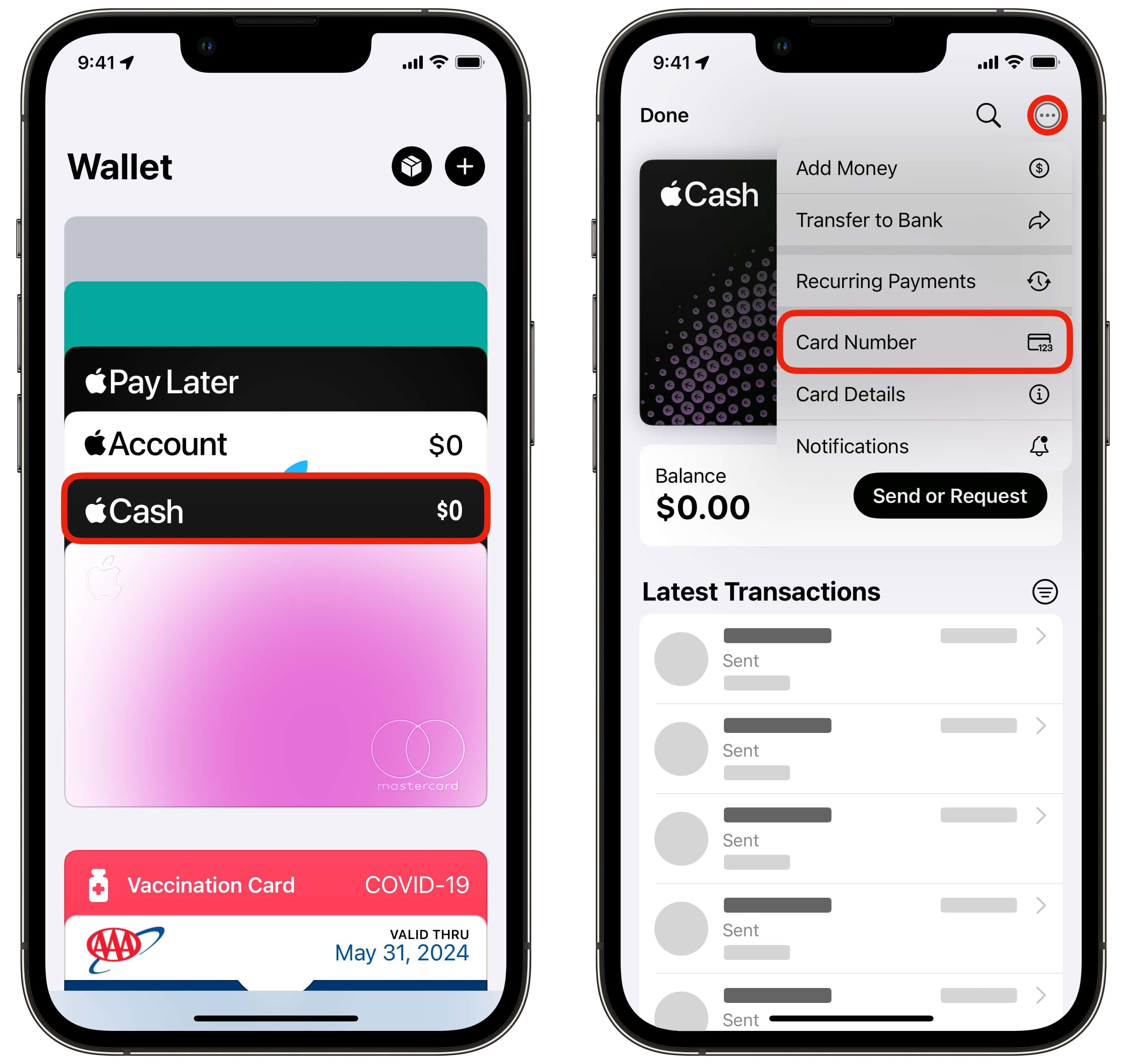
- View Card Details: You can tap on your Cash App Card within Wallet to view recent transactions (though comprehensive transaction history is best viewed in the Cash App itself), manage notifications, and access customer service options.
- Set as Default: If you frequently use your Cash App balance, you can easily set it as your default payment card in Wallet settings, meaning it will be automatically selected for transactions unless you manually choose another card.
- Remove Card: Should you need to, removing the Cash App Card from Apple Wallet is straightforward: tap the card, scroll down, and select “Remove Card.” This can be useful if your device is lost or if you no longer wish to use the card with Apple Pay.
Key Benefits: Speed, Security, and Accessibility
The integration offers a trifecta of benefits:
- Speed: Transactions are often completed in mere seconds, far faster than swiping a physical card or fumbling for cash.
- Security: As detailed earlier, Apple Pay’s tokenization and biometric authentication provide a robust layer of security, protecting your financial data.
- Accessibility: Your Cash App balance becomes accessible for payments in a vast array of locations that accept Apple Pay, whether online, in apps, or at physical stores, significantly expanding its utility beyond just peer-to-peer transfers. This also extends to using your Apple Watch, providing an extra layer of hands-free convenience.
Troubleshooting Common Issues and Best Practices
While adding your Cash App Card to Apple Wallet is generally seamless, occasional technical hitches can occur. Being prepared for these and adhering to best practices ensures a smooth and secure experience.
Addressing Card Addition Errors
Several factors might prevent a card from being added successfully.
- Incorrect Information: Double-check that all card details (number, expiration, CVV) are entered precisely as they appear in Cash App. Even a single digit error can cause rejection.
- Connectivity Problems: Ensure your iPhone has a stable internet connection (Wi-Fi or cellular data) during the card addition and verification process.
- Card Not Supported: While Cash App Cards are generally compatible, ensure your device’s iOS version is up to date, as older software might not fully support the latest payment protocols. In rare cases, there could be a temporary issue with Cash App or Sutton Bank’s system.
- Verification Failure: If verification codes aren’t arriving or are rejected, confirm that your phone number and email address are current within your Cash App profile. Contact Cash App support if the issue persists.
Ensuring Optimal Security Practices
Maintaining the security of your digital wallet is paramount.
- Device Security: Always use a strong passcode, Face ID, or Touch ID to protect your iPhone. This is the first line of defense against unauthorized access to your Apple Wallet.
- Awareness of Scams: Be wary of phishing attempts or suspicious messages requesting your card details or verification codes. Neither Apple nor Cash App will ask for this sensitive information outside of their secure applications.
- Lost or Stolen Device: If your iPhone is lost or stolen, immediately use Find My iPhone to put your device in Lost Mode. This remotely suspends Apple Pay, preventing unauthorized use of your cards. You can also remotely erase your device.
What to Do If Your Card is Declined
If a transaction with your Cash App Card in Apple Wallet is declined, consider these steps:
- Check Cash App Balance: Ensure you have sufficient funds in your Cash App balance to cover the purchase.
- Check Transaction Limits: Cash App may have daily or per-transaction limits. Verify these within the app’s settings.
- Merchant Acceptance: Confirm that the merchant accepts Apple Pay. Look for the Apple Pay logo or the contactless payment symbol.
- Network Issues: Occasionally, there might be a temporary issue with the merchant’s payment terminal or the payment network itself.
- Contact Support: If all else fails, contact Cash App support for assistance, as they can check for any specific blocks or issues with your card.
The Future of Digital Finance: Beyond Basic Integration
Integrating your Cash App Card into Apple Wallet is more than just a convenience; it represents a step forward in the evolution of personal finance technology. This kind of seamless interoperability between platforms underscores a broader trend towards highly customizable, secure, and user-centric financial management.
The Evolving Landscape of Mobile Payments
The digital payment landscape is continually evolving, driven by advancements in NFC technology, biometric authentication, and cryptographic security. The integration of various financial services—from banking to investing and peer-to-peer transfers—into a unified mobile experience is becoming the norm. Expect to see further innovations that enhance cross-platform functionality, real-time budgeting tools within digital wallets, and even more sophisticated security measures. The goal is to make managing and spending money as effortless and secure as sending a text message.
Implications for User Experience and Financial Inclusion
For users, this means an ever-improving experience characterized by speed, simplicity, and control. The ability to manage diverse financial tools from a single device empowers individuals to take greater charge of their finances. From a broader perspective, the accessibility of digital wallets and payment apps like Cash App lowers barriers to financial services, especially for underserved populations. By making it easier to conduct transactions without a traditional bank account or physical cards, these technologies contribute significantly to financial inclusion, expanding economic opportunities for a wider demographic.
Maximizing Your Digital Wallet Potential
Adding your Cash App Card to Apple Wallet is an excellent example of maximizing the potential of your digital tools. It transforms a specialized P2P card into a universally accepted payment method, leveraging the robust infrastructure of Apple Pay. As technology continues to advance, users who embrace these integrations will find themselves at the forefront of digital efficiency, enjoying unparalleled convenience and peace of mind in their financial transactions. By staying informed about new features and best practices, you can ensure your digital wallet remains a powerful, secure, and indispensable asset in your daily life.
aViewFromTheCave is a participant in the Amazon Services LLC Associates Program, an affiliate advertising program designed to provide a means for sites to earn advertising fees by advertising and linking to Amazon.com. Amazon, the Amazon logo, AmazonSupply, and the AmazonSupply logo are trademarks of Amazon.com, Inc. or its affiliates. As an Amazon Associate we earn affiliate commissions from qualifying purchases.