
Activating SiriusXM in your vehicle unlocks a vast universe of audio entertainment, transforming your daily commute or road trips into a more engaging experience. This process, while generally straightforward, involves a few key steps to ensure your satellite radio service is seamlessly integrated and fully functional within your car’s infotainment system. Understanding the underlying technology and the precise activation methods can expedite the setup and help troubleshoot any potential snags.
Understanding the SiriusXM In-Car Experience
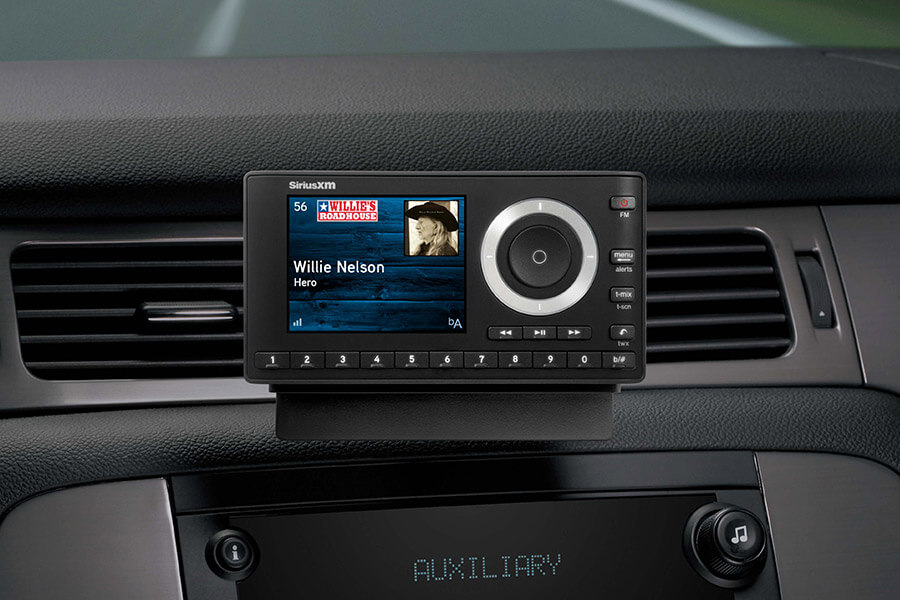
SiriusXM satellite radio operates distinctly from traditional terrestrial radio or streaming apps that rely on cellular data. It leverages a network of satellites to broadcast a wide array of content, including music, talk shows, news, sports, and exclusive programming, directly to a dedicated receiver in your car. This technology ensures consistent, nationwide coverage, free from the static, fading, and limited channel selection often associated with local FM/AM broadcasts.
The Technology Behind Satellite Radio
At its core, SiriusXM’s in-car delivery system consists of several integrated technological components. Signals are uplinked from ground stations to geostationary satellites orbiting Earth. These satellites then beam the signals down to an antenna typically mounted on your car’s roof. From the antenna, the signal travels to a receiver module, often integrated into your car’s head unit or infotainment system. This receiver decodes the encrypted audio and data streams, making the channels available for selection through your dashboard controls. Modern car systems often feature advanced receivers capable of displaying channel art, song information, and on-demand content, enhancing the overall user interface. The digital nature of the broadcast ensures high-fidelity audio, which remains robust across vast geographical areas, including many remote regions where internet or traditional radio signals are weak or nonexistent.
What You Need Before You Start
Before initiating the activation process, gathering a few crucial pieces of information will streamline the procedure. The primary requirement is your radio’s unique identification number. This is typically referred to as the SiriusXM Radio ID (often called ESN for Electronic Serial Number or SID for Sirius ID). This 12-digit alphanumeric code is essential for SiriusXM to link your specific car receiver to your subscription plan. You’ll also need access to your vehicle, as the radio ID is usually displayed directly on the car’s radio screen.
Furthermore, ensure you have a valid SiriusXM account or are prepared to create one. This involves having an email address, contact information, and payment details readily available. If you’ve recently purchased a new or pre-owned vehicle that came with a trial subscription, understanding its duration and expiration date will be helpful for future planning. Having a strong, clear view of the sky for your vehicle is also important during the over-the-air activation phase, as the receiver needs to acquire the satellite signal to complete the process.
Step-by-Step Activation Process
Activating your SiriusXM service is a straightforward procedure that can typically be completed online or over the phone. Both methods require you to first locate your radio’s unique identifier.
Finding Your Radio ID (ESN or SID)
The SiriusXM Radio ID is paramount for activation. To find it:
- Tune to Channel 0: Turn on your car’s radio and tune to channel 0. The Radio ID (ESN or SID) will typically be displayed on the screen.
- Check for an “Info” Button: Some car systems require you to press an “Info” or “Menu” button on your radio after tuning to channel 0 to reveal the ID.
- Consult Your Owner’s Manual: If channel 0 does not display the ID, or if your vehicle has a complex infotainment system, refer to your car’s owner’s manual for specific instructions on locating the SiriusXM Radio ID. It might be found within a “System Information” or “About” menu.
- Look for a Sticker: In some older vehicles, the Radio ID might be printed on a sticker on the radio itself (though this usually requires removing the radio from the dashboard, which is not recommended for a typical user).
Once you have the 12-digit alphanumeric code, write it down accurately.
Online Activation Walkthrough
The most common and often quickest way to activate is through the SiriusXM website:
- Visit the SiriusXM Activation Page: Navigate to the dedicated activation page on the official SiriusXM website (e.g., siriusxm.com/activatenow).
- Enter Your Radio ID: Input the 12-digit Radio ID you retrieved from your car’s radio.
- Select Your Plan: Choose the subscription package that best suits your listening preferences. SiriusXM offers various tiers with different channel lineups and features.
- Create or Log In to Your Account: If you’re a new subscriber, you’ll be prompted to create an account by providing an email address, password, and personal details. Existing subscribers can log in to link the new radio to their current account.
- Provide Payment Information: Enter your billing details to complete the subscription setup.
- Confirm and Initiate Activation: Review your selections and confirm. The system will then send an activation signal to your radio.
- Over-the-Air Activation: Once the signal is sent, ensure your vehicle is outside with a clear view of the sky and the radio is turned on and tuned to a SiriusXM channel (e.g., Channel 1, the preview channel). It may take a few minutes for the activation signal to be fully received and for all channels to become available. You might see a “Subscription Updated” or similar message on your radio screen.
Activating by Phone
For those who prefer speaking with a representative or encounter issues with online activation, phone activation is an alternative:
- Call SiriusXM Customer Service: Dial the dedicated activation or customer service number provided on the SiriusXM website.
- Have Your Radio ID Ready: When prompted, provide the 12-digit Radio ID to the representative.
- Discuss Subscription Options: The representative will guide you through the available subscription plans, helping you choose one that fits your needs.
- Provide Account and Payment Information: You’ll be asked to provide your personal, account, and payment details verbally.
- Initiate Signal Refresh: Once the account is set up, the representative will send an activation signal to your radio.
- Complete Over-the-Air Activation: As with online activation, ensure your car’s radio is on, tuned to Channel 1, and has a clear view of the sky. Wait for the channels to populate and confirm activation.
Over-the-Air Activation: What to Expect
After the activation signal has been sent (either online or via phone), your car’s SiriusXM receiver needs to receive this signal from the satellites. This process, known as over-the-air activation, typically takes a few minutes but can sometimes extend up to an hour. It is crucial for your vehicle to be outdoors with an unobstructed view of the sky during this period. Parking in a garage, under a bridge, or in heavily forested areas can impede the signal reception and delay activation. Once successful, your radio will usually display a message confirming the subscription update, and all the channels included in your chosen plan will become accessible. If activation doesn’t occur within a reasonable timeframe, a signal refresh can often resolve the issue, which can be initiated from the SiriusXM website or by contacting customer support.
Troubleshooting Common Activation Issues
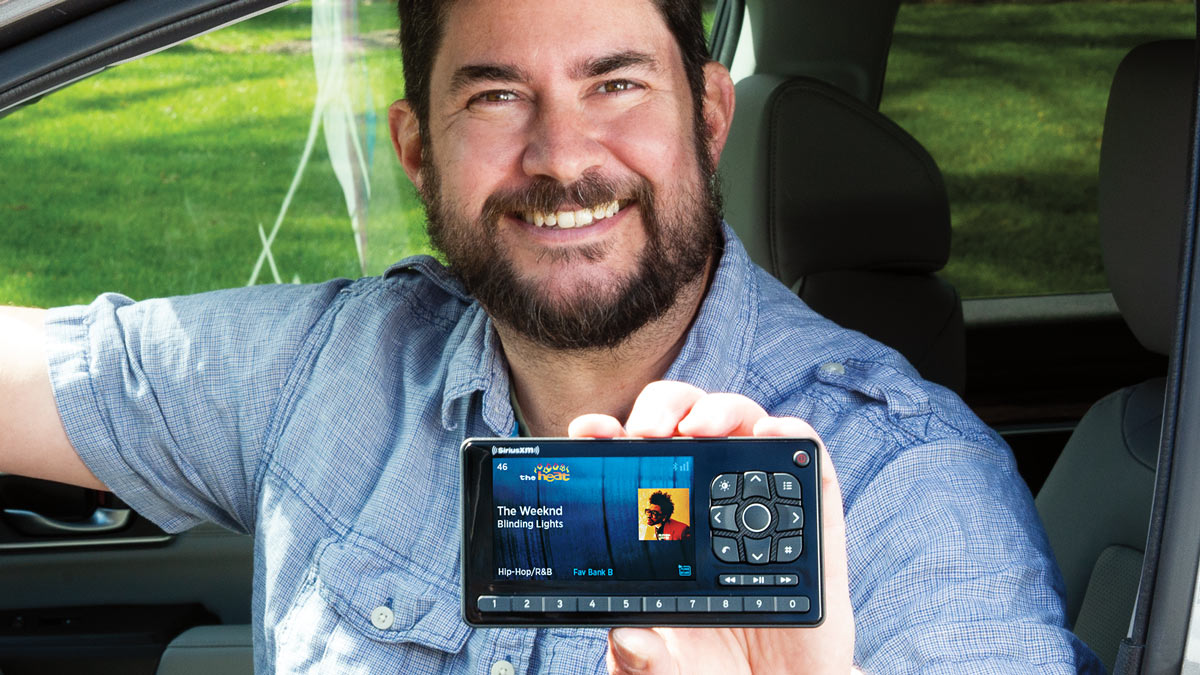
While the activation process is generally smooth, users can occasionally encounter issues. Understanding these common problems and their solutions can save time and frustration.
“Check Antenna” or “No Signal” Messages
These messages typically indicate a problem with the satellite signal reception, not necessarily an activation issue.
- Location: Ensure your vehicle is parked outdoors with a clear, unobstructed view of the sky. Buildings, trees, and garages can block satellite signals.
- Antenna Integrity: Check if the SiriusXM antenna (usually a small, shark-fin-like component on your car’s roof) is clean and undamaged. Any physical obstruction or damage to the antenna or its cabling could disrupt signal reception.
- Internal Connections: While less common for the end-user to resolve, internal wiring issues between the antenna and the receiver could also cause this. If other troubleshooting fails, a professional diagnostic may be necessary.
Subscription Not Updating
If your radio is still playing the preview channel or displaying a message about an expired subscription after you’ve activated, the signal may not have been fully received.
- Refresh Signal: The first step is to perform a signal refresh. This can usually be done quickly online through your SiriusXM account portal or by calling customer service. You’ll need to confirm your Radio ID.
- Wait Time: After a refresh, allow up to an hour for the signal to reach your radio. Keep the radio on and tuned to Channel 1.
- Verify Account Status: Log into your SiriusXM account online to confirm that your subscription is active and linked to the correct Radio ID.
Radio ID Mismatch
This issue occurs when the Radio ID you provided during activation doesn’t match the ID of the receiver in your car.
- Double-Check Radio ID: Carefully re-verify the 12-digit Radio ID displayed on Channel 0 of your car’s radio. Even a single incorrect digit can lead to a mismatch.
- Contact Customer Service: If you find a discrepancy, contact SiriusXM customer service immediately. They can correct the Radio ID associated with your account and resend the activation signal. Avoid attempting to create a new account with the correct ID without first resolving the existing one, as this can lead to billing complications.
Maximizing Your SiriusXM In-Car Features
Once activated, your SiriusXM service offers more than just basic channel access. Modern car infotainment systems can leverage various features to enhance your listening experience.
Utilizing Advanced Receiver Functions
Many contemporary car radios equipped with SiriusXM capabilities offer advanced functionalities beyond simple channel tuning. This includes features like “TuneMix,” which blends songs from your favorite music channels into a personalized station; “Start Over,” allowing you to restart certain programs from the beginning; and “Xtra Channels,” which provide an expanded selection of genre-specific music, often accessible through an internet connection in your car. Some systems also integrate “Pandora Stations Powered by SiriusXM,” offering personalized ad-free music stations based on artists or genres you enjoy. Exploring your car’s specific infotainment interface is crucial to discover and utilize these advanced functions fully.
Exploring Channel Lineups and Personalization
SiriusXM boasts a diverse channel lineup spanning virtually every genre and interest. Take time to explore the various categories—from commercial-free music channels (pop, rock, country, classical, jazz, electronic) to news, sports, comedy, and exclusive talk radio. Many systems allow you to set favorite channels for quick access, and some even offer predictive tuning based on your listening habits. Creating a personalized list of preferred channels significantly enhances the in-car experience, ensuring your go-to content is always just a tap or voice command away.
Integrating with Smart Car Systems
In vehicles equipped with advanced connectivity, SiriusXM integration can extend beyond the radio itself. Some car manufacturers offer companion apps that allow you to manage your SiriusXM account, browse channels, or even send specific channels to your car’s radio remotely. Furthermore, voice assistant integration (e.g., through Apple CarPlay, Android Auto, or built-in car assistants) can enable hands-free control of your SiriusXM channels, improving safety and convenience. Understanding your car’s smart features and how they interact with SiriusXM can unlock a seamless and highly personalized audio environment.
Maintaining Your SiriusXM Service
After activation, ongoing management of your SiriusXM account ensures uninterrupted service and allows you to adapt your subscription as your needs evolve.
Managing Your Account Online
Your online SiriusXM account portal (often accessible via siriusxm.com/myaccount) is a powerful tool for self-service. Here, you can update your contact information, change payment methods, view your billing history, add or remove vehicles from your account, and refresh your radio’s signal if you encounter issues. Regularly reviewing your account details ensures accurate billing and prevents service interruptions. It also provides a direct line to support resources and FAQs.
Renewals and Upgrades
SiriusXM subscriptions often renew automatically, so it’s wise to be aware of your renewal date and the terms of your current plan. If you wish to change your subscription tier—either upgrading for more channels and features or downgrading to a more basic package—you can typically do so through your online account or by contacting customer service. Keep an eye out for promotional offers that may become available around your renewal period, as these can sometimes offer better value for continued service. Understanding these options empowers you to tailor your SiriusXM experience to your current preferences and budget effectively.
aViewFromTheCave is a participant in the Amazon Services LLC Associates Program, an affiliate advertising program designed to provide a means for sites to earn advertising fees by advertising and linking to Amazon.com. Amazon, the Amazon logo, AmazonSupply, and the AmazonSupply logo are trademarks of Amazon.com, Inc. or its affiliates. As an Amazon Associate we earn affiliate commissions from qualifying purchases.