
The landscape of television consumption has undergone a seismic shift, moving rapidly from traditional cable and satellite subscriptions to the dynamic world of live TV streaming. For many, the concept of “cutting the cord” has evolved from a niche trend into a mainstream phenomenon, driven by desires for flexibility, cost savings, and a more personalized viewing experience. This guide delves deep into the technological underpinnings and practical steps required to navigate the exciting realm of live TV streaming, empowering you to make informed choices and optimize your entertainment setup.
Understanding Live TV Streaming: Why Make the Switch?
The allure of live TV streaming extends far beyond just saving money, though that is a significant driver for many. It represents a fundamental change in how content is delivered and consumed, leveraging modern internet infrastructure to provide unparalleled choice and convenience.
The Cord-Cutting Revolution: Trends and Benefits
The cord-cutting revolution is characterized by a mass exodus from conventional pay-TV services. This trend is fueled by several compelling benefits:
- Cost Savings: Traditional cable packages often come bundled with channels you don’t watch, resulting in inflated monthly bills. Live TV streaming services typically offer more tailored packages at lower price points.
- Flexibility and Customization: Subscribers can often choose specific channel lineups, add-on packages, and cancel services month-to-month without lengthy contracts, adapting their subscriptions to their evolving interests or seasonal viewing habits.
- Accessibility Across Devices: Live TV streaming is inherently multi-platform. Whether on a smart TV, smartphone, tablet, computer, or dedicated streaming device, your content is available wherever you have an internet connection.
- Enhanced Features: Many services include cloud DVR capabilities, allowing you to record live shows and watch them later, as well as robust on-demand libraries that complement the live broadcast schedule.
- User Experience: Modern streaming apps boast intuitive interfaces, personalized recommendations, and seamless navigation, often surpassing the clunky user experiences associated with older cable boxes.
Key Concepts: OTT, IPTV, and DVRs
To fully grasp live TV streaming, it’s helpful to understand some core technical concepts:
- Over-the-Top (OTT) Content: This refers to any content delivered directly to viewers over the internet, bypassing traditional broadcast, cable, or satellite TV platforms. Live TV streaming services are a prime example of OTT.
- Internet Protocol Television (IPTV): While often used interchangeably with OTT, IPTV specifically refers to television services delivered using the Internet Protocol suite over a packet-switched network, such as the internet. Most live TV streaming services operate on an IPTV model.
- Cloud Digital Video Recorders (DVRs): Unlike physical DVRs that record to a hard drive in your home, cloud DVRs store recordings on remote servers. This means you can access your recorded content from any compatible device, without worrying about storage limits on your local hardware (within the service’s provided limits).
What You Need Before You Start
Embarking on your live TV streaming journey requires a few fundamental technological prerequisites:
- Reliable High-Speed Internet: This is non-negotiable. Streaming live HD content, especially across multiple devices simultaneously, demands a robust internet connection. A minimum download speed of 25-50 Mbps is generally recommended for a smooth experience, with higher speeds preferred for 4K streaming or multi-user households.
- Compatible Streaming Device(s): While some services can be accessed directly through web browsers, a dedicated streaming device (e.g., Roku, Amazon Fire TV, Apple TV, Google Chromecast) or a smart TV with built-in streaming apps offers the most optimized and convenient viewing experience. These devices act as the bridge between your internet connection and your television screen.
Exploring Your Live TV Streaming Service Options
The market for live TV streaming is bustling with a diverse array of services, each with its own unique channel lineup, pricing structure, and feature set. Understanding these options is crucial for making an informed decision that aligns with your viewing preferences.
Subscription-Based Live TV Services
These are the direct competitors to traditional cable, offering a bundle of live channels typically accessible through an app.
- YouTube TV: Known for its comprehensive channel lineup, unlimited cloud DVR, and excellent user interface. It often includes local channels and sports networks.
- Sling TV: A more budget-friendly option, offering customizable channel bundles (“Orange” and “Blue”) that can be combined or subscribed to individually. It’s ideal for those who want to pick and choose specific genres or networks.
- Hulu + Live TV: Combines Hulu’s extensive on-demand library (which includes original content) with a robust selection of live channels, local affiliates, and a decent cloud DVR.
- FuboTV: Heavily geared towards sports enthusiasts, offering a vast array of sports channels alongside a respectable general entertainment lineup. It often includes 4K streaming options for select events.
- DIRECTV Stream: Positioned as a more premium alternative, often offering channel packages that closely mirror traditional satellite TV, appealing to those seeking a familiar experience without the satellite dish.
- Philo: An ultra-budget option focused purely on entertainment and lifestyle channels, specifically excluding news and sports. Perfect for those who only watch non-news/sports content.
Free Live TV Streaming Services
For those looking to supplement their paid subscriptions or seeking entirely free alternatives, several ad-supported services provide a surprising amount of live content.
- Pluto TV: Offers hundreds of “channels” curated into specific themes (movies, TV shows, news, sports, specific genres), mimicking a traditional TV guide experience with a vast on-demand library.
- Tubi: Primarily an on-demand service, but also features a growing selection of live news and genre-specific channels.
- Peacock Free Tier: Offers a limited selection of NBCUniversal content, including some live news and sports programming, along with an extensive on-demand library.
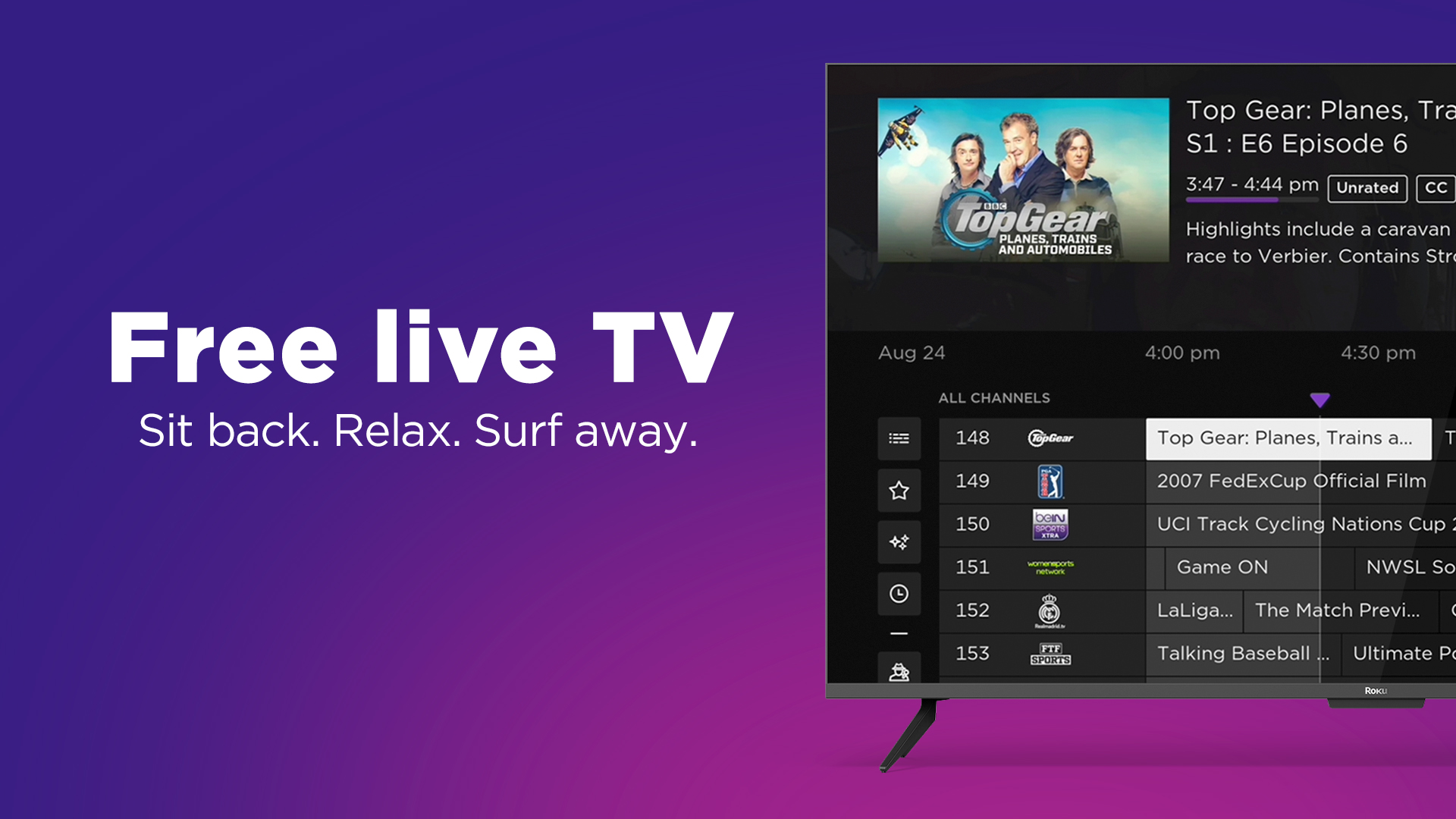
- The Roku Channel / Amazon Freevee: These platform-specific services offer a rotating selection of live channels alongside their on-demand content, often featuring movies, TV shows, and news.
Broadcast TV via Antennas and Integrations
For local channels (ABC, CBS, FOX, NBC, PBS), an often-overlooked and entirely free solution is a good old-fashioned over-the-air (OTA) antenna. Modern digital antennas can pull in high-definition signals from local broadcasters. Devices like Tablo or HDHomeRun can integrate these antenna signals into your streaming ecosystem, allowing you to watch and even record local channels through your streaming device or app, sometimes even merging them into your live TV streaming guide. This is an excellent way to get local news, sports, and prime-time network shows without relying on a paid streaming service or internet bandwidth.
Niche and International Streaming Platforms
Beyond the major players, a multitude of niche services cater to specific interests or international content. These might include services focused on anime (Crunchyroll), horror (Shudder), British content (BritBox), or news (various news apps). Many offer a mix of live and on-demand content tailored to their specific audience.
Choosing the Right Service for Your Needs
With such a wide array of options, selecting the ideal live TV streaming service can feel daunting. A systematic approach, focusing on your specific preferences and priorities, is essential.
Assessing Channel Lineups and Content Libraries
This is often the most critical factor. Make a list of your must-have channels – local news, specific sports networks, favorite entertainment channels, children’s programming. Then, compare these against the offerings of each service. Many services offer free trials, which are invaluable for testing channel availability and content quality. Also, consider the breadth of their on-demand library, as this often complements the live offerings.
Pricing, Bundles, and Hidden Costs
While generally cheaper than cable, streaming services vary significantly in price.
- Base Price: Compare the monthly cost of the core packages.
- Add-ons: Many services offer premium add-ons for specific sports packages, movie channels, or enhanced DVR capabilities. Factor these into your total budget.
- Bundles: Some services, like Hulu + Live TV, are inherently bundled. Others may offer discounts if you combine them with internet providers or mobile plans.
- Device Costs: While many people already own compatible devices, remember to factor in the cost if you need to purchase new streaming hardware.
Always be aware of potential price increases, which can occur periodically as services renegotiate content deals.
Device Compatibility and User Experience
Ensure the service you choose is compatible with all your preferred streaming devices (Smart TV, Roku, Fire TV, Apple TV, gaming console, mobile devices). Also, critically evaluate the user interface:
- Navigation: Is it easy to find channels and shows? Is the guide intuitive?
- Search Functionality: Can you quickly search for specific programs, actors, or genres?
- Profile Support: Does it offer individual user profiles for personalized recommendations and viewing history?
- Stability and Performance: How quickly do channels load? Are there frequent buffering issues (assuming your internet is sufficient)?
DVR Capabilities and On-Demand Features
Most modern live TV streaming services include a cloud DVR, but their features vary:
- Storage Limits: Some offer unlimited storage (e.g., YouTube TV), while others have limits (e.g., 50-200 hours).
- Retention Period: How long are your recordings saved? Some are permanent until you delete them, others expire after a certain number of days (e.g., 9 months).
- Simultaneous Recordings: Can you record multiple shows at once?
- Fast-Forwarding: Some services restrict fast-forwarding through commercials on recorded content, particularly for network shows where they are legally required to offer the network’s on-demand version.
- On-Demand Libraries: Beyond live channels and DVR, evaluate the depth and breadth of the service’s on-demand content library, which often includes current shows, past seasons, and exclusive content.
Setting Up and Optimizing Your Live TV Streaming Experience
Once you’ve chosen your service(s), the next step is to set up your system for optimal performance and enjoyment. A well-configured setup can make all the difference in your daily viewing.
Essential Hardware: Streaming Devices, Smart TVs, Antennas
- Streaming Devices: Dedicate a good streaming device to each TV you want to stream on. Top contenders like the Roku Ultra, Amazon Fire TV Stick 4K Max, Apple TV 4K, or NVIDIA Shield TV offer robust performance, wide app compatibility, and often support for advanced features like 4K HDR.
- Smart TVs: Many modern smart TVs have excellent built-in streaming app support. Ensure your TV’s operating system (e.g., Roku TV, WebOS, Tizen, Android TV) is up-to-date and performs well. If it feels sluggish, consider adding an external streaming device.
- Digital Antennas: For local channels, invest in a good quality indoor or outdoor digital antenna. Placement is key; experiment with different locations (near a window, high up) to find the best signal reception. Use online tools like AntennaWeb to determine signal strength and direction in your area.
Network Considerations: Wi-Fi vs. Ethernet
Your home network is the backbone of your streaming experience.
- Wi-Fi: While convenient, Wi-Fi can be susceptible to interference and dead zones, especially if your router is old or centrally located away from your streaming devices. Ensure your router supports modern standards (Wi-Fi 5 or 6) and consider a mesh Wi-Fi system for larger homes.
- Ethernet: For the best possible performance, especially for your main viewing setup (e.g., your primary TV), a wired Ethernet connection is always superior. It provides a more stable, faster connection with lower latency, virtually eliminating buffering issues related to local network performance. If running cables isn’t feasible, consider Powerline adapters that use your home’s electrical wiring to extend network access.
Tips for Troubleshooting and Maximizing Quality
- Reboot Everything: The classic IT advice holds true. If you encounter issues, restart your router, modem, and streaming device.
- Check Internet Speed: Regularly test your internet speed using online tools (e.g., Speedtest.net) to ensure you’re getting the bandwidth you pay for.
- Update Apps and Devices: Keep your streaming apps and device firmware updated. Developers frequently release performance improvements and bug fixes.
- Clear Cache: If an app is acting up, clearing its cache (usually in the device’s settings) can often resolve minor glitches.
- Reduce Network Congestion: If multiple devices are streaming or downloading simultaneously, it can strain your network. Prioritize streaming traffic if your router allows it (Quality of Service – QoS settings).
Enhancing Your Setup: Sound Systems and Multi-Screen Viewing
- Sound Systems: Don’t underestimate the impact of good audio. A soundbar or a full surround sound system can dramatically elevate your streaming experience, especially for movies and sports.
- Multi-Screen Viewing: Many services allow simultaneous streams on multiple devices within your home. Ensure your internet speed can handle this, and consider setting up profiles for each family member to track their viewing preferences.
The Future of Live TV Streaming
The evolution of live TV streaming is far from over. As technology continues to advance, we can expect even more sophisticated and personalized viewing experiences.
Evolving Technologies and Content Delivery
Expect continued advancements in video compression technologies, enabling higher quality streams (e.g., more widespread 4K HDR, potentially 8K) with less bandwidth. Edge computing and localized content caching will likely play a bigger role, bringing content closer to the user to reduce latency and improve reliability. The integration of 5G networks promises to unlock high-quality mobile streaming for many, making “TV on the go” even more seamless.
Personalization and AI in Streaming
Artificial intelligence and machine learning are already influencing recommendation engines, but their role will deepen. Expect even more precise content suggestions, dynamic ad insertion tailored to individual viewers, and AI-powered upscaling of older content to modern resolutions. Voice control will become more sophisticated, allowing for complex queries and hands-free navigation.
The Blurring Lines Between Live and On-Demand
The distinction between live broadcasts and on-demand content is already blurring. Services are integrating live channels more deeply with their on-demand libraries, offering “start from beginning” features for live shows, and making recent live content immediately available on demand. This convergence will continue, offering viewers maximum flexibility to consume content whenever and however they prefer, solidifying live TV streaming as the dominant form of television consumption for the foreseeable future.
aViewFromTheCave is a participant in the Amazon Services LLC Associates Program, an affiliate advertising program designed to provide a means for sites to earn advertising fees by advertising and linking to Amazon.com. Amazon, the Amazon logo, AmazonSupply, and the AmazonSupply logo are trademarks of Amazon.com, Inc. or its affiliates. As an Amazon Associate we earn affiliate commissions from qualifying purchases.