
The landscape of home entertainment has undergone a radical transformation over the last decade. As traditional cable providers grapple with aging infrastructure and restrictive contracts, tech-driven solutions have stepped in to redefine how we consume live television. At the forefront of this digital shift is YouTube TV, Google’s premier live-streaming service. For consumers asking “how much is YouTube TV,” the answer involves more than a simple monthly figure; it encompasses a sophisticated suite of cloud-based technologies, high-definition delivery, and a user experience optimized for the modern digital ecosystem.
Currently, the YouTube TV Base Plan is priced at $72.99 per month. While this represents a significant increase from its introductory price years ago, the service has evolved from a lean experimental app into a robust, tech-heavy platform that justifies its cost through superior features and hardware integration.
Understanding the Core Pricing Structure and Value Proposition
The $72.99 monthly fee covers the Base Plan, which provides access to over 100 channels. This lineup includes local broadcast networks (ABC, CBS, FOX, NBC), live sports, news, and popular entertainment brands. Unlike traditional cable, there are no annual contracts, no equipment rental fees for “boxes,” and no hidden “broadcast fees” that often plague legacy bills.
The Base Plan Breakdown
The standard subscription provides more than just access to a stream. From a technical perspective, the cost includes:
-
Six Individual Accounts: A single subscription allows for up to six personalized accounts per household. Each member gets their own login, personalized recommendations, and an individual library.
-
Three Simultaneous Streams: The service supports three concurrent streams, allowing different family members to watch on different devices simultaneously.
-
Unlimited Cloud DVR: This is arguably the most significant technological advantage YouTube TV has over its competitors. There is no physical storage limit, and recordings are kept for up to nine months.
The Spanish Plan Alternative
For households seeking specific language content, YouTube TV offers a standalone Spanish Plan for $34.99 per month. This does not require the Base Plan and includes 30+ Spanish-language channels, including Univision, Telemundo, and ESPN Deportes. It retains the same high-end tech features, such as the unlimited DVR and multi-account support.
Advanced Technical Features: Why the Platform Commands a Premium
To understand why YouTube TV is priced as it is, one must look at the underlying software and cloud infrastructure that separates it from traditional TV and even other streaming rivals. Google has leveraged its massive server architecture to create a low-latency, high-reliability platform that handles massive spikes in traffic—such as during the Super Bowl—with minimal buffering.
The Unlimited Cloud DVR Innovation
In the early days of digital video recording, users were limited by the physical hard drive space of their set-top boxes. YouTube TV moved this entire process to the cloud. When a user “records” a show, they aren’t actually saving a file to a local drive; they are bookmarking a high-quality stream stored on Google’s servers. This allows for instant seeking, “start from the beginning” features for live broadcasts, and the ability to access recordings from any device with an internet connection.
Multi-View and Interactive Sports Features
For sports enthusiasts and power users, YouTube TV has introduced “Multi-view.” This feature utilizes server-side processing to stitch together up to four different live feeds into a single stream. This is a massive technical hurdle overcome by Google’s engineers, as it allows users to watch four games at once without requiring the bandwidth of four separate 1080p streams. Furthermore, the “Stats for Nerds” and real-time score overlays provide a layer of data interactivity that traditional cable cannot replicate.
User Interface and Recommendation Engines
The YouTube TV app uses a sophisticated recommendation algorithm similar to the main YouTube platform. By analyzing viewing habits, the tech provides a “Top Picks” section that surfaces live content and recordings tailored to the individual user. This level of personalization is a direct result of Google’s mastery of data analytics and machine learning.
Customizing the Experience: Add-ons and Premium Tech Upgrades
Beyond the base price, YouTube TV offers several “bolt-on” services that cater to specific technical and content needs. These allow users to scale their subscription based on their hardware capabilities and viewing preferences.
The 4K Plus Add-on
For those with high-end 4K Smart TVs and high-speed internet, the 4K Plus add-on is a significant consideration. Usually priced around $9.99 per month (though promotions vary), this upgrade provides:
-
4K Ultra High Definition: Access to select live and on-demand content in 4K resolution. This is particularly vital for major sporting events and nature documentaries where visual fidelity is paramount.
-
Offline Viewing: The ability to download DVR recordings to a mobile device for viewing without an internet connection—a feature essential for travelers.
-
Unlimited Streams at Home: This removes the three-stream limit when connected to the home Wi-Fi network, allowing as many devices as the bandwidth can support.
Sports Plus and Premium Networks
Tech-savvy sports fans often opt for the Sports Plus pack ($10.99/mo), which includes NFL RedZone, MAVTV, and more. Additionally, premium networks like Max, Showtime, and STARZ can be integrated directly into the YouTube TV interface. The technical benefit here is “single-point billing” and a unified search interface—users can search for a movie, and the app will find it whether it is on live TV, a recording, or an integrated premium add-on.
NFL Sunday Ticket
One of the most significant moves in the streaming tech space was YouTube TV securing the exclusive rights to NFL Sunday Ticket. This can be purchased as an add-on or as a standalone service. The integration into the YouTube TV app allows for advanced features like “Key Plays,” which uses AI to automatically clip the most important moments of a game, allowing latecomers to catch up quickly.
Hardware Compatibility and Digital Infrastructure Requirements
To get the most out of a YouTube TV subscription, the hardware and network environment must be optimized. Because the service is delivered entirely over the internet, the quality of the experience is directly tied to local technical conditions.
Device Ecosystem
YouTube TV is compatible with a vast array of hardware, including:
-
Smart TVs: Samsung, LG, Vizio, and Sony (Android TV).
-
Streaming Sticks: Chromecast with Google TV, Roku, Amazon Fire TV, and Apple TV 4K.
-
Game Consoles: PlayStation 5 and Xbox Series X/S.
-
Mobile and Web: iOS, Android, and all major web browsers.
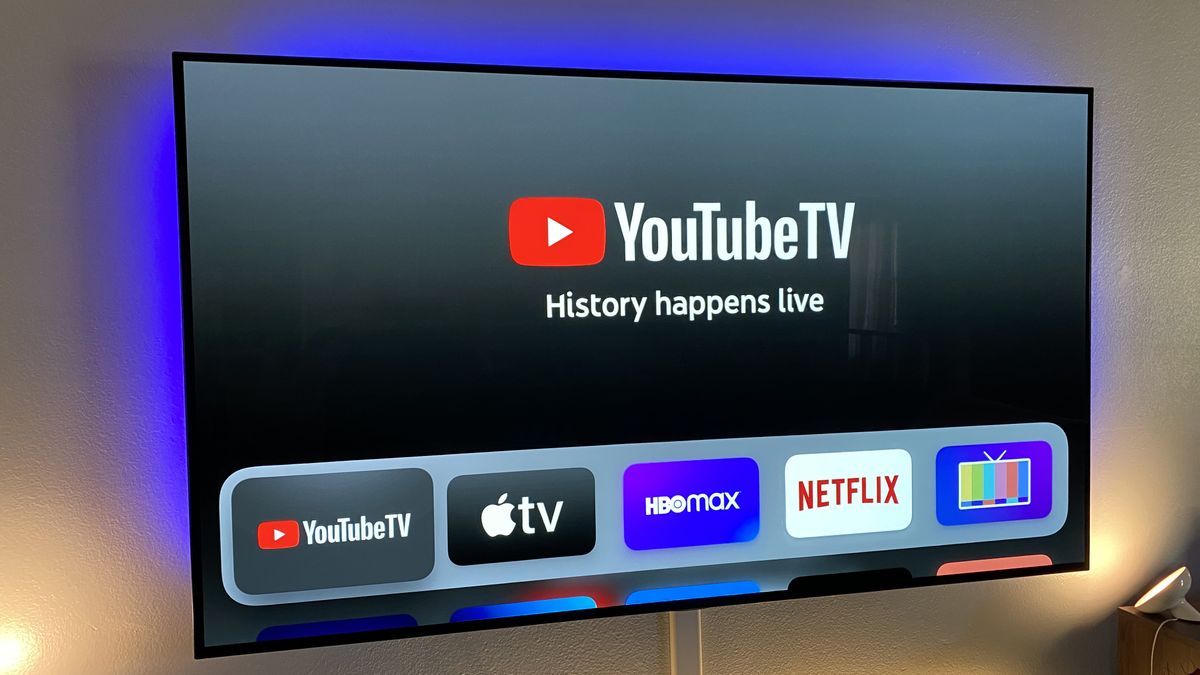
The app is optimized for each platform, utilizing hardware acceleration to ensure smooth frame rates and high-bitrate video playback. On devices like the Apple TV 4K or Chromecast, the integration is particularly seamless, allowing for voice-controlled searches via Siri or Google Assistant.
Bandwidth and Connectivity
For a stable experience, Google recommends a minimum download speed of 3 Mbps for standard definition, 7 Mbps for a single 1080p stream, and at least 25 Mbps for 4K content. However, for a household with multiple users, a fiber-optic or high-speed cable connection (100 Mbps+) is recommended to ensure that the low-latency features of YouTube TV function correctly. The service utilizes VP9 and H.264/AVC codecs to balance visual quality with data efficiency, ensuring that users on slower connections still receive a stable, albeit lower-resolution, image.
Comparing YouTube TV to the Digital Competition
When analyzing the cost of YouTube TV, it is essential to place it within the context of the broader “vMVPD” (virtual Multichannel Video Programming Distributor) market.
-
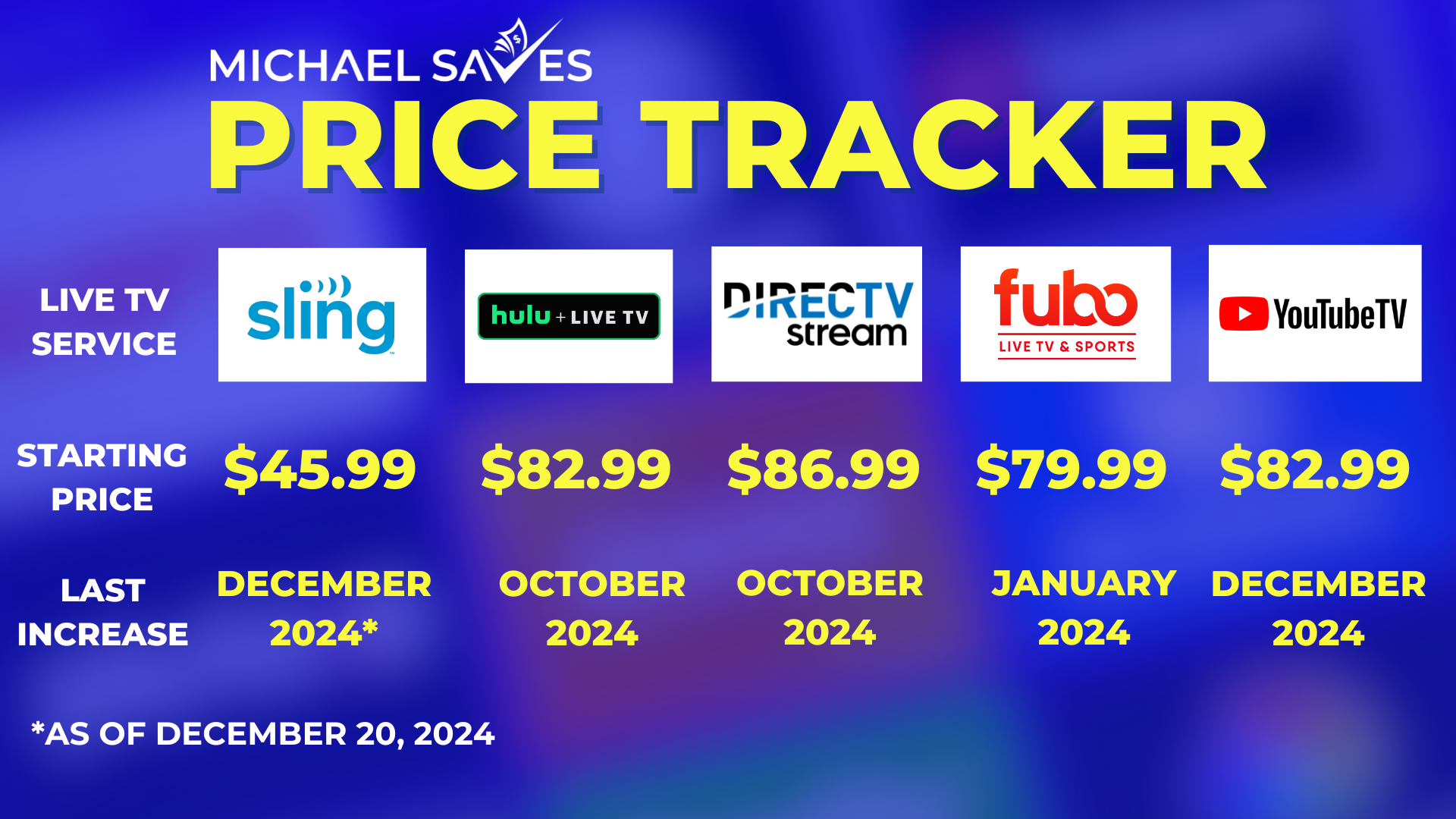
Hulu + Live TV: Priced similarly at $76.99/mo, Hulu includes its own on-demand library and Disney+ / ESPN+ as part of a bundle. While the content value is high, many tech reviewers prefer the YouTube TV interface for its speed and more intuitive DVR management.
-
Sling TV: Starting at a lower price point ($40/mo), Sling is a “skinny bundle.” However, it lacks the comprehensive local channel support and the unlimited DVR of YouTube TV, making it a budget-oriented choice rather than a premium tech replacement for cable.
-
Fubo: Starting around $79.99/mo, Fubo is heavily focused on sports. While it offers impressive 4K support, its interface can be more cluttered than YouTube TV’s streamlined design.
YouTube TV sits in the “sweet spot” for most users. It provides the most refined technical performance—minimal lag, the fastest channel-switching speeds, and the most reliable cloud recording—at a price point that is competitive with other full-service streaming providers.
The Future of YouTube TV and Final Thoughts on Cost
As we look toward the future of the streaming tech sector, the cost of YouTube TV is likely to be influenced by the rising price of content licensing and the ongoing integration of advanced AI features. We are already seeing the platform experiment with AI-generated summaries and enhanced data visualizations for live news and sports.
For $72.99 a month, users are paying for more than just a list of channels. They are paying for a high-performance software platform that eliminates the need for clunky hardware, simplifies the recording process, and integrates deeply into the modern smart home. While the price has risen from its early “cord-cutter” days, the value proposition remains strong for those who prioritize a seamless, high-tech viewing experience over the aging paradigms of traditional television. Whether through its class-leading DVR, its innovative Multi-view feature, or its robust 4K capabilities, YouTube TV continues to define the technical standard for what live television should be in the digital age.
aViewFromTheCave is a participant in the Amazon Services LLC Associates Program, an affiliate advertising program designed to provide a means for sites to earn advertising fees by advertising and linking to Amazon.com. Amazon, the Amazon logo, AmazonSupply, and the AmazonSupply logo are trademarks of Amazon.com, Inc. or its affiliates. As an Amazon Associate we earn affiliate commissions from qualifying purchases.