
In the dynamic world of small and medium-sized businesses, managing finances efficiently is not just a necessity but a strategic imperative. QuickBooks Online (QBO) has emerged as a cornerstone solution for countless enterprises, offering a robust suite of tools designed to streamline accounting, invoicing, payroll, and financial reporting. However, for many business owners, the immediate and most pressing question isn’t about features, but rather, “How much does it cost?” Understanding the pricing structure of QuickBooks Online is crucial for budgeting, evaluating return on investment, and ensuring you select a plan that aligns perfectly with your operational needs and financial capacity. This guide aims to demystify the various QuickBooks Online pricing tiers, explore potential additional costs, and help you assess the true value proposition of this indispensable financial tool.
Understanding QuickBooks Online: Beyond Just a Price Tag
Before delving into the specifics of subscription costs, it’s vital to appreciate what QuickBooks Online brings to the table. Its utility extends far beyond simple bookkeeping; it’s a comprehensive ecosystem for financial management.
What is QuickBooks Online and Why is it Essential?
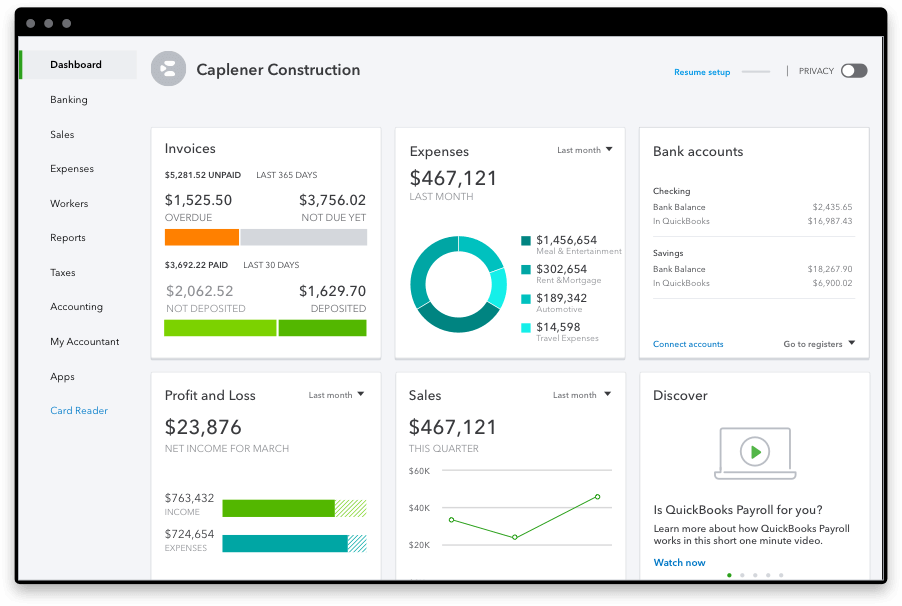
QuickBooks Online is a cloud-based accounting software developed by Intuit. It allows businesses to manage their income and expenses, track sales, create invoices, accept payments, track inventory, manage projects, and run a variety of financial reports from anywhere with an internet connection. For many small businesses, QBO acts as their digital financial backbone, automating tasks that would otherwise consume valuable time and resources.
Its essentiality stems from several factors:
- Time Savings: Automating data entry, reconciliation, and report generation frees up business owners to focus on core operations.
- Accuracy: Reduces human error inherent in manual accounting, leading to more reliable financial data.
- Compliance: Helps businesses stay compliant with tax regulations by maintaining organized records and generating necessary reports.
- Insight: Provides real-time financial insights through dashboards and customizable reports, enabling informed decision-making.
- Scalability: Offers various plans that can grow with a business, ensuring the software remains relevant as needs evolve.
The Core Value Proposition: Why Businesses Pay for QBO
Businesses don’t just pay for software; they invest in solutions that offer tangible benefits and improve their bottom line. The value proposition of QBO lies in its ability to:
- Improve Cash Flow Management: By tracking invoices, expenses, and payments, QBO provides a clear picture of cash flow, allowing businesses to make proactive financial decisions.
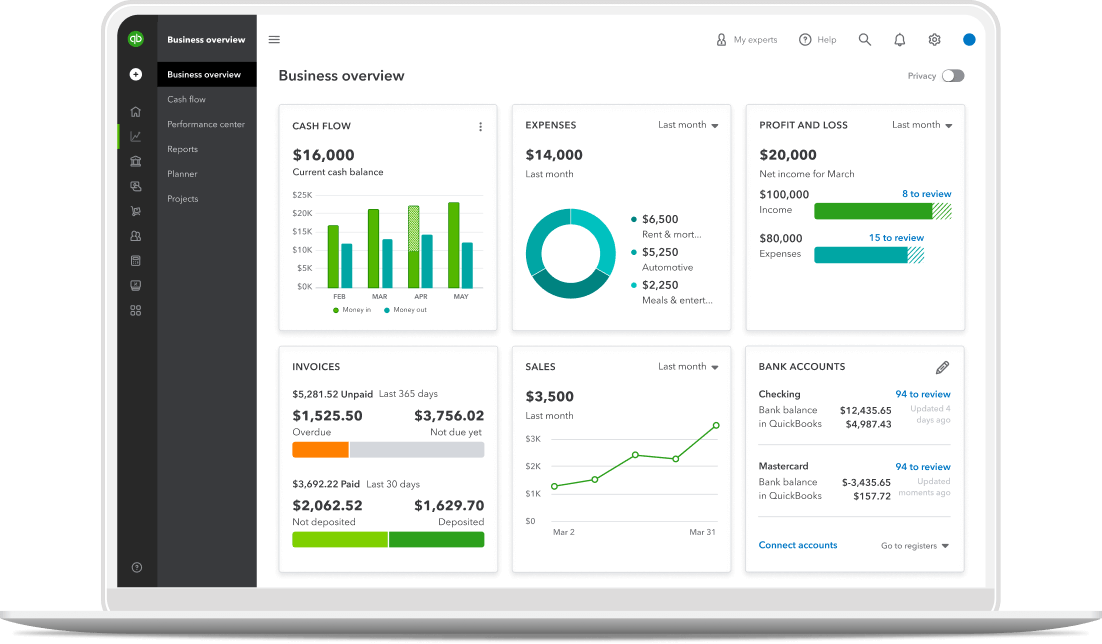
- Enhance Financial Visibility: With robust reporting tools, business owners gain deep insights into profitability, spending patterns, and overall financial health.
- Simplify Tax Preparation: Organized financial data simplifies tax filing, often leading to reduced accountant fees and stress.
- Support Growth: By automating routine financial tasks, QBO allows businesses to allocate resources more strategically towards growth initiatives.
- Facilitate Collaboration: Cloud access means accountants and team members can collaborate on financial data seamlessly, regardless of location.
These benefits translate directly into cost savings, increased efficiency, and ultimately, greater profitability, justifying the recurring subscription fees.
Deciphering the QuickBooks Online Pricing Tiers
Intuit offers several QuickBooks Online subscription tiers, each tailored to different business sizes and complexities. The pricing is typically structured as a monthly subscription, with frequent promotional discounts for new subscribers. It’s crucial to understand what each plan offers to avoid overpaying for unnecessary features or under-subscribing and hindering your operations.
QuickBooks Simple Start: The Entry Point for Sole Proprietors and Freelancers
Target User: Ideal for very small businesses, freelancers, or sole proprietors who primarily need to track income and expenses, send invoices, and connect bank accounts.
Key Features:
- Track income and expenses
- Send invoices and accept payments
- Run basic reports
- Connect bank and credit card accounts
- One user plus accountant access
Financial Implication: This plan is the most cost-effective option, designed to provide essential financial organization without overwhelming basic business needs. It’s perfect for those just starting out who need a formal system for managing finances separate from personal accounts. The focus here is on fundamental cash flow management and basic reporting.
QuickBooks Essentials: Scaling Up for Growing Small Businesses
Target User: Suitable for small businesses that need more sophisticated tools than Simple Start, such as managing bills, tracking time, and handling multiple currencies.
Key Features (includes Simple Start features plus):
- Manage and pay bills (accounts payable)
- Track time (for invoicing clients or payroll)
- Manage sales tax
- Handle multiple currencies
- Three users plus accountant access
Financial Implication: The step up to Essentials is justified for businesses that have growing operational complexities. The ability to manage bills means better control over outgoing payments and improved cash flow forecasting. Time tracking is invaluable for service-based businesses to accurately bill clients, enhancing revenue capture. The additional users also mean financial tasks can be delegated, improving efficiency.
QuickBooks Plus: Advanced Features for Comprehensive Business Management
Target User: Designed for small to medium-sized businesses requiring robust inventory management, project profitability tracking, and more detailed reporting.
Key Features (includes Essentials features plus):
- Track inventory (cost of goods sold, stock levels)
- Track project profitability (income, expenses, time by project)
- Five users plus accountant access
- Create purchase orders
Financial Implication: This is often the sweet spot for many growing businesses. Inventory tracking is critical for retail, manufacturing, or any business that sells products, helping to optimize stock levels, reduce waste, and accurately calculate profitability per item. Project profitability tracking allows service-based businesses to understand which projects are truly lucrative, informing future pricing and operational decisions. The five users allow for a more distributed financial management team, crucial as a business expands.
QuickBooks Advanced: Enterprise-Level Solutions for Larger SMEs
Target User: Aimed at larger small businesses or medium-sized businesses that need advanced reporting, customized access, batch invoicing, and dedicated support.
Key Features (includes Plus features plus):
- Advanced reporting (customizable fields, industry-specific reports)
- Batch invoicing and expenses
- Dedicated account team
- On-demand online training
- 25 users plus accountant access
- Employee expense management
Financial Implication: The Advanced plan represents a significant leap in features and cost, suitable for businesses with substantial transaction volumes, complex reporting requirements, and larger accounting teams. Features like batch invoicing and employee expense management save considerable time for high-volume operations. The advanced reporting provides unparalleled insights, essential for strategic financial planning in more complex organizations. The dedicated support and training add value by ensuring optimal utilization of the software.
Hidden Costs, Discounts, and Maximizing Your Investment
Beyond the base subscription, several factors can influence the total cost of QuickBooks Online. Savvy business owners must be aware of these to budget accurately.
Factor in Add-ons and Additional Users: Beyond the Base Subscription
Each QBO plan comes with a set number of users. If your business requires more users than your plan allows, you will likely incur additional fees or need to upgrade to a higher tier. Similarly, while QBO offers a core set of features, many businesses integrate it with third-party apps for specialized functions (e.g., advanced CRM, industry-specific inventory tools). While these apps enhance functionality, they come with their own subscription costs. It’s vital to research these potential integrations and their costs upfront.
Payroll Services: An Essential but Separate Cost
For most businesses with employees, payroll is a non-negotiable expense. QuickBooks Online offers integrated payroll services (QuickBooks Payroll), but these are typically separate subscriptions from your core QBO accounting plan. Payroll plans vary based on the number of employees and the level of service desired (e.g., basic payroll processing, full-service payroll with tax filing, HR support). Budgeting for payroll is critical and often represents a significant ongoing cost.
Exclusive Discounts and Promotions: How to Save
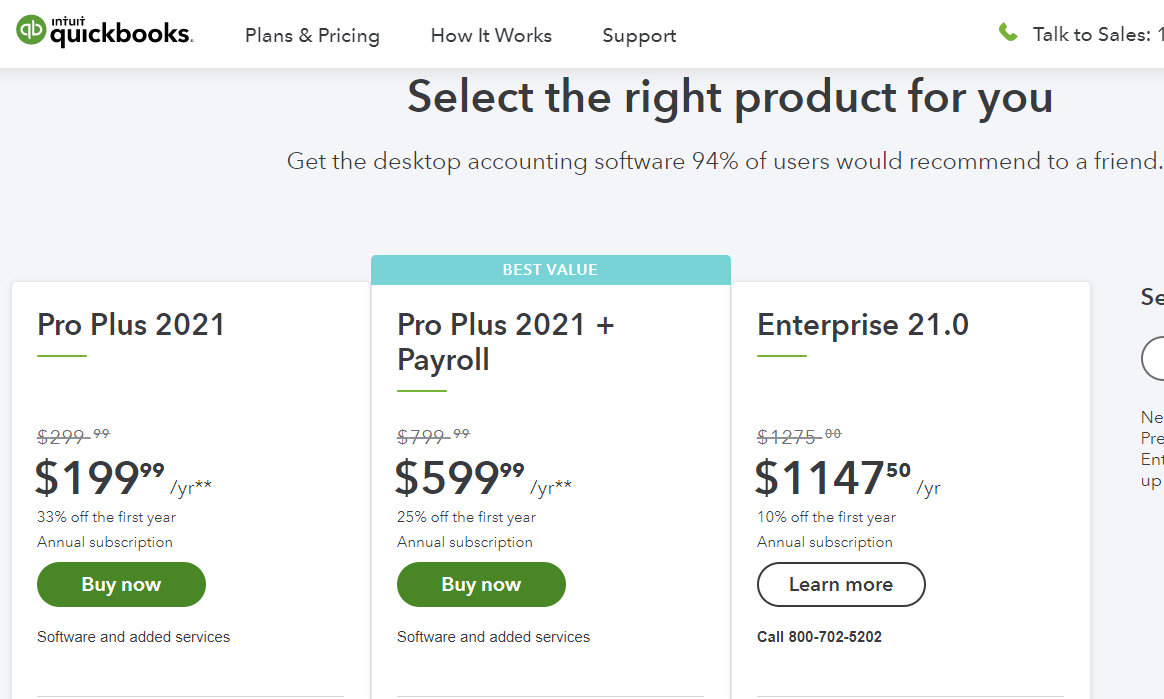
Intuit frequently offers aggressive promotional discounts for new subscribers, often ranging from 30% to 70% off for the first three months to a year. While these discounts can significantly reduce initial costs, it’s important to understand the full price you will pay once the promotional period ends. Always budget for the standard, non-discounted rate to avoid surprises. Additionally, accountants and bookkeepers can often secure special pricing for their clients, making professional consultation valuable for cost savings.
Accountant Access: A Value-Added Feature
A notable benefit across all QBO plans is the dedicated “accountant access,” which allows your accounting professional to log into your QuickBooks account without using up one of your paid user slots. This not only saves on user fees but also fosters seamless collaboration, potentially reducing the time your accountant needs to spend on your books, which can translate into savings on professional fees.
Is QuickBooks Online Worth the Investment? A Cost-Benefit Analysis
Determining if QuickBooks Online is worth its price tag requires a careful cost-benefit analysis tailored to your specific business context.
Calculating Your Return on Investment (ROI)
The ROI of QuickBooks Online isn’t always measured in direct financial returns but also in time saved, errors avoided, and insights gained.
- Time Savings: Estimate how many hours you or your team spend monthly on manual bookkeeping. Multiply this by your hourly rate (or your employees’ rates). QBO’s automation can significantly reduce this time, leading to direct labor cost savings.
- Error Reduction: Manual errors can lead to costly rework, fines, or missed opportunities. QBO’s structured environment minimizes these risks.
- Improved Decision-Making: Access to real-time, accurate financial data empowers better business decisions, which can lead to increased revenue or reduced expenses.
- Tax Efficiency: Organized records and automated reporting can simplify tax preparation, potentially reducing accountant fees and ensuring compliance.
Quantifying these benefits against the monthly subscription cost provides a clear picture of QBO’s ROI.
Comparing QBO to Alternatives: Value vs. Price
While QBO is a market leader, it’s not the only option. Other accounting software solutions (e.g., Xero, FreshBooks, Zoho Books) offer different feature sets and pricing models.
- Feature Comparison: List the essential features your business needs and compare how each software delivers them.
- User Interface and Ease of Use: A more intuitive interface can reduce training time and increase user adoption.
- Integration Ecosystem: How well does the software integrate with your existing business tools (CRM, e-commerce platforms, payment gateways)?
- Scalability: Does the alternative offer plans that can grow with your business without requiring a complete system overhaul?
Sometimes, a slightly cheaper alternative might lack critical features, leading to higher operational costs in the long run. Conversely, a more expensive solution might offer features you don’t need, making it an inefficient investment. The goal is to find the best value, not just the lowest price.
When to Upgrade (or Downgrade) Your Plan
Your business needs are dynamic. Regularly reviewing your QBO plan ensures you’re always on the most cost-effective tier.
- Upgrade Triggers: When you start tracking inventory, begin managing projects for profitability, consistently exceed your user limit, or need more advanced reporting, it’s time to consider an upgrade.
- Downgrade Considerations: If your business downsizes, simplifies operations, or realizes it’s not utilizing certain high-tier features, downgrading can save money without sacrificing essential functionality. Intuit generally allows downgrades, but it’s wise to check their specific policy.
Practical Tips for Budgeting Your QuickBooks Online Expenses
Effective budgeting for QuickBooks Online involves more than just knowing the monthly fee.
Annual vs. Monthly Subscriptions: The Savings Potential
Intuit occasionally offers discounts for paying annually instead of monthly. While this requires a larger upfront payment, it can result in significant savings over a year. If your financial stability allows, exploring an annual subscription can be a smart budgeting move.
Utilizing Free Trials Effectively
Before committing to a paid plan, take advantage of the free trial typically offered by QuickBooks Online. During the trial period:
- Test Core Features: Input actual business data to see how the software handles your specific transactions.
- Explore Reports: Run various reports to assess their utility for your decision-making.
- Invite Collaborators: If possible, have your accountant or other team members try out the system.
- Identify Essential Integrations: Test compatibility with any third-party apps you plan to use.
This hands-on experience ensures the chosen plan meets your needs before any financial commitment.
Regular Review of Your Plan Needs
Set a reminder to review your QuickBooks Online plan annually or whenever there’s a significant change in your business operations. This proactive approach ensures you’re never paying for features you don’t use or lacking functionality that could drive efficiency. As your business grows and evolves, so too should your financial tools.
In conclusion, “how much is QuickBooks Online” is a question with a multi-faceted answer. It’s not just a single price point but a spectrum of options, each offering distinct value. By understanding the different plans, accounting for potential hidden costs, leveraging discounts, and continually assessing the software’s ROI against your evolving business needs, you can ensure that your investment in QuickBooks Online is both justified and optimized for your financial success.
aViewFromTheCave is a participant in the Amazon Services LLC Associates Program, an affiliate advertising program designed to provide a means for sites to earn advertising fees by advertising and linking to Amazon.com. Amazon, the Amazon logo, AmazonSupply, and the AmazonSupply logo are trademarks of Amazon.com, Inc. or its affiliates. As an Amazon Associate we earn affiliate commissions from qualifying purchases.