
The shift from traditional linear cable to Over-the-Top (OTT) streaming services has redefined how households consume media. Among the leaders in this digital transformation is YouTube TV, Google’s premium live television service. As households become increasingly connected, with smart TVs in every bedroom and mobile devices in every hand, the technical limitations of simultaneous streaming have become a primary concern for consumers. Understanding the architecture of YouTube TV’s streaming limits is essential for optimizing a home’s digital ecosystem and ensuring a seamless user experience across multiple screens.
Understanding YouTube TV’s Base Streaming Architecture
At its core, YouTube TV is designed to replicate the versatility of the modern internet. Unlike traditional cable boxes that require physical wiring and individual hardware for every screen, YouTube TV operates via a cloud-based delivery system. This allows for high flexibility but necessitates specific guardrails to maintain network stability and licensing compliance.

The Standard Three-Stream Limit
By default, a standard YouTube TV subscription allows for three simultaneous streams. This means that at any given moment, three different devices can be tuned into live television, recorded content from the Cloud DVR, or video-on-demand (VOD) titles. If a fourth device attempts to initiate a stream, the system will trigger a notification indicating that the limit has been reached, often requiring one of the other sessions to be closed.
This three-stream limit is a industry-standard baseline, though it is specifically calculated per account, not per profile. Even if you have multiple family members logged into their individual profiles, the cumulative total of active streams cannot exceed three on the base plan. This technical constraint is largely driven by the licensing agreements Google maintains with major broadcast networks and cable programmers, who seek to prevent account sharing beyond a single household.
Multi-Device Ecosystem Compatibility
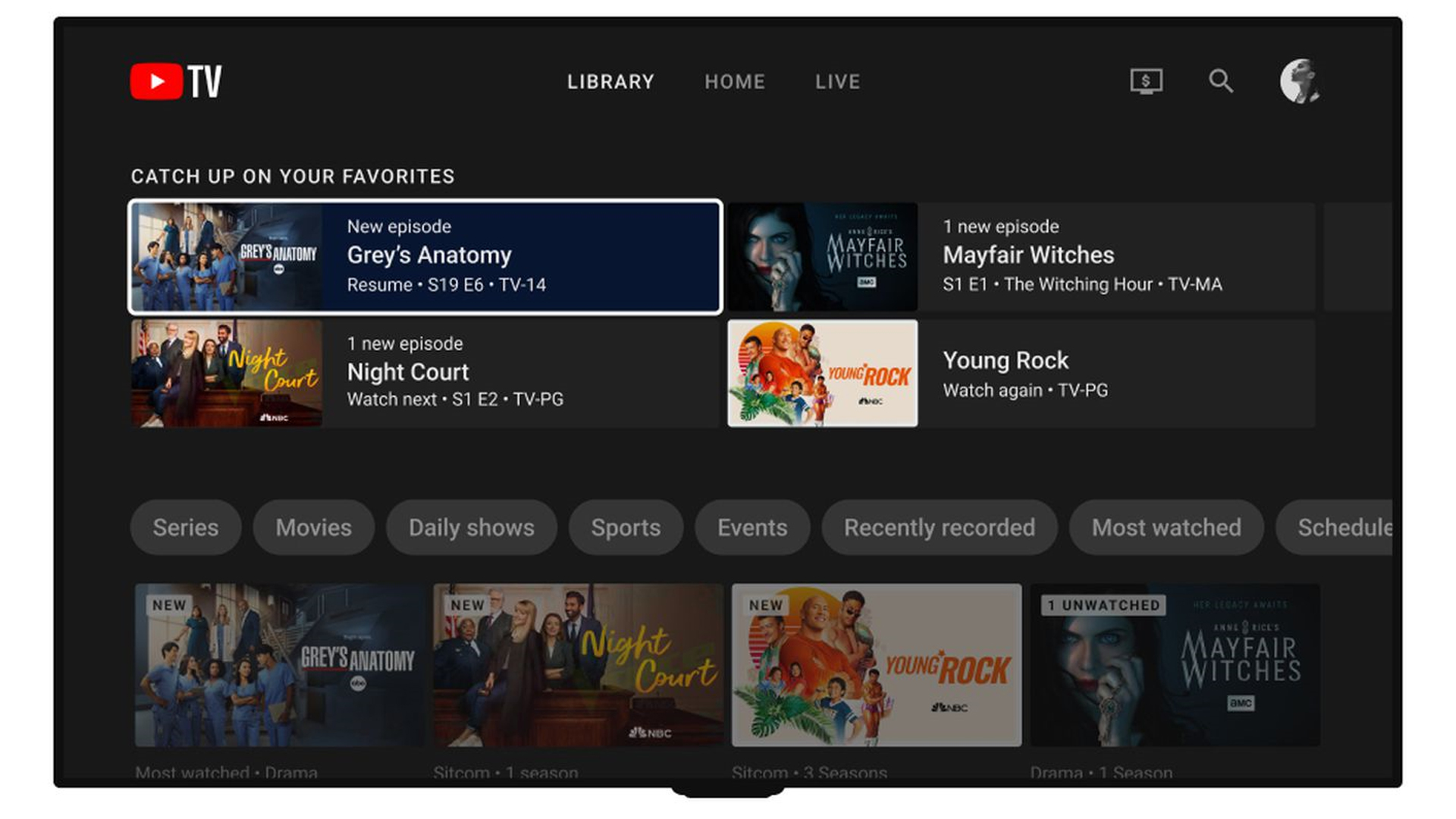
The technical brilliance of YouTube TV lies in its device-agnostic nature. The simultaneous stream limit applies regardless of the hardware being used. You could be streaming on a Samsung Smart TV in the living room, an iPad in the kitchen, and a Google Chromecast in a bedroom simultaneously. The service utilizes sophisticated session management to track these active connections in real-time. This cross-platform synchronization ensures that your “Resume Watching” data and DVR progress are updated instantly across the entire ecosystem, provided the stream limit has not been bypassed.
Network Bandwidth and Stream Quality
While the software allows for three streams, the hardware and local network must be capable of supporting the data load. YouTube TV utilizes adaptive bitrate streaming, which adjusts video quality dynamically based on connection speed. For a high-definition (1080p) stream, Google recommends a dedicated download speed of at least 7 Mbps per device. To run three simultaneous HD streams reliably, a household should ideally have a stable connection of at least 25-30 Mbps to account for other background internet traffic.
Upgrading the Experience: The 4K Plus Add-on and Unlimited Local Streams
For power users and large households, the standard three-stream limit can be a bottleneck. Recognizing the demand for higher capacity, Google introduced the “4K Plus” add-on. While the name highlights the jump in resolution, the most significant technical upgrade for many is the expansion of streaming limits.
Defining “Unlimited” Streams
The 4K Plus add-on unlocks the “Unlimited Streams” feature, but there is a technical nuance to how this is implemented. Under this plan, users can stream on an unlimited number of devices simultaneously, provided those devices are connected to the “Home Area” network. This is verified through the IP address and Wi-Fi network identified as the primary residence during setup.
This feature is a game-changer for large families or smart homes with integrated displays in every room. It removes the friction of managing who is watching what, allowing the digital infrastructure to scale with the physical needs of the home. However, it is important to note that “unlimited” is still subject to the physical limitations of your ISP’s bandwidth. Attempting to run ten 4K streams simultaneously would require a gigabit fiber connection and a robust Wi-Fi 6 or Wi-Fi 6E mesh network to handle the internal data routing.
Remote Streaming and Mobility
The “Unlimited” benefit is strictly tied to the home network. When users travel or use mobile data away from home, the rules revert to a more restricted state. Even with the 4K Plus add-on, you are typically limited to three simultaneous streams outside of the home network. This prevents users from sharing a single “unlimited” account across different geographical locations, maintaining the integrity of the service’s “single household” business model.
The system uses geolocation data and periodic check-ins to verify the “Home Area.” If a mobile device has not connected to the home network for a set period (usually 90 days), it may lose access to live programming until it re-syncs. This technical layer ensures that the expanded stream capacity remains a localized benefit for the primary subscriber.
Hardware Compatibility for 4K Content
To take advantage of the 4K streaming that comes with this add-on, the entire hardware chain must be compatible. This includes a 4K-capable display, a streaming device that supports VP9 or AV1 codecs (such as the Chromecast with Google TV or the Apple TV 4K), and HDMI 2.0 or higher cables that support HDCP 2.2 content protection. Without this specific hardware stack, the 4K Plus add-on functions primarily as a tool for increasing stream count rather than visual fidelity.
Optimizing the User Experience through Family Sharing
YouTube TV integrates deeply with the Google family ecosystem, allowing a primary account holder to invite up to five other family members to join a “Family Group.” This creates a structured environment where the benefits of the subscription are distributed without compromising individual privacy.
Managing up to Six Profiles
Each of the six potential profiles in a Family Group receives its own dedicated DVR space, personalized recommendations, and watch history. From a technical standpoint, this is managed through Google’s Identity and Access Management (IAM) protocols. When a family member logs in with their own Google account, the system identifies them as part of the subscriber group and grants access to the stream pool.
It is crucial to remember that while there are six profiles, they all share the same pool of simultaneous streams. On the base plan, if six people have profiles, only three can watch at once. This distinction is often a point of confusion for new users who conflate “profiles” with “active streams.”
Personalized Tech Features and Privacy
The multi-profile system ensures that the AI-driven recommendation engine remains accurate for each user. Because each profile is tied to a unique Google account, one person’s penchant for sports documentaries won’t clutter another person’s feed of cooking shows. Furthermore, the Cloud DVR is truly individual; recordings do not count against a shared storage limit, as YouTube TV offers “unlimited” DVR space for each profile, with recordings kept for nine months.
Technical Solutions for Stream Limit Conflicts
Even with a high-tier plan, users may occasionally encounter errors or technical hurdles related to stream limits. Effective troubleshooting requires an understanding of how YouTube TV manages active sessions.
Identifying “Too Many Streams” Errors
If you receive an error message stating that too many people are watching, the first step is to identify “ghost” sessions. Sometimes, a device that was recently used to stream may not have properly closed the app or signaled the server that the session has ended. In these cases, the YouTube TV server still sees the device as active. Simply navigating to the home screen of a smart TV or closing the browser tab on a PC is usually enough to heartbeat the server and release the stream.
Managing Authorized Devices
For security and management, users should periodically review the devices authorized on their Google account. If an old tablet or a guest’s phone is still logged in and running a background process, it could be consuming one of the three available stream slots. Through the Google Account security settings, users can remotely sign out of specific devices to free up capacity.
Router Optimization for High-Volume Streaming
When running multiple simultaneous streams, the local network often becomes the bottleneck before the YouTube TV software does. Utilizing Quality of Service (QoS) settings on a modern router can help prioritize YouTube TV traffic over less time-sensitive data like software updates or file downloads. Furthermore, connecting stationary devices like smart TVs or gaming consoles via Ethernet rather than Wi-Fi can significantly reduce latency and jitter, ensuring that each of the simultaneous streams remains stable and clear.

The Future of Cloud-Based Cord Cutting
The evolution of YouTube TV’s streaming limits reflects a broader trend in the tech industry: the transition toward “Service as a Platform.” As 5G home internet and fiber-to-the-home (FTTH) become more prevalent, the technical barriers to high-volume simultaneous streaming will continue to diminish.
We are moving toward an era where the number of streams is limited only by the subscriber’s hardware and budget, rather than the constraints of the delivery medium. YouTube TV’s current model—balancing a standard tier with an “Unlimited” premium tier—sets a precedent for how cloud-based media services will handle the growing data demands of the modern, hyper-connected household. By mastering the settings, hardware requirements, and profile management of the service, users can ensure they are getting the maximum technological value out of their subscription.
aViewFromTheCave is a participant in the Amazon Services LLC Associates Program, an affiliate advertising program designed to provide a means for sites to earn advertising fees by advertising and linking to Amazon.com. Amazon, the Amazon logo, AmazonSupply, and the AmazonSupply logo are trademarks of Amazon.com, Inc. or its affiliates. As an Amazon Associate we earn affiliate commissions from qualifying purchases.