
In the rapidly evolving landscape of over-the-top (OTT) media services, YouTube TV has emerged as a premier contender for those looking to sever ties with traditional cable providers. As a cloud-based streaming service, it leverages Google’s robust infrastructure to deliver live television, on-demand content, and an integrated digital video recorder (DVR) experience. However, for households with multiple users, the primary technical concern often boils down to a single question: how many people can use YouTube TV at once? Understanding these concurrency limits, the underlying technology, and the options for expansion is essential for any modern digital household.

Understanding YouTube TV’s Standard Streaming Architecture
At its core, YouTube TV is designed to replicate the multi-room experience of traditional cable but through an internet-protocol (IP) delivery system. For the standard subscription, Google has implemented a specific limit on simultaneous streams to balance server load and licensing agreements with content providers.
The Three-Stream Rule
By default, a single YouTube TV subscription allows for three concurrent streams. This means that three different devices can be actively playing content—whether live or recorded—at the exact same time. It is important to distinguish between “logged-in devices” and “active streams.” You can install the YouTube TV app on dozens of gadgets, including smart TVs, smartphones, tablets, and gaming consoles. The software does not limit how many devices can have your account credentials stored; it only restricts how many of those devices are pulling data from the servers simultaneously.
When a fourth user attempts to start a stream, the application typically triggers a notification stating that there are too many active sessions. To resolve this, one of the existing sessions must be terminated. This limit is managed server-side, where YouTube TV’s backend monitors active tokens associated with a specific account ID.
Device Compatibility and the App Ecosystem
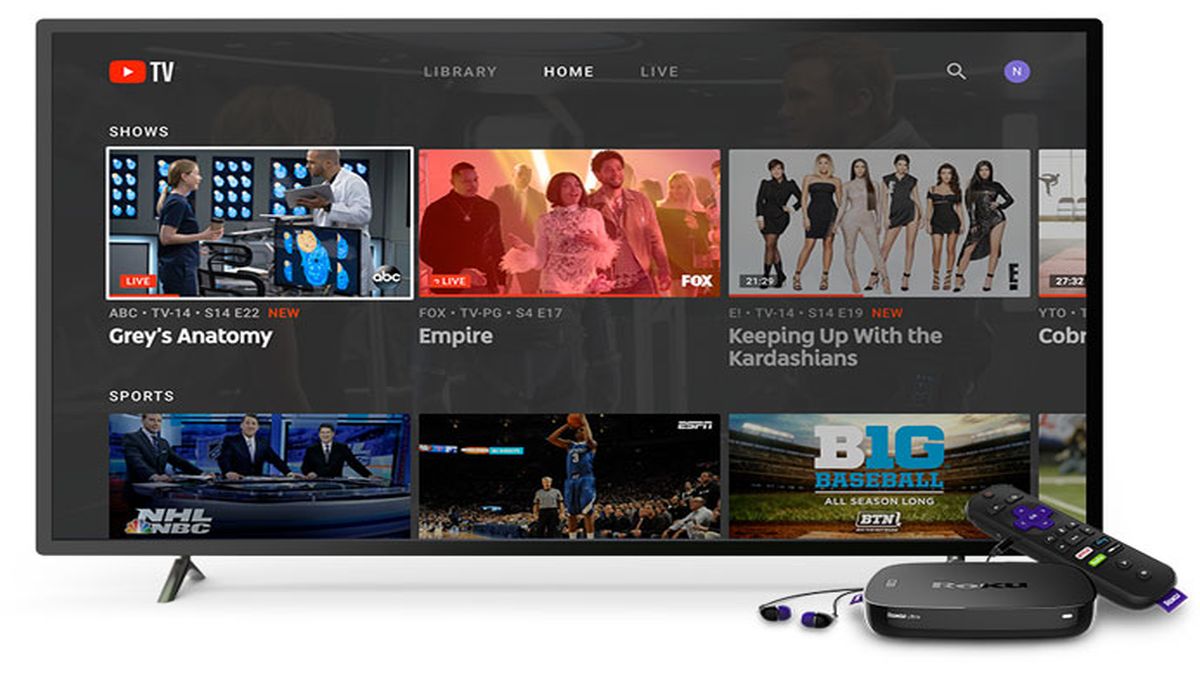
The versatility of YouTube TV’s stream limit is supported by its broad device compatibility. Because the service is built on the same framework as the standard YouTube platform, it benefits from high-performance codecs and cross-platform optimization. Whether you are using an Apple TV, a Chromecast with Google TV, an Amazon Fire Stick, or a web browser, the three-stream limit remains consistent.
Technically, the app utilizes adaptive bitrate streaming. This means that while three people are watching at once, the service is constantly adjusting the quality of each stream based on the available bandwidth of the local network. If one user is on a high-speed fiber connection at home and another is using a 5G mobile network, the YouTube TV engine optimizes the delivery to ensure minimal buffering across all active sessions.
Location and Network Restrictions
A critical technical nuance of YouTube TV’s streaming limit involves the “Home Area.” While you can use the three streams across different locations (for example, one person at home and another on a mobile device in a different city), there are strict geolocation protocols in place. Users must check in from their designated home area periodically to maintain access to local affiliate networks. This is managed through IP address tracking and GPS data from mobile devices. If the system detects that streams are consistently originating from disparate geographical locations outside the home network, it may trigger a verification prompt to ensure the account is not being improperly shared outside a single household.
Expanding Your Household Capabilities with the 4K Plus Add-on
For larger families or power users who find the three-stream limit restrictive, Google introduced the 4K Plus add-on. This feature is not merely about increasing resolution; it fundamentally changes the technical parameters of how many people can use the service at once.
Unlimited In-Home Streams
The most significant technical upgrade provided by the 4K Plus tier is the “unlimited streams” feature, provided the devices are connected to the home Wi-Fi network. This transition from a hard cap to an unlimited model requires the YouTube TV app to identify a “Home Network.”
Once a network is designated as the home base, the software removes the three-stream restriction for any device connected to that specific SSID or local area network (LAN). This allows a household with five bedrooms, a kitchen TV, and multiple mobile devices to all stream different channels simultaneously. However, it is important to note that the three-stream limit still applies when users are “on the go” or outside the home network. This hybrid model uses sophisticated network identification to ensure that the “unlimited” benefit stays within a single physical residence.
Technical Requirements for 4K and High-Bandwidth Streaming
While the 4K Plus add-on unlocks more streams, it also places a higher demand on local hardware and internet infrastructure. Streaming in 4K (Ultra High Definition) requires significantly more data—roughly 25 Mbps per stream for a stable experience. If five users are streaming 4K content simultaneously, the home network must be capable of handling a sustained 125 Mbps download speed just for YouTube TV, excluding other background tasks.
Furthermore, the hardware must support high-efficiency video coding (HEVC/H.265) or VP9/AV1 decoding to process the 4K signal. Users often find that while the service allows for unlimited streams, their internal router or the processing power of older streaming sticks becomes the bottleneck.

Offline Viewing and Mobile Portability
Another technical advantage of the 4K Plus tier is the ability to download recordings for offline viewing. This effectively bypasses the live streaming limit. By downloading content to a mobile device while on the home network, a user can watch their favorite shows without consuming one of the active stream “slots.” This is a vital feature for travelers or commuters who want to preserve their household’s stream count for those remaining at home.
Family Sharing and User Profiles: The Backend Infrastructure
YouTube TV is built to be a multi-user platform, allowing a single subscription to be shared with up to five additional family members. This “Family Group” architecture is managed through Google’s central account system, providing each user with a personalized experience.
Setting Up Family Groups
Technically, the account owner acts as the “Family Manager.” They can invite members who have their own Google accounts to join the subscription. Each of these six total profiles gets its own unique login, personalized recommendations, and private DVR library. This isolation of data is a major tech advantage over competitors; one person’s viewing habits do not influence the “Watch Next” algorithm of another.
Individualized Algorithms and DVR Management
Each profile within the family group functions as an independent data silo. The cloud DVR—one of YouTube TV’s standout technical features—offers unlimited storage space for every profile. From a database perspective, this is an impressive feat of cloud engineering. Instead of allocating a specific number of gigabytes per user, Google uses a time-based deletion system (recordings are kept for nine months). Because the storage is cloud-resident, multiple family members can record the same program without duplicating the physical storage space on a server; the system simply creates multiple pointers to the same media file, optimizing server efficiency.
Privacy and Data Security for Shared Accounts
Even though the stream limit is shared across the family group, privacy remains a priority. Because each member uses their own Google credentials, their search history and personalized data are not visible to other members of the group. This multi-tenant architecture ensures that the “three-stream limit” is a collective pool. If User A is watching on two devices, only one slot remains for Users B through F. Managing this collective limit requires communication within the household, especially during major live events like the Super Bowl or election nights.
Troubleshooting Common Concurrency Issues
Despite the sophisticated software driving YouTube TV, users may occasionally encounter technical glitches related to stream limits.
Error Codes and Device Management
The most common issue is the “Limit Reached” error. This often occurs when a device was not properly shut down, leaving a “ghost session” active on the server. If a user simply turns off their TV without exiting the YouTube TV app, the server may keep the stream active for several minutes before a timeout occurs. To troubleshoot this, users can go to their Google Account security settings to view active sessions and manually sign out of devices that are no hindered in use.
Bandwidth Requirements for Multiple Streams
A lack of bandwidth can often be mistaken for a stream limit issue. If a network cannot support the bitrate required for multiple streams, the app may stutter or downscale to 480p. For a seamless experience with three simultaneous HD streams, a minimum consistent download speed of 25-30 Mbps is recommended. For households pushing the limits with the 4K Plus add-on, upgrading to a Wi-Fi 6 or Wi-Fi 6E router can significantly reduce latency and improve the handling of multiple high-bandwidth streams.
Ensuring Optimal App Performance
Keeping the app updated is crucial for maintaining the integrity of the stream count. Google frequently releases patches that optimize how the app communicates with the heartbeat servers that track active sessions. Using outdated versions of the app on legacy hardware (like older smart TVs) can result in synchronization errors where the app fails to release a stream slot after the user has finished watching.
The Future of Cloud-Based Cord Cutting
As streaming technology continues to mature, the limits on concurrency are likely to evolve. YouTube TV’s approach—offering a base limit with a paid path to unlimited home streaming—sets a benchmark in the industry.
Comparing Concurrency Across the Tech Landscape
When compared to other virtual Multichannel Video Programming Distributors (vMVPDs), YouTube TV’s three-stream limit is competitive. For instance, some competitors offer only two streams in their base package, while others provide more but with less reliable cloud DVR integration. The technical stability of Google’s platform, backed by its global content delivery network (CDN), ensures that even when three streams are active, the latency remains low, which is critical for live sports where “spoilers” from social media can ruin the experience.
Integration with Smart Home Ecosystems
Looking forward, we are seeing deeper integration between YouTube TV and smart home ecosystems. With the rise of ambient computing, the ability to move a stream from a living room TV to a Nest Hub in the kitchen is becoming more seamless. This “session handoff” technology allows users to maintain a single stream while changing physical locations, ensuring they stay within their allotted limit while maximizing the utility of their hardware.
In conclusion, YouTube TV provides a robust technical framework for modern media consumption. While the standard three-stream limit serves the needs of the average household, the 4K Plus add-on and the sophisticated family profile system offer the flexibility and scalability required for the most demanding tech enthusiasts. By understanding the interplay between network bandwidth, device compatibility, and account management, users can fully harness the power of this cloud-based television revolution.
aViewFromTheCave is a participant in the Amazon Services LLC Associates Program, an affiliate advertising program designed to provide a means for sites to earn advertising fees by advertising and linking to Amazon.com. Amazon, the Amazon logo, AmazonSupply, and the AmazonSupply logo are trademarks of Amazon.com, Inc. or its affiliates. As an Amazon Associate we earn affiliate commissions from qualifying purchases.