
Determining the optimal number of domain controllers (DCs) for an organization, even one with a relatively modest 85 users, becomes a nuanced exercise when those users are distributed across four distinct office locations. It’s a critical decision that impacts network performance, security, reliability, and business continuity. While a single, monolithic approach might suffice for a small, single-site operation, a multi-office environment introduces complexities that demand careful planning and a strategic deployment of these essential infrastructure components. This article will delve into the factors influencing DC deployment, explore recommended strategies, and outline best practices for ensuring a robust and efficient Active Directory environment.
Understanding the Core Role of Domain Controllers
At the heart of most Windows-based enterprise networks lies Active Directory (AD), and its functionality is entirely dependent on domain controllers. These servers are far more than just authentication points; they are the central nervous system for identity, security, and resource management within an organization.
Centralized Authentication and Authorization
The primary function of a domain controller is to manage and respond to authentication requests. When a user logs into a computer, accesses a shared folder, or utilizes a network application, a DC validates their credentials (username and password) against the Active Directory database. Beyond authentication, DCs are also responsible for authorization, determining what resources a user or group is permitted to access based on their assigned permissions. This centralized system, leveraging protocols like Kerberos and LDAP, ensures consistent security policies and streamlined user management across the entire network. Without a functioning DC, users cannot log in, access resources, or apply critical group policies, bringing business operations to a standstill.
Replication and Data Consistency
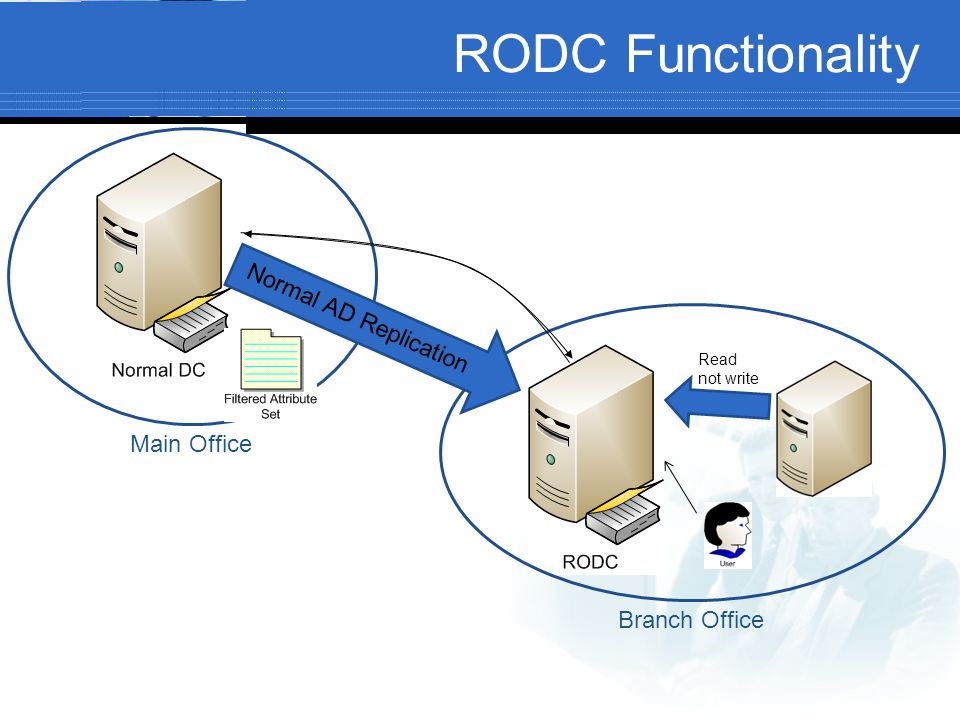
Domain controllers maintain a synchronized copy of the Active Directory database, which includes user accounts, computer objects, security groups, and other crucial network configurations. This database, known as NTDS.DIT, is replicated between all DCs in a domain. Additionally, a shared system volume (SYSVOL) containing Group Policy Objects (GPOs) and logon scripts is also replicated. The efficiency and reliability of this replication process are paramount. It ensures that any changes made on one DC (e.g., a new user account created) are propagated to all other DCs, guaranteeing data consistency and availability. Poorly configured replication can lead to authentication failures, outdated policies, and administrative headaches.
DNS Services Integration
While not strictly mandatory, it is a highly recommended and common practice for domain controllers to also host DNS (Domain Name System) services. AD relies heavily on DNS for name resolution, allowing clients and other servers to locate domain controllers and other network resources. Integrating DNS directly onto DCs means that the DNS records for Active Directory are automatically updated and replicated along with the AD database. This tight integration simplifies management, enhances reliability, and is a fundamental component of a healthy Active Directory environment.
Key Factors Influencing Domain Controller Deployment
For an organization with 85 users spread across four offices, the “magic number” of domain controllers isn’t found in a simple calculation but in a careful evaluation of several critical factors. Each element plays a significant role in determining the optimal deployment strategy.
User Count and Geographic Distribution
While 85 users might be considered a small to medium-sized business (SMB), having them distributed across four separate physical locations fundamentally changes the deployment strategy compared to a single-site setup.
- Local Authentication: Users in a remote office will experience significant delays and potential authentication failures if they always have to authenticate against a DC located in a distant main office over a Wide Area Network (WAN) link. Latency, bandwidth limitations, and WAN link stability become critical concerns.
- Reduced WAN Traffic: Deploying at least one DC in each office reduces the amount of authentication and Group Policy traffic that needs to traverse the WAN. This not only improves user experience but also frees up valuable WAN bandwidth for other business-critical applications.
Network Infrastructure and Reliability
The quality and design of the network connecting the four offices are paramount.
- WAN Link Performance: The speed, latency, and reliability of the WAN links (e.g., VPN over internet, MPLS, dedicated fiber) between offices will heavily influence the placement of DCs. Weak or unreliable links can lead to replication issues and slow user logins.
- Local Area Network (LAN) Design: Within each office, a robust LAN is essential for local DC communication and client connectivity.
- Bandwidth: Sufficient bandwidth is needed for both client-to-DC communication and DC-to-DC replication, especially during peak times or after major AD changes.
Business Continuity and Disaster Recovery (BC/DR)
A single point of failure for authentication can cripple an entire office or even the entire organization.
- Redundancy: Having at least two DCs in a critical location (like the main office) provides redundancy. If one DC fails, the other can seamlessly take over authentication and other services.
- Site-Level Resilience: Deploying DCs in each office helps ensure that if the WAN link to the main office fails, users in that remote office can still log in and access local resources. If a remote office loses its sole DC, it would be unable to function until the DC is restored or connectivity to another DC is re-established.
- Data Protection: DCs hold the authoritative directory database. A robust backup and recovery strategy for the AD database is essential to prevent data loss.
Security Considerations
Domain controllers are prime targets for attackers due to the sensitive information they hold.
- Physical Security: DCs should be housed in secure, climate-controlled environments.
- Network Segmentation: DCs should be isolated on a secure network segment, with strict firewall rules controlling access.
- Least Privilege: Administrative access to DCs must be tightly controlled using the principle of least privilege.
- Patching and Monitoring: Regular patching and continuous monitoring are crucial to protect against vulnerabilities and detect suspicious activity.
Performance Requirements
User experience directly correlates with the performance of domain controllers.
- Login Times: Slow DCs lead to slow login times, impacting productivity.
- Group Policy Processing: GPOs apply critical settings. Delays in processing can lead to security vulnerabilities or misconfigured systems.
- Application Performance: Many applications rely on AD for authentication and directory lookups.
Budget and Resource Constraints
While optimal design is important, practical considerations often dictate decisions.
- Hardware Costs: Each DC requires server hardware (physical or virtual), which incurs costs.
- Software Licensing: Windows Server licenses are required for each DC.
- IT Staffing: Managing a distributed AD environment requires skilled IT personnel for deployment, monitoring, troubleshooting, and maintenance.
Recommended Deployment Strategies for 85 Users Across 4 Offices
Given the interplay of the factors above, here are recommended strategies for deploying domain controllers for 85 users across four offices. The goal is to balance redundancy, performance, and manageability while respecting practical constraints.
The “One-DC-Per-Location” Minimum (with HQ Redundancy)
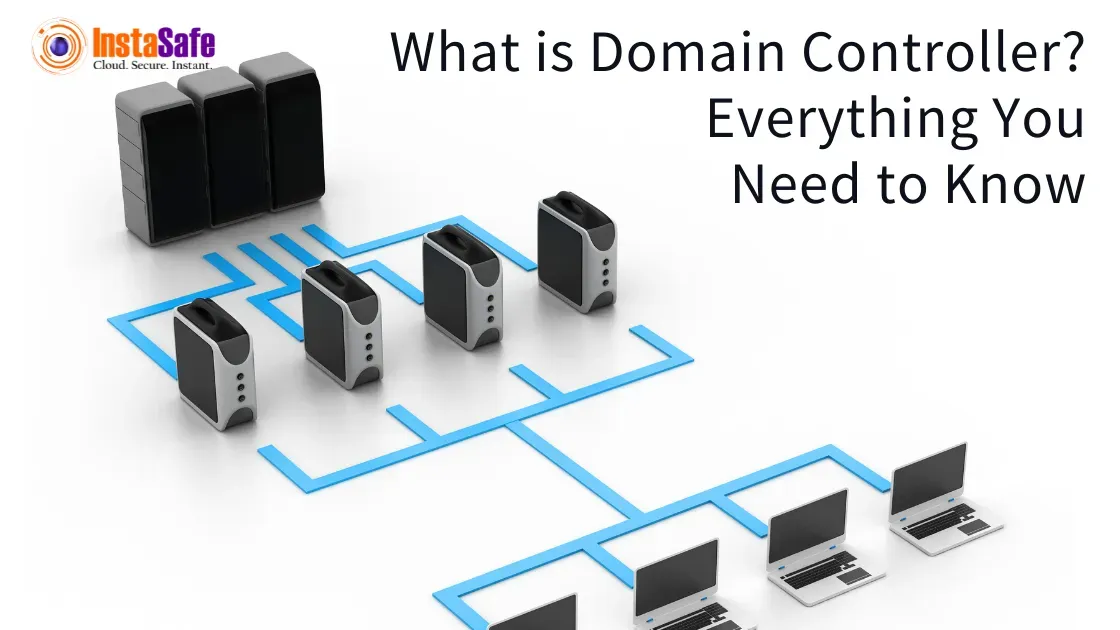
For 85 users across four offices, the most logical and pragmatic starting point is to ensure that each office has at least one domain controller. This strategy significantly improves local user experience and reduces reliance on WAN links for day-to-day operations.
- Headquarters (HQ) (Main Office): This office likely houses the majority of users (e.g., 40-50 users) and critical servers. It should ideally have two domain controllers. This provides critical redundancy for the largest user base and serves as the primary hub for replication and potentially hosting FSMO roles. If one DC fails, the other can seamlessly take over.
- Remote Offices (3 offices): Each of the three remote offices (e.g., 10-15 users each) should have one domain controller. This ensures local authentication, fast logon times, and local application of Group Policies even if the WAN link to HQ is down.
This model translates to a minimum of 5 domain controllers (2 at HQ, 1 at each of the 3 remote offices).
Hub-and-Spoke Model with Central HQ
This approach refines the “one-DC-per-location” by formalizing the relationship between the offices. The HQ acts as the “hub” with the other offices as “spokes.”
- HQ (Hub): Houses two robust DCs, ensuring high availability for the core of the network. These DCs would typically hold all Flexible Single Master Operations (FSMO) roles and potentially host the Global Catalog for efficient object lookup across the entire domain.
- Remote Offices (Spokes): Each remote office gets one DC. These DCs replicate changes with the HQ DCs. Active Directory Sites and Services would be configured to represent each physical office as an AD site, defining efficient replication schedules and site links to minimize WAN traffic.
- Benefits: This model optimizes replication traffic, ensures local authentication, and provides a clear hierarchical structure for management.
Virtualization and Cloud Considerations
Modern DC deployments almost exclusively leverage virtualization, and increasingly, cloud solutions.
- Virtual Domain Controllers: Running DCs as virtual machines (VMs) on hypervisors (e.g., VMware vSphere, Microsoft Hyper-V) offers significant advantages:
- Resource Optimization: Multiple VMs can run on a single physical server, reducing hardware costs.
- Ease of Management: Snapshots (with careful considerations to avoid USN rollback), easy migration, and rapid deployment of new DCs.
- Disaster Recovery: Easier backup and restoration, and integration with VM-level replication technologies.
- Caveats: Avoid taking snapshots of running DCs unless you understand the implications of USN rollback and tombstone lifetime. Ensure hypervisor hosts are not dependent on the very DCs they host for authentication (e.g., host joined to domain).
- Hybrid Cloud and Azure AD DS: For organizations embracing cloud services, a hybrid approach might be considered. While traditional on-premises DCs are still needed for domain-joined resources, services like Azure Active Directory Domain Services (AAD DS) can provide managed domain services in the cloud, extending AD to Azure VMs without deploying traditional DCs. This might be overkill for just 85 users, but it’s a trend to monitor. For this specific scenario, traditional on-premises DCs are likely the most straightforward and cost-effective.
Global Catalog and FSMO Roles Placement
- Global Catalog (GC): At least one DC in each site, or at least the HQ DCs, should be configured as a Global Catalog server. A GC server stores a partial, read-only copy of every object in the forest, allowing users to find objects in other domains without needing to contact a DC in that domain. For a single domain of 85 users, all DCs might typically be GCs, but ensure at least two GCs exist for redundancy.
- FSMO Roles: The five Flexible Single Master Operations (FSMO) roles are critical for Active Directory’s health. While for 85 users in a single domain, placing all FSMO roles on one of the HQ DCs is often acceptable, it’s crucial to know which DC holds them and have a plan for transferring or seizing them in a disaster. Generally, the Schema Master and Domain Naming Master are forest-wide and typically reside on one of the primary HQ DCs. The RID Master, PDC Emulator, and Infrastructure Master are domain-wide and usually placed on the same primary HQ DC for simplicity in a small environment.
Beyond Deployment: Ongoing Management and Best Practices
Deploying domain controllers is only the first step. Ongoing management is crucial for maintaining a healthy, secure, and performant Active Directory environment.
Monitoring and Performance Tuning
Continuous monitoring is essential. Key metrics to watch include CPU usage, memory utilization, disk I/O, network latency, and most importantly, Active Directory replication status. Tools like Microsoft’s Active Directory Replication Status Tool (ADReplicationStatus) and performance monitor counters for NTDS can provide invaluable insights. Early detection of replication failures or performance bottlenecks can prevent widespread issues. Regularly review event logs (Directory Service, DNS Server) for warnings or errors.
Regular Backups and Recovery Plans
The Active Directory database (NTDS.DIT) is the most critical component of your identity infrastructure. Implement a robust backup strategy that includes System State backups of your DCs. Test your recovery plans periodically. Can you restore a single DC? Can you restore the entire domain from scratch if absolutely necessary? Knowing your recovery capabilities before a disaster strikes is invaluable.
Patch Management and Security Updates
Domain controllers are high-value targets. Keeping them patched with the latest security updates is non-negotiable. Implement a rigorous patch management process, ensuring patches are applied promptly but also tested to prevent unforeseen issues. Review security baselines and harden your DCs according to best practices (e.g., disabling unnecessary services, strong password policies).
Documentation
Comprehensive documentation of your Active Directory environment is crucial. This includes:
- Network topology, especially WAN links.
- IP addresses and DNS configurations of all DCs.
- FSMO role holders.
- AD site and service configurations.
- Backup procedures and recovery plans.
- Administrative accounts and their permissions.
This documentation is invaluable for troubleshooting, onboarding new IT staff, and disaster recovery.
Testing Disaster Recovery
Don’t just have a recovery plan; test it. Periodically simulate scenarios like a DC failure, a WAN link outage to a remote office, or even a complete loss of an office’s infrastructure. This hands-on testing will validate your procedures, identify gaps, and ensure your team is prepared to respond effectively when a real incident occurs.

Conclusion
For an organization with 85 users spread across four offices, the answer to “how many domain controllers” is more complex than a simple number. It necessitates a thoughtful design that prioritizes local authentication, redundancy, and efficient replication. A strategy of at least two robust domain controllers at the main headquarters and one domain controller at each remote office provides an excellent balance of performance, resilience, and manageability. This translates to a minimum of five domain controllers.
Beyond the initial deployment, continuous monitoring, robust backup strategies, meticulous patch management, and thorough documentation are non-negotiable. By carefully planning and maintaining your Active Directory infrastructure, you ensure a secure, high-performing, and resilient IT environment that supports your business operations across all locations. Ignoring these principles risks critical downtime, security breaches, and a frustrated user base.
aViewFromTheCave is a participant in the Amazon Services LLC Associates Program, an affiliate advertising program designed to provide a means for sites to earn advertising fees by advertising and linking to Amazon.com. Amazon, the Amazon logo, AmazonSupply, and the AmazonSupply logo are trademarks of Amazon.com, Inc. or its affiliates. As an Amazon Associate we earn affiliate commissions from qualifying purchases.