
Navigating the complexities of tax season can often feel like deciphering a foreign language, leading many to outsource the task to professionals. However, with the right approach and an understanding of available resources, filing your own taxes is not only achievable but can also be a deeply empowering exercise. It grants you a clearer picture of your financial standing, potentially saves you money on preparation fees, and ensures you’re claiming every deduction and credit you’re entitled to. This guide will demystify the process, providing a comprehensive, step-by-step roadmap to confidently file your own tax return.
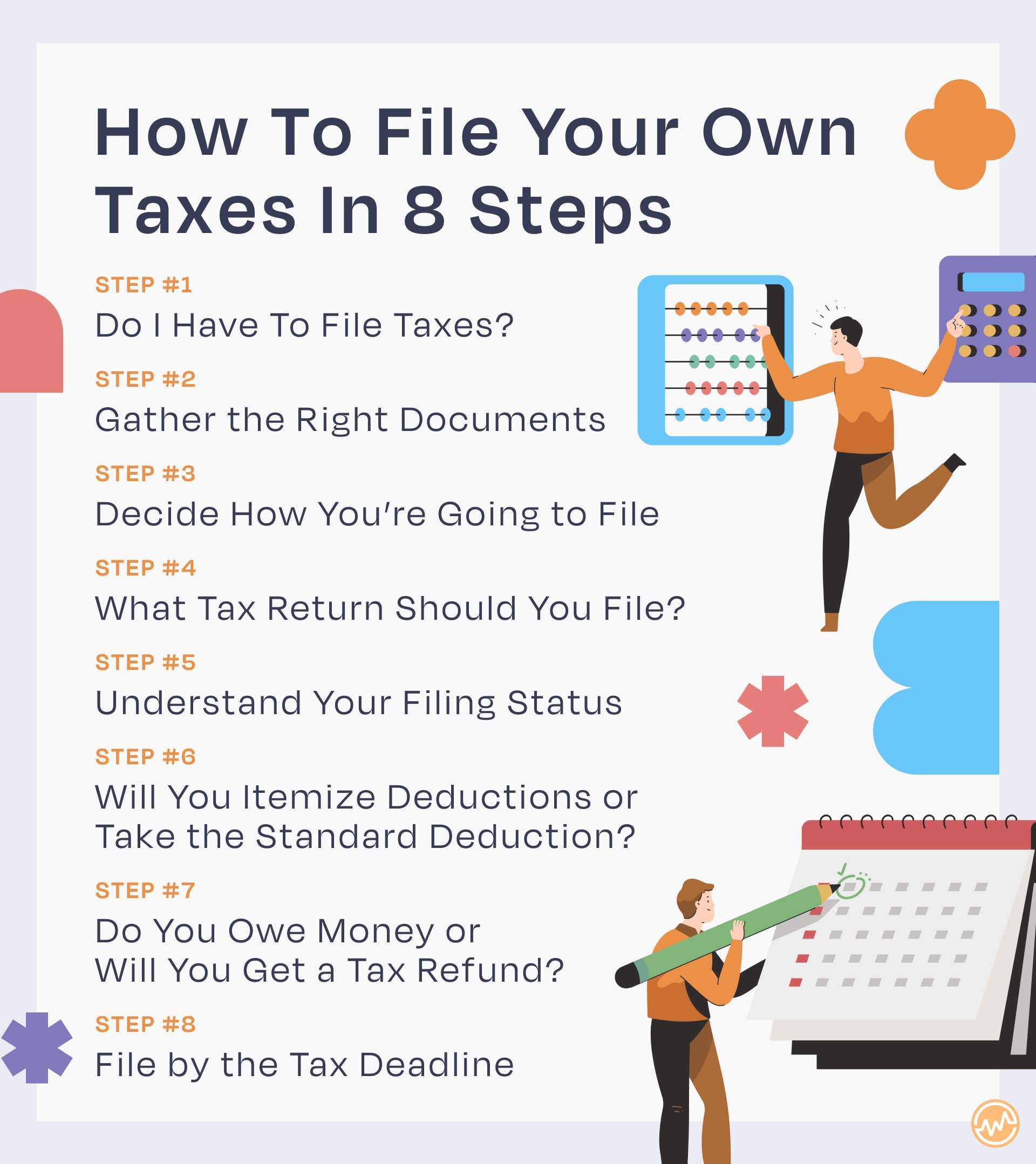
Laying the Groundwork: Understanding Your Tax Obligations
Before diving into forms and figures, it’s crucial to understand the fundamental principles that govern your tax responsibilities. A little upfront knowledge can save significant headaches down the line.
Who Needs to File? Determining Your Filing Requirement
Not everyone is required to file a tax return, but most individuals with earned income will fall within the filing requirements. Your obligation to file typically depends on your gross income, filing status (single, married filing jointly, head of household, etc.), age, and whether you are claimed as a dependent by someone else. For instance, if your gross income exceeds a certain threshold (which changes annually), or if you had self-employment income over a specific amount (e.g., $400 for Schedule SE), you generally must file. Special situations, such as having received advanced premium tax credits, also trigger a filing requirement regardless of income. The IRS provides interactive tools and detailed tables in its publications (like Publication 501, Dependents, Standard Deduction, and Filing Information) to help you determine if you need to file.
Key Deadlines and Penalties
Tax season operates on a strict calendar, and missing deadlines can result in penalties. The primary deadline for most individual taxpayers to file federal income tax returns and pay any taxes due is typically April 15th of each year (or the next business day if April 15th falls on a weekend or holiday). If you’re unable to file on time, you can request an extension using Form 4868, which usually grants you an additional six months until October 15th. However, an extension to file is not an extension to pay. If you owe taxes, you must still pay an estimate by the original April deadline to avoid penalties and interest. For self-employed individuals, estimated taxes are due quarterly (April 15, June 15, September 15, and January 15 of the following year) to cover your income tax and self-employment tax obligations throughout the year. Penalties for late filing and late payment can accrue, so understanding and adhering to these deadlines is paramount.
Understanding Different Tax Forms and Schedules
The Form 1040 is the foundational document for individual income tax returns, but it often requires supporting schedules and forms depending on your income sources, deductions, and credits. Familiarity with common forms will streamline your process:
- Form 1040: The main federal tax form used by individual taxpayers. It summarizes your income, deductions, credits, and calculates your tax liability.
- Schedule A (Itemized Deductions): Used if you choose to itemize deductions instead of taking the standard deduction. This can include medical expenses, state and local taxes, mortgage interest, and charitable contributions.
- Schedule B (Interest and Ordinary Dividends): Reports interest income over $1,500 and ordinary dividends over $1,500.
- Schedule C (Profit or Loss from Business – Sole Proprietorship): Essential for freelancers, independent contractors, and small business owners to report income and expenses from a business.
- Schedule D (Capital Gains and Losses): Used to report gains and losses from the sale or exchange of capital assets, like stocks or real estate.
- Schedule SE (Self-Employment Tax): Calculates the Social Security and Medicare taxes for self-employed individuals.
There are many other specialized forms and schedules, but these are among the most frequently encountered. Tax software can guide you through which ones apply to your situation.
Assembling Your Financial Toolkit: Necessary Documents
The key to a smooth tax filing experience is thorough organization. Gathering all your necessary documents before you start will save you time and prevent errors.
Income Documentation
This category includes all forms detailing the income you received throughout the year. Keep an eye out for these to arrive by late January or early February:
- Form W-2, Wage and Tax Statement: Received from your employer(s), showing your wages, tips, other compensation, and taxes withheld.
- Forms 1099-NEC (Nonemployee Compensation), 1099-MISC (Miscellaneous Income), or 1099-K (Payment Card and Third Party Network Transactions): For income received as an independent contractor, freelancer, or from certain payment apps.
- Form 1099-INT, Interest Income: From banks, credit unions, and other financial institutions.
- Form 1099-DIV, Dividends and Distributions: From investments.
- Form 1099-B, Proceeds From Broker and Barter Exchange Transactions: From brokerage firms for stock sales.
- Social Security Benefit Statement (Form SSA-1099): If you receive Social Security benefits.
- Unemployment Compensation (Form 1099-G): If you received unemployment benefits.
Deduction and Credit Documentation
To accurately claim deductions and credits, you’ll need supporting documentation:
- Form 1098, Mortgage Interest Statement: From your mortgage lender.
- Form 1098-E, Student Loan Interest Statement: From your student loan servicer.
- Form 1098-T, Tuition Statement: From educational institutions, detailing qualified tuition and related expenses.
- Records of Medical Expenses: Receipts for doctor visits, prescription drugs, health insurance premiums, etc.
- Records of Charitable Contributions: Receipts for cash and non-cash donations.
- Childcare Expense Documentation: Including the provider’s name, address, and taxpayer identification number.
- Retirement Contributions: Statements from IRAs, 401(k)s, or other retirement accounts.
- Business Expenses: For self-employed individuals, meticulous records of all business-related expenses (receipts, mileage logs, home office expenses) are vital for Schedule C.
Personal Information and Prior Year Records
Ensure you have easy access to:
- Social Security numbers (SSNs) or Individual Taxpayer Identification Numbers (ITINs): For yourself, your spouse, and all dependents.
- Birth dates: For yourself, spouse, and dependents.
- Bank account information: For direct deposit of refunds or direct debit of payments.
- Last year’s tax return: Crucial for verifying your Adjusted Gross Income (AGI), which is often used for e-filing authentication, and for checking for any carryovers (e.g., capital loss carryover).
Choosing Your Path: Filing Methods and Tools
Once your documents are in order, the next step is to decide how you’ll prepare and submit your return. Several options cater to different comfort levels and financial situations.
Tax Software Solutions
For most do-it-yourself filers, tax software is the preferred method. These programs guide you through the process with a question-and-answer format, automatically filling in the correct forms and performing calculations.
- Popular Options: TurboTax, H&R Block Tax Software, TaxAct, and TaxSlayer are widely used. They offer different versions, from free options for simple returns to premium packages for more complex scenarios (e.g., self-employment, investment income).
- Benefits: User-friendly interfaces, step-by-step guidance, built-in error checks, automatic e-filing, and often audit support. They help ensure you don’t miss potential deductions or credits.
- Cost Considerations: While some offer free federal filing for basic returns, state filing usually incurs a fee, and more complex tax situations often require upgrading to a paid version. Always compare features and pricing to find the best fit for your needs.

IRS Free File Program
The IRS offers a program called Free File, which allows eligible taxpayers to prepare and e-file their federal tax returns using guided tax software from various tax preparation companies at no cost.
- Eligibility Requirements: Generally, Free File is available to taxpayers whose Adjusted Gross Income (AGI) is below a certain threshold (this limit changes annually). If your AGI is above the threshold, you might still be eligible for “Free File Fillable Forms,” which are electronic versions of IRS paper forms.
- Partner Software Options: The IRS partners with several tax software providers (often the same ones you see commercially) to offer their products for free through the Free File program. It’s crucial to access these through the IRS website to ensure they are free.
- Direct File: The IRS has also introduced a pilot program called “Direct File” in a limited number of states, allowing eligible taxpayers with simple tax situations to file directly with the IRS for free. Check the IRS website for the latest information on its availability.
Manual Filing with IRS Forms
For those with a solid understanding of tax law or very straightforward returns, manual filing using IRS paper forms is an option.
- Process: You can download all necessary forms and instructions directly from the IRS website (IRS.gov). You then manually complete the forms, calculate your taxes, and mail your return.
- Pros: No software costs. Offers complete control over the process.
- Cons: Time-consuming, requires a detailed understanding of tax rules, and carries a higher risk of mathematical or clerical errors compared to using software with built-in checks. E-filing is generally recommended for its speed and accuracy.
The Filing Journey: A Step-by-Step Walkthrough
Once you’ve chosen your method, the actual process of entering your information and submitting your return begins. This phase requires attention to detail.
Setting Up Your Account and Initial Input
If using tax software, you’ll start by creating an account. The software will prompt you to enter basic personal information for yourself, your spouse (if applicable), and any dependents. A critical step for e-filing is providing your prior year’s Adjusted Gross Income (AGI). This serves as an electronic signature to verify your identity. If you’re a first-time filer, you can often enter “0” for your prior year AGI.
Reporting Income Accurately
This is where your organized income documentation comes into play. The software will guide you through entering information from each of your income forms (W-2s, 1099s). For each W-2, you’ll input the various box numbers (wages, federal tax withheld, state tax withheld, etc.). For 1099s, you’ll similarly enter the reported amounts.
- Self-Employment Income (Schedule C): If you’re self-employed, this section will be more detailed. You’ll report your gross income and then meticulously list all your eligible business expenses. This is where good record-keeping throughout the year is invaluable. Common expenses include home office deductions, supplies, advertising, professional development, and travel.
Maximizing Deductions and Credits
This is where you can significantly reduce your tax liability. Tax software excels here by prompting you with questions to uncover every possible deduction and credit.
- Standard vs. Itemized Deductions: The software will calculate both for you and recommend the one that results in the lowest tax. For many, the standard deduction (a fixed dollar amount based on filing status) is higher than their itemized deductions.
- Common Credits: Don’t miss out on valuable credits like the Child Tax Credit, Earned Income Tax Credit (EITC), American Opportunity Tax Credit (AOTC) or Lifetime Learning Credit for education expenses, and the Child and Dependent Care Credit. These credits directly reduce your tax bill dollar-for-dollar. Some, like EITC, are even refundable, meaning you could get money back even if you owe no tax.
Review, Reconciliation, and Submission
Before hitting “send,” a thorough review is non-negotiable.
- Review for Errors: Tax software typically has a review step that flags potential errors or missing information. Pay close attention to these alerts. Double-check all entered numbers against your original documents.
- Reconcile with Prior Year: Briefly compare your current year’s return to last year’s. Are there significant, unexpected changes in income, deductions, or refund/tax due amounts? If so, investigate why.
- Electronic Filing (E-file): E-filing is the fastest, safest, and most accurate way to submit your return. You’ll typically receive an email confirmation when the IRS accepts your return.
- Payment Options: If you owe taxes, you have several payment options: direct debit from your bank account, payment via credit card (though this usually incurs a fee), or sending a check/money order via mail with Form 1040-V.
- Refund Options: If you’re due a refund, direct deposit to your bank account is the quickest way to receive it. You can also opt for a paper check.
Beyond Submission: Post-Filing and Future Tax Planning
Your tax journey doesn’t end the moment you click “submit.” There are important post-filing steps and ongoing considerations for future tax seasons.
What to Do After Filing
- Keep Copies: Always save a copy of your submitted tax return and all supporting documents. Keep both digital (encrypted) and physical copies. The IRS recommends keeping records for at least three years from the date you filed the original return or two years from the date you paid the tax, whichever is later. For certain records, like those related to property, it could be much longer.
- Confirmation of Acceptance: If you e-filed, ensure you receive confirmation from the IRS (and your state, if applicable) that your return was accepted. This usually comes via email.
- Track Your Refund: If you’re expecting a refund, you can track its status using the IRS “Where’s My Refund?” tool on their website, typically 24 hours after e-filing.
Amending Your Return (Form 1040-X)
Mistakes happen. If you discover an error or omitted information after you’ve filed, you can amend your return using Form 1040-X, Amended U.S. Individual Income Tax Return.
- When to Amend: Amend if the error affects your tax liability (e.g., changes your refund or amount owed). Small, insignificant errors that don’t impact your tax liability generally don’t require an amendment.
- Time Limits: You generally have three years from the date you filed your original return or two years from the date you paid the tax, whichever is later, to file an amended return to claim a refund.
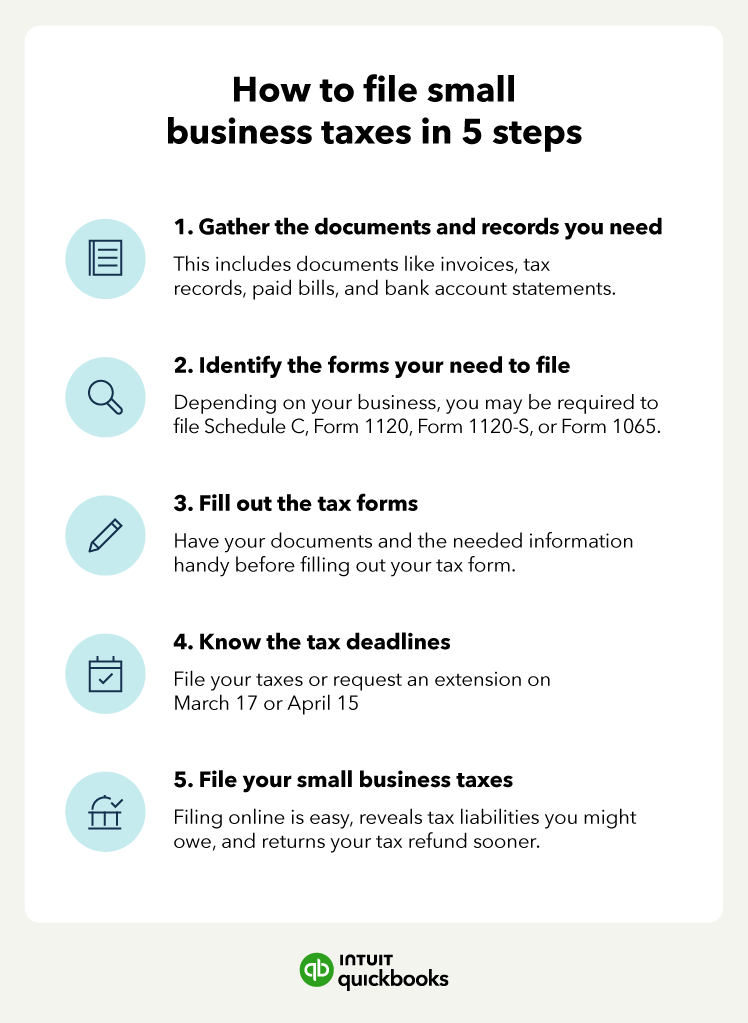
Preparing for Next Year
Tax planning is an ongoing process, not just an annual sprint.
- Organize Documents Throughout the Year: Create a system for saving relevant documents (pay stubs, receipts for deductions, investment statements) as they come in. A digital folder or a physical accordion file can be immensely helpful.
- Adjust Withholdings (Form W-4): If you consistently receive a very large refund, you might be overpaying taxes throughout the year. If you owe a substantial amount, you might be underpaying. Adjust your W-4 with your employer to better align your withholdings with your actual tax liability.
- Consider Estimated Taxes: For self-employed individuals, review your income and expenses periodically to ensure your quarterly estimated tax payments are sufficient. This helps avoid penalties.
- Explore Tax-Advantaged Savings: Look into contributions to retirement accounts (401(k), IRA), Health Savings Accounts (HSAs), or other tax-deferred or tax-exempt accounts to reduce your taxable income.
Filing your own taxes is a valuable skill that fosters financial literacy and independence. While it requires diligence and attention to detail, the process is streamlined by numerous resources, especially modern tax software. By understanding your obligations, meticulously gathering your documents, choosing the right filing method, and carefully navigating the steps, you can confidently take control of your tax responsibilities, ensuring accuracy and optimizing your financial outcome. Remember, proactive organization throughout the year is your best friend when April rolls around.
aViewFromTheCave is a participant in the Amazon Services LLC Associates Program, an affiliate advertising program designed to provide a means for sites to earn advertising fees by advertising and linking to Amazon.com. Amazon, the Amazon logo, AmazonSupply, and the AmazonSupply logo are trademarks of Amazon.com, Inc. or its affiliates. As an Amazon Associate we earn affiliate commissions from qualifying purchases.