
Coinbase Wallet stands as a prominent gateway to the decentralized web, offering users a self-custodial solution for managing their digital assets and interacting with the burgeoning Web3 ecosystem. Unlike the custodial wallet integrated within the Coinbase exchange platform, Coinbase Wallet operates as a standalone application, empowering users with complete control over their private keys and, consequently, their cryptocurrencies and NFTs. Understanding its mechanics is crucial for anyone venturing beyond centralized exchanges into the realm of true digital asset ownership and decentralized applications (DApps).
Understanding the Core Functionality
At its heart, Coinbase Wallet is a non-custodial software wallet, meaning it doesn’t hold your digital assets directly but rather provides an interface for interacting with various blockchains. It’s a key part of your digital identity in the decentralized world.
Self-Custody vs. Exchange Wallets
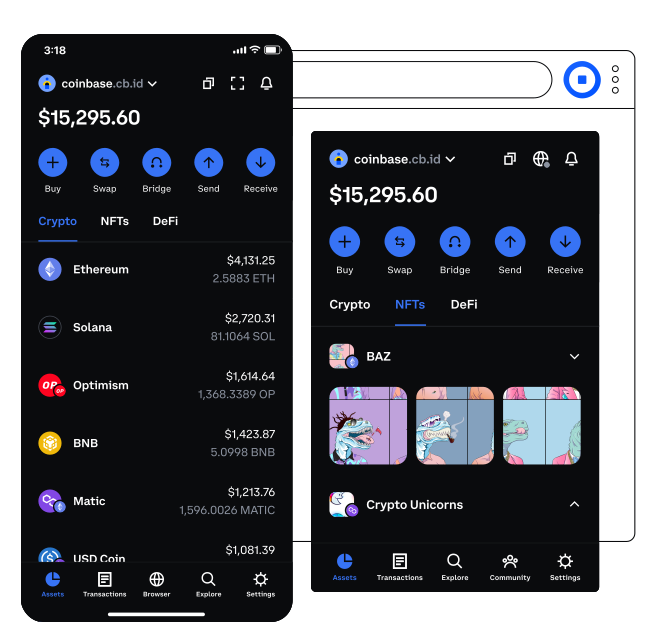
The fundamental distinction lies in custody. With a Coinbase exchange account, Coinbase holds the private keys to your cryptocurrency, acting as a custodian. This offers convenience but means you don’t have direct control over your assets. Coinbase Wallet, conversely, is a self-custodial or non-custodial wallet. You, and only you, hold the private keys. This gives you absolute control and responsibility over your funds. The wallet application itself merely stores these keys securely and uses them to sign transactions on your behalf, broadcasting them to the respective blockchain.
Blockchain Interaction and Private Keys
When you create a Coinbase Wallet, it generates a unique set of cryptographic keys: a public key and a private key. Your public key, often derived from your wallet address, is shareable and functions like a bank account number, allowing others to send you funds. The private key, a secret alphanumeric string, is the cryptographic proof of ownership. It’s what allows you to authorize transactions, such as sending cryptocurrency, interacting with DApps, or managing NFTs.
The wallet application itself doesn’t store your actual crypto assets; those assets reside on their respective blockchains. Instead, the wallet uses your private key to interact with these public ledgers. When you initiate a transaction, the wallet uses your private key to digitally “sign” the transaction. This signature proves you are the legitimate owner of the funds being moved. The signed transaction is then broadcast to the blockchain network, where miners or validators confirm its legitimacy and add it to the distributed ledger. This process ensures security and immutability.
Supported Assets and Networks
Coinbase Wallet is designed to be versatile, supporting a wide array of cryptocurrencies and digital assets across multiple blockchain networks. While it initially gained prominence for its Ethereum compatibility, it has expanded to support numerous other chains. Users can store and manage various ERC-20 tokens, which are standard tokens built on the Ethereum blockchain, as well as native cryptocurrencies from other networks like Bitcoin, Dogecoin, Litecoin, Solana, Avalanche, Polygon, BNB Chain, and more. This multi-chain support is critical for users who interact with diverse DApps and ecosystems, providing a unified interface for their varied digital portfolios.
Navigating the User Interface
The user interface of Coinbase Wallet is designed for intuitiveness, aiming to make complex blockchain interactions accessible to a broad audience. Its features guide users through asset management, transaction execution, and DApp exploration.
Setting Up Your Wallet and Seed Phrase
The initial setup involves downloading the application and creating a new wallet. Crucially, the wallet will present you with a 12- or 24-word “seed phrase” (also known as a recovery phrase or mnemonic phrase). This phrase is the master key to your entire wallet. It’s a human-readable representation of your private keys. Losing it means losing access to your funds if your device is compromised or lost, and anyone who gains access to it can control your assets. Therefore, safeguarding this seed phrase offline, in multiple secure locations, is the single most important security measure. Once the seed phrase is securely backed up, you can set a local password or biometric authentication (Face ID/fingerprint) for daily access to the app, which is separate from your seed phrase and adds a layer of convenience without compromising the underlying security.
Sending and Receiving Cryptocurrency
The core functions of sending and receiving assets are straightforward. To receive cryptocurrency, you simply tap the “Receive” button and select the desired asset. The wallet will display your public wallet address (a string of alphanumeric characters) and often a QR code. Senders can scan the QR code or copy the address to transfer funds to your wallet. To send assets, you select the desired cryptocurrency, enter the recipient’s wallet address, specify the amount, and confirm the transaction. The wallet will display an estimated network fee (gas fee) before you finalize, allowing you to review the total cost. It’s paramount to double-check the recipient’s address and the network (e.g., ERC-20 for Ethereum, Solana for SOL) to prevent irreversible loss of funds.
Exploring DApps and Web3 Connectivity
A significant feature of Coinbase Wallet is its integrated DApp browser. This allows users to directly access decentralized applications, DeFi protocols, NFT marketplaces, and Web3 games without leaving the wallet environment. By interacting with DApps through the wallet, users can participate in lending protocols, trade on decentralized exchanges (DEXs), mint NFTs, and engage with the broader Web3 landscape. The wallet acts as the secure bridge, signing transactions and granting permissions as requested by the DApp, always requiring user confirmation before execution. This seamless integration makes the decentralized web more accessible and user-friendly.
Advanced Features and Web3 Ecosystem

Coinbase Wallet is continually evolving, incorporating advanced features that deepen user engagement with the decentralized ecosystem and its various offerings.
NFT Management and Display
Beyond fungible tokens, Coinbase Wallet provides robust support for Non-Fungible Tokens (NFTs). Users can view, send, and receive NFTs directly within the wallet interface. It categorizes and displays NFTs, often with their associated artwork and metadata, offering a consolidated view of a user’s digital collectibles. This feature is crucial for participants in the digital art and collectibles market, allowing them to manage their unique digital assets alongside their traditional cryptocurrencies. The wallet also integrates with popular NFT marketplaces, making it easier to buy, sell, or trade NFTs from within the app.
DeFi Protocols and Staking
The wallet serves as a critical tool for interacting with Decentralized Finance (DeFi) protocols. Through its DApp browser, users can connect to various DeFi platforms, enabling activities such as providing liquidity to decentralized exchanges, participating in lending and borrowing protocols, or staking cryptocurrencies to earn rewards. While Coinbase Wallet itself doesn’t offer staking services in the custodial sense, it facilitates interaction with protocols that do. By connecting to a staking DApp, users can delegate their tokens to validators or lock them into smart contracts to earn passive income, all while maintaining control over their private keys.
WalletConnect Integration
WalletConnect is an open-source protocol that allows mobile wallets like Coinbase Wallet to securely connect to DApps on desktop browsers or other devices. When a user scans a QR code generated by a DApp on a desktop, WalletConnect establishes an encrypted connection between the DApp and the mobile wallet. This allows users to sign transactions initiated on a desktop DApp using the private keys securely stored on their mobile wallet, offering a secure and convenient way to interact with a wider range of DApps without exposing private keys to the desktop environment.
Digital Security and Best Practices
Given the self-custodial nature of Coinbase Wallet, users bear ultimate responsibility for the security of their assets. Understanding and implementing robust security practices is paramount.
Protecting Your Seed Phrase
The seed phrase is the single most critical element of your wallet’s security. It should never be stored digitally (e.g., on a computer, cloud storage, email, or screenshot), as these are vulnerable to hacking. Instead, it should be written down accurately and stored in multiple, physically secure, and private locations that are resistant to damage (e.g., fire, water). Never share your seed phrase with anyone, under any circumstances, including “support staff” who claim to be from Coinbase or any other service. They will never ask for it.
Transaction Verification and Permissions
When interacting with DApps, the wallet will prompt you to approve transactions or grant permissions. Always review these requests carefully. Understand what you are signing: Is it a transaction sending funds? Is it approving a smart contract to spend your tokens (an allowance)? Legitimate DApps will clearly state the action. Be wary of requests for excessive permissions or transactions that seem unusual. Always verify the DApp’s URL to ensure you are on the legitimate site and not a phishing scam.
Recognizing Common Threats
Users should be acutely aware of common cybersecurity threats in the Web3 space. Phishing attacks, where malicious actors create fake websites or applications designed to steal your seed phrase or private keys, are prevalent. Always verify the authenticity of websites and DApps. Malicious DApps or smart contracts can also be designed to drain your wallet upon interaction. Be cautious about interacting with unverified or suspicious DApps, and research protocols thoroughly before committing funds. Software vulnerabilities, though rare in well-maintained wallets, can also pose risks, making it important to keep the Coinbase Wallet application updated to the latest version.
Advantages and Considerations for Users
Coinbase Wallet empowers users with autonomy, but this freedom comes with inherent responsibilities.
Empowering Decentralization
The primary advantage of Coinbase Wallet is its role in empowering decentralization. By providing a secure, self-custodial interface, it allows users to truly own their digital assets, participate directly in decentralized governance, and interact with an open, permissionless financial system without relying on a central intermediary. This aligns with the core philosophy of blockchain technology, giving users unprecedented control over their digital wealth and identity.
User Responsibility and Risk
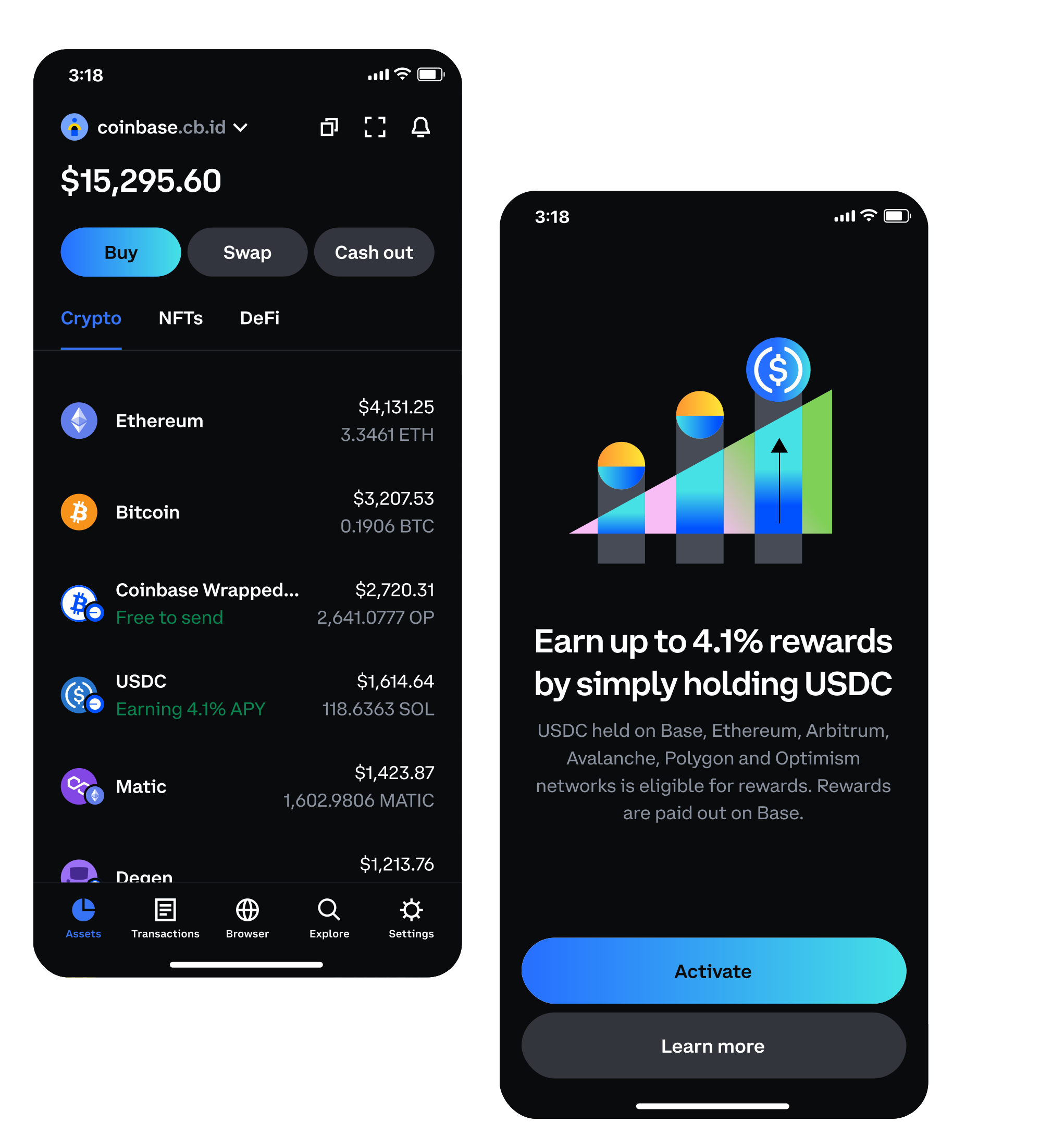
While providing significant control, the self-custodial nature also places a heavy burden of responsibility on the user. There is no “forgot password” button for your seed phrase. If you lose your seed phrase, and your device is also lost or damaged, your assets are irrecoverable. Similarly, if your seed phrase is compromised, there is no customer support to reverse fraudulent transactions, as you are the sole controller of your private keys. Users must educate themselves on security best practices, understand the risks involved in interacting with DApps, and exercise extreme caution to safeguard their digital assets effectively.
aViewFromTheCave is a participant in the Amazon Services LLC Associates Program, an affiliate advertising program designed to provide a means for sites to earn advertising fees by advertising and linking to Amazon.com. Amazon, the Amazon logo, AmazonSupply, and the AmazonSupply logo are trademarks of Amazon.com, Inc. or its affiliates. As an Amazon Associate we earn affiliate commissions from qualifying purchases.