
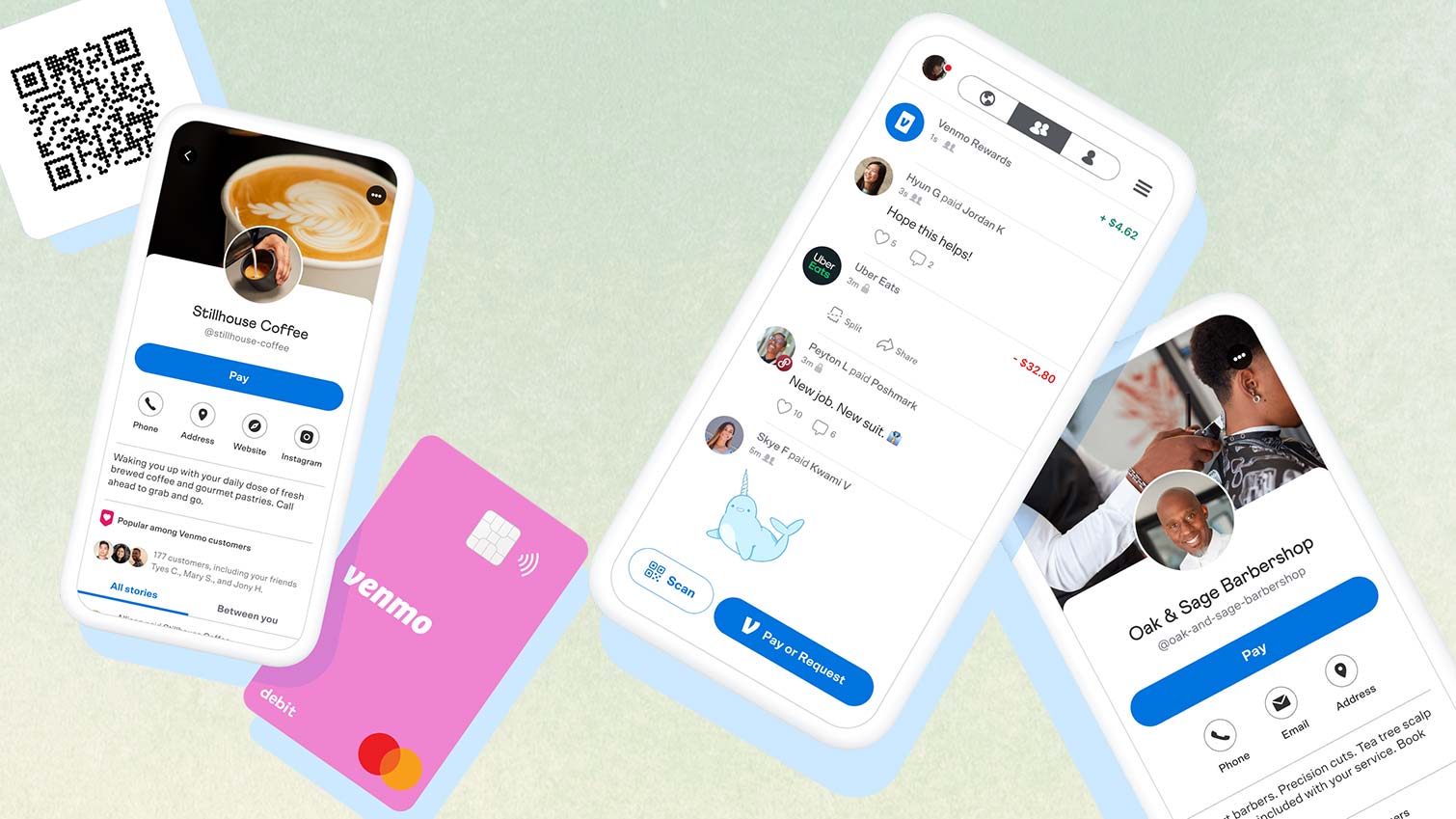
In the contemporary financial landscape, the phrase “Venmo me” has become as ubiquitous as “Google it.” Once a niche application for college students to split the cost of a late-night pizza, Venmo has evolved into a robust financial ecosystem that bridges the gap between traditional banking and digital convenience. Owned by PayPal, Venmo is more than just a peer-to-peer (P2P) payment service; it is a comprehensive tool for personal finance management, side hustle accounting, and even retail commerce.
Understanding how to use Venmo effectively requires looking beyond the “Pay” and “Request” buttons. It involves mastering the nuances of digital transfers, navigating the complexities of transaction fees, and understanding the tax implications of the modern gig economy. This guide provides an in-depth exploration of Venmo through the lens of personal finance and wealth management.
1. Establishing a Secure Financial Foundation
The utility of Venmo begins with how it interacts with your existing financial infrastructure. To use Venmo effectively, one must first understand the mechanics of linking accounts and the importance of digital security in protecting your capital.
Linking Your Funding Sources
When setting up Venmo, you are prompted to link a funding source. This is a critical decision that affects your liquidity and transaction costs. You have three primary options: a bank account, a debit card, or a credit card.
From a financial management perspective, linking a bank account via the Automated Clearing House (ACH) network is often the most prudent choice. It allows for seamless transfers without the transaction fees associated with credit cards. Debit cards offer similar benefits with the added advantage of “Instant Transfers” (for a fee), which we will discuss later. However, linking a credit card should be done with caution, as Venmo charges a standard 3% fee for payments funded by credit cards—a cost that can quickly erode your budget.
Navigating the Verification Process
To move significant sums of money, Venmo requires identity verification. This is not merely a bureaucratic hurdle but a regulatory requirement under the “Know Your Customer” (KYC) laws designed to prevent money laundering and fraud. By verifying your identity with your Social Security Number and legal address, you increase your weekly transaction limits, allowing the app to function as a more serious financial tool for rent payments or large-scale reimbursements.
Prioritizing Financial Security
In the digital age, security is the cornerstone of personal finance. To use Venmo safely, users should enable multi-factor authentication (MFA) and biometric locks (such as FaceID or fingerprint scanning). Furthermore, from a privacy standpoint, many financial experts recommend setting your default transaction visibility to “Private.” While Venmo began as a social network for money, broadcasting your spending habits can expose you to social engineering scams or unwanted scrutiny of your financial life.
2. Managing Transfers, Fees, and Liquidity
A key aspect of mastering Venmo is understanding how money moves in and out of the “Venmo balance” and the costs associated with those movements. Efficiently managing these transfers is a hallmark of good financial hygiene.
The Venmo Balance vs. Your Bank Account
When someone sends you money on Venmo, it does not automatically land in your bank account. Instead, it sits in your Venmo balance. This creates a secondary pool of liquidity. You can use this balance to pay others directly, or you can “sweep” it into your traditional bank account.
For those practicing strict budgeting, keeping money in a Venmo balance can be problematic. It is “invisible” money that isn’t earning interest in a high-yield savings account. Therefore, a sound financial strategy involves regularly transferring your Venmo balance to your primary financial institution to ensure every dollar is accounted for in your overarching wealth strategy.
Standard vs. Instant Transfers
Venmo offers two ways to move money to your bank:
- Standard Transfer: This is free and typically takes 1 to 3 business days. It uses the ACH system and is the best choice for those who are not in a rush and want to avoid unnecessary fees.
- Instant Transfer: For a fee (currently 1.75% of the transfer amount, with a minimum and maximum cap), you can move money to an eligible debit card or bank account within minutes.
While the convenience of an instant transfer is tempting, a savvy financial user views that 1.75% as an avoidable tax on their own capital. Over a year, frequent instant transfers can add up to hundreds of dollars in lost opportunity. Planning your cash flow to accommodate the 3-day standard window is a simple way to optimize your finances.

Transaction Limits and Balance Caps
Venmo is not an infinite wallet. There are limits on how much you can send per week and how much you can hold in your balance. Understanding these limits is essential if you plan to use the app for significant expenses like monthly rent or business supplies. For verified users, the limit is generally around $7,000 per week for combined payments. If your financial needs exceed this, you may need to look toward more traditional wire transfers or specialized business banking tools.
3. Venmo as a Tool for Business and Side Hustles
In recent years, Venmo has expanded its reach into the professional sphere. Whether you are a freelance graphic designer, a dog walker, or a small business owner, the “Business Profile” feature has changed the way entrepreneurs collect payments.
The Rise of Business Profiles
Using a personal Venmo account for business transactions is technically a violation of their terms of service and can lead to account suspension. To mitigate this, Venmo introduced Business Profiles. These profiles allow you to accept payments for “Goods and Services” with a professional edge.
From a money management perspective, the primary difference is the transaction fee. Business owners pay a small percentage (typically around 1.9% plus a fixed fee) on every payment received. While this reduces your net income per sale, it provides “Purchase Protection” for your customers and allows you to keep your personal and professional finances separate—a fundamental rule of accounting.
Understanding the 1099-K and Tax Implications
Perhaps the most critical aspect of using Venmo for income is tax compliance. The IRS has updated reporting requirements for P2P payment processors. If you receive over a certain threshold (which has fluctuated in recent years due to legislative changes) for goods and services, Venmo is required to issue a Form 1099-K.
This means that your Venmo income is visible to the government. Users must be diligent in tracking these payments. Using the “Business Profile” makes this significantly easier, as the app provides a year-end summary of your earnings. Failing to account for Venmo income can lead to audits or unexpected tax liabilities, making it essential to view your Venmo app as a formal part of your bookkeeping system.
4. Integrating Venmo into a Broader Financial Ecosystem
To truly master how you use Venmo, you must look at how it fits into your total financial picture, including budgeting, credit building, and smart spending.
Leveraging the Venmo Credit and Debit Cards
Venmo has transitioned from a software app to a hardware provider by offering both debit and credit cards. The Venmo Debit Card allows you to spend your Venmo balance directly at retail locations, effectively turning the app into a checking account.
The Venmo Credit Card, however, offers a unique value proposition for personal finance enthusiasts: tiered cashback. It automatically calculates your top spending category and rewards you with 3% cash back in that area. This “set it and forget it” rewards system is an excellent way to automate savings. Furthermore, you can set your rewards to automatically purchase cryptocurrency (like Bitcoin or Ethereum) within the app, introducing a micro-investing element to your daily spending.
Budgeting and Expense Tracking
One of the biggest challenges of digital payments is the “frictionless” nature of spending; it is easy to lose track of where money is going. To combat this, you should integrate Venmo with third-party budgeting apps like YNAB (You Need A Budget) or Mint. By categorizing your Venmo transactions, you can see if your “social spending” (dining out, drinks, group gifts) is eating into your long-term savings goals.
The Ethics of P2P Debt
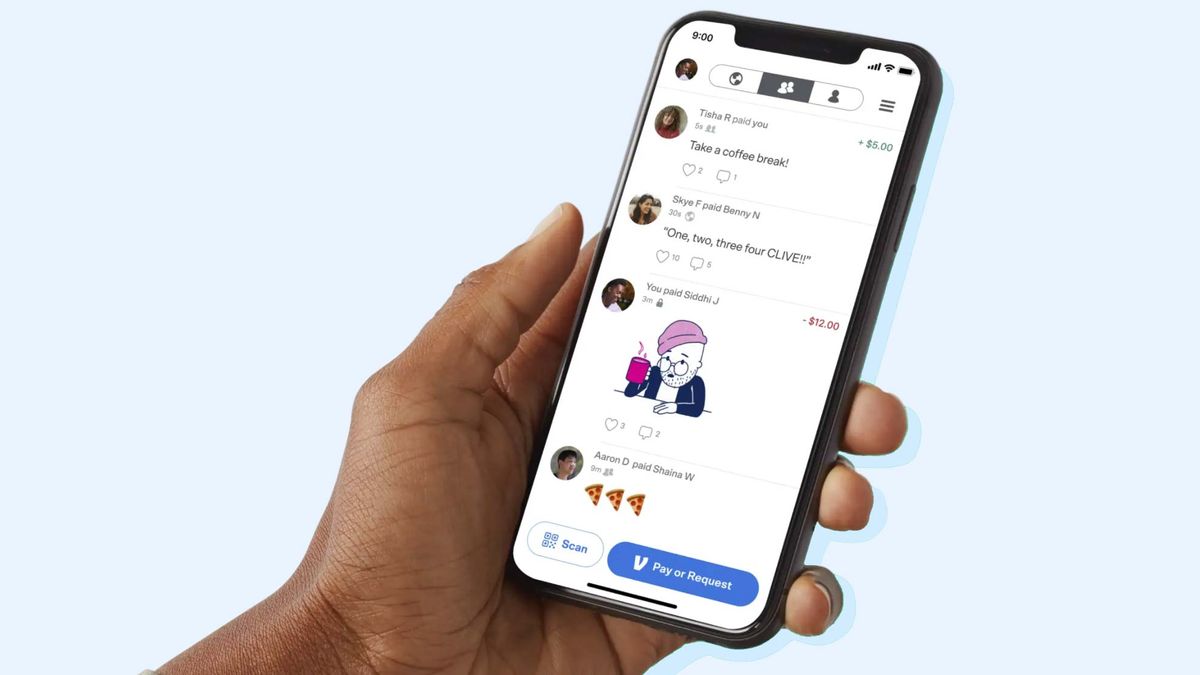
Lastly, using Venmo effectively involves a level of financial etiquette. The app’s “Request” feature is a powerful tool for ensuring you are reimbursed for shared costs. However, from a relationship-management perspective, it is important not to let small Venmo debts linger. Promptly paying requests or sending “reminders” for unpaid debts ensures that your social circles—and your personal cash flow—remain healthy.
Conclusion: The Future of Digital Cash
How you use Venmo is a reflection of your overall financial philosophy. When used haphazardly, it can be a source of leaked fees, untracked spending, and tax confusion. However, when used strategically—by avoiding unnecessary transfer fees, leveraging business profiles for side income, and integrating the app into a formal budget—Venmo becomes a powerful engine for financial convenience.
As the world moves closer to a cashless society, tools like Venmo will continue to blur the lines between social interaction and financial management. By mastering the technicalities and the economic realities of the platform, you can ensure that your digital wallet serves your long-term wealth-building goals.
aViewFromTheCave is a participant in the Amazon Services LLC Associates Program, an affiliate advertising program designed to provide a means for sites to earn advertising fees by advertising and linking to Amazon.com. Amazon, the Amazon logo, AmazonSupply, and the AmazonSupply logo are trademarks of Amazon.com, Inc. or its affiliates. As an Amazon Associate we earn affiliate commissions from qualifying purchases.