
Managing your credit card payments effectively is a cornerstone of sound personal finance, and your Amazon credit card is no exception. Whether you leverage your card for daily purchases, exclusive Amazon rewards, or simply as a convenient payment method, understanding the various payment options and strategies available is crucial. This guide will meticulously detail how to pay your Amazon credit card, offer insights into optimizing your payment approach, and discuss the broader financial implications of responsible credit card management, all firmly within the realm of personal finance and financial tools.
Understanding Your Amazon Credit Card
Before diving into payment methods, it’s essential to recognize that “Amazon credit card” can refer to a couple of distinct products, each managed by a different financial institution. This distinction directly impacts where and how you will make your payments.

Differentiating Amazon Card Types (Store Card vs. Visa Signature)
Amazon offers two primary credit card options, catering to different user needs and credit profiles:
-
Amazon Store Card (Synchrony Bank): This card is issued by Synchrony Bank and is primarily for purchases made on Amazon.com, Amazon Fresh, Whole Foods Market, and other Amazon-affiliated merchants. It often features promotional financing offers.
-
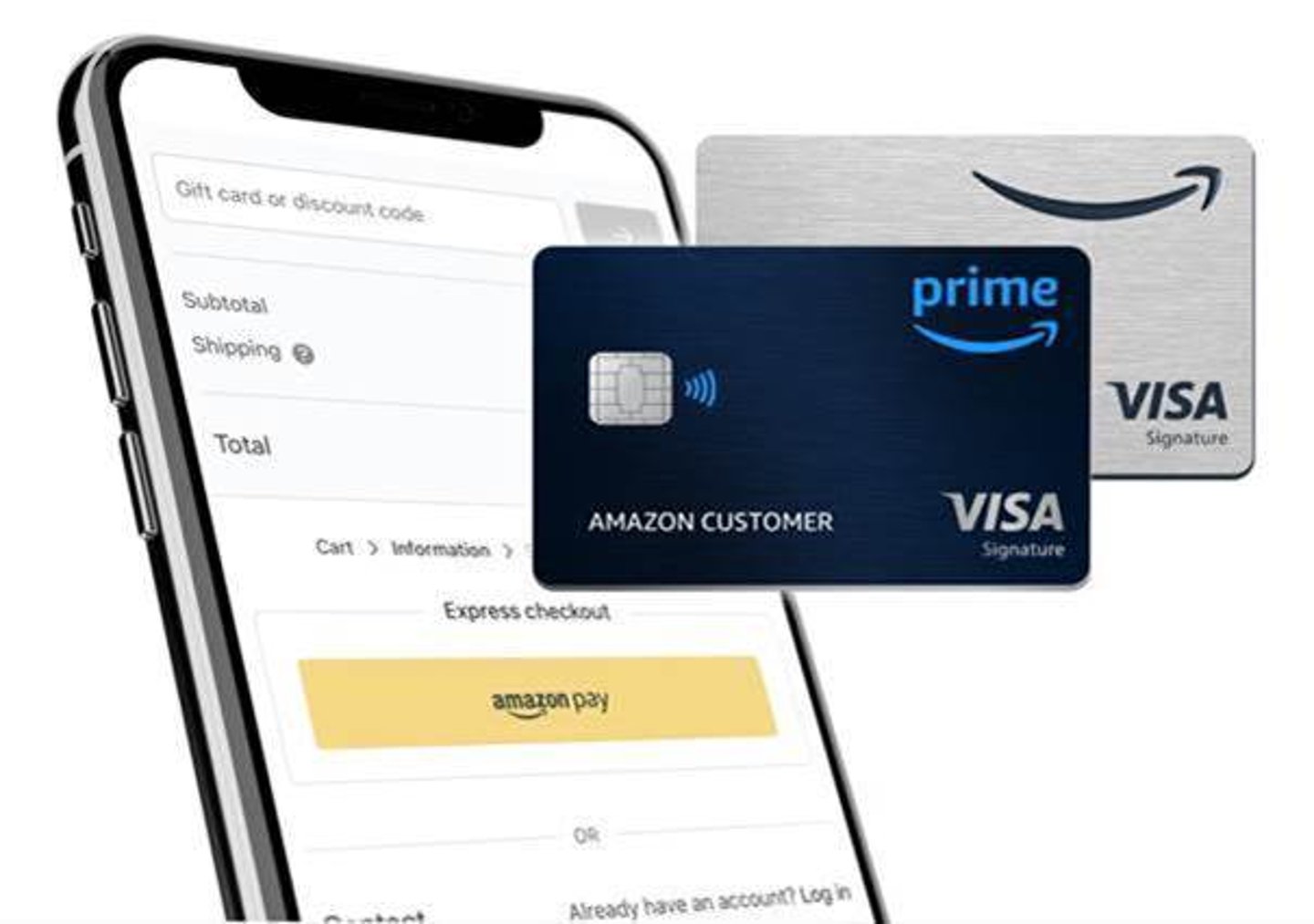
Amazon Prime Rewards Visa Signature Card (Chase Bank): Issued by Chase Bank, this card is a traditional Visa credit card accepted wherever Visa is, offering broader utility beyond Amazon. It typically comes with higher rewards rates for Amazon purchases and other categories.
Knowing which card you hold is the first step in identifying the correct payment portal and customer service channels. Your monthly statement will clearly indicate the issuer.
Key Information on Your Statement
Regardless of the card type, your monthly statement is a vital document. It contains critical information you’ll need for payments, including:
-
Account Number: Though often masked, the full number might be needed for certain payment methods.
-
Current Balance: The total amount you owe.
-
Minimum Payment Due: The smallest amount you must pay to keep your account in good standing.
-
Payment Due Date: The deadline by which your payment must be received.
-
Interest Rate (APR): The annual percentage rate applied to balances carried over.
-
Contact Information: Phone numbers and mailing addresses for customer service and payments.
Familiarizing yourself with your statement helps ensure you make timely and accurate payments, avoiding late fees and interest charges.
Diverse Methods for Making Payments
Both Synchrony Bank (for the Store Card) and Chase Bank (for the Visa Signature Card) offer multiple convenient ways to pay your Amazon credit card. The primary goal is to ensure your payment reaches them before the due date, every single time.
Online Payment through Synchrony Bank (for Store Card)
For Amazon Store Cardholders, the Synchrony Bank online portal is the most common and efficient payment method.
-
Log In to Your Account: Visit the Synchrony Bank Amazon Store Card website (typically amazon.com/storecard) and log in using your username and password. If you haven’t registered for online access, you’ll need to do so, providing your card number and personal details.
-
Navigate to Payments: Once logged in, look for a “Payments” or “Make a Payment” section.
-
Enter Payment Details: You will typically need to provide your bank account routing number and account number. You can choose to pay the minimum amount due, the statement balance, the current balance, or a custom amount.
-
Schedule Payment: Select a payment date. You can often schedule a payment for the current day or a future date up to your due date.
-
Review and Confirm: Double-check all details before confirming the payment. You’ll usually receive an email confirmation.
Online payments are generally processed within 1-2 business days, but the payment is considered “on time” as long as it’s submitted by the due date.
Online Payment through Chase (for Visa Signature Card)
Amazon Prime Rewards Visa Signature Cardholders will manage their payments through Chase Bank’s online platform.
-
Log In to Chase Online: Go to chase.com and log in with your Chase username and password. If you’re a new user, you’ll need to enroll for online banking.
-
Select Your Amazon Card: From your dashboard, locate your Amazon Prime Rewards Visa Signature Card.
-
Initiate Payment: Click on “Pay card” or a similar option.
-
Choose Payment Amount and Source: You can select to pay the minimum payment, the statement balance, the current balance, or another amount. Choose the linked bank account you wish to pay from. If your bank account isn’t linked, you’ll need to add it by providing the routing and account numbers.
-
Set Payment Date: Select your desired payment date. You can typically schedule payments up to the due date.
-
Verify and Submit: Review all details carefully before submitting the payment. Chase will send an email confirmation.
Chase’s robust online banking system provides a secure and user-friendly experience for managing payments and other account activities.
Paying by Phone
Both Synchrony and Chase offer phone payment options, which can be useful if you prefer speaking to someone or if you’re experiencing online technical difficulties.
-
Synchrony Bank (Amazon Store Card): Look for the customer service phone number on the back of your card or on your statement. You can typically make a payment through an automated system or by speaking with a representative. Be prepared to provide your account information and bank details.
-
Chase Bank (Amazon Prime Rewards Visa Signature Card): Dial the customer service number on your card or statement. Chase’s automated system can guide you through a payment, or you can opt to speak with a customer service agent for assistance.
While convenient, be aware that some financial institutions may charge a fee for making a payment over the phone with a live agent. Always inquire about potential fees beforehand.
Paying by Mail
For those who prefer traditional methods or lack consistent internet access, paying by mail is still an option.
-
Locate Payment Address: Find the payment mailing address on your monthly statement. It’s crucial to send payments to the correct address to avoid delays.
-
Write a Check or Money Order: Make it payable to Synchrony Bank or Chase Bank, depending on your card.
-
Include Payment Stub: Detach and include the payment stub from your statement to ensure proper crediting to your account. Write your account number clearly on the check/money order.
-
Mail Early: Allow ample time for the payment to be delivered and processed before your due date, typically 7-10 business days. Mail delays can result in late payments.
Setting Up Automatic Payments (AutoPay)
AutoPay is arguably the most stress-free and reliable method for ensuring on-time payments.
-
Access Online Account: Log in to your Synchrony Bank or Chase online account.
-
Find AutoPay Settings: Navigate to the “Payments” or “Manage AutoPay” section.
-
Configure Payments: You can typically set AutoPay to pay:
-
The minimum payment due.
-
The statement balance in full.
-
A custom fixed amount.
-
-
Select Bank Account and Date: Choose the bank account you want payments drawn from and the date you want the payment to be made (e.g., a few days before your due date).
-
Confirm: Review and activate AutoPay.
AutoPay eliminates the risk of forgetting a payment, but it’s still wise to review your statement each month to verify the amount and ensure sufficient funds in your linked bank account.
Using Your Bank’s Bill Pay Service
Many personal banking platforms offer a “Bill Pay” service, allowing you to manage all your bills from one central location.
-
Log In to Your Bank’s Online Portal: Access your personal bank account online.
-
Add Payee: Locate the Bill Pay section and add Synchrony Bank or Chase Bank as a payee. You will need your Amazon credit card account number and the payment mailing address.
-
Schedule Payment: Enter the amount you wish to pay and the desired payment date. Your bank will then send a payment (either electronically or by check) to the credit card issuer on your behalf.
This method centralizes your payments, but remember to allow extra processing time, especially if your bank sends a physical check.
Optimizing Your Payment Strategy
Beyond simply making payments, strategic payment habits can significantly impact your financial health and credit score.
Always Pay More Than the Minimum
While paying the minimum keeps your account in good standing, it’s often the most expensive approach. The minimum payment typically covers only a small portion of your principal balance plus all the accrued interest. Paying more than the minimum, ideally the full statement balance, helps you:
-
Avoid Interest Charges: If you pay your statement balance in full by the due date, you avoid interest charges entirely (for cards with a grace period).
-
Reduce Debt Faster: More of your payment goes towards the principal, accelerating debt repayment.
-
Improve Credit Utilization: A lower balance relative to your credit limit positively impacts your credit score.
Understanding Your Due Date and Avoiding Late Fees
Your payment due date is not a suggestion; it’s a firm deadline. Payments must be received and processed by this date.
-
Timely Submission: Always submit your payment several days before the due date, especially if using mail or your bank’s bill pay service, to account for processing delays.
-
Grace Period: Most credit cards offer a grace period between the statement closing date and the payment due date, during which no interest accrues if the full statement balance is paid. Missing your payment or only paying the minimum can cause you to lose this grace period.
-
Late Fees: Missing a payment due date almost always incurs a late fee, which can be substantial and add to your debt.
The Impact of Payments on Your Credit Score
Your payment history is the single most important factor (35%) in your FICO credit score.
-
Positive Impact: Consistent on-time payments demonstrate financial responsibility and build a strong credit history, leading to higher credit scores.
-
Negative Impact: Late payments (typically reported after 30 days past due) can severely damage your credit score and remain on your credit report for up to seven years. Even one late payment can have a significant negative effect.
-
Credit Utilization: Keeping your credit utilization ratio (the amount of credit you’re using compared to your total available credit) low, ideally below 30%, is also beneficial. Paying down your Amazon card balance aggressively helps maintain a healthy utilization.
Utilizing Payment Reminders
Given the potential financial penalties of a missed payment, leveraging reminders is a smart financial habit.
-
Calendar Alerts: Set recurring alerts on your digital calendar a few days before each due date.
-
Bank Notifications: Many banks and credit card issuers offer email or text alerts when your statement is available and when your payment due date approaches.
-
Third-Party Apps: Use personal finance apps that consolidate your bills and send payment reminders.
Troubleshooting and Common Questions
Even with the best intentions, issues can arise. Knowing how to troubleshoot common payment problems is essential.
What to Do If You Miss a Payment
If you realize you’ve missed a payment, act immediately:
-
Make the Payment ASAP: Pay at least the minimum amount due as quickly as possible.
-
Contact Customer Service: Call Synchrony Bank or Chase customer service. Explain the situation. If this is your first late payment, you might be able to get the late fee waived, especially if you have a good payment history.
-
Check Your Credit Report: Monitor your credit report to ensure the late payment isn’t reported to credit bureaus if you make it up quickly. Payments are usually only reported as late after 30 days.
Resolving Payment Issues
If a payment doesn’t go through or an incorrect amount is charged:
-
Verify Bank Information: Double-check the routing and account numbers you provided for your payment source.
-
Check Funds: Ensure you had sufficient funds in your bank account on the scheduled payment date.
-
Contact Your Bank and Card Issuer: If there’s a discrepancy, contact both your bank and Synchrony/Chase to investigate the issue.
Changing Your Payment Due Date
Some credit card issuers allow you to change your payment due date to better align with your pay schedule. This can be a great way to prevent future late payments. Contact Synchrony or Chase customer service to inquire about this option. Be aware that interest may still accrue on your balance during the transition period.
Contacting Customer Service
For any complex issues, questions, or specific account concerns, contacting customer service directly is always the best course of action. Have your account number and personal identification ready.
-
Synchrony Bank (Amazon Store Card): Check your statement or the back of your card for the most current contact number.
-
Chase Bank (Amazon Prime Rewards Visa Signature Card): Similarly, the number will be on your card and statement.
The Broader Financial Implications of Credit Card Management
Paying your Amazon credit card isn’t just a transactional act; it’s an integral part of your overall financial strategy. Responsible management impacts your current cash flow, long-term wealth, and access to future credit.
The Cost of Interest and Carrying a Balance
Credit cards often come with high Annual Percentage Rates (APRs). Carrying a balance means you’re paying interest on your purchases, which can significantly increase the total cost of what you buy. Understanding how interest accrues and prioritizing paying off high-interest debt is crucial for financial health. The longer you carry a balance, the more expensive your purchases become.
Building a Strong Credit History
Your Amazon credit card, when managed responsibly, is a powerful tool for building and maintaining a strong credit history. A good credit history opens doors to better interest rates on mortgages and auto loans, easier approval for rental applications, and even favorable insurance premiums. Conversely, poor credit management can restrict access to these financial opportunities.
Integrating Credit Card Payments into Your Budget
Effective personal finance hinges on a well-structured budget. Your Amazon credit card payments should be a consistent line item in your monthly budget. By allocating funds specifically for your credit card payments, you ensure that you can meet your obligations without straining your other financial commitments. This proactive approach prevents surprises and helps you stay in control of your spending and debt.
In conclusion, paying your Amazon credit card is a straightforward process once you understand the specific card you hold and the various payment avenues available. By embracing proactive payment strategies, leveraging financial tools like AutoPay and reminders, and integrating credit card management into your broader financial plan, you can ensure timely payments, maintain a healthy credit score, and support your long-term financial well-being.
aViewFromTheCave is a participant in the Amazon Services LLC Associates Program, an affiliate advertising program designed to provide a means for sites to earn advertising fees by advertising and linking to Amazon.com. Amazon, the Amazon logo, AmazonSupply, and the AmazonSupply logo are trademarks of Amazon.com, Inc. or its affiliates. As an Amazon Associate we earn affiliate commissions from qualifying purchases.