
For over a decade, Amazon Prime has served as the gold standard for the “sticky” digital ecosystem. What began as a simple expedited shipping service has evolved into a sprawling technological web encompassing cloud storage, digital streaming, smart home integration, and complex user interfaces. However, as subscription fatigue sets in and consumers become more wary of “dark patterns” in software design, many are seeking to “get out.”
Navigating the exit from Amazon Prime is not merely a matter of clicking a “cancel” button. It is a technical exercise in decoupling your digital identity from a multi-faceted platform. This guide explores the UI/UX hurdles designed to retain users, the technical implications for your hardware, and the steps required to achieve true digital sovereignty.

The Architecture of Retention: Understanding Dark Patterns in UI/UX
To understand why “getting out” of Amazon Prime feels difficult, one must first understand the technical design philosophy behind the interface. In the world of software engineering and user experience (UX) design, Amazon is often cited for its use of “dark patterns”—user interface choices crafted to trick or manipulate users into making choices they didn’t intend to make.
The “Roach Motel” Design Philosophy
In tech circles, the “Roach Motel” pattern refers to a system that is incredibly easy to enter but nearly impossible to leave. Amazon’s sign-up process is often integrated into the “One-Click” checkout, making it a seamless background process. Conversely, the cancellation path is buried under multiple layers of the account hierarchy. This is a deliberate technical hurdle known as “forced continuity,” designed to increase the “interaction cost” of leaving.
Cognitive Load and Confirmation Bias
When a user attempts to cancel Prime, the software does not immediately execute the request. Instead, it initiates a multi-page workflow designed to increase cognitive load. You are presented with data visualizations of your “savings,” lists of digital benefits you will lose, and color-coded buttons where the “Keep Membership” option is often more visually prominent (higher contrast) than the “Continue to Cancel” option. This technical manipulation of visual hierarchy aims to trigger a fear of loss, stalling the user’s intent.
The Logic of “Confirmshaming”
Amazon’s interface often employs “confirmshaming”—a UX technique where the alternative to the desired action is phrased in a way to make the user feel foolish. Buttons might read “No, I don’t want to keep my amazing benefits” instead of a simple “Cancel.” From a software design perspective, this adds an emotional layer to a binary technical choice, complicating the user journey.
Step-by-Step Technical Decoupling from the Amazon Ecosystem
Once you have identified the psychological hurdles, the actual technical process of decoupling requires a methodical approach to ensure you don’t lose access to essential data or unintentionally leave “ghost” subscriptions active.
Navigating the Prime Membership Management Interface
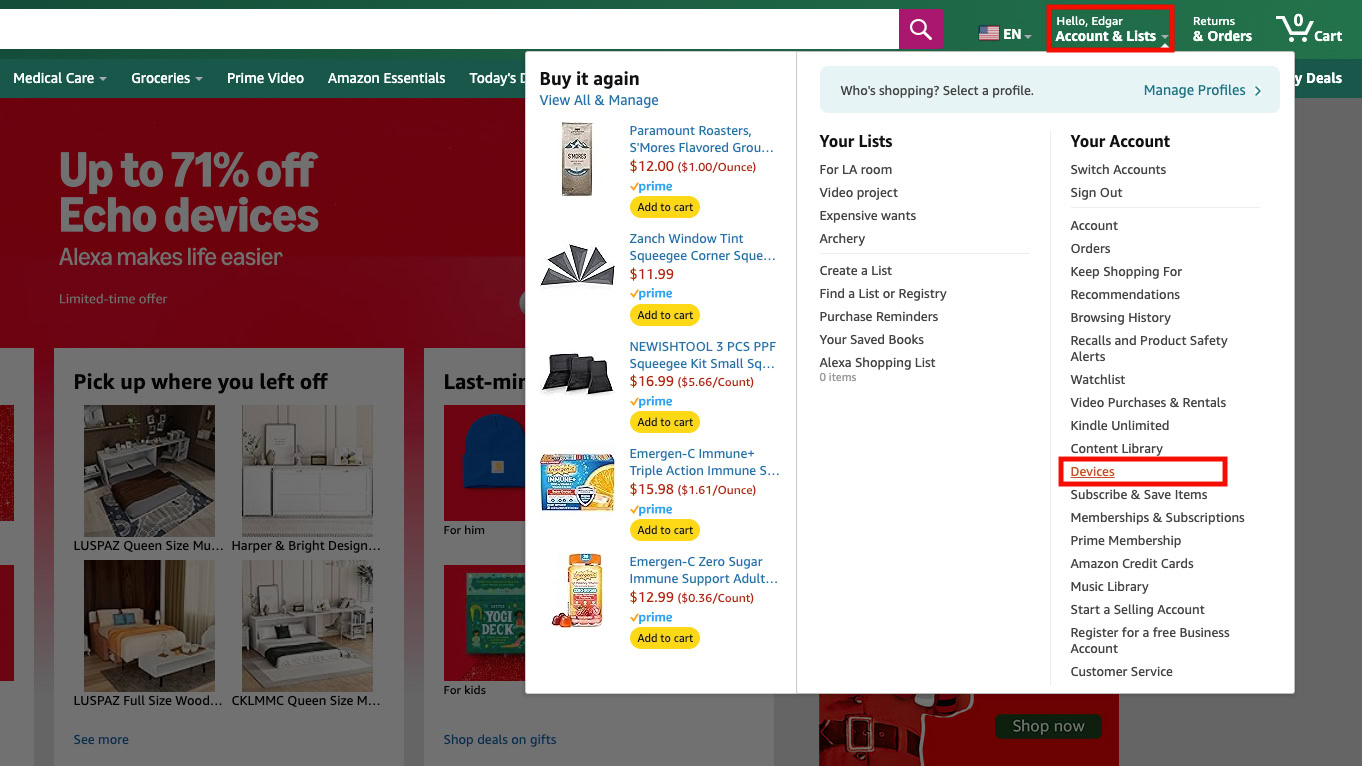
The technical path begins at the Accounts & Lists dropdown menu. From there, users must navigate to Your Prime Membership. The “Manage Membership” toggle is the gateway. To successfully terminate the service, a user must navigate through at least three distinct confirmation pages. It is vital to ensure that the final confirmation screen provides a specific date of termination; otherwise, the session may have timed out or been interrupted by a mid-process “save” offer.
Managing Linked Devices and Digital Rights (DRM)
A significant technical complication of leaving Prime is the management of Digital Rights Management (DRM) content. While purchased movies and books typically remain in your library, Prime-exclusive content (Prime Video, Prime Reading) will be revoked. Users should audit their “Content and Devices” dashboard prior to cancellation. This dashboard allows you to see which specific hardware—Kindles, Fire Sticks, or mobile apps—are authorized to access your data. Revoking access to old devices during this transition is a best practice for digital hygiene.
Handling the Transition of Cloud-Based Data
For many, the most difficult technical tie to sever is Amazon Photos. Prime members receive unlimited full-resolution photo storage. Once the membership is terminated, your storage limit typically reverts to the 5GB standard. If your data footprint exceeds this, Amazon’s automated scripts may prevent further uploads or eventually flag files for deletion. Before canceling, it is essential to use the Amazon Photos Desktop App to batch-download your library to a local NAS (Network Attached Storage) or a competing cloud provider like Google Photos or iCloud.
The Impact on Your Integrated Smart Home and Devices
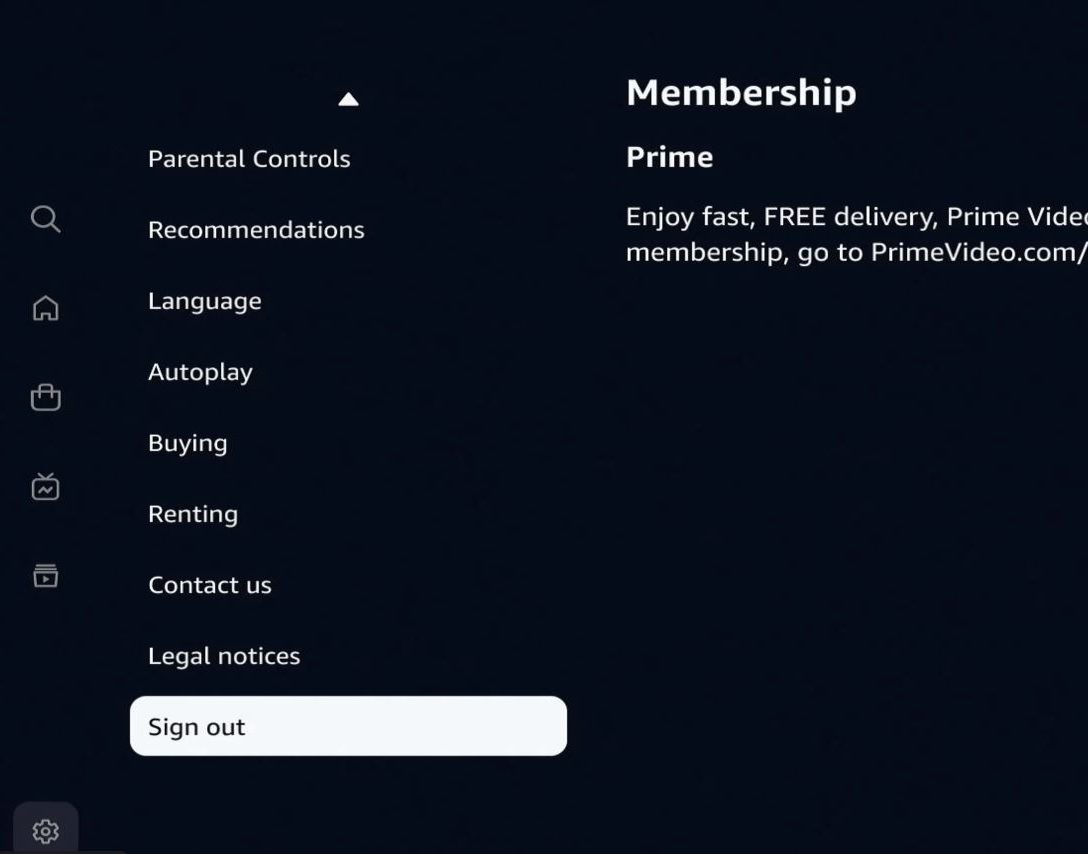
The Amazon Prime ecosystem extends far beyond the browser. For many users, their home’s physical infrastructure—smart speakers, security cameras, and media players—is technically tethered to their Prime account.
Alexa and Echo Device Functionality Post-Prime
One of the most common technical misconceptions is that Echo devices become “bricks” without Prime. In reality, the core Alexa Voice Service (AVS) remains functional. You can still control smart home devices (Zigbee or Matter-enabled), set timers, and ask general questions. However, the technical backend for music changes significantly. Without Prime Music, Alexa defaults to “Amazon Music Free” (ad-supported) or requires a third-party API link to Spotify or Apple Music.
Kindle Ecosystem and Digital Library Permanence
For Kindle users, “getting out” of Prime means the loss of “Prime Reading” and the “First Reads” program. Technically, your Kindle remains a high-quality e-ink reader, but its synchronization features are simplified. It is important to ensure your device performs a final “Sync and Check for Items” while the Prime subscription is still active to ensure all metadata for your permanent collection is cached locally on the device’s flash storage.
Fire TV and the Shift to Third-Party App Management
Amazon Fire TV devices are built on a “forked” version of Android (Fire OS) that heavily prioritizes Prime Video in the UI’s top-level launcher. When you cancel Prime, the interface becomes noticeably more cluttered with “sponsored” content and prompts to re-subscribe. To maintain a clean technical experience, users may look into “sideloading” alternative launchers or focusing strictly on third-party apps like Netflix or YouTube, effectively bypassing the Prime-centric shell of the OS.
Digital Security and Privacy Considerations of a Dormant Account
Closing a Prime membership is often a precursor to reducing one’s overall digital footprint with Amazon. From a digital security perspective, a dormant account with saved credentials is a liability.
Revoking Third-Party App Permissions
Many third-party websites allow you to “Login with Amazon.” This creates an OAuth token that persists even if your Prime membership expires. As part of your technical exit, you should visit the “Login with Amazon” settings page and revoke access for any apps or services you no longer use. This minimizes the “attack surface” of your digital identity.
Clearing Stored Payment Credentials
Amazon’s “1-Click” system relies on stored credit card tokens. When you stop using Prime, it is a sound security protocol to remove expired or unnecessary payment methods. Technically, keeping your primary credit card linked to a dormant account increases the risk of “zombie” subscriptions—third-party channels or apps that might charge you through Amazon’s billing API without you noticing.
Managing Two-Factor Authentication (2FA) for Residual Access
Even without Prime, you may still need to access your Amazon account for tax records or historical purchase data. Ensure that your Two-Factor Authentication (2FA) is updated. If you are moving away from the Amazon ecosystem, switch from SMS-based 2FA to a hardware security key (like a YubiKey) or a dedicated authenticator app. This ensures that your residual data remains secure even as you disengage from the platform’s primary services.
Future-Proofing Your Digital Life: Alternatives and Decoupled Services
The final stage of “getting out” is replacing the technical utility provided by Prime with decentralized or specialized alternatives. This prevents “ecosystem lock-in” in the future.
Open-Source and Cross-Platform Storage Solutions
Instead of relying on a single vendor’s cloud, many tech-savvy users are moving toward personal cloud solutions like Nextcloud or Synology Photos. These tools offer the same auto-backup features as Amazon Photos but run on hardware you own. Technically, this involves setting up a Linux-based server or a plug-and-play NAS, providing a sovereign alternative to the “subscription-as-a-service” model.
Managing Subscription Fatigue with Technical Aggregators
To avoid falling back into the Prime trap, consider using subscription management tools or “virtual” credit cards (like those offered by Privacy.com). These allow you to set technical limits on how much a merchant can charge and provide a “kill switch” for any recurring payment at the banking layer, rather than relying on the merchant’s convoluted cancellation UI.
Conclusion
Getting out of Amazon Prime is more than a financial decision; it is a technical migration. By understanding the dark patterns of UI design, auditing your DRM and cloud data, and reconfiguring your smart home hardware, you can successfully decouple from the ecosystem. True digital freedom requires a proactive approach to where your data lives and how your software interacts with the platforms that house it. As we move toward a more fragmented digital landscape, the ability to navigate these exits will become an essential skill for the modern consumer.
aViewFromTheCave is a participant in the Amazon Services LLC Associates Program, an affiliate advertising program designed to provide a means for sites to earn advertising fees by advertising and linking to Amazon.com. Amazon, the Amazon logo, AmazonSupply, and the AmazonSupply logo are trademarks of Amazon.com, Inc. or its affiliates. As an Amazon Associate we earn affiliate commissions from qualifying purchases.