
Checking in for an American Airlines flight, once a purely manual affair, has evolved into a sophisticated technological process, primarily managed through digital platforms. This transformation leverages advanced software, mobile applications, and interconnected systems to provide passengers with efficiency, flexibility, and control over their travel preparations. Understanding the digital ecosystem American Airlines employs for check-in is crucial for a smooth journey, offering pathways that span from pre-departure online procedures to last-minute airport kiosk interactions.
The Digital Gateway: Understanding American Airlines’ Tech Ecosystem for Check-In
American Airlines has invested heavily in digital solutions to streamline the check-in experience, offering multiple technology-driven channels. These platforms are designed to be user-friendly, secure, and integrated, ensuring that passenger data and flight information are accessible across various touchpoints. The core of this system comprises its official website, a dedicated mobile application, and self-service kiosks located at airports.

The AA.com Website: Your Primary Online Portal
The American Airlines website, AA.com, serves as the cornerstone of its digital check-in infrastructure. Accessible from any web-enabled device, this portal utilizes robust web application frameworks to process passenger information, verify flight details, and issue digital boarding passes. The site’s interface is designed for intuitive navigation, guiding users through steps like confirming personal details, selecting seats, and acknowledging hazardous materials regulations. Its backend integrates with vast databases containing flight manifests, passenger profiles, and real-time operational data, ensuring accurate and up-to-date information is displayed to the user. Security protocols, including SSL encryption, are paramount to protect sensitive passenger data during transactions.
The American Airlines Mobile App: On-the-Go Convenience
Complementing the website, the American Airlines mobile application, available on iOS and Android platforms, extends the digital check-in experience to smartphones and tablets. This app is more than just a mobile browser wrapper; it’s a feature-rich native application leveraging device capabilities such as push notifications, biometric authentication (Face ID/Touch ID), and seamless integration with digital wallet services. The app provides a streamlined user interface optimized for smaller screens, allowing passengers to check in, receive real-time flight updates, track bags, and store their mobile boarding pass with unparalleled ease. Its architecture is built for responsiveness and offline functionality, crucial for travelers who may experience intermittent internet access.
Self-Service Kiosks: Airport Technology
For passengers arriving at the airport, American Airlines provides self-service kiosks, which are specialized computer terminals designed for expedited check-in. These kiosks feature touchscreens, barcode scanners, and often passport readers, connecting directly to the airline’s reservation system. They serve as a vital technological bridge, offering a quick alternative to counter agents for printing boarding passes and bag tags. The software running these kiosks is a customized application, hardened for public use and designed for rapid transaction processing, making them an efficient tool for high-volume airport environments. Their network connectivity is robust, ensuring reliable access to real-time flight data.
The Role of Digital Wallets and Boarding Passes
A key technological advancement in check-in is the integration with digital wallet applications like Apple Wallet and Google Wallet. Once a passenger completes the online or mobile check-in process, their boarding pass can often be added directly to these digital wallets. This functionality leverages secure element technology within smartphones, ensuring the boarding pass is readily accessible even without an internet connection. The digital boarding pass itself uses a QR or barcode that scanners at security checkpoints and boarding gates can read, demonstrating a seamless interoperability between airline systems and broader smartphone ecosystems.
Mastering Online Check-In: A Step-by-Step Digital Tutorial
The process of checking in digitally for an American Airlines flight is a testament to modern software design, aiming for a user experience that is both efficient and comprehensive. Whether using AA.com or the mobile app, the steps are logically structured to guide the user through necessary verifications and selections.
Pre-Check-in Essentials: Data Verification and Eligibility
Before initiating the check-in process, several technological prerequisites and data points are essential. Passengers need to have their six-character American Airlines record locator (PNR) or their e-ticket number, along with their first and last name as it appears on their reservation. For international flights, passport information and any required visa data must be accurately entered into the reservation system prior to check-in, as the system performs automated checks against travel regulations. The check-in window typically opens 24 hours before the scheduled departure time, and the system uses a precise timestamp to enforce this eligibility criterion.
Navigating the AA Website Check-In Process
Upon accessing AA.com, the user locates the “Check-in” tab. Entering the record locator or e-ticket number and the last name initiates a database query to retrieve the flight details. The system then displays the passenger’s itinerary, prompting for confirmation of personal details. Subsequent screens allow for seat selection or changes, often presenting an interactive seat map generated dynamically by the airline’s seating allocation software. Passengers may also have the option to upgrade their seat or purchase additional amenities. Crucially, the website will present a series of mandatory questions regarding hazardous materials and security compliance, which must be digitally acknowledged. Finally, after all confirmations, the system generates the boarding pass, offering options to print it, email it, or send it to the mobile app.
Leveraging the Mobile App for Seamless Check-In
The American Airlines mobile app offers an even more integrated experience. After logging in with an AAdvantage account or accessing a specific reservation, the app intuitively presents a “Check In” button when the flight becomes eligible. The workflow mirrors the website’s, but with enhanced mobile functionalities. Push notifications can alert users when check-in opens. The app pre-fills much of the passenger’s data, minimizing manual entry. Swiping gestures and tap-to-select options streamline the process of confirming details and selecting seats. The app’s design prioritizes speed and convenience, reducing the number of screens and interactions required.
Digital Boarding Pass Retrieval and Storage
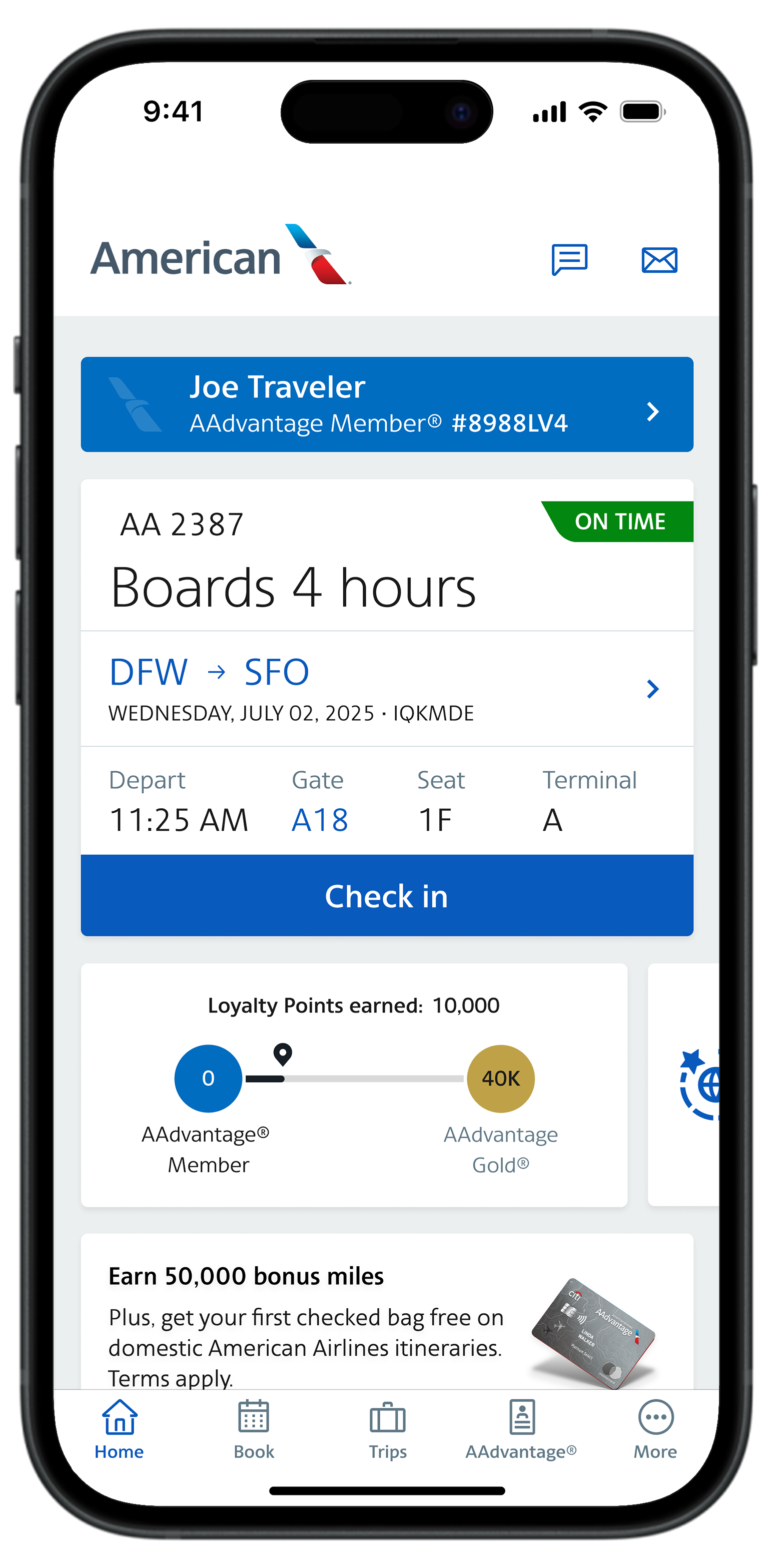
A significant advantage of digital check-in is the electronic boarding pass. Once check-in is complete, both the website and the app provide options to download or display the boarding pass. The mobile app specifically excels here, allowing the boarding pass to be saved directly to the phone’s digital wallet (Apple Wallet, Google Wallet). This leverages the phone’s native security features and ensures the boarding pass is accessible quickly without needing to open the app or have an active internet connection. The boarding pass barcode/QR code is the key technological component, serving as a scannable identifier at various airport checkpoints.
Optimizing Your Check-In Experience with Technology
Beyond the basic steps, American Airlines’ technology stack offers several features designed to enhance and optimize the passenger’s check-in journey, transforming a routine task into a more controlled and informed experience.
Real-time Updates and Notifications via App
The American Airlines mobile app excels in providing real-time, push-notification-driven updates. These automated alerts, powered by complex backend systems, inform passengers about gate changes, flight delays, boarding times, and baggage carousel assignments. This proactive communication, driven by sophisticated event-monitoring software, significantly reduces passenger anxiety and allows for timely adjustments to airport navigation. Users can customize notification preferences, ensuring they receive only the most relevant information.
Seat Selection and Upgrades: Digital Customization
Both the website and mobile app provide interactive tools for seat selection and potential upgrades. Passengers can view a graphical representation of the aircraft cabin, allowing them to choose available seats based on their preferences. This feature is backed by a dynamic inventory management system that updates seat availability in real-time. The digital platform also facilitates the purchase of preferred seats or upgrades to premium cabins, instantly processing the transaction and updating the reservation without manual intervention. This digital self-service empowers passengers to tailor their comfort directly.
Bag Tagging Solutions: From Home to Kiosk
For passengers checking bags, American Airlines integrates technology to streamline the process. After completing online check-in, passengers often have the option to indicate the number of bags they plan to check. At the airport, self-service kiosks can print bag tags by scanning the mobile or printed boarding pass, significantly reducing wait times at the counter. Some advanced features, though not universally deployed, include the ability for passengers to print bag tags at home, utilizing specialized printer configurations and a scannable code, which simplifies the drop-off process even further. This seamless handover from digital check-in to physical baggage processing is a key technological efficiency.
Security and Privacy in Digital Check-In
American Airlines employs robust security measures to protect passenger data throughout the digital check-in process. This includes end-to-end encryption (SSL/TLS) for data transmission, secure server architectures, and adherence to international data privacy regulations (e.g., GDPR, CCPA). Multi-factor authentication might be an option for AAdvantage accounts, adding an extra layer of security. Passengers are encouraged to use strong, unique passwords for their accounts. The airline’s systems are regularly audited for vulnerabilities, ensuring that sensitive information, from passport details to payment data, remains protected from unauthorized access.
Troubleshooting Common Tech-Related Check-In Issues
Despite the sophistication of these systems, passengers may occasionally encounter technical glitches or issues during the check-in process. Understanding common problems and their digital solutions can save significant time and frustration.
“No Record Found”: Data Entry and System Sync
One of the most frequent issues is the “No Record Found” error. This often stems from a simple data entry mistake, such as an incorrect record locator, last name mismatch, or an e-ticket number typo. The system performs an exact match query, so even minor discrepancies will lead to this error. Another cause can be a temporary delay in the airline’s reservation system syncing with third-party booking sites. The first step is always to double-check the entered information against the booking confirmation. If persistent, clearing browser cache or trying a different device can sometimes resolve minor display issues before contacting customer support.
App Glitches and Browser Compatibility
Mobile apps, while convenient, can sometimes experience temporary glitches or require updates. If the app is not functioning correctly, try restarting the app or your device. Ensure the app is updated to its latest version, as software updates often include bug fixes and performance enhancements. For website check-in, browser compatibility can be a factor. While modern web standards aim for universal functionality, older browsers or specific browser extensions might interfere. Switching to a different browser (e.g., Chrome, Firefox, Edge, Safari) or using incognito/private browsing mode to disable extensions can often resolve display or interaction problems.
Connectivity Challenges: Wi-Fi and Cellular Data
A stable internet connection is fundamental for digital check-in. Slow or intermittent Wi-Fi, or weak cellular data signals, can disrupt the process, leading to timeouts or incomplete transactions. If experiencing connectivity issues, try moving to a location with a stronger signal, switching between Wi-Fi and cellular data, or resetting your router. Downloading the mobile boarding pass to a digital wallet requires an initial connection but then allows access offline, mitigating some connectivity risks at the airport itself.
When Digital Fails: Understanding Backup Options
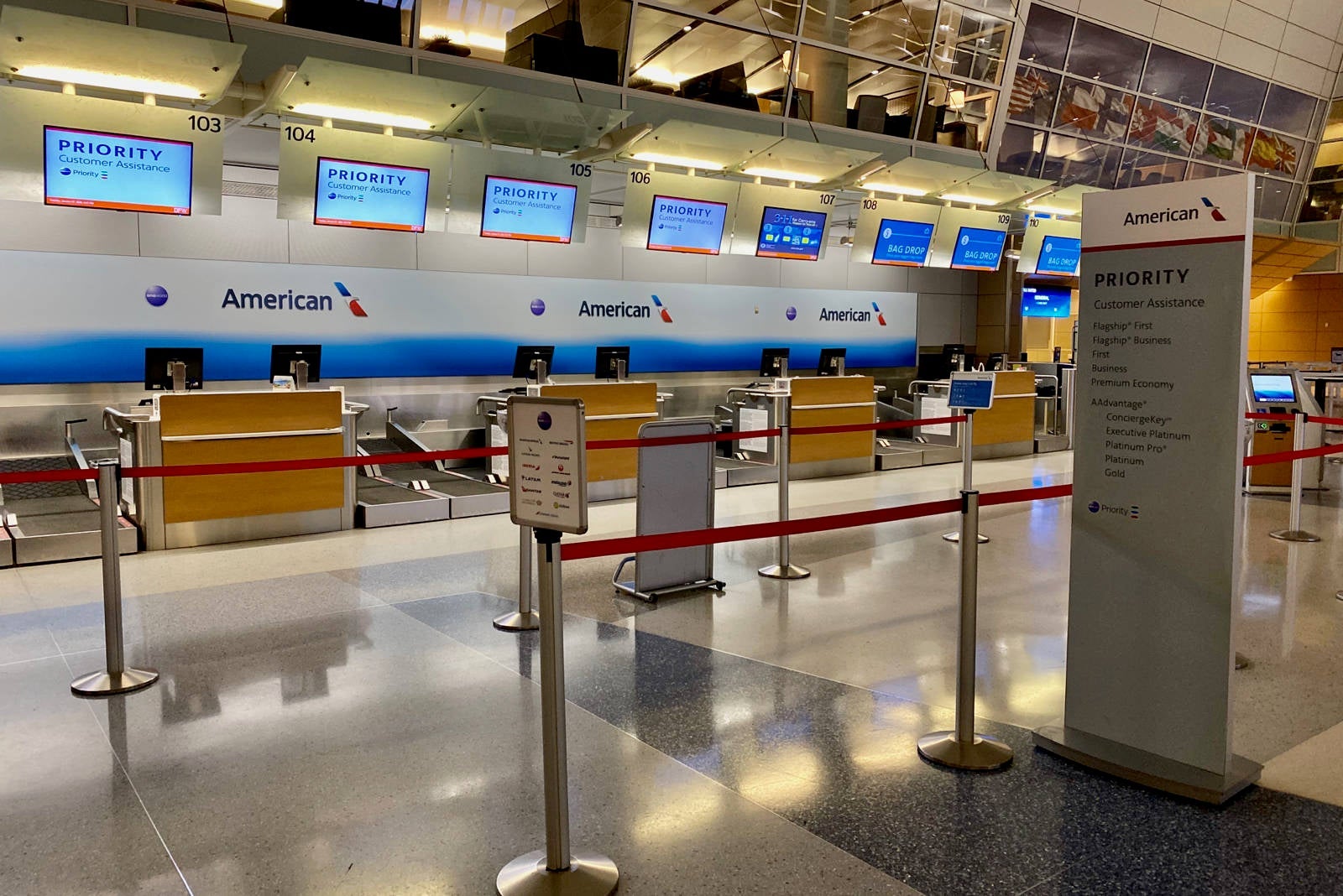
In rare cases where digital check-in avenues are completely inaccessible due to system outages, personal device issues, or unforeseen technical difficulties, American Airlines maintains manual and semi-manual backup options. Passengers can always proceed to the airport counter, where an agent can retrieve their reservation and issue a physical boarding pass. Self-service kiosks, while digital, act as an independent terminal and can often function even if a personal device or home internet is the point of failure. It’s always advisable to arrive at the airport with ample time, especially if facing technical difficulties, to allow for these alternative check-in procedures.
aViewFromTheCave is a participant in the Amazon Services LLC Associates Program, an affiliate advertising program designed to provide a means for sites to earn advertising fees by advertising and linking to Amazon.com. Amazon, the Amazon logo, AmazonSupply, and the AmazonSupply logo are trademarks of Amazon.com, Inc. or its affiliates. As an Amazon Associate we earn affiliate commissions from qualifying purchases.