
In an era defined by digital transformation, the way we consume television has undergone a profound metamorphosis. The days of being tethered to rigid cable contracts and predetermined programming schedules are steadily fading, replaced by the flexible, on-demand, and often more affordable world of live TV streaming. For many, the question “how do I stream live TV?” isn’t just about accessing content; it’s about reclaiming control over their entertainment, embracing technological efficiency, and optimizing their media budget.
This guide aims to demystify the process of cutting the cord, providing a professional, insightful, and engaging roadmap to understanding, selecting, and implementing a live TV streaming solution tailored to your needs. We’ll explore the technical underpinnings, compare the leading services, delve into the essential hardware, and offer practical advice to ensure a seamless transition to the future of television.
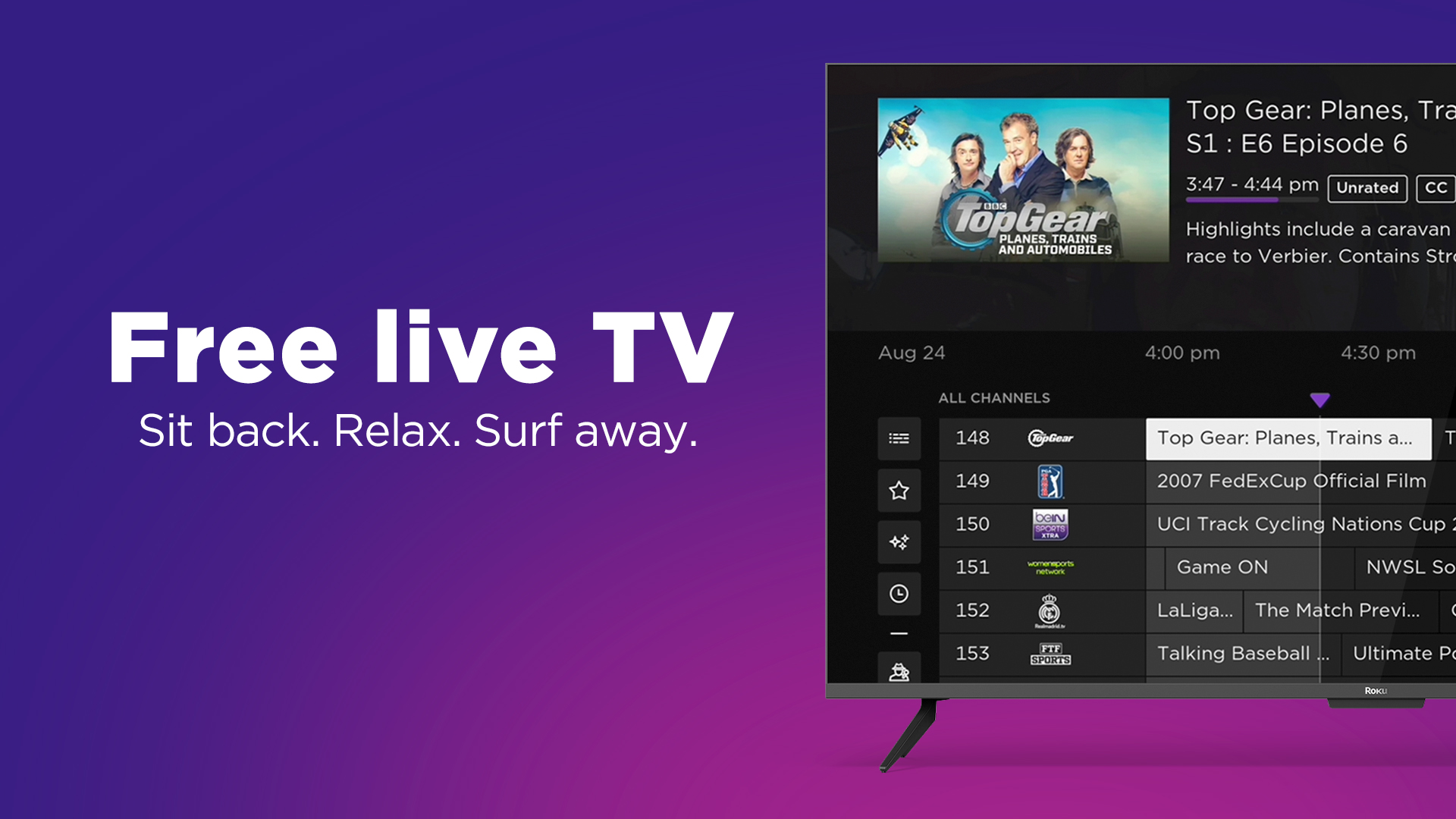
Understanding the Shift: Why Live TV Streaming Matters Now
The migration from traditional cable and satellite services to internet-based streaming platforms represents one of the most significant paradigm shifts in consumer technology this century. Driven by advancements in internet infrastructure, the proliferation of smart devices, and a growing consumer demand for personalization and value, live TV streaming has evolved from a niche alternative to a mainstream staple.
The Evolution of Television Consumption
For decades, the television experience was largely dictated by broadcasters and service providers. Channels were bundled, schedules were fixed, and the only way to watch “live” was to be in front of the TV at the appointed time. DVRs offered a limited reprieve, but the fundamental model remained unchanged. The internet, however, shattered these constraints. First, on-demand services like Netflix demonstrated the power of viewer control. Then, the integration of live programming into streaming frameworks unlocked the full potential of internet-delivered television, offering the immediacy of live events combined with the flexibility of digital platforms. This evolution caters to a modern lifestyle where content accessibility on any device, at any time, is not just a luxury but an expectation.
Key Advantages of Streaming Over Traditional Cable
The appeal of live TV streaming stems from a multitude of compelling advantages that directly address the pain points associated with traditional cable:
- Cost Savings: Typically, streaming packages are significantly cheaper than comparable cable bundles, which often include numerous unwanted channels.
- Flexibility and Customization: Many streaming services offer more granular control over channel lineups, allowing users to subscribe to packages that align with their specific interests. There are no long-term contracts, enabling easy cancellation or switching.
- Accessibility and Portability: Watch on smart TVs, smartphones, tablets, laptops, and streaming devices, both at home and on the go. As long as you have an internet connection, your live TV travels with you.
- Enhanced Features: Built-in cloud DVRs, simultaneous streams for different family members, and robust user interfaces are standard features, often superior to their cable counterparts.
- Reduced Clutter: No more bulky set-top boxes or tangled wires; just your internet connection and a compatible device.
Who Benefits Most from Live TV Streaming?
While the benefits are broad, certain demographics and viewing habits stand to gain the most. Budget-conscious consumers, those seeking to avoid long-term commitments, and individuals who watch TV primarily on mobile devices or prefer a lean selection of channels will find streaming particularly appealing. Sports enthusiasts can often find dedicated sports packages, and families can enjoy the flexibility of multiple simultaneous streams. Essentially, anyone looking for a more modern, cost-effective, and personalized way to access live television programming will find a solution within the streaming ecosystem.
Navigating the Landscape of Live TV Streaming Services
The burgeoning popularity of live TV streaming has led to a vibrant, albeit sometimes confusing, marketplace of service providers. Each platform offers a unique blend of channels, features, pricing, and user experience. Understanding these distinctions is crucial for making an informed choice.
Top Contenders: A Comparative Overview of Major Platforms
When you ask “how do I stream live TV?”, the answer often begins with one of these dominant players:
- Sling TV: Known for its à la carte channel packages (Orange for ESPN, Blue for Fox/NBC) and generally lower starting price, Sling is ideal for those looking for a basic, customizable, and cost-effective entry point.
- Hulu + Live TV: Combines a robust VOD library (including Hulu Originals) with a comprehensive live TV offering, making it a powerful all-in-one entertainment solution. It includes major networks and a strong selection of cable channels.
- YouTube TV: Offers an extensive channel lineup, an unlimited cloud DVR (recordings last for nine months), and an intuitive user interface that leverages Google’s search prowess. It’s often praised for its simplicity and reliability.
- FuboTV: Positioned as a sports-centric streamer, FuboTV boasts a vast array of sports channels alongside a solid general entertainment selection. It’s a prime choice for die-hard sports fans.
- DirecTV Stream: While often pricier, DirecTV Stream offers a channel lineup that closely mirrors traditional cable, making it a comfortable transition for those accustomed to a wide selection, including regional sports networks.
Each service has its strengths and weaknesses concerning channel availability (especially local channels and regional sports networks), DVR limitations, and simultaneous stream allowances. A free trial is almost always recommended to test the waters.
Niche and Specialty Streaming Options
Beyond the major players, a multitude of niche streaming services cater to specific interests or content types. Services like Philo focus on lifestyle and entertainment channels at a lower price point, while dedicated sports apps (e.g., ESPN+, MLB.TV, NBA League Pass) offer deep dives into specific leagues or events. News junkies might opt for services like Newsmax or Fox Nation. Understanding your core viewing preferences will help identify if a specialized service can supplement or even replace a broader live TV package.
Assessing Content Libraries and Channel Lineups
The heart of any live TV streaming decision lies in its channel lineup. It’s imperative to scrutinize which local affiliates (ABC, CBS, FOX, NBC, CW) are available in your area, as these can vary by service and geographic location. Beyond locals, identify your must-have cable channels (e.g., CNN, HGTV, ESPN, AMC, Discovery). Compare these lists meticulously across services. Some providers excel in sports, others in news, and some in family entertainment. Don’t forget to check for premium add-ons like HBO Max, Showtime, or Starz if those are part of your entertainment diet.
Cost Structures and Subscription Models
Live TV streaming services operate on monthly subscription models, free from the contracts and hidden fees often associated with cable. Prices can range from under $20 for basic, niche services to over $70-80 for comprehensive packages. Be mindful of:
- Base Package Price: The starting cost for core channels.
- Add-on Packages: Extra channels (e.g., sports, international, movie bundles) that increase the monthly fee.
- Premium Channel Add-ons: Subscriptions for services like HBO Max, Starz, etc.
- Taxes and Fees: Although less prevalent than with cable, some local taxes might apply.
- Price Increases: Streaming services occasionally adjust their pricing, so factor this into long-term budget planning.
Essential Hardware and Technical Prerequisites for Seamless Streaming
Once you’ve decided which live TV streaming service best fits your viewing habits, the next critical step is ensuring you have the right technical foundation. This involves compatible devices, a robust internet connection, and an understanding of key streaming features.
Compatible Devices: From Smart TVs to Streaming Sticks
The beauty of live TV streaming is its ubiquitous compatibility. Most services support a wide array of devices:
- Smart TVs: Many modern smart TVs (Samsung, LG, Sony, Vizio, etc.) come with built-in app stores that allow you to download streaming service applications directly.
- Streaming Sticks/Boxes: Devices like Roku, Amazon Fire TV Stick, Google Chromecast with Google TV, and Apple TV are dedicated streaming hubs that plug into your TV’s HDMI port. They offer intuitive interfaces and access to virtually every streaming app.
- Gaming Consoles: PlayStation and Xbox consoles often support popular streaming apps.
- Mobile Devices: Smartphones and tablets (iOS and Android) are perfect for on-the-go viewing.
- Computers: Access services via web browsers on desktops and laptops.
Choosing the right device often comes down to personal preference for interface, remote control design, and ecosystem integration (e.g., if you’re an Apple user, an Apple TV might feel more natural).
Internet Connectivity: Speed, Reliability, and Data Considerations
Your internet connection is the backbone of your streaming experience. Without adequate speed and reliability, you’ll encounter buffering, pixelation, and dropped connections.
- Speed Recommendations:
- Standard Definition (SD): 3-5 Mbps per stream
- High Definition (HD): 5-8 Mbps per stream (most common requirement)
- 4K Ultra HD: 20-25 Mbps per stream (for supported content and services)
- Multiple Streams: If multiple people will be streaming simultaneously in your household, multiply these figures accordingly. For a typical family streaming HD content on 2-3 devices, a connection of 25-50 Mbps is a safe minimum, with 100+ Mbps offering a more comfortable buffer.
- Reliability: A stable connection is as important as speed. Wi-Fi can be prone to interference, so consider an Ethernet connection for your primary streaming device if possible.
- Data Caps: Be aware of any monthly data caps imposed by your internet service provider (ISP). Streaming live TV, especially in HD, consumes significant data. One hour of HD streaming can use 1.5-3 GB, meaning heavy users could easily exceed typical data limits (e.g., 1 TB) if not careful.
Advanced Features: DVR, Multiple Streams, and User Profiles
Beyond simply playing live channels, modern streaming services offer advanced features that enhance usability:
- Cloud DVR (Digital Video Recorder): Unlike traditional hardware DVRs, cloud DVRs store your recordings on the service’s servers. This means you can access your recorded shows from any compatible device, anywhere. Look for generous storage limits and retention periods.
- Multiple Streams: Most services allow a certain number of simultaneous streams, enabling different family members to watch different content on different devices at the same time. This is a critical feature for households with diverse viewing tastes.
- User Profiles: Similar to Netflix, user profiles allow each household member to have their own personalized watch history, recommendations, and DVR recordings, creating a tailored experience for everyone.
The Role of Over-the-Air (OTA) Antennas in a Streaming Setup
Even in the age of streaming, an old technology can still play a vital role: the over-the-air (OTA) antenna. A simple, one-time purchase, an OTA antenna can pick up free, local broadcast channels (ABC, CBS, FOX, NBC, PBS, CW, etc.) in stunning uncompressed HD quality. For some streamers, this can fill in gaps if a preferred local channel isn’t available on their chosen live TV service or simply provide a cost-free alternative for major network programming. Integrating an OTA antenna can provide a robust and redundant solution for accessing essential local content.
Setting Up Your Streaming Ecosystem and Troubleshooting Common Issues
Embarking on your live TV streaming journey is generally straightforward, but a little preparation and knowledge of potential pitfalls can make the experience even smoother.
A Step-by-Step Guide to Getting Started
- Assess Your Needs: Determine your must-have channels, preferred device, and budget.
- Check Internet Speed: Use an online speed test (e.g., Speedtest.net) to ensure your internet connection meets the requirements.
- Choose a Service: Based on your assessment, sign up for a free trial of 1-2 services.
- Download the App: Install the service’s app on your chosen streaming device(s), smart TV, or mobile device.
- Log In: Use your created credentials to log into the app.
- Explore and Test: Navigate the interface, check channel availability, test the DVR, and ensure picture quality is satisfactory.
- Optimize: Adjust settings, such as video quality preferences (if available), to match your internet speed and data plan.
- Cancel Cable (if ready): Once satisfied, you can confidently cancel your traditional cable or satellite subscription.
Optimizing Your Home Network for Streaming Performance
A powerful internet plan is only as good as your home network. To ensure optimal streaming:
- Router Placement: Position your Wi-Fi router centrally in your home, away from obstructions and other electronics that might cause interference.
- Router Quality: Use a modern router that supports Wi-Fi 5 (802.11ac) or Wi-Fi 6 (802.11ax) for better speeds and efficiency, especially in congested areas.
- Bandwidth Prioritization (QoS): Many routers offer Quality of Service (QoS) settings, allowing you to prioritize streaming traffic over other activities like downloads or gaming.
- Wired Connections: Whenever possible, connect your primary streaming device (e.g., smart TV, streaming box) directly to your router via an Ethernet cable. This eliminates Wi-Fi interference and provides the most stable connection.
- Minimize Wi-Fi Congestion: If you live in an apartment building, try using a Wi-Fi channel that is less congested by your neighbors’ networks.
Common Challenges and Their Solutions (Buffering, Lag, Device Compatibility)
- Buffering/Lag:
- Solution: Check internet speed, restart your router and modem, move closer to the router, use an Ethernet cable, close other bandwidth-intensive apps/devices. If persistent, contact your ISP.
- Poor Picture Quality (Pixelation/Blurry):
- Solution: Often related to bandwidth. Ensure your internet speed is adequate, or check if the streaming service allows you to manually adjust video quality settings to a lower resolution.
- App Crashing/Freezing:
- Solution: Restart the app, restart the streaming device, check for app or device software updates, clear the app’s cache.
- Device Compatibility Issues:
- Solution: Most services list compatible devices on their website. Ensure your device’s operating system is up to date. Older devices may lose support over time.
- Local Channel Availability:
- Solution: Local channels are geo-restricted. Ensure your streaming service detects your correct location. If still unavailable, consider an OTA antenna.
Maximizing Your Streaming Experience: Tips and Tricks
- Trial and Error: Take advantage of free trials from multiple services before committing.
- Rotation: Consider rotating subscriptions. For example, subscribe to FuboTV during sports season, then switch to Hulu + Live TV for general entertainment later.
- Bundles: Some services offer bundles with other VOD platforms (e.g., Disney+/ESPN+/Hulu bundle), which can offer better value.
- VPN Use (with caution): While VPNs can mask your location, streaming services are actively blocking them to enforce geo-restrictions for content licensing. Using a VPN may result in service interruption.
- Personalization: Create user profiles for each family member to tailor content suggestions and track viewing progress.
- Explore Features: Get familiar with features like parental controls, favorites lists, and “continue watching” options.
The Future of Live TV Streaming and Making Your Choice
The landscape of live TV streaming is dynamic, continuously evolving with new technologies, content deals, and consumer demands. Staying informed and adaptable is key to long-term satisfaction.
Emerging Trends and Innovations
Expect to see continued innovation in areas like:
- 4K/HDR Content: More live sports and premium programming will become available in higher resolutions, demanding faster internet and capable devices.
- Personalized Ads: Advanced ad tech will allow for more targeted advertising, potentially making “ad-supported” tiers more palatable or even personalized ad breaks within live programming.
- Interactive Features: Integration with social media, real-time statistics overlays for sports, and interactive polls could become standard.
- Consolidation and Niche Specialization: The market may see further consolidation among larger players while smaller, highly specialized services continue to emerge.
- Enhanced AI and Recommendation Engines: Smarter algorithms will better anticipate viewing preferences, improving content discovery and user engagement.
Evaluating Your Personal Viewing Habits and Budget
Ultimately, the “best” way to stream live TV is highly personal. Take stock of:
- What you watch: Specific channels, types of shows (sports, news, drama, reality).
- How often you watch live vs. on-demand: This impacts the importance of DVR and VOD libraries.
- Who watches: Number of simultaneous viewers, need for profiles.
- Your budget: Monthly allowance for entertainment.
Don’t be swayed by marketing alone. A critical evaluation of your individual needs against the offerings of each service will lead to the most satisfying choice.
The Path to a Truly Personalized Entertainment Hub
Streaming live TV is more than just replacing cable; it’s about building a personalized entertainment hub. By combining a core live TV streaming service with perhaps a few video-on-demand subscriptions (Netflix, Max, Disney+), an OTA antenna for local channels, and a robust internet connection, you gain unparalleled control, flexibility, and often significant savings. The power to curate your own television experience, free from the constraints of legacy systems, is truly at your fingertips. Embrace the future of TV, and enjoy the freedom of streaming live.
aViewFromTheCave is a participant in the Amazon Services LLC Associates Program, an affiliate advertising program designed to provide a means for sites to earn advertising fees by advertising and linking to Amazon.com. Amazon, the Amazon logo, AmazonSupply, and the AmazonSupply logo are trademarks of Amazon.com, Inc. or its affiliates. As an Amazon Associate we earn affiliate commissions from qualifying purchases.