
Navigating the landscape of digital financial tools has become an essential aspect of personal finance management in the modern era. Platforms like Chime and Cash App offer distinct benefits, from streamlined mobile banking to convenient peer-to-peer payments. However, users often seek clarity on how to transfer funds between these popular services, a process that isn’t always as direct as one might assume. Understanding the mechanics, limitations, and best practices for moving money from your Chime account to Cash App is crucial for efficient financial orchestration.
The Indirect Path: Why Direct Transfers Are Uncommon
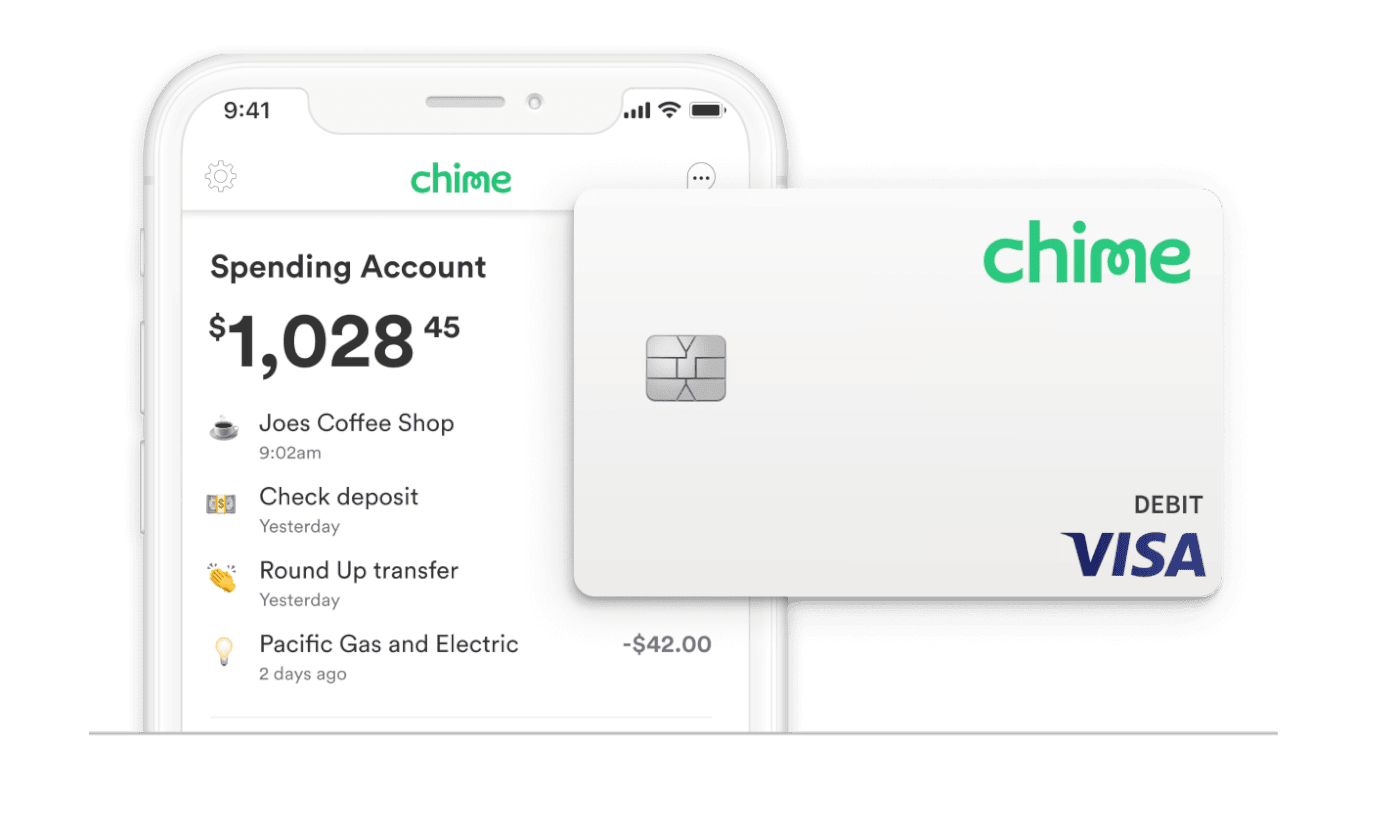
At first glance, one might expect a straightforward “send” button directly linking Chime and Cash App. However, both platforms operate as separate financial entities, each with its own banking partners, security protocols, and operational frameworks. Chime functions as a full-fledged mobile-first banking service, offering checking and savings accounts, direct deposit, and a debit card issued by Visa, alongside its own routing and account numbers. Cash App, while also providing a Cash Card (a debit card) and direct deposit capabilities, is primarily known for its peer-to-peer payment functionality and investment features.
The absence of a direct, instantaneous integration between these two specific platforms means that transfers must occur through an intermediary step. This indirect approach is a common model in the digital finance ecosystem, often leveraging existing banking infrastructure rather than proprietary, bilateral integrations for every possible combination of financial tools. This design philosophy emphasizes security and regulatory compliance, ensuring that funds are transferred through verified channels that meet industry standards. For users, this translates into a secure, albeit slightly multi-step, process for managing their money across different services. Understanding this underlying structure is the first step toward successfully linking your Chime funds to your Cash App balance.
The Essential Method: Linking Your Chime Account to Cash App
The primary and most effective method for transferring money from Chime to Cash App involves linking your Chime account details directly to your Cash App profile. Cash App is designed to facilitate transfers from external bank accounts and debit cards, making your Chime debit card or bank account the natural conduit for these transactions. This process essentially tells Cash App where to pull funds from, treating your Chime account as any other linked financial institution.
Linking Your Chime Debit Card to Cash App
This is often the quickest way to transfer funds, particularly if you need the money in Cash App instantly. Cash App allows users to link any valid Visa, MasterCard, American Express, or Discover debit card. Since Chime issues a Visa debit card, it integrates seamlessly into this system.
Step-by-Step Guide for Linking Your Chime Debit Card:
-
Open the Cash App: Launch the Cash App on your smartphone.
-
Navigate to the Profile Icon: Tap the profile icon (usually a circle with your picture or initials) located in the upper-right corner of the home screen.
-
Select ‘Linked Banks’: Scroll down and select the “Linked Banks” option.
-
Tap ‘Link Debit Card’: Choose the “Link Debit Card” option.
-
Enter Chime Debit Card Details: You will be prompted to enter your Chime Visa debit card number, its expiration date, the CVV code (the three-digit security code on the back), and your billing ZIP code.
-
Confirm Linkage: Follow any additional prompts to confirm the linkage. Cash App may perform a small authorization charge (which will be reversed) to verify the card.
Once your Chime debit card is successfully linked, you can use it to “Add Cash” to your Cash App balance. Transfers made via a linked debit card often have the option for instant deposit, though Cash App typically charges a small fee (e.g., 0.5% – 1.75%) for this speed. This fee is a crucial consideration for personal budgeting, as frequent instant transfers can accumulate costs. Standard transfers (1-3 business days) are usually free.
Linking Your Chime Bank Account to Cash App
For larger transfers, or if you prefer to avoid instant transfer fees, linking your Chime bank account directly to Cash App is a viable alternative. This method leverages the Automated Clearing House (ACH) network, the same system used for direct deposits and bill payments.
Step-by-Step Guide for Linking Your Chime Bank Account:
-
Open the Cash App: Launch the Cash App on your smartphone.
-
Navigate to the Profile Icon: Tap the profile icon in the upper-right corner.
-
Select ‘Linked Banks’: Scroll down and select “Linked Banks.”
-
Tap ‘Link Bank’: This option allows you to connect a full bank account using its routing and account numbers.
-
Search for ‘Chime’: Cash App typically uses Plaid, a secure third-party service, to facilitate bank linkages. Search for “Chime” within the provided list or search bar.
-
Log In to Chime: Plaid will securely connect to Chime. You will be prompted to enter your Chime login credentials (username and password). This process authenticates your ownership of the Chime account without sharing your credentials directly with Cash App.
-
Select Account: If you have multiple Chime accounts (e.g., checking and savings), select the one you wish to link.
-
Confirm Linkage: Follow the remaining prompts to complete the connection.
Linking via your bank account typically facilitates standard transfers, which are usually free but take 1-3 business days to process. This method is generally preferred for routine transfers where immediate access isn’t critical, allowing you to avoid instant transfer fees and manage your finances more economically.
Deciding Between Debit Card and Bank Account Linkage
The choice between linking your Chime debit card and your Chime bank account to Cash App largely depends on your priorities:
-
Speed vs. Cost: Debit card transfers offer speed (often instant) but usually incur a fee. Bank account transfers are free but take longer.
-
Transaction Limits: While both methods have limits, bank account transfers might offer higher thresholds for adding money in some cases, depending on your Cash App verification level.
-
Security Perception: Both methods are secure, utilizing encryption and verification protocols. However, some users might feel more comfortable linking their debit card for smaller, frequent transactions, while others prefer the traditional bank account link for larger or less urgent transfers.
Executing the Transfer: Moving Funds from Chime-Linked Source to Cash App
Once your Chime debit card or bank account is successfully linked to Cash App, the process of moving money becomes straightforward. You’re essentially instructing Cash App to pull funds from your designated Chime source and deposit them into your Cash App balance.
Adding Funds from Your Linked Chime Debit Card
If you’ve linked your Chime debit card, you can use the “Add Cash” feature for quick transfers.
Step-by-Step for Adding Cash via Debit Card:
-
Open the Cash App: From the Cash App home screen, locate the “Banking” tab (usually represented by a house icon or dollar sign at the bottom).
-
Tap ‘Add Cash’: Under your Cash App balance, you’ll see an “Add Cash” button. Tap this.
-
Select or Enter Amount: Choose a preset amount or manually enter the desired amount you wish to transfer from Chime to Cash App.
-
Confirm Transfer: The app will display the linked debit card as the source. Confirm the transaction. If you’re opting for instant deposit, any associated fee will be clearly displayed before you finalize.
Funds should appear in your Cash App balance almost immediately if you select instant transfer, or within 1-3 business days if you choose the standard free option (though this option is less common for debit card transfers, which are often instant by default with a fee).
Adding Funds from Your Linked Chime Bank Account
For transfers leveraging your linked Chime bank account, the process is similar but typically defaults to standard (free) transfer times.
Step-by-Step for Adding Cash via Bank Account:
-
Open the Cash App: From the Cash App home screen, navigate to the “Banking” tab.
-
Tap ‘Add Cash’: Tap the “Add Cash” button.
-
Select or Enter Amount: Choose or enter the amount you wish to transfer.
-
Confirm Transfer and Source: The app will prompt you to confirm the source of funds. Ensure your linked Chime bank account is selected. If you have multiple linked accounts, you might need to choose it from a list.
-
Finalize Transaction: Confirm the transaction. You will usually see a notification indicating the estimated arrival time for the funds (e.g., “Funds will arrive in 1-3 business days”).
These transfers are usually free of charge from Cash App’s side, aligning with typical ACH transfer policies. Always verify the transaction details, including the amount and estimated arrival time, before confirming.
Understanding Cash App Transfer Limits and Fees
It’s crucial for personal finance management to be aware of Cash App’s daily and weekly limits for adding cash, as well as any associated fees. These limits are in place for security and regulatory compliance. Unverified Cash App accounts typically have lower limits compared to verified accounts (which require your full name, date of birth, and the last four digits of your SSN).
-
Adding Cash Limits: Limits can vary, but generally, unverified accounts might have an “Add Cash” limit of around $250 per week, while verified accounts can add significantly more, sometimes up to $7,500 per week.
-
Instant Deposit Fees: As mentioned, instant transfers from a linked debit card typically incur a fee (e.g., 0.5% to 1.75%). Standard transfers from a linked bank account are generally free.
Monitoring these limits and understanding the fee structure is vital for budgeting and ensuring your transfers proceed smoothly without unexpected charges or delays.
Security, Best Practices, and Financial Management
Successfully transferring money between Chime and Cash App isn’t just about following steps; it also involves implementing robust security practices and adopting an informed approach to managing your digital finances.
Safeguarding Your Financial Information
Protecting your financial data is paramount. When linking accounts and initiating transfers:
-
Strong, Unique Passwords: Use complex, unique passwords for both your Chime and Cash App accounts.
-
Two-Factor Authentication (2FA): Enable 2FA on both platforms. This adds an extra layer of security, typically requiring a code from your phone in addition to your password for logins or sensitive transactions.
-
Monitor Transactions: Regularly review your transaction history on both Chime and Cash App for any unauthorized activity. Set up notifications for all transactions to stay informed.
-
Beware of Phishing: Be vigilant against suspicious emails, texts, or calls claiming to be from Chime or Cash App. These attempts often try to trick you into revealing your login credentials. Always access your accounts directly through the official apps or websites.
-
Secure Network: Only access your financial apps over secure, private Wi-Fi networks or your mobile data. Avoid public Wi-Fi networks for financial transactions.
Optimizing Your Digital Wallet Strategy
For individuals utilizing both Chime and Cash App, developing a strategic approach to their use can enhance your overall financial management:
-
Chime as Your Primary Hub: Many users leverage Chime for direct deposits, bill payments, and general spending due to its comprehensive banking features, including early payday options and fee-free overdraft protection.
-
Cash App for P2P and Specific Needs: Cash App excels in peer-to-peer payments, making it ideal for splitting bills with friends or sending money quickly. Its investing features (stocks, Bitcoin) also cater to specific financial goals.
-
Strategic Transfers: Use the linking method discussed to transfer funds from Chime to Cash App specifically when you need to send money via Cash App, utilize its investing features, or withdraw cash using the Cash Card from your Cash App balance. Avoid unnecessary transfers, especially those incurring fees, to optimize your cash flow.
-
Balance Management: Regularly check your balances on both platforms to ensure you have sufficient funds for upcoming expenses or transfers, preventing declined transactions.
Troubleshooting Common Transfer Issues
Even with careful planning, issues can sometimes arise. Knowing how to troubleshoot can save time and frustration:
-
Incorrect Details: Double-check that all card or bank account details entered into Cash App are correct and match your Chime account exactly.
-
Insufficient Funds: Ensure you have enough money in your Chime account to cover the transfer amount. Transfers will fail if funds are insufficient.
-
Account Verification: If you’re hitting limits, ensure your Cash App account is fully verified. Similarly, Chime may require additional verification for certain activities.
-
Expired Card: If using a debit card, verify that it has not expired.
-
App Updates: Ensure both your Chime and Cash App are updated to their latest versions to avoid software-related glitches.
-
Contact Support: If you encounter persistent issues, contact the customer support teams for Cash App or Chime directly. They can provide specific guidance tailored to your situation.
By understanding the pathways, adhering to security best practices, and strategically managing your accounts, you can seamlessly integrate Chime and Cash App into your personal financial toolkit, ensuring your money is where you need it, when you need it.
aViewFromTheCave is a participant in the Amazon Services LLC Associates Program, an affiliate advertising program designed to provide a means for sites to earn advertising fees by advertising and linking to Amazon.com. Amazon, the Amazon logo, AmazonSupply, and the AmazonSupply logo are trademarks of Amazon.com, Inc. or its affiliates. As an Amazon Associate we earn affiliate commissions from qualifying purchases.