
In the contemporary landscape of personal finance, the transition from physical currency to digital transactions has been nothing short of revolutionary. Venmo, a subsidiary of PayPal, has emerged as a cornerstone of this shift, particularly within the United States. It functions not just as a tool for convenience but as a sophisticated financial platform that facilitates peer-to-peer (P2P) transfers, business payments, and even cryptocurrency management. Understanding how to request money on Venmo is the foundational skill required to navigate this ecosystem, whether you are splitting a dinner bill, collecting rent from a roommate, or managing a side hustle.

The Mechanics of Requesting Funds: A Step-by-Step Walkthrough
Requesting money on Venmo is designed to be intuitive, yet there are nuances to the process that can impact how quickly and securely you receive your funds. The platform’s interface centers around a primary action button, often represented by a “Pay or Request” icon, which serves as the gateway to all outbound financial communication.
Initiating a Standard Request
To start a request, open the Venmo app and locate the “Pay or Request” button—usually a blue button at the bottom center of the screen. Once tapped, you are prompted to enter the name, @username, email, or phone number of the person who owes you money. For precision, many users prefer using the recipient’s unique @username or scanning their personalized QR code, which eliminates the risk of sending a request to the wrong individual with a similar name.
After selecting the recipient, you enter the specific dollar amount. Below the amount field, Venmo requires a note explaining the purpose of the transaction. While some users opt for emojis, from a financial tracking perspective, it is advisable to use clear descriptors like “October Rent” or “Utility Bill Split.” Once the note is complete, you tap “Request.” The recipient will receive a notification, and the request will remain “Pending” in your account until they take action.
Utilizing the QR Code for In-Person Transactions
For those who frequent farmers’ markets, pop-up shops, or simply want to streamline the process while standing next to a friend, the Venmo QR code is an invaluable tool. By tapping on the “Scan” icon or accessing your personal QR code within the app, you can allow others to scan your phone to instantly pull up your profile. This bypasses the manual search process entirely, reducing friction and ensuring that the financial connection is established accurately.
The Power of the “Split” Feature
One of Venmo’s most potent features for personal finance management is the “Split” function. When you make a purchase using a Venmo debit card or pay a merchant through the app, you can select that specific transaction from your history and choose to split it among multiple contacts. Venmo automatically calculates the math based on the number of people involved and sends out individual requests. This ensures that the primary payer is reimbursed promptly without having to manually calculate shares or send separate requests to every member of a group.
Navigating the Financial Nuances of Venmo Requests
While the physical act of requesting money is simple, the financial implications regarding account types, limits, and fees require a deeper understanding. Venmo is no longer just a “social” app; it is a legitimate financial tool that interfaces directly with the traditional banking system.
Personal vs. Business Profiles
Venmo distinguishes strictly between personal transactions and business transactions. If you are requesting money for a product or service—such as freelance writing, handmade crafts, or consulting—using a personal profile can lead to account flags or limitations.
Business profiles are designed specifically for these scenarios. When a customer pays a business profile, the transaction is often subject to a small seller fee (typically 1.9% plus a fixed fee). In exchange, both the buyer and the seller may be eligible for “Purchase Protection,” which provides a layer of security if the goods or services are not delivered as described. Furthermore, using a business profile ensures that your professional income is tracked separately from your personal gifts and reimbursements, which is essential for tax season and 1099-K reporting requirements.
Understanding Transaction Limits and Verification
For new users, Venmo imposes “unconfirmed” limits on how much money can be requested and transferred. To increase these limits, users must complete an identity verification process, which involves providing a Social Security Number (SSN) or Individual Taxpayer Identification Number (ITIN), along with a residential address.

Once verified, the weekly rolling limit for person-to-person payments and requests significantly increases, often allowing for several thousand dollars in transactions. Monitoring these limits is crucial for users who use Venmo for high-value items like monthly rent or large group travel reimbursements.
Managing Pending Requests and Reminders
A common point of friction in digital finance is the “forgotten” request. When you send a request on Venmo, it does not automatically deduct money from the other person’s account; they must manually approve it. If a request remains unfulfilled, Venmo provides a “Remind” feature. Within the “Incomplete” tab of the “Me” section, you can find your pending requests and tap “Remind” to send a gentle push notification to the recipient. This avoids the social awkwardness of a face-to-face confrontation while maintaining a professional digital paper trail.
Optimizing the Flow of Funds: Transfers and Deposits
Receiving a payment through a Venmo request is only the first half of the financial cycle. Once the money is in your Venmo balance, you must decide how to integrate it back into your broader financial ecosystem.
Instant Transfer vs. Standard Bank Deposit
Venmo offers two primary ways to move your balance into a traditional bank account or onto a debit card. The “Standard” transfer is free and typically takes one to three business days. This is the preferred method for those who are not in a rush and want to avoid unnecessary fees.
The “Instant Transfer” option, however, allows you to move money to an eligible linked debit card or bank account within minutes. This service comes at a cost—usually a percentage of the transfer amount (currently 1.75%, with minimum and maximum fee caps). For individuals managing tight cash flows or emergency expenses, the instant transfer is a vital tool, though the fees can add up over time if used habitually.
Using the Venmo Balance Directly
Many users choose not to transfer their funds at all, instead maintaining a “Venmo Balance.” This balance can be used to pay for future requests or purchases at authorized merchants and within apps that accept Venmo as a payment method. By keeping a balance, you create a revolving fund that can be used for daily expenses without ever touching your primary checking account. However, it is important to remember that Venmo balances are not always FDIC-insured in the same way traditional bank accounts are, unless you have specific features like a Venmo Debit Card or have completed identity verification.
Security, Privacy, and Best Practices
In the realm of digital finance, security is paramount. Requesting money involves sharing your digital identity, and users must be diligent about who they interact with and how their data is displayed.
Privacy Settings and the Social Feed
Venmo is unique because of its social component. By default, transactions may be visible to a user’s friend list or even the public. For financial privacy, it is highly recommended to adjust your settings to “Private.” This ensures that only you and the other party can see the details of the request. In a world where financial data is often scraped for marketing or malicious purposes, keeping your transaction history private is a basic yet essential security measure.
Avoiding Scams and Fraudulent Requests
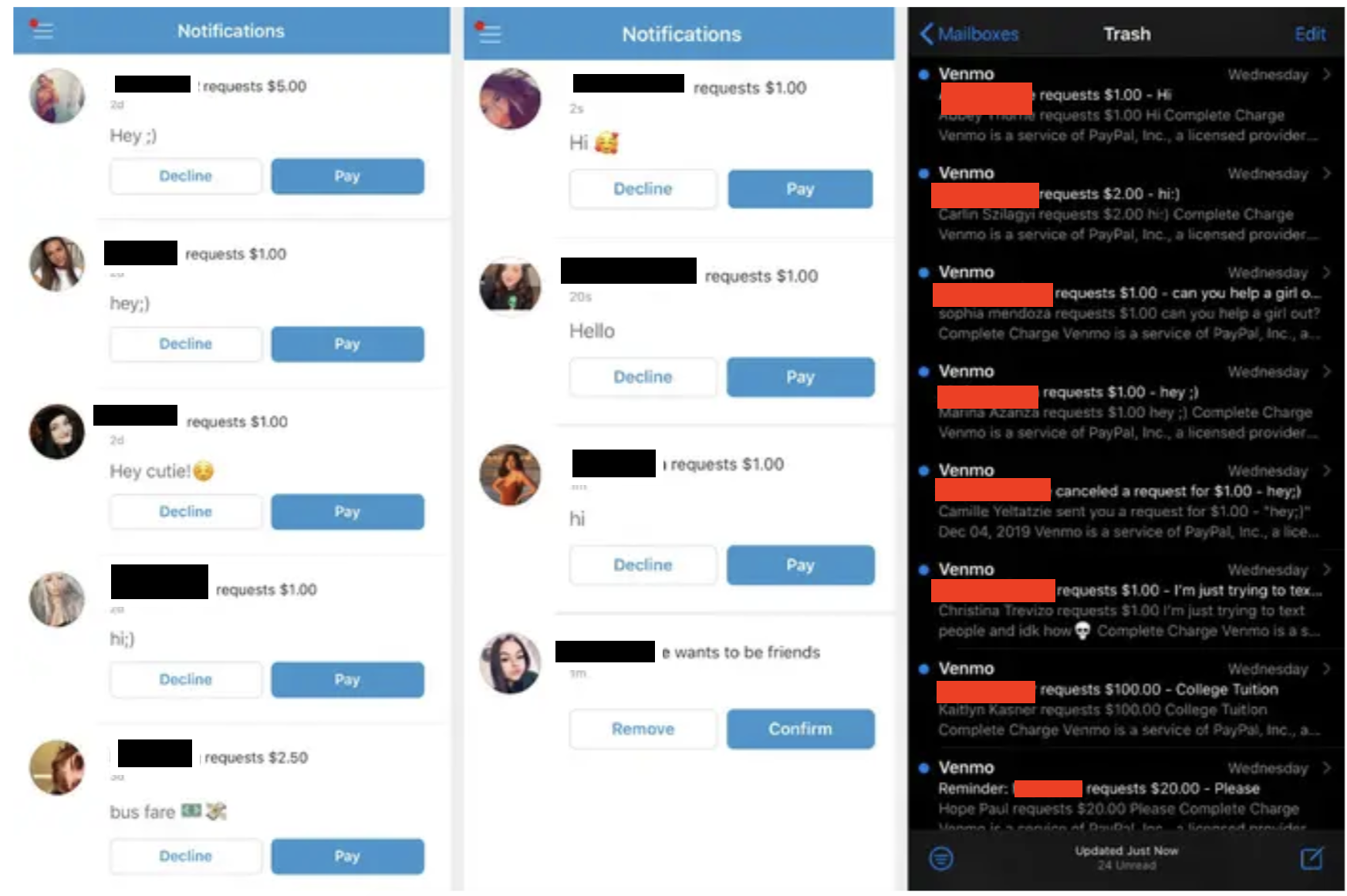
As Venmo’s popularity has grown, so have the tactics used by bad actors. A common scam involves a stranger sending you money “by accident” and then requesting that you send it back. Often, the original payment was made with a stolen credit card and will eventually be reversed by the bank, leaving you out of pocket for the money you “returned.”
The golden rule of Venmo is to only interact with people you know and trust. If you receive a request from an unknown user, or if a transaction seems suspicious, do not engage. Venmo’s customer support can assist in resolving legitimate errors, but manual “returns” to strangers are high-risk maneuvers.
Integrating Venmo into Your Budgeting Strategy
To truly master Venmo as a financial tool, it should be integrated into your overall budgeting strategy. Many modern budgeting apps can sync with Venmo, allowing you to categorize your incoming reimbursements as “Income” or “Expense Offsets.” By accurately tracking the money you request and receive, you gain a clearer picture of your net spending. For example, if you spend $200 on a group dinner but receive $150 back through Venmo requests, your budget should reflect a $50 net expense rather than a $200 drain on your resources.
By understanding the technical steps of requesting money, navigating the differences between personal and business use, and maintaining a high standard of digital security, you can transform Venmo from a simple app into a powerful component of your personal financial management system. Whether you are splitting the cost of a coffee or managing the overhead of a small business, the ability to efficiently request and manage digital funds is an essential skill in the modern economy.
aViewFromTheCave is a participant in the Amazon Services LLC Associates Program, an affiliate advertising program designed to provide a means for sites to earn advertising fees by advertising and linking to Amazon.com. Amazon, the Amazon logo, AmazonSupply, and the AmazonSupply logo are trademarks of Amazon.com, Inc. or its affiliates. As an Amazon Associate we earn affiliate commissions from qualifying purchases.