
The question “How do I install YouTube?” might seem surprisingly simple, but it opens the door to a world of digital access and content consumption. YouTube, the undisputed king of online video, is not typically “installed” in the traditional software sense, especially on most modern devices. Instead, it’s usually pre-loaded or accessed through a web browser. However, depending on your device and your specific needs, the process can vary. This article will guide you through the various ways to get YouTube up and running, covering everything from the most common scenarios to less conventional methods, all while touching upon the broader technological landscape it inhabits.
Understanding YouTube Access: Beyond a Simple “Install”
Before diving into specific instructions, it’s crucial to understand how YouTube typically works. For the vast majority of users, YouTube is an app or a website that’s readily available. This seamless integration is a testament to its ubiquity and the evolution of digital platforms.
1. Accessing YouTube on Common Devices
The “installation” of YouTube is largely dictated by the operating system and hardware you are using. Let’s break down the most prevalent scenarios:
Smartphones and Tablets
For most Android and iOS users, YouTube is pre-installed. It’s a foundational app for any mobile device.
-
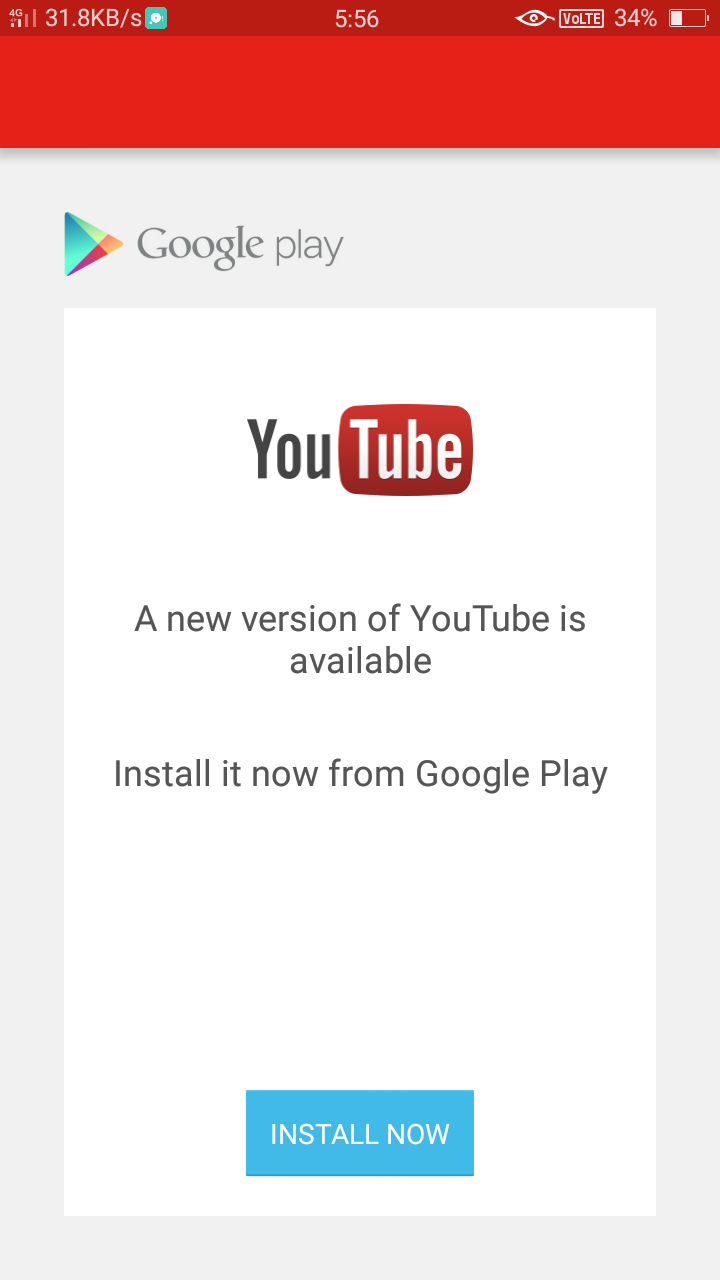
Android: If for some reason the YouTube app is missing, you can easily find and install it from the Google Play Store. Simply search for “YouTube,” tap on the official app, and select “Install.” The Play Store is your gateway to millions of apps, and YouTube is one of the most popular. The process is straightforward: open the store, use the search bar, locate the app, and initiate the download. Your device will handle the rest, including placement on your home screen or app drawer.
-
iOS (iPhones and iPads): Similar to Android, the YouTube app is almost always pre-installed on Apple devices. If it’s not there, or if you’ve deleted it, you can retrieve it from the App Store. Search for “YouTube,” tap on the official app, and then tap “Get” or the cloud icon to download and install it. The App Store prioritizes security and user-friendliness, making app installation a secure and intuitive process.
Smart TVs and Streaming Devices
YouTube has become an indispensable part of the living room experience, and access is usually just as straightforward.
-
Smart TVs: Most modern smart TVs come with the YouTube app pre-installed. If it’s not visible, look for an “App Store” or “Content Store” on your TV’s interface. Search for “YouTube” and follow the on-screen prompts to download and install it. The interface will vary by manufacturer (Samsung, LG, Sony, etc.), but the principle remains the same: navigate to the app marketplace and add the desired application.
-
Streaming Devices (Roku, Amazon Fire Stick, Apple TV, Chromecast, etc.): These devices are designed to enhance your TV’s capabilities, and YouTube is a staple.
- Roku: Navigate to the “Streaming Channels” store, search for “YouTube,” and add the channel.
- Amazon Fire Stick: Go to the “Appstore,” search for “YouTube,” and select “Get” or “Download.”
- Apple TV: Open the App Store on your Apple TV, search for “YouTube,” and download it.
- Chromecast: While Chromecast itself doesn’t “install” apps in the traditional sense (it’s a dongle that casts content from your phone/tablet), the YouTube app on your mobile device is what you use to cast. You’ll need the YouTube app installed on your phone or tablet, as described above.
Computers (Windows, macOS, Linux)
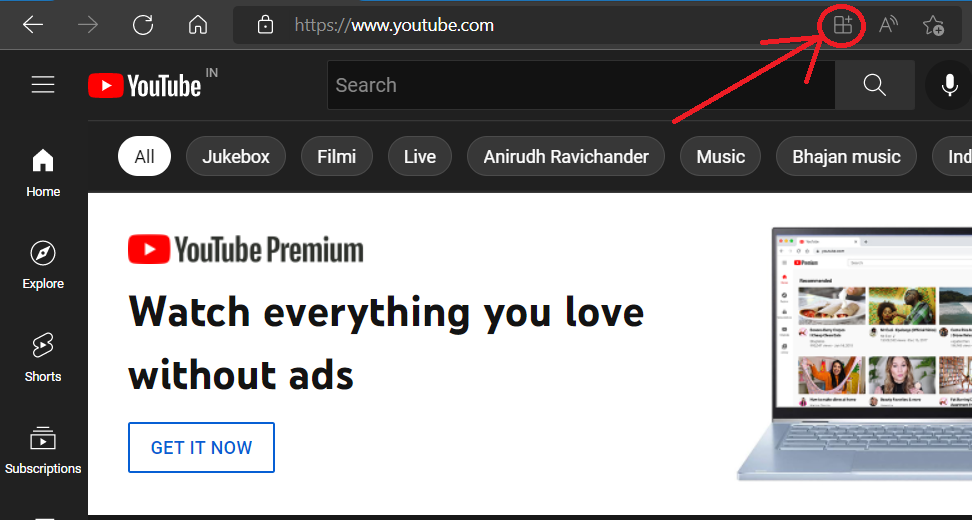
On computers, YouTube is primarily accessed through a web browser. There isn’t a traditional “installable” YouTube application for desktop operating systems that offers the same experience as the website.
- Web Browser: Open your preferred web browser (Chrome, Firefox, Safari, Edge, etc.). Navigate to www.youtube.com. You can then bookmark this page for quick access. Some browsers might offer an option to “install” a website as an app or create a shortcut on your desktop, which can mimic the feel of an installed application. For example, in Google Chrome, you can go to “Settings” > “Apps” > “Install this site as an app.” This creates a standalone window for YouTube.
Gaming Consoles
Major gaming consoles have integrated YouTube apps for entertainment beyond gaming.
- PlayStation (PS4, PS5): Access the PlayStation Store, search for “YouTube,” and download the application.
- Xbox (Xbox One, Xbox Series X/S): Go to the Microsoft Store on your console, search for “YouTube,” and install it.
2. Considerations for “Installing” YouTube
While the process is generally simple, a few factors can influence your YouTube experience and how you “install” or access it.
Device Compatibility and Operating System Versions
The primary factor determining how you install YouTube is your device’s operating system. Older devices or those running outdated OS versions might not be able to run the latest version of the YouTube app. In such cases, you might be limited to accessing YouTube via a web browser, or you might need to find an older, compatible version of the app if one exists (though this is generally not recommended for security reasons).
Internet Connectivity
A stable internet connection is paramount for both downloading the YouTube app and for streaming content. Whether you’re using Wi-Fi or mobile data, a strong connection ensures a smooth installation process and uninterrupted viewing. Poor connectivity can lead to installation failures or buffering issues.
Storage Space
While the YouTube app itself is relatively small, it requires some storage space on your device. If your device is low on storage, you may need to clear up space before you can download and install any new applications.
Beyond Installation: Maximizing Your YouTube Experience
Once you have YouTube up and running, the possibilities are endless. This platform is not just about entertainment; it’s a hub for learning, creativity, and even professional development.
Leveraging YouTube for Learning and Productivity
YouTube is an incredibly powerful educational tool. From DIY tutorials and academic lectures to cooking demonstrations and language lessons, there’s a video for almost any subject.
-
Tutorials: Need to fix a leaky faucet, learn a new software feature, or master a guitar chord? YouTube tutorials are abundant and often provide step-by-step guidance that’s easy to follow. This falls squarely into the Tech category, where tutorials are essential for understanding and using new software, apps, and gadgets.
-
Skill Development: Want to learn coding, graphic design, or video editing? Numerous channels offer comprehensive courses and tips. This directly contributes to Productivity and personal growth, skills highly valued in both personal and professional branding.
-
Staying Updated: Follow channels related to your industry or interests to stay abreast of the latest trends, news, and innovations. This is vital for keeping up with Technology Trends and understanding new AI Tools or emerging Apps.
YouTube as a Platform for Brand and Content Creation
For creators and businesses, YouTube is a powerful tool for building a presence and reaching an audience.
-
Content Marketing: Brands use YouTube to showcase products, share customer testimonials, and tell their story. This is a cornerstone of Brand Strategy and Marketing. A well-produced YouTube channel can significantly enhance Corporate Identity and build Reputation.
-
Personal Branding: Individuals can build a personal brand by sharing their expertise, passions, or daily life. This can lead to opportunities in various fields, aligning with Personal Branding principles.
-
Monetization and Income: For successful creators, YouTube can be a significant source of income through advertising revenue, sponsorships, merchandise sales, and channel memberships. This ties directly into the Money category, specifically Online Income and Side Hustles. Understanding how to grow a channel and monetize content is a valuable financial skill.
Advanced YouTube Access and Integration
While the basic installation is straightforward, there are more advanced ways to integrate YouTube into your digital life.
YouTube Premium and YouTube Music
For an enhanced experience, consider subscribing to YouTube Premium. This subscription offers several benefits:
- Ad-Free Viewing: Enjoy all videos without interruptions.
- Background Playback: Listen to music or podcasts while using other apps or when your screen is off.
- Downloads: Save videos to watch offline, ideal for travel or areas with poor connectivity.
- YouTube Music: Access a dedicated music streaming service with millions of songs and ad-free listening.
Subscribing to Premium is done through your YouTube account settings on the app or website. This offers a premium user experience, demonstrating how developers continually enhance their Apps and services.
Third-Party Applications and Tools
While YouTube’s official app and website are the primary access points, some third-party applications and browser extensions can offer additional features. These might include enhanced download capabilities, advanced playback controls, or unique organizational tools. However, it’s crucial to exercise caution with third-party software, as some can pose Digital Security risks or violate YouTube’s terms of service. Always ensure you download from reputable sources and understand the permissions you are granting. This relates to Digital Security and the careful evaluation of Software and Apps.
YouTube and Smart Home Integration
Many smart home devices, like Google Assistant-enabled smart speakers and displays, can play YouTube videos. You can simply ask your smart assistant to play a specific video or channel. For example, “Hey Google, play the latest tech review on YouTube.” This showcases the integration of Technology Trends and the evolving landscape of how we interact with digital content.

Conclusion
The question “how do I install YouTube” is a gateway to understanding how content is accessed and integrated into our diverse digital lives. For most, it’s a simple matter of finding the pre-installed app or downloading it from an app store. However, it also highlights the interconnectedness of technology, from the devices we use to the platforms that shape our information consumption, brand building, and even financial opportunities. Whether you’re looking to learn a new skill, build a brand, or simply unwind with your favorite content, YouTube remains an indispensable part of the modern digital experience. Understanding its access methods ensures you can leverage this powerful platform to its fullest potential, contributing to your technological literacy, personal growth, and even financial well-being.
aViewFromTheCave is a participant in the Amazon Services LLC Associates Program, an affiliate advertising program designed to provide a means for sites to earn advertising fees by advertising and linking to Amazon.com. Amazon, the Amazon logo, AmazonSupply, and the AmazonSupply logo are trademarks of Amazon.com, Inc. or its affiliates. As an Amazon Associate we earn affiliate commissions from qualifying purchases.